OpenAI · 2026-06-17 · notable
ChatGPT Scheduled Tasks Hub — sidebar page replaces Pulse
ChatGPT now has a dedicated Scheduled page in the sidebar where users can view, pause, edit, or delete recurring prompts and monitoring tasks. The launch replaces Pulse, which OpenAI retires in 14 days.
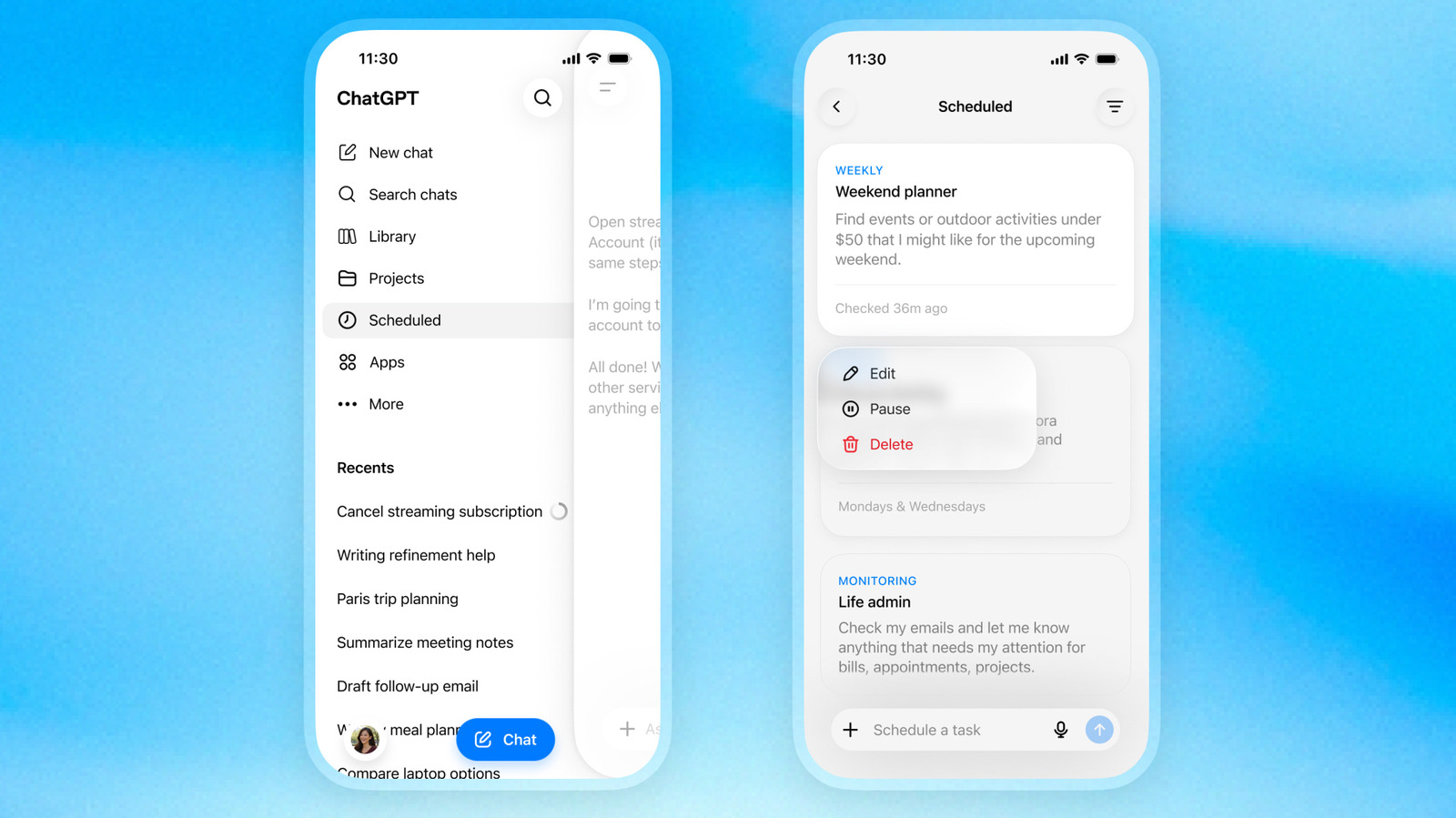
ChatGPT moves scheduled prompts into a single sidebar Scheduled page and retires Pulse.
Key specs
| Task cap | 1 run per hour |
|---|---|
| Pulse retirement | 14 days |
Quick facts
| Maker | OpenAI |
|---|---|
| Available to | ChatGPT Go, Plus, Pro, Business, Enterprise |
| Platforms | Web + mobile |
| Run cadence | Max once per hour |
| Pulse | Retired in 14 days |
| Scope | Reminders, recurring work, web/app monitoring |
What is it?
ChatGPT Scheduled Tasks is OpenAI's redesigned home for recurring prompts inside ChatGPT. A new Scheduled page in the sidebar lists every active task with its next run time and lets users pause, resume, edit, or delete it without scrolling through chat threads.
How does it work?
Scheduled Tasks runs each saved prompt on its own cadence — at a specific time or a broader window like morning, afternoon, or evening — capped at once per hour. Monitoring tasks can search the web and check connected apps, then notify the user only when something material changes. Unattended tasks may pause automatically after a period of inactivity.
Why does it matter?
Scheduled Tasks pulls automated ChatGPT work out of buried chats and into a managed surface, making it easier to keep recurring agents under control. The launch also retires Pulse, OpenAI's earlier proactive-summary feature, which sunsets in 14 days.
Who is it for?
ChatGPT subscribers running daily/weekly automations or monitoring tasks
Try it
Open ChatGPT sidebar → Scheduled (Go/Plus/Pro/Business/Enterprise)