Unsloth AI · 2026-08-11 · major
Unsloth Desktop — run and train local AI models without writing code
Unsloth Desktop is a free, open-source app that runs and fine-tunes AI models on your own machine. The Tauri-based app works on Windows, macOS and Linux, trains without code, and serves local models through an OpenAI-compatible API.
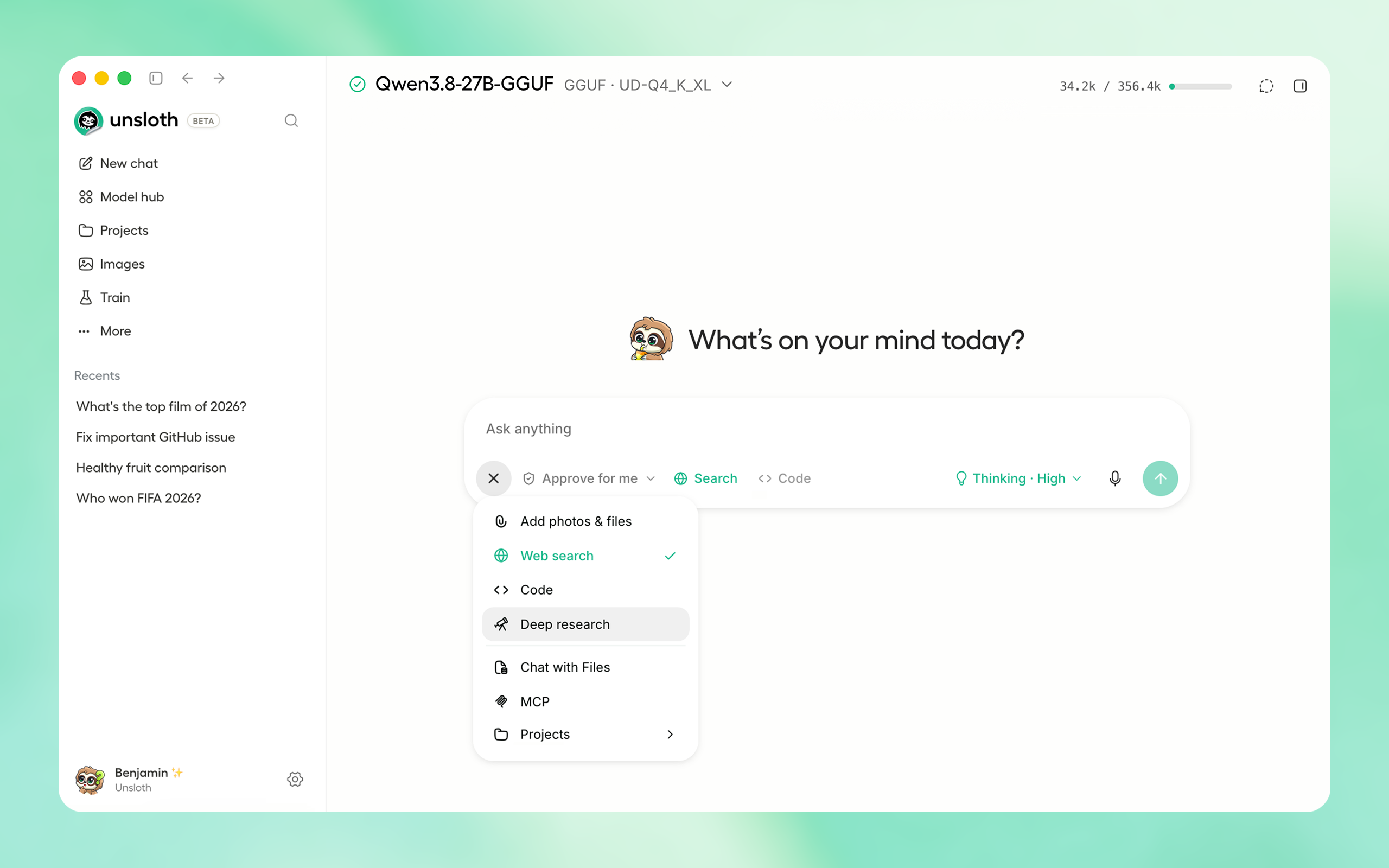
A free desktop app that runs, fine-tunes and serves local AI models on Windows, macOS and Linux.
Key specs
| GitHub stars | 70,813 |
|---|---|
| Training | 2x faster, 70% less VRAM |
Quick facts
| Maker | Unsloth AI |
|---|---|
| Version | v0.1.70-beta |
| Price | Free |
| License | Apache-2.0 |
| Platforms | Windows, macOS, Linux, WSL |
| Hardware | CPU or multi-GPU: NVIDIA, AMD, Intel, Mac |
| Export formats | NVFP4, GGUF and others |
What is it?
Unsloth Desktop puts running a model and training a model in one native app, so neither task needs a Python environment or a local server first. The beta handles text LLMs, diffusion image and video models, MLX, GGUF and audio models. Unsloth AI released it on 11 August 2026, and it is free and open source.
How does it work?
Built with Tauri, the app wraps llama.cpp, PyTorch and stablediffusion.cpp behind one interface and pulls models straight from Hugging Face. Training covers LoRA, full fine-tuning and pretraining across text, diffusion, audio and vision models. Local models are then served through an OpenAI-compatible API, and tool calls that come back malformed get repaired instead of dropped.
Why does it matter?
Local fine-tuning normally means sorting out CUDA versions, Python environments and port forwarding before any real work starts. Unsloth Desktop removes that setup on ordinary machines — CPU-only or multi-GPU, on NVIDIA, AMD, Intel or Mac hardware — and lets coding agents such as Claude Code and Codex point at the models it serves.
Who is it for?
developers and ML engineers who want models to stay on their own hardware
Frequently asked questions
- Is Unsloth Desktop free?
- Unsloth Desktop is free and open source, with no paid tier or subscription. The Unsloth repository it ships from is licensed Apache-2.0, and the app is currently in beta at v0.1.70-beta. Everything runs on your own machine, so there are no per-token charges unless you choose to connect a cloud provider such as OpenAI or Anthropic.
- What hardware does Unsloth Desktop need?
- Unsloth Desktop runs on CPU-only machines as well as multi-GPU systems, and supports NVIDIA, AMD, Intel and Mac hardware. Builds are available for Windows, macOS, Linux and WSL. Unsloth notes that very old hardware may not be well supported, so a reasonably modern CPU or GPU gives the most reliable results.
- Which models can Unsloth Desktop run?
- Unsloth Desktop runs Muse Glimmer 30B, Kimi K3, Qwen3.8, DeepSeek-V4 Flash 0731 and Gemma 4 among others, and downloads more from Hugging Face inside the app. MiniMax-H3 handles video generation, and other diffusion models cover image and video creation at up to 2x faster inference on supported workflows.
- Can Unsloth Desktop use cloud models as well as local ones?
- Unsloth Desktop can connect OpenAI and Anthropic as cloud model providers alongside the models it runs locally. The app also exposes local models through an OpenAI-compatible API and can be reached remotely over Cloudflare HTTPS, so external agents and clients can call the same machine from elsewhere.
Try it
Download the installer for your OS from https://unsloth.ai/download