Zed Industries · 2026-04-22 · notable
Zed 0.233.5 — Parallel Agents: Multiple AI Threads in One Editor Window
Zed 0.233.5 ships a Threads Sidebar for running multiple concurrent AI agent threads in one editor window, each with its own model, project context, and Git Worktree isolation. Open-source Rust editor, 79.5k GitHub stars.
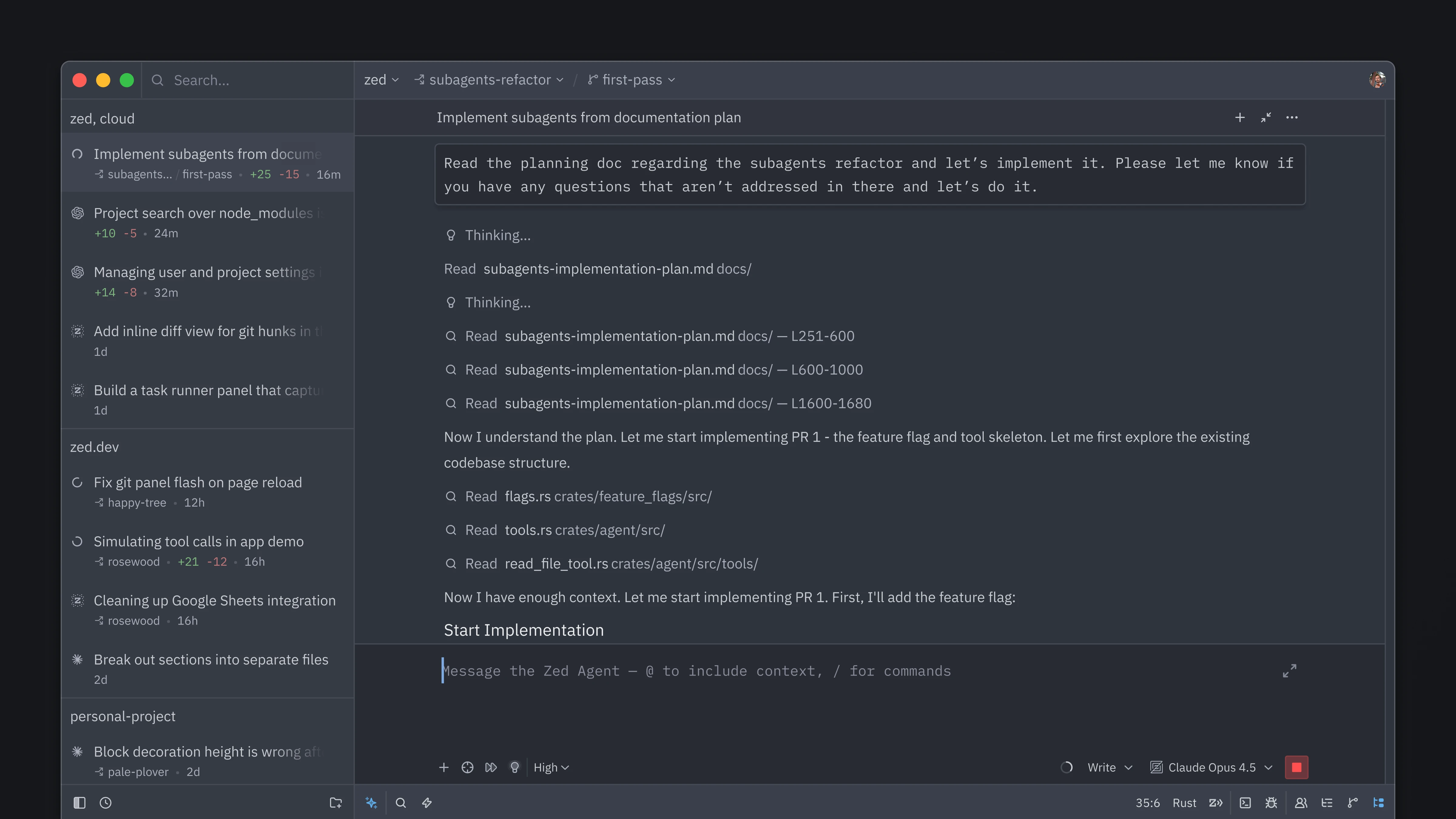
Run multiple AI agent threads simultaneously in one Zed editor window — each isolated with its own model and Git Worktree.
Key specs
| GitHub stars | 79.5k |
|---|---|
| Hn points | 58 |
What is it?
Zed 0.233.5 introduces parallel agents: a Threads Sidebar lets you launch as many concurrent AI agent threads as you want inside a single editor session. Each thread gets its own Git Worktree (isolated file state), its own model selection, and its own project scope. The feature ships alongside a new default layout that puts agents and threads on the left, project and git panels on the right. Zed is open-source (Rust, 79.5k GitHub stars).
How does it work?
Each agent thread operates in a separate Git Worktree, so two agents editing the same repo can't step on each other's uncommitted changes. The Threads Sidebar groups threads by project, lets you switch models per-thread (any BYOA provider), and monitors thread status in real time. Zed's existing GPU-accelerated renderer keeps the UI at 120 fps regardless of how many threads are active.
Why does it matter?
Sequential single-agent sessions are a bottleneck: you wait for one task to finish before starting the next. Parallel threads let you run a refactor agent, a test-writing agent, and a code-review agent simultaneously — the same way you'd open multiple terminal tabs today. For solo developers using AI-assisted workflows, this can meaningfully increase throughput on multi-file tasks.
Who is it for?
Developers using Zed for AI-assisted coding who want to parallelize agent tasks within a single editor session.
Try it
Update Zed to 0.233.5 (zed.dev) — the Threads Sidebar appears automatically after update.