In plain English
A feature flag (also called a feature toggle) is a switch in your code that turns a feature on or off without shipping new code. Instead of if true, you write if flag_is_on("new-summarizer"), and a small config service decides the answer at runtime. Flip the switch in a dashboard and the behavior changes for everyone — or for a chosen slice of users — in seconds.
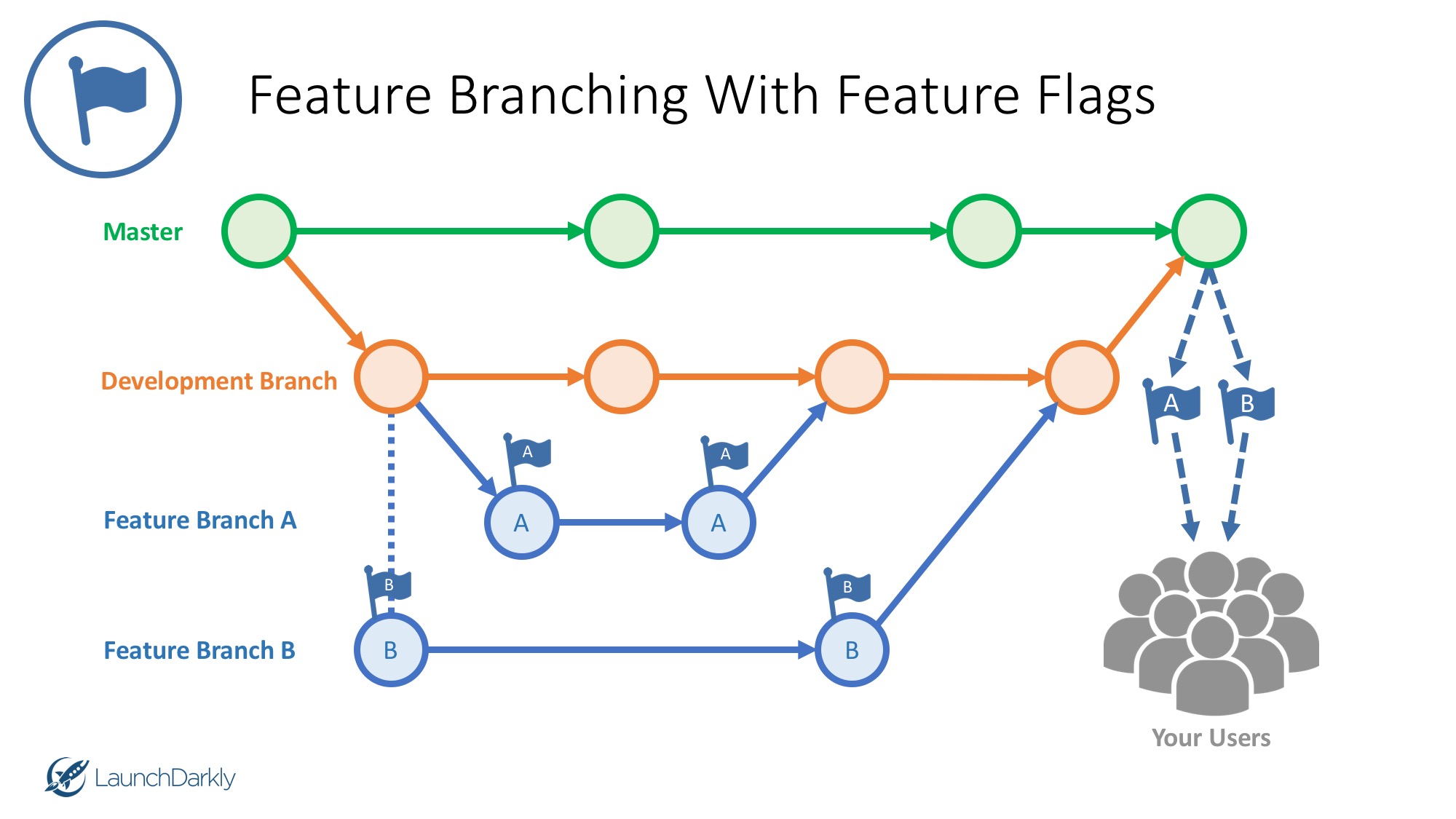
Think of it like the dimmer switch in a room rather than a plain on/off button. You can bring a new feature up to 1% of the room, watch what happens, ease it to 10%, then to 100% — and if anything looks wrong, slam it back to 0 instantly. No redeploy, no rebuild, no waiting for an app-store review.
For AI features this dimmer is not a nice-to-have — it's a safety harness. When you ship a new model, a new prompt, or a new RAG pipeline, you genuinely cannot be sure how it will behave until real users hit it with real inputs. A feature flag lets you find out safely, on a tiny fraction of traffic, with an undo button you can press in one click.
Why AI features need flags more than ordinary ones
Regular software is mostly deterministic: the same input gives the same output, and your tests catch most regressions before release. AI features break all three of those comforts, which is exactly why flags matter more here than for a normal button or form.
- Non-determinism. The same prompt can produce a different answer each call. You can test ten inputs and still get burned by the eleventh in production. Flags let you expose the feature to a small, real sample before everyone sees it.
- Quality drift. A prompt that worked beautifully last month can degrade when the provider updates the underlying model, or when your own users start asking different questions. A flag is how you swap back to the old behavior the moment quality slips.
- Cost and latency are live variables. A bigger model can quietly multiply your bill or double your response time. With a flag you can cap exposure to a few percent of traffic, measure the real cost and latency impact, and decide before it scales to everyone.
- Failure is fuzzy, not a crash. A broken AI feature rarely throws an error — it just gives a confidently wrong, offensive, or off-brand answer. That kind of failure won't trip your alarms automatically, so you need a human-pullable kill switch ready in advance.
There's also a business angle. The same flag system that de-risks a rollout lets you gate features by plan: give paying users the larger, smarter model and free users a cheaper one, all behind the same switch. So flags aren't only about safety — they're how you ship one codebase that behaves differently for different audiences.
How it works
A feature-flag system has three parts: a place to define flags (a dashboard or config file), an SDK in your app that asks "is this flag on for this user?", and a rule that decides the answer. The rule can be a flat on/off, a percentage of users, or a targeting condition like "only users on the Pro plan."
The crucial detail is that the decision is made per request, at runtime. Your code doesn't know in advance who gets what — it asks the flag service on each call. That's what makes instant changes possible: you edit the rule, and the very next request sees the new answer.
Stable bucketing: why the same user keeps the same answer
A percentage rollout shouldn't flip a user between old and new behavior on every refresh. The trick is deterministic hashing: the SDK hashes a stable key (the user id plus the flag name) into a number from 0 to 99. If the rollout is 10%, users whose hash lands under 10 get the new feature — and because the hash never changes, the same user stays in the same bucket every time. Raise the rollout to 20% and you've only added users; nobody who already had it loses it.
import hashlib

def in_rollout(flag: str, user_id: str, percent: int) -> bool:
    # Hash a stable key to a number 0-99. Same user -> same bucket, always.
    key = f"{flag}:{user_id}".encode()
    bucket = int(hashlib.sha1(key).hexdigest(), 16) % 100
    return bucket < percent

def summarize(text: str, user_id: str) -> str:
    if in_rollout("new-summarizer-model", user_id, percent=10):
        model = "claude-opus-4-6"      # new path, 10% of users
    else:
        model = "claude-sonnet-4-6"    # stable path, everyone else
    return call_llm(model, text)        # log which model you used!
In a real app you would not hardcode percent=10. The SDK fetches the current rule from a service, so changing 10 to 25 — or to 0 in an emergency — happens in a dashboard, and your running app picks it up within seconds. The code above just shows what the SDK is doing under the hood.
The four jobs flags do for AI features
The same flag mechanism covers four distinct operational moves. It helps to name them, because each has its own rule shape and its own goal.
| Job | Flag rule | What it gives you |
|---|---|---|
| Gradual rollout | Percentage, ramped 1% → 100% | Catch failures on a small slice before everyone is exposed |
| Kill switch | Boolean, defaults to on; flip to off | Disable a misbehaving model in one click, no deploy |
| A/B model test | Split traffic 50/50 between two models | Compare quality, cost, and latency on real traffic |
| Per-tier gating | Target by plan / role / region | Give paying users the better model, free users a cheaper one |
1. Gradual rollout — ramp, don't leap
Start the new model at 1% of users. Watch your dashboards — error rate, latency, token cost, thumbs-down rate — for a few hours. If they hold, go to 10%, then 50%, then 100% over a day or two. Each step is reversible, and you're never betting the whole user base on a model you haven't seen in the wild.
2. Kill switch — the undo button you hope never to press
Wrap any risky AI path in a flag that defaults to on but can be flipped off instantly. When the new model starts emitting nonsense, a slur, or a 10-second response, you flip the switch and traffic falls back to the safe path — or to a plain non-AI fallback — while you debug. The point is that the fix takes seconds, not a redeploy cycle.
3. A/B model test — let real traffic pick the winner
Offline benchmarks rarely settle which model is actually better for your users. Split live traffic 50/50 between model A and model B, log which one served each request, and compare downstream signals: did users accept the answer, retry, or rage-quit? This is how you justify a model swap with evidence instead of vibes — and it's the same idea as any product experiment, applied to the model choice.
4. Per-tier gating — one codebase, different audiences
Target the flag by an attribute you already know about the user — plan, role, region, or whether they've opted into a beta. Pro users get the frontier model; free users get the cheaper one; EU users get a region-pinned endpoint. The branching logic lives in the flag rule, not scattered through your code as tangled if statements.
Common pitfalls
Flags make shipping safer, but used carelessly they create their own mess. The usual failure modes:
- Flag debris. A flag that hit 100% three months ago and is still in the code is now just dead branches and confusion. Schedule cleanup: once a rollout is permanent, delete the flag and the losing branch.
- Inconsistent experience. If your bucketing key isn't stable, a user flips between old and new behavior mid-conversation — jarring, and it poisons your chat history. Hash on a durable user id, and consider pinning a user to one branch for the life of a session.
- Flagging without measuring. A rollout you don't watch is just a slow, blind deploy. Wire up the metrics (cost, latency, quality signal) before you ramp, or you won't know when to roll back.
- Forgetting the fallback path. A kill switch is only useful if the off state is a sane experience. Make sure flipping the flag lands users on a working older model or a graceful non-AI message — not a blank screen.
- Leaking the wrong model to the wrong tier. A gating bug that hands free users your most expensive model can blow your budget overnight. Treat tier flags as a cost control and alert on unexpected traffic to the premium path.
Going deeper
Once the basics click, a few patterns separate a toy setup from a production-grade one.
Buy vs. build. A boolean stored in an environment variable is a real feature flag and is fine for a kill switch on a small app. But percentage rollouts, targeting rules, audit logs, and a no-redeploy dashboard are exactly what hosted services (LaunchDarkly, Flagsmith, Unleash, Statsig, GrowthBook, or your cloud's own config service) give you. Start with an env var; reach for a service the moment you need ramps and targeting across more than one engineer.
Flags as a config layer for AI, not just on/off. Many teams store which model and prompt version a feature uses as the flag's value, not just a boolean. That turns a flag into a live control panel: change the model name or bump the prompt version in the dashboard and the next request uses it — no deploy. It also means you can roll a prompt change out at 5% the same way you'd roll out code.
Tie flags to evaluation, not just metrics. The cleanest signal for an AI rollout is an offline eval set plus an online quality metric. Gate the ramp on both: only raise the percentage if the new branch's eval scores hold and its live thumbs-down rate isn't climbing. This connects flags to the broader practice of evaluating AI systems rather than eyeballing them.
Where flags sit in the stack. Feature flags are one layer of a deliberate AI app stack and pair naturally with your deployment choices: a serverless function reads the flag per invocation, an edge worker can evaluate it close to the user, and a long-running server can cache the ruleset and refresh it on a timer. Wherever your code runs, the discipline is the same — ship behind a flag, ramp on real traffic, measure, and keep the kill switch within reach.
FAQ
What is a feature flag in an AI app?
A feature flag is a runtime switch that turns an AI feature on or off without deploying new code. Instead of hardcoding which model or prompt runs, your app asks a flag service per request, so you can roll out a new model gradually, A/B test two models, or kill a misbehaving one instantly from a dashboard.
How do I roll out an LLM feature gradually?
Put the new feature behind a percentage flag and start at about 1% of users. Watch cost, latency, and quality signals for a few hours, then raise to 10%, 50%, and 100% if they hold. Stable hashing on the user id keeps each user in the same bucket as you ramp, so nobody flips back and forth.
What is a kill switch for an AI feature?
A kill switch is a feature flag whose job is to disable a risky AI path fast. It defaults to on, and when the model starts producing bad, slow, or unsafe output you flip it off in one click — no redeploy. Traffic then falls back to a safe older model or a plain non-AI experience while you debug.
How do I A/B test two AI models in production?
Use a flag that splits live traffic between the two models (for example 50/50), and log which model served each request. Then compare real downstream signals — acceptance, retries, thumbs-down, cost, latency — rather than offline benchmarks alone. The model with the better real-world numbers wins, with evidence to back the swap.
Why do AI features need feature flags more than regular features?
Because AI output is non-deterministic, quality can drift when a provider updates a model, and cost and latency are live variables you can't fully predict from tests. AI failures are also fuzzy — a confidently wrong answer instead of a crash — so they won't trip normal alarms. Flags give you a small, reversible exposure and a human-pullable kill switch for exactly those risks.
Should I build feature flags myself or use a service?
An environment variable is a perfectly good kill switch for a small app. But once you want percentage rollouts, per-tier targeting, audit logs, and changes without redeploying, a hosted service (LaunchDarkly, Flagsmith, Unleash, Statsig, GrowthBook) saves you from rebuilding all of that. Start simple and upgrade when you need ramps and targeting.