In plain English
Every AI app fails eventually. The model times out. The API returns a 429. The model refuses the request. The answer comes back as confident, fluent nonsense. The only question is: what does the user see when that happens?
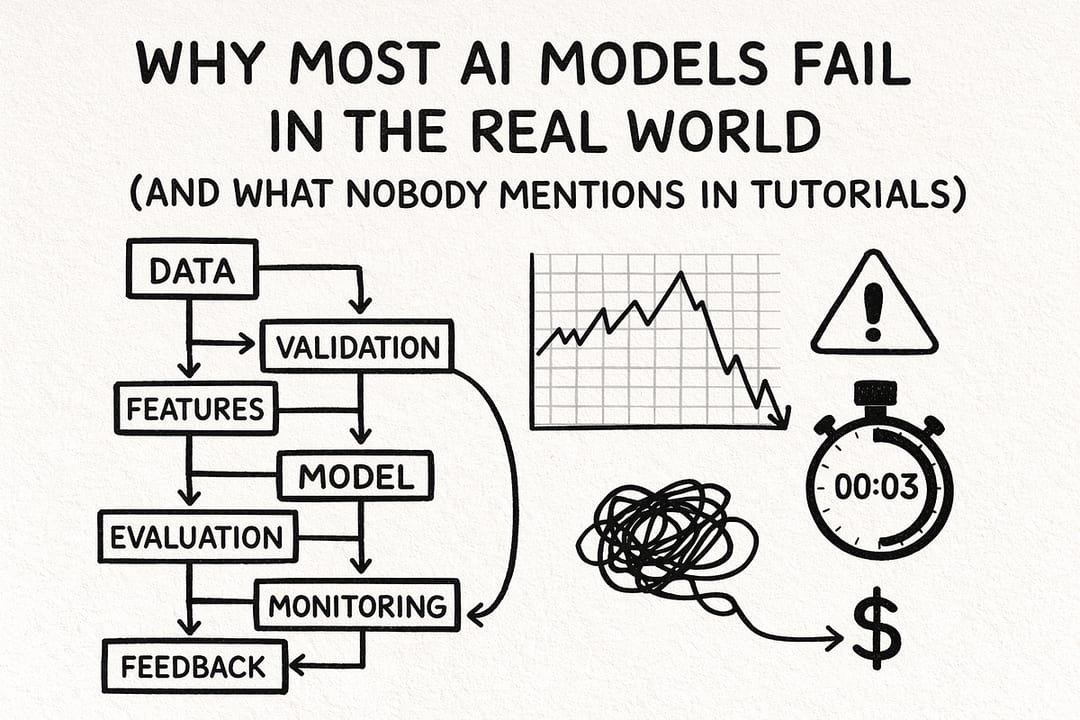
AI error state design is the practice of deciding — deliberately, in advance — what your interface shows at each failure point. It covers the messages, layouts, retry controls, and fallback behaviours that appear whenever the model can't deliver a useful response.
The analogy is a good waiter. A bad waiter disappears into the kitchen and returns five minutes later looking confused. A good waiter comes out quickly, says "the kitchen is backed up — here's what I can offer you instead", and gives you something to do while you wait. The kitchen (your model) may be equally slow in both cases. The experience is completely different. Your error states are that waiter.
Why it matters
Ordinary apps and AI apps fail in different ways, and the stakes are different too. When a "Save" button fails, the user knows exactly what didn't happen. When an AI feature fails, three worse things can happen: the app hangs silently, the user gets a cryptic system error, or — most insidiously — the app confidently displays a wrong answer with no indication that anything went wrong.
Research on AI trust shows that it isn't earned by being error-free; it's built by how errors are handled. A 2025 study on user trust in AI systems found that 63% of users are more likely to continue relying on an AI system that displays confidence levels or explains its limitations than one that gives black-box answers. The Google AI Overviews incident — where the system recommended adding glue to pizza sauce with the same confident tone as a correct answer — is the canonical example of what happens when error states are invisible: trust collapses entirely.
The three failure modes that cost you users
- Silent spinner — the request never resolves, nothing tells the user why, and they close the tab. This is the worst outcome: you've burned the user's time and given them nothing.
- Raw API error — dumping a
500 Internal Server Erroror a JSON error object directly into the UI. It signals the app is amateur-built and gives users no path forward. - Invisible hallucination — the model returns a wrong answer and the app presents it as fact. The user acts on it. Trust dies on the next conversation.
Well-designed error states prevent all three. They keep the user informed, offer a recovery path, and — when the model's output is unreliable — make the uncertainty visible rather than hiding it.
How it works: the error taxonomy and response map
The first step is to recognise that "the AI failed" is not one thing. There are at least five distinct failure categories, each requiring a different UI response. Treating them the same produces generic, unhelpful error messages.
1. Transient API errors (5xx, timeouts, 429s)
These are infrastructure failures — the provider is overloaded, rate-limited, or briefly down. They are retryable. The correct UI pattern is: show a progress state immediately on submit, attempt up to 2–3 automatic retries with exponential backoff (start at 1 s, double each attempt, cap at ~30 s), and only surface an error to the user if all retries fail. For user-facing requests, 3 retries is the production consensus; background jobs can use 5–7.
When you do surface the error, the message should explain the situation in plain language and give the user a manual retry button. "Something went wrong — try again" beats "Error 503: upstream provider timeout" every time.
2. Refusals
A refusal is when the model responds but declines to fulfill the request — usually for safety reasons, sometimes because the prompt was ambiguous. Refusals are not errors; treat them as model output. The correct UX is to display the refusal message clearly, then offer the user a path forward: a rephrasing suggestion, a scope adjustment, or a link to documentation about what the feature supports.
Artificially high refusal rates ("I can't do that" responses to benign queries) are a calibration problem — track them in your observability layer. If your LLM judge flags that >5% of sessions end in a refusal for non-sensitive prompts, your system prompt or model choice needs tuning.
3. Hallucinations and low-confidence output
Hallucination is the hardest failure to catch because the model doesn't know it's happening — it returns a 200 status with a fluent, confident string. The UX layer can't detect a hallucination directly, but it can make uncertainty visible. Practical mitigations: show source citations whenever the model cites facts; let users flag a response as unhelpful; display a confidence caveat ("AI can make mistakes — verify important information") near outputs that involve dates, numbers, URLs, or named entities.
4. Partial / streaming failures
Streaming responses (token-by-token delivery via SSE) can fail mid-stream: the connection drops, the provider's idle timeout fires, or a network interruption cuts the response off. The UI must handle this state explicitly. Show a clear marker at the cut-off point (e.g. a "Response cut off" banner at the end of the partial text), retain whatever was received, and offer a one-click "Continue" or "Retry" action. Never silently display a truncated response as if it were complete.
5. Empty or off-topic responses
Sometimes the model responds but the output is empty, a single word, or clearly unrelated to the request. Detect this with a simple output validation step before rendering: check minimum length, check that the response matches the expected schema (for structured outputs), and route to a fallback message if it fails. "I wasn't able to generate a useful response — here's what you can try" is better than displaying a blank box.
Retry and fallback patterns
Retries and fallbacks are the backend counterpart to the UX error states. They determine what actually happens during the failure, while the error state determines what the user sees. They work together.
Exponential backoff with jitter
Exponential backoff doubles the wait time between each retry attempt: first retry after 1 s, second after 2 s, third after 4 s. Adding jitter — a small random offset — prevents multiple concurrent users from all retrying at exactly the same moment, which would amplify the load on an already-struggling provider (the "thundering herd" problem). Cap the maximum delay at around 30 seconds for user-facing requests.
async function callWithRetry(
  fn: () => Promise<string>,
  maxRetries = 3,
): Promise<string> {
  let lastError: Error;
  for (let attempt = 0; attempt <= maxRetries; attempt++) {
    try {
      return await fn();
    } catch (err) {
      lastError = err as Error;
      if (attempt === maxRetries) break;
      // Exponential backoff: 1s, 2s, 4s — capped at 30s
      const base = Math.min(1000 * 2 ** attempt, 30_000);
      // Add up to 20% jitter to prevent thundering herd
      const jitter = Math.random() * base * 0.2;
      await new Promise(r => setTimeout(r, base + jitter));
    }
  }
  throw lastError!;
}
Circuit breakers
A circuit breaker monitors failure rates and temporarily stops sending requests to a provider that is consistently failing. It has three states: Closed (normal operation, failures tracked), Open (threshold exceeded, requests fail fast or route to fallback), and Half-Open (cooldown expired, a probe request tests if the provider has recovered). Production teams typically trip the circuit open after 5 consecutive failures, with a 60-second cooldown.
Provider fallback chains
When your primary provider is down and retries are exhausted, a fallback chain routes requests to a secondary model. A typical production chain looks like: primary (e.g. Claude Sonnet) → cheaper same-provider (e.g. Claude Haiku, for cost-saving on degraded mode) → different provider (e.g. GPT-5.5) → self-hosted model (no external dependency). Each step in the chain should be transparent to the user: a subtle badge like "Using backup model" is honest and builds more trust than a silent swap.
Writing honest error messages
The words in your error states matter as much as the mechanics. Vague or patronising messages erode trust; honest, specific ones preserve it.
| Failure type | Bad message | Better message |
|---|---|---|
| Transient API error | Something went wrong. | The AI service is temporarily unavailable. Retrying... (attempt 2 of 3) |
| Rate limit (429) | Error 429. | You've hit the usage limit. Try again in about 60 seconds. |
| Model refusal | I can't help with that. | I'm not able to answer this as asked. Try rephrasing, or ask a more specific question. |
| Stream interrupted | (blank / truncated output) | The response was cut off. What was received is shown above — tap Retry for a full answer. |
| Empty output | (blank box) | I wasn't able to generate a useful answer. Try adding more detail to your question. |
| Hallucination-prone topic | (confident wrong answer displayed as fact) | (answer shown) + 'AI responses about real-time data may be outdated or inaccurate — verify before acting.' |
Principles for error copy
- Name the problem — say whether it's a network issue, a usage limit, or a model limitation. Users handle specifics better than vague apologies.
- Give a next step — every error message should end with an action: retry, rephrase, contact support, or wait N seconds.
- Match the tone of your product — a developer tool can say "upstream API timeout"; a consumer app should say "the service is taking longer than usual".
- Never blame the user — even if the prompt triggered a refusal, phrase the message around the limitation of the system, not a mistake they made.
- Be honest about AI limitations — a caveat like "AI can make mistakes" on a first output builds more lasting trust than discovering the mistake yourself.
Going deeper
Once basic error states are in place, the next layer is observability and automated quality monitoring. Production teams sample a fraction of sessions — typically 5–10% — through an asynchronous LLM judge that grades outputs against an offline rubric. The judge tracks refusal rate, hallucination rate (measured against a ground-truth set), and empty-output rate. When any metric breaches a threshold, the system pages on-call. This is the only scalable way to catch quality degradation before users do.
Quality-aware circuit breakers
Traditional circuit breakers trip on HTTP errors. LLM circuit breakers need to go further: they should also trip on quality degradation signals — a spike in refusals, a run of empty outputs, or a drop in LLM-judge scores. This is the difference between knowing your provider is down and knowing your model is behaving badly. The former is an infrastructure problem; the latter often indicates a silent model update or a prompt injection attack.
Structured output validation gates
If your app uses structured outputs (JSON schemas, typed responses), add a validation gate between the model's raw response and your rendering layer. Parse and validate against the expected schema before displaying anything. On validation failure, trigger the empty-output fallback path rather than crashing or showing malformed data. Libraries like Zod (TypeScript) or Pydantic (Python) make this a one-liner.
import { z } from "zod";

const SummarySchema = z.object({
  headline: z.string().min(1).max(120),
  bullets: z.array(z.string()).min(1).max(5),
});

async function getSummary(text: string) {
  const raw = await callLLM(text); // raw JSON string from model
  const parsed = SummarySchema.safeParse(JSON.parse(raw));
  if (!parsed.success) {
    // Route to fallback UI — do NOT render raw output
    return { error: "invalid_output" };
  }
  return parsed.data;
}
Graceful degradation levels
The most resilient AI apps define explicit degradation levels rather than a binary working/broken state. A three-level model is common in production:
Level 3 is the key insight: the app still works without the model. A document editor whose AI summary feature is unavailable can fall back to showing the word count and a manual summary field. A search feature powered by an LLM can fall back to keyword search. Users tolerate degraded features; they don't tolerate broken apps.
User-facing confidence signals
Beyond error states, advanced AI UX surfaces uncertainty proactively — not just when the model fails, but on outputs where failure is likely. Patterns include: a "Verify this" badge on responses that contain dates, numbers, or URLs; inline citations that link to the source the model used; and a "How confident is the AI?" affordance on high-stakes outputs. These are not error states in the traditional sense — they are honest empty-state patterns that acknowledge the limits of the model before the user discovers them the hard way.
FAQ
What should I show when the LLM API returns a 500 error?
Show a brief, plain-language message explaining the service is temporarily unavailable, attempt 2–3 automatic retries with exponential backoff in the background, and display a manual retry button if all attempts fail. Never expose the raw HTTP status code or error stack to the user.
How do I handle a model refusal gracefully in my app?
Treat the refusal as model output, not a crash — display the model's message clearly, and follow it with a suggested path forward: a rephrasing hint, a scope note, or a link to what your feature supports. Track refusal rates in your analytics; an unusually high rate for non-sensitive prompts signals a prompt engineering problem, not a UX one.
What is the difference between a retry and a fallback?
A retry resends the same request to the same provider after a short delay, hoping the transient problem has resolved. A fallback routes the request to a different provider or model when the primary one is consistently unavailable. Use retries first (2–3 attempts), then trigger a fallback if all retries fail.
Should I tell users when a fallback model is being used?
Yes, with a light touch. A small badge like "Using backup model" or "Response quality may vary" is honest and builds trust. Silently swapping models without disclosure can confuse users who notice a change in response style — and discovery feels like deception.
How can I detect a hallucination before it reaches the user?
You can't detect hallucinations directly from the model's output — a hallucinated response looks identical to a correct one at the API level. Mitigate with retrieval-augmented generation (RAG) to ground answers in verified sources, add an output validation step for structured data, and show a visible uncertainty caveat near outputs involving specific facts, numbers, or URLs.
What should an AI app show during a streaming response that is interrupted?
Keep the partial response visible — do not clear it. Append a clear "Response cut off" marker at the truncation point, and show a Retry or Continue button. Never display a truncated response as if it were complete, since users will read to the end and trust an answer that stops mid-thought.