In plain English
A model card is the documentation page attached to every model on Hugging Face. Think of it the same way you'd think of a nutrition label on packaged food: before buying something off a shelf you glance at the calorie count, the ingredients, and the allergen warnings. A model card does exactly that for an AI model — it tells you how big it is, what it was trained on, what it is good at, what it is not good at, and whether you are legally allowed to use it in your product.
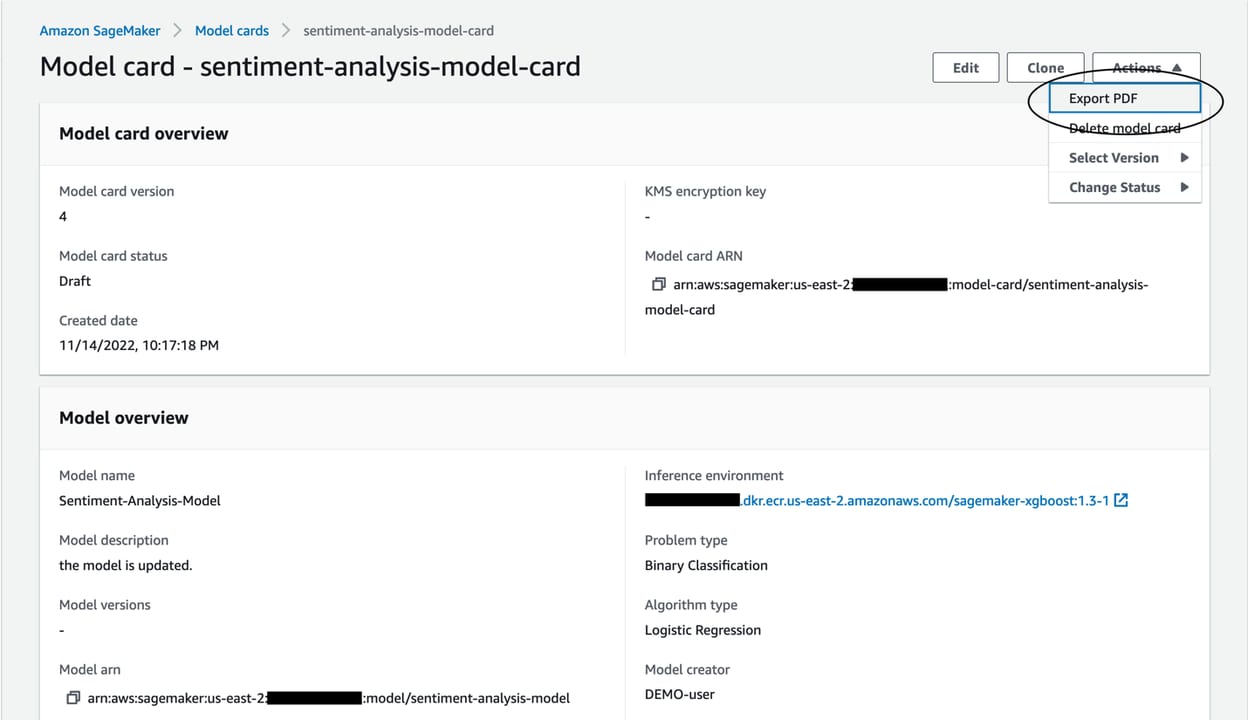
Every model page on huggingface.co has a model card. It lives in the README.md file at the root of the model repository. The author writes it — some are three paragraphs, some are ten-page technical treatises — but the best ones follow a structure that the Hugging Face community has standardized. Learning to scan that structure quickly means you can evaluate a new model in under a minute without actually running it.
Why it matters
There are now well over a million models on Hugging Face. Without a model card, choosing between them is guesswork. The card is the single artifact that answers every question a builder needs before committing to a model:
- Will it fit on my hardware? Parameter count and quantization options tell you whether your GPU or laptop RAM can hold the weights.
- Can I use it commercially? The license section tells you whether you can ship it inside a product, redistribute fine-tunes, or must keep usage internal.
- Is it actually good at my task? Benchmark tables and the intended-use section tell you what the model was optimized for.
- What are the known failure modes? The limitations and biases section tells you what to stress-test before going to production.
- Is this a trustworthy source? The training-data and evaluation sections tell you how rigorous the authors were.
Skipping the model card costs you time later. Many developers download a model, spend an hour integrating it, and only then discover its license prohibits commercial use, or that it was never evaluated on the language they need, or that it hallucinates on exactly the domain they care about. Reading the card first takes two minutes and can save two days.
How a model card is structured
A well-structured model card flows through a predictable set of sections. The Hugging Face platform reads a YAML block at the very top (called the metadata header) to populate the sidebar — license badge, language tags, task type, base model — and then the rest is prose and tables for humans.
Not all cards include every section — smaller community uploads often skip training details and limitations. But the metadata header and benchmark table are almost always present because the Hugging Face leaderboard system depends on them. That metadata is what you check first.
Reading the YAML metadata header
The top of every README.md starts with a block fenced by ---. It looks like this for a typical instruction-tuned model:
---
license: apache-2.0
language:
  - en
base_model: meta-llama/Llama-4-Scout
tags:
  - text-generation
  - instruction-tuned
  - llama
pipeline_tag: text-generation
---
The fields that matter most: license (see the Licenses section below), base_model (which pretrained checkpoint was fine-tuned — crucial for understanding capability ceiling), and pipeline_tag (the task type the Hub uses to route discovery). If base_model is absent it usually means this is a pretrained-from-scratch model, not a fine-tune.
Reading size: parameters, quantization, and VRAM
Parameter count is the headline number — 7B, 8B, 70B, 671B. Each parameter is one learned floating-point weight inside the network. More parameters generally means more capacity to store knowledge and perform complex reasoning, but also more memory and compute at inference.
The rule of thumb for VRAM is simple: in float16 or bfloat16 precision (the default for most models), you need roughly 2 bytes per parameter. So a 7B model needs about 14 GB of VRAM; a 70B model needs about 140 GB. That's why quantization matters so much — 4-bit quantization cuts that to roughly 4-5 GB for a 7B model and makes a 70B model fit on a single 48 GB GPU.
| Model size | float16 VRAM | 4-bit VRAM (approx) | Fits on |
|---|---|---|---|
| 3B | ~6 GB | ~2 GB | 8 GB GPU or Apple Silicon 8 GB |
| 7–8B | ~14–16 GB | ~4–5 GB | 8 GB GPU (quantized) or 16 GB GPU (full) |
| 13–14B | ~26–28 GB | ~7–8 GB | 16 GB GPU (quantized) or 32 GB GPU |
| 30–34B | ~60–68 GB | ~18–20 GB | 24–32 GB GPU (quantized) |
| 70–72B | ~140 GB | ~40–45 GB | Dual 24 GB GPU (quantized) or 80 GB A100 |
| 671B (MoE) | ~1.3 TB total / ~74 GB active | ~400 GB total | Multi-GPU server |
Mixture-of-Experts: two parameter numbers on one card
Many leading open models — for example DeepSeek-V3 (671B total, 37B active) and Qwen3-235B (235B total, 22B active) — use a Mixture-of-Experts (MoE) architecture. In a MoE model, each input token is routed to a small subset of specialized sub-networks called experts. The card will show two numbers: total parameters (all experts combined) and active parameters per token (the subset used during each inference step). The active number is what determines inference speed and KV-cache memory. The total number determines how much disk space and initial loading requires. Always read both.
Context length
Look for a field labeled context_length, max_position_embeddings, or a note like supports 128K context. This is how many tokens the model can see at once. Larger context windows are useful for long documents, codebases, and multi-turn conversations — but they also consume more VRAM for the KV cache. A model advertised as 1M context usually has caveats: full-quality attention that long is extremely slow, and many models degrade noticeably past half their nominal window. The card should say whether the long-context claim comes from RoPE extrapolation, sliding window, or actual training.
Reading the license: what you can actually do
License is the most practically important field on any model card, and also the most frequently misread. Here are the license types you'll encounter most often and what they actually allow:
| License | Commercial use? | Fine-tune & redistribute? | Common examples |
|---|---|---|---|
| Apache 2.0 | Yes | Yes (with attribution + patent clause) | Mistral 7B, Qwen3, Gemma 3 (some), many fine-tunes |
| MIT | Yes | Yes (with attribution) | Various community fine-tunes |
| CC-BY 4.0 | Yes | Yes (with attribution) | Some datasets; rare for model weights |
| CC-BY-NC 4.0 | No commercial use | Non-commercial only | Some research models |
| Llama Community License | Yes below 700M MAU; Meta approval above | Only for Llama-based derivatives | Llama 3.x, Llama 4 |
| Gemma Terms of Use | Yes with restrictions | No training competing foundation models | Gemma 2, Gemma 3 (Google) |
| Custom / proprietary | Varies — read the full text | Often restricted | Many company-released models |
Fine-tuned models inherit restrictions from their base model. If you fine-tune Llama 4 on your proprietary data, your fine-tune is still governed by the Llama Community License — your Apache 2.0 expectation does not override the upstream terms. The base_model field in the YAML header is the first thing to check when evaluating a fine-tune's legal status.
Reading benchmarks: what the numbers actually measure
Benchmark tables are where model cards are most likely to mislead — not through outright fabrication, but through selective reporting and the gap between benchmark performance and real-world performance. Knowing what each benchmark actually measures helps you decide how much weight to give the numbers.
| Benchmark | What it tests | Format | Ceiling signal |
|---|---|---|---|
| MMLU | Knowledge across 57 subjects (science, law, history, math) | 4-choice multiple choice | 57 subjects from high school to expert level; ~90%+ = very capable |
| ARC-Challenge | Grade-school science reasoning; adversarially filtered | 4-choice multiple choice | Designed to defeat pattern-matching; harder than it sounds |
| HellaSwag | Commonsense sentence completion | 4-choice multiple choice | Near-solved by frontier models (>95%); useful for smaller models |
| GSM8K | Grade-school multi-step arithmetic (8,500 problems) | Open-ended, graded | 80-90%+ at frontier; strong signal for reasoning quality |
| HumanEval / MBPP | Python coding: write a function that passes tests | Open-ended, graded | Key benchmark for coding-focused models |
| MT-Bench | Multi-turn instruction following, judged by a strong LLM | Open-ended, 1-10 score | Captures conversational quality MMLU misses |
| MATH / AIME | Competition-level mathematics | Open-ended, graded | Distinguishes reasoning-focused models from general ones |
Red flags in benchmark tables
- Cherry-picked benchmarks. If a card shows six benchmarks where the model wins and omits every standard benchmark where it trails, treat the numbers with suspicion. Check third-party leaderboards (Hugging Face Open LLM Leaderboard, LMSYS Chatbot Arena) to cross-reference.
- Few-shot vs zero-shot not specified. A model can score 10+ points higher on MMLU with 5-shot prompting than zero-shot. If the card doesn't say which was used, the number is hard to compare.
- No comparison baseline. A score of 72% on MMLU sounds decent until you learn the model it's replacing scored 68%. Context matters.
- Self-reported only. Numbers the authors measured themselves are less reliable than numbers from independent evaluations. Look for "evaluated by" or a reference to a leaderboard submission.
- Training data contamination. A model trained on data that includes benchmark answer sets will score artificially high. Cards should disclose decontamination procedures; most don't.
Going deeper
Once you're past the basics, a few advanced signals separate a thoroughly documented model from a rushed release.
Training data and data contamination disclosure
High-quality cards list what datasets were used for pretraining and instruction tuning, and whether they ran decontamination — a process that removes examples from the training set that overlap with benchmark test sets. Without decontamination, MMLU or GSM8K scores can be inflated by several percentage points. Cards that disclose decontamination procedures (or link to a technical report that does) are a mark of rigor.
System prompt and temperature sensitivity
Instruction-tuned models were trained with a specific chat template — a formatting convention for how system prompts and user turns are wrapped. Using the wrong chat template (or none at all) can drop performance dramatically. The card should specify the template; look for tokenizer_config.json in the Files tab for the machine-readable version. Related: some cards report benchmarks with a custom system prompt that flatters the model's style. The OpenAI model card for its open-weight release stated explicitly which system prompt was used for each benchmark — that level of disclosure is what good looks like.
Evaluating a GGUF quantized variant
When you download a GGUF file from a community re-upload (Unsloth, Bartowski, and others are common), you're looking at a derivative model card — not the original author's. The derivative card should link to the original and document the quantization level. GGUF names encode the quantization scheme: Q4_K_M means 4-bit quantization, K-quant method, medium variant. Higher bit-width means higher quality and higher VRAM requirement: Q8_0 is near-lossless; Q2_K introduces visible quality degradation on complex reasoning tasks. A trustworthy GGUF card includes a perplexity comparison table showing how each quantization level affects output quality relative to the original float16 weights.
The intended-use and out-of-scope sections
The out-of-scope uses section is often the most candid part of the whole card. Authors who take safety seriously will explicitly list tasks the model performs poorly on (low-resource languages, medical diagnosis, code in unusual languages), uses that violate the license (training competing foundation models in the case of Gemma), and demographic or cultural blind spots documented during red-teaming. If this section is missing or consists of a single generic sentence, the model was not robustly evaluated before release.
Cross-referencing with external sources
A model card is always a primary-source document — written by people who have a stake in the model looking good. Before committing to a model for production use, triangulate with at least two external sources: the Open LLM Leaderboard for standardized benchmark comparisons, LMSYS Chatbot Arena for human preference win-rates, and any independent technical blog posts or paper reviews. Model release blog posts from the authors are useful for understanding intent; they are not reliable for unbiased performance claims.
FAQ
What is the difference between total parameters and active parameters on a model card?
Total parameters is the count of all weights in the model, including every expert in a Mixture-of-Experts architecture. Active parameters is the subset that actually fires for each token during inference — in MoE models like DeepSeek-V3 (671B total, 37B active), only a fraction of weights are used per step. Active parameters determine inference speed and KV-cache memory; total parameters determine how much disk and initial loading memory you need.
How do I know how much VRAM a model will need just from the model card?
Take the parameter count in billions and multiply by 2 to get the approximate VRAM in gigabytes for float16 precision. For 4-bit quantization, multiply by roughly 0.6 instead. Add 20-30% on top of that estimate for the KV cache during inference. A 7B model in float16 needs about 14 GB; in 4-bit it needs about 4-5 GB.
Can I use a model with a Llama Community License in a commercial product?
Yes, with conditions. The Llama Community License allows commercial use for products with fewer than 700 million monthly active users. Above that threshold you must request a separate license from Meta. The license also prohibits using Llama outputs to train competing general-purpose AI models and includes geographic restrictions. Always read the full license text, not just the badge on the model card.
Why do benchmark scores on a model card sometimes look much better than the model performs in practice?
Several factors inflate benchmark scores: cherry-picking the benchmarks where the model is strongest, using few-shot prompting without disclosing it, testing with a flattering system prompt, and training-data contamination (where benchmark test questions appeared in the training set). Cross-reference with third-party leaderboards like the Hugging Face Open LLM Leaderboard, which runs standardized evaluations in a controlled environment.
What does the base_model field in a model card's YAML header mean?
It identifies the pretrained checkpoint that was fine-tuned to produce this model. It is crucial for two reasons: first, the base model's license terms flow downstream to the fine-tune, so a Llama-based fine-tune is still under the Llama Community License even if the fine-tuner calls it Apache 2.0. Second, the base model sets the capability ceiling — a fine-tune cannot exceed what the base model learned during pretraining.
What should I look for in the limitations section of a model card?
Look for specific, concrete failure modes rather than generic disclaimers. Good limitations sections name the languages where quality drops, the domains where hallucination rates are elevated, the demographic gaps documented during red-teaming, and any known safety issues. A single sentence like "this model may produce harmful content" with nothing further is a sign the model was not rigorously evaluated before release.