Binance · 2026-08-20 · major
Binance Agent OS — an MCP server that lets AI agents place real trades
Binance Agent OS gives AI agents a standard way into Binance trading, market data, wallets and payments. Any MCP client over Streamable HTTP can connect, including Claude Code, Cursor, Codex and ChatGPT, with limits set per sub-account.
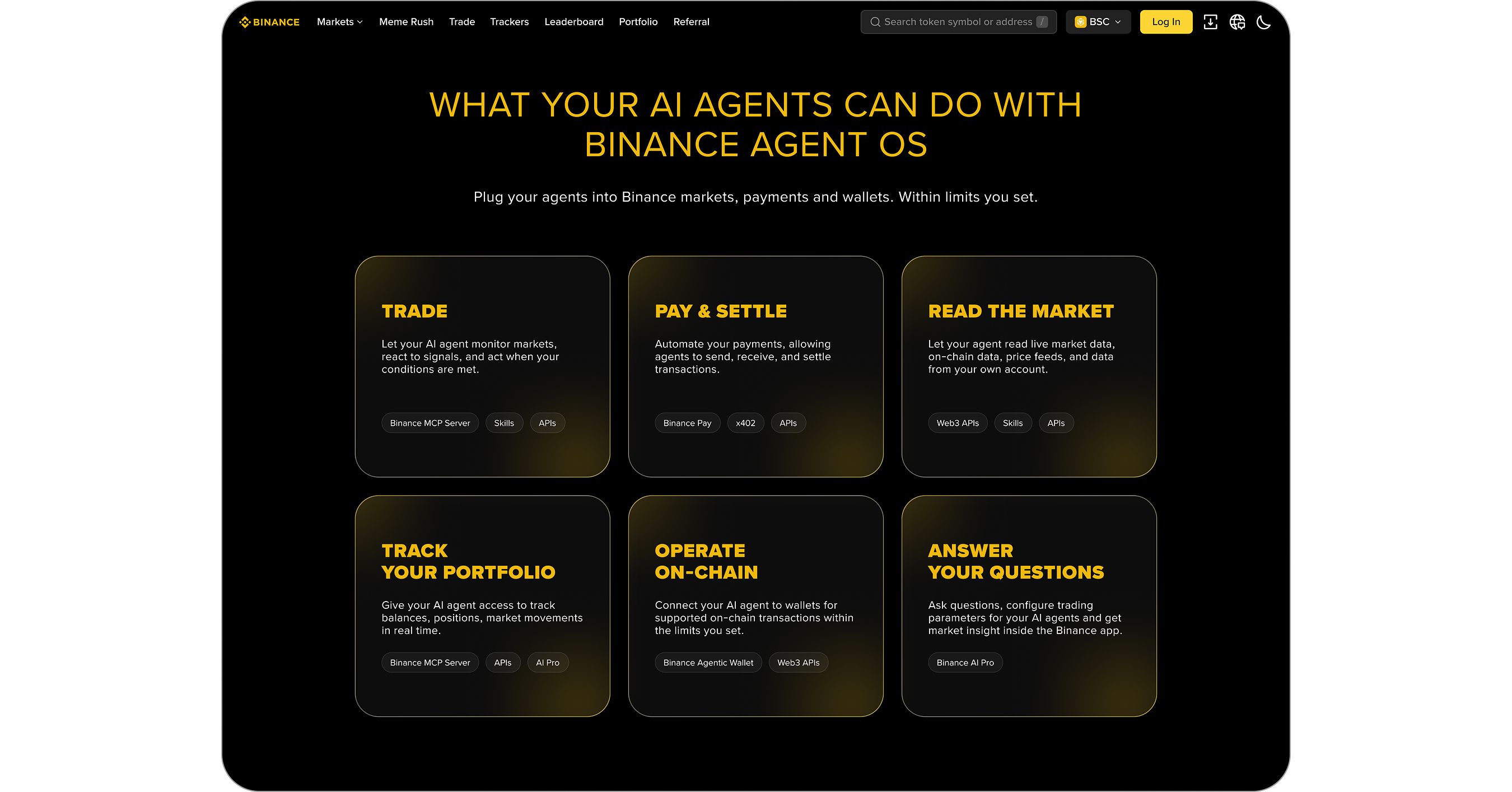
Binance opens its trading, wallet and payment stack to AI agents through a single MCP server.
Quick facts
| Maker | Binance |
|---|---|
| Access layer | MCP server over Streamable HTTP |
| MCP coverage today | Spot, Futures, Convert and market data |
| Works with | ChatGPT, Claude Code, Codex, Cursor |
| Agent isolation | Dedicated sub-accounts with per-feature permissions |
| Default caps | $50,000/day swaps, $100,000/day DeFi, $20/day x402 |
| Kill switch | Emergency Stop revokes every agent at once |
What is it?
Agent OS is Binance's developer platform for pointing an AI agent at real money. It bundles the Binance APIs, the Wallet Agentic Hub, the x402 programmable-payments layer and a Skill Hub of ready-made integrations behind one standardized access layer, so a coding agent can read markets and place orders without a custom exchange integration.
How does it work?
The entry point is a Model Context Protocol server. Any client that speaks MCP over Streamable HTTP can attach, which today covers ChatGPT, Claude Code, Codex and Cursor as well as self-built agents. The MCP server currently exposes Spot, Futures and Convert trading plus market data; payments and on-chain calls are listed as coming later. Agents run inside dedicated sub-accounts, where the account owner toggles individual features, sets funding limits, requires approval on orders, revokes one agent, or hits Emergency Stop to cut them all off.
Why does it matter?
Jeff Li, VP of Product at Binance, says Agent OS addresses the fragmentation developers face building agentic finance applications across crypto and traditional markets. The practical catch is where the safety line falls: Binance monitors and controls trading activity and the resulting orders, but cannot see the agent's broader workflow or reasoning, which runs inside whichever AI app the user picked. Setting sane limits is the user's job, not the exchange's.
Who is it for?
Fintech developers, quant teams and agent builders
Frequently asked questions
- How do you stop an AI agent that misbehaves on Binance?
- Binance Agent OS puts every agent in its own sub-account, managed under Account Management. From there an owner can switch off individual features, cut funding limits, or revoke one agent's access. Emergency Stop is the blunt option: it revokes access for every connected agent at once.
- How much can an agent spend through Binance Agent OS?
- Binance Agent OS caps regular swaps at $50,000 per day, DeFi activity at $100,000 per day, and x402 machine-to-machine payments at $20 per day. Owners can tighten those figures per sub-account and can require manual approval before an agent's orders go through.
- Can Binance see what an AI agent is reasoning about?
- No. Binance monitors and controls the trading activity and the orders an agent produces, but the agent's broader workflow and reasoning run inside the user's chosen AI application, outside Binance's view. That is why per-agent permissions and funding limits carry most of the safety weight.
- What can Binance Agent OS agents not do yet?
- The Binance MCP server currently covers Spot, Futures and Convert trading plus market data. Payment and on-chain functionality is listed as arriving later, so an agent that needs x402 settlement or wallet transactions today goes through the Binance Web3 APIs and Wallet Agentic Hub instead of MCP.
Try it
Start at developers.binance.com/en/docs/agent-native/mcp-server