
drumih · 2026-07-29 · major
Turbo Fieldfare — Gemma 4 26B runs in about 2 GB of RAM on any M-series Mac
In short
Turbo Fieldfare is a Swift and Metal runtime that streams Gemma 4 26B-A4B experts from SSD so the model runs in about 2 GB of RAM on any M-series Mac, from an 8 GB M2 Air to an M5 Pro.
drumih · 2026-07-29 · 2 sources checked
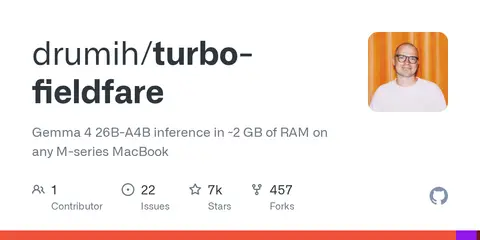
A 26-billion-parameter Gemma 4 model on an 8 GB MacBook Air — without swap.
Key specs
| License | Apache-2.0 |
|---|---|
| GitHub stars | 674 |
| Ram footprint | ~2 GB |
Quick facts
| Maker | drumih (open source) |
|---|---|
| License | Apache-2.0 |
| Model supported | Gemma 4 26B-A4B (instruction-tuned) |
| RAM footprint | ~2 GB weights + 4K KV cache |
| Storage | ~14.3 GB on disk |
| Hardware | M-series Macs, minimum 8 GB unified memory, macOS 26+ |
| Speed (M2 Air 8 GB) | 5.1–6.3 tokens/sec |
| Speed (M5 Pro 24 GB) | 31–35 tokens/sec |
What is it?
Turbo Fieldfare is an open-source inference engine that runs Google's Gemma 4 26B-A4B on Apple Silicon Macs while using only about 2 GB of RAM. Instead of loading all 14.3 GB of weights, Turbo Fieldfare keeps the 1.35 GB shared core plus a 4K FP16 KV cache resident and streams the individual experts from SSD as each token needs them.
How does it work?
Written entirely in Swift with Metal compute shaders, the runtime uses chunked prefill, an LFU cache for hot experts, and quantized weight formats. Because Gemma 4 26B-A4B activates only 4B parameters per token, most experts are cold at any moment — so paging them on demand costs latency instead of memory.
Why does it matter?
For anyone stuck on an 8 GB M2 MacBook Air, Turbo Fieldfare turns a machine that could not previously host a real 20B-class model into one that can. Author drumih reports 5.1–6.3 tokens per second on M2 Air and 31–35 tokens per second on an M5 Pro, opening the door to serious local inference on entry-level Macs.
Who is it for?
Mac users who want a 20B-class local model without buying a Pro machine.
Frequently asked questions
- Which models does Turbo Fieldfare support?
- Turbo Fieldfare only runs Gemma 4 26B-A4B, Google's instruction-tuned 26B mixture-of-experts model with 4B active parameters. The runtime is deliberately model-specific — not a wrapper around MLX or llama.cpp — so other model families and other Gemma sizes will not load in the current release.
- Why does Gemma 4 26B fit in about 2 GB of RAM when the file is 14.3 GB?
- Turbo Fieldfare loads only Gemma 4's 1.35 GB shared core plus a 4K FP16 KV cache into RAM, then streams individual expert weights from SSD for each token. Because the model is a mixture-of-experts, most experts are cold at any moment, so paging them on demand costs a little latency instead of gigabytes of memory.
- Can I try Turbo Fieldfare without building from source?
- No. Turbo Fieldfare currently ships only as Swift source. You need Swift 6.2 and macOS 26 or later, then run git clone, swift build -c release, and start the CLI, the native Mac app, or the experimental OpenAI-compatible server. There is no brew, pip, or notarized DMG yet.
- How does Turbo Fieldfare's throughput scale across Apple Silicon?
- The Turbo Fieldfare README reports 5.1–6.3 tokens per second on an 8 GB M2 MacBook Air and 31–35 tokens per second on an M5 Pro with 24 GB of unified memory. Throughput is bounded by SSD read speed plus memory bandwidth, so faster storage helps almost as much as a newer chip.
Try it
git clone https://github.com/drumih/turbo-fieldfare && cd turbo-fieldfare && swift build -c release