Overview
designlang points a headless browser at a URL and reads the design system off the live DOM rather than off a stylesheet or a screenshot. One command emits more than seventeen files: DTCG design tokens (primitive, semantic and composite), a Tailwind config, a shadcn theme, Figma variables, motion tokens, typed component anatomy, brand voice, page-intent labels, and a paste-ready prompt pack aimed at v0, Lovable, Cursor and Claude Artifacts.
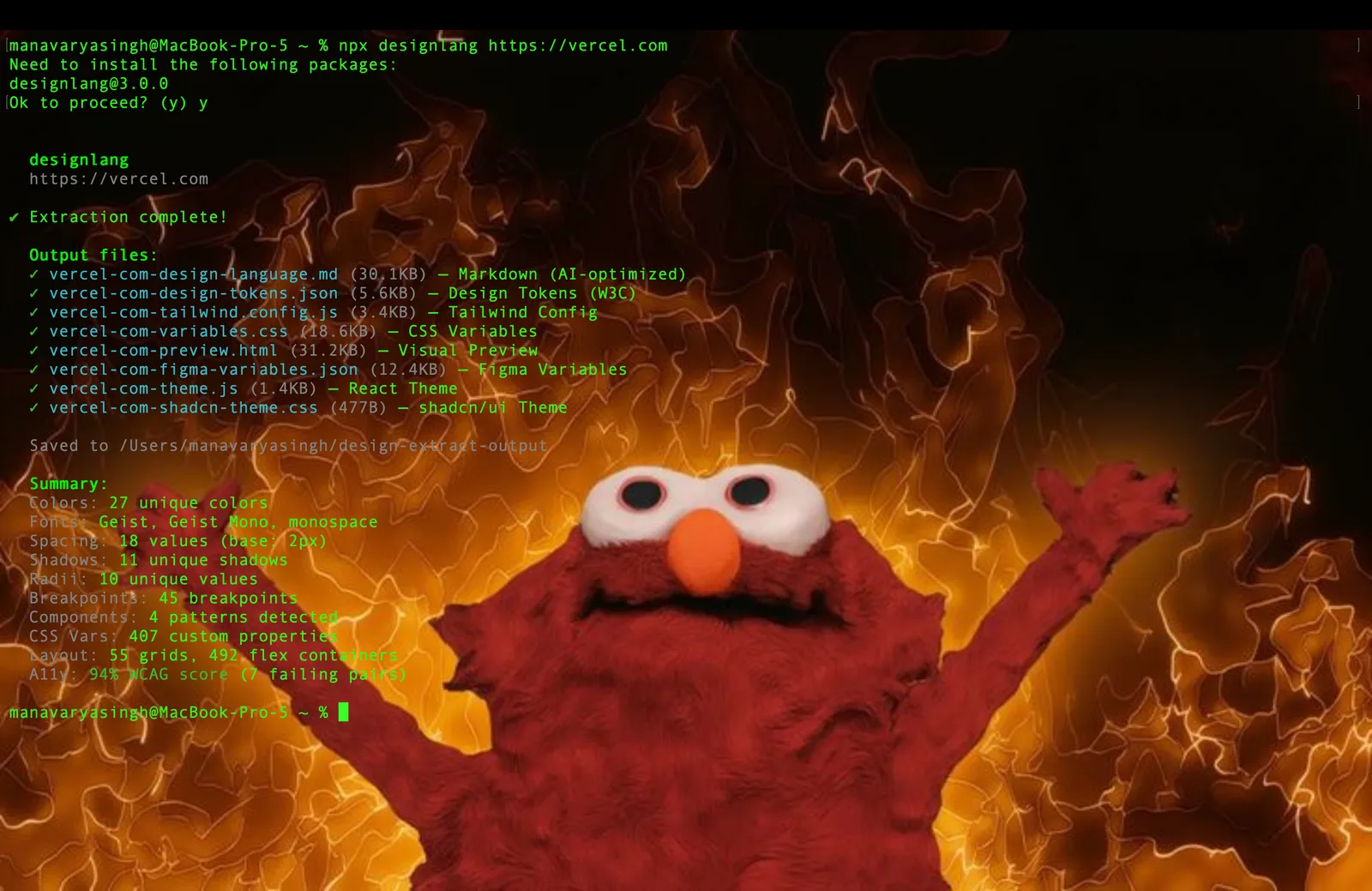
The interesting part is what it measures beyond colours and type. Because it drives a real browser, it can record layout patterns, responsive behaviour across four breakpoints, and hover, focus and active states — things a static CSS parse cannot see. On top of that sit WCAG contrast scoring with remediation suggestions, a CSS health audit, multi-page consistency checks, drift checks against a live source of truth, visual diffs, and a shareable graded report card with an SVG badge you can drop in a README.
`designlang site` is the command that separates it from single-URL extractors: it crawls a site's canonical pages — home, pricing, docs, blog, about, product — and synthesises one de-duplicated system, electing each token by *coverage*, the share of pages that use it. That is what pulls genuinely site-wide decisions apart from one-off, page-local ones; near-identical colours are merged in OKLab. The pass is fully deterministic and needs no API key. Other subcommands compare two sites head to head, fuse two design languages, restyle a system into another vocabulary, score a clone against the original, and open a live token editor.
For AI workflows it ships an MCP server for Claude Code, Cursor and Windsurf, so an agent can ask for a site's tokens directly, plus multi-platform emitters for iOS SwiftUI, Android Compose, Flutter and WordPress and a Chrome extension. It is MIT-licensed, built on Playwright, and needs Node 20+. An optional `--smart` classification step calls an OpenAI-compatible endpoint; the deterministic paths do not.
What it does
- Reads the design system off the live DOM with a headless browser, so hover/focus/active states and responsive behaviour across four breakpoints are measured rather than inferred
- Emits 17+ artefacts from one command: DTCG tokens (primitive + semantic + composite), Tailwind v4 config, shadcn theme, Figma variables, motion tokens, component anatomy and a prompt pack
- `site` mode crawls a site's canonical pages and elects each token by coverage, separating site-wide decisions from page-local ones, with near-identical colours merged in OKLab
- Quality passes on top of extraction: WCAG contrast scoring with remediation, a CSS health audit, multi-page consistency, drift checks against a live source of truth and visual diffs
- An MCP server for Claude Code, Cursor and Windsurf, so a coding agent can pull a real design system into its context
- Multi-platform emitters — iOS SwiftUI, Android Compose, Flutter, WordPress — plus a Chrome extension and a live token editor (`studio`)
- A graded report card with a shareable SVG badge, and `battle` / `fidelity` commands for head-to-head and clone-vs-original scoring
- Deterministic and key-free by default; `--smart` classification is optional and uses an OpenAI-compatible endpoint
Getting started
designlang runs straight from npx on Node 20+; Playwright supplies the browser. Nothing needs an API key unless you opt into --smart classification.
Extract one page
The bare command runs the full extraction against a URL and writes the artefact set.
npx designlang https://stripe.comSynthesise a whole-site system
`site` crawls the canonical pages and elects tokens by coverage, so what you get is one de-duplicated system plus a consistency grade — rather than whatever one page happened to use.
npx designlang site stripe.com --max-pages 8Capture states and responsive behaviour
--full adds screenshots, the four-breakpoint responsive pass and the interaction states.
npx designlang --full https://stripe.comGrade, compare and check drift
The scoring commands are separate verbs. `grade --badge` also writes an SVG badge; `battle` puts two sites head to head; `fidelity` scores a clone you are building against the original, on visuals and motion.
npx designlang grade https://stripe.com --badge
npx designlang battle stripe.com vercel.com
npx designlang fidelity stripe.com --clone localhost:3000
Open the live token editor
`studio` runs a local editor where tokens can be changed, previewed, exported and shared.
npx designlang studioCommands and code are distilled from the project's own documentation — always check the official repo for the latest.
When to use it
- Reach for it when a redesign or a rebuild needs the current site's real tokens, measured rather than eyeballed from a screenshot
- Reach for it when a coding agent is writing UI and should start from an actual design system — the MCP server puts the tokens in its context
- Reach for it to audit consistency and WCAG contrast across a site, with a graded report you can hand to someone
- Reach for it when checking whether a clone or an implementation actually matches the original, down to the motion
How designlang compares
designlang alongside other open-source web scraping & crawling tools AI/TLDR tracks, ranked by GitHub stars.
| Tool | Stars | What it does |
|---|---|---|
| Firecrawl | ★ 194k | A crawling service and API that converts whole websites into clean Markdown or structured JSON ready for LLMs. |
| Agent Reach | ★ 101k | A capability layer that installs, health-checks and routes readers so a CLI agent can read and search web pages, YouTube, RSS, GitHub, Reddit, Twitter/X and more without API fees. |
| Scrapling | ★ 89.2k | A Python web scraping framework whose parser relocates your elements when pages change, with stealthy fetchers and a Scrapy-like spider engine for full crawls. |
| Crawl4AI | ★ 86k | A local-first Python web crawler that turns pages into clean Markdown for use in RAG and LLM pipelines. |
| Scrapy | ★ 65k | A mature Python framework for writing fast spiders that crawl websites and extract structured data at scale. |
| changedetection.io | ★ 35.2k | A self-hosted web page change monitor with XPath/CSS/jq filters, browser steps and restock alerts, which can route every diff through an LLM to suppress noise. |
| ScrapeGraphAI | ★ 32.1k | A Python library that uses LLMs and a graph pipeline to extract data from pages based on natural-language prompts. |
| designlang | ★ 4.3k | Points a headless browser at any URL and reads the design system off the live DOM — DTCG tokens, Tailwind config, Figma variables and a prompt pack, from one command |