Overview
Inno Agent is a single-learner study companion built on the Pi coding-agent SDK without modifying the SDK's kernel — every learning behaviour is added through registered tools and one extension hook. Its premise is that education is a different target from general-purpose coding agents: what matters is personalised explanation, misconception diagnosis, exercise generation, feedback, review scheduling, privacy and low-latency continuous interaction.
Long-term support is organised into three explicit memory layers with different lifecycles. The L1 learner profile holds goals, knowledge states, misconceptions and preferences, summarised into a context pack injected every turn; the learner can inspect and correct it, and unevidenced labels are forbidden. The L2 layer is a native wiki of human-readable pages with hybrid retrieval (BM25 plus a knowledge graph) and ingestion of PDF, Office and image files. The L3 layer indexes past sessions into SQLite FTS5 for threshold-gated recall across conversations. Facts that should shape future teaching are written to these layers through tools rather than left in chat replies.
Around the memory sits a learning loop: a cron scheduler whose jobs you create in natural language, personal IM channels (Feishu natively, WeChat via iLink QR login or a bridge) for reminders, and a Practice Lab — a workspace-scoped in-browser terminal whose run records the agent can read. It ships as an Electron desktop app, a React web UI served by a Node server, and an `inno` terminal CLI, all sharing the same runtime state. It is deliberately personal: one process, one active session, no multi-user auth — a team runs one instance per person. Models come from any OpenAI-completions or Anthropic-messages endpoint, including local ones through Ollama. The project is MIT-licensed and accompanied by a technical report.
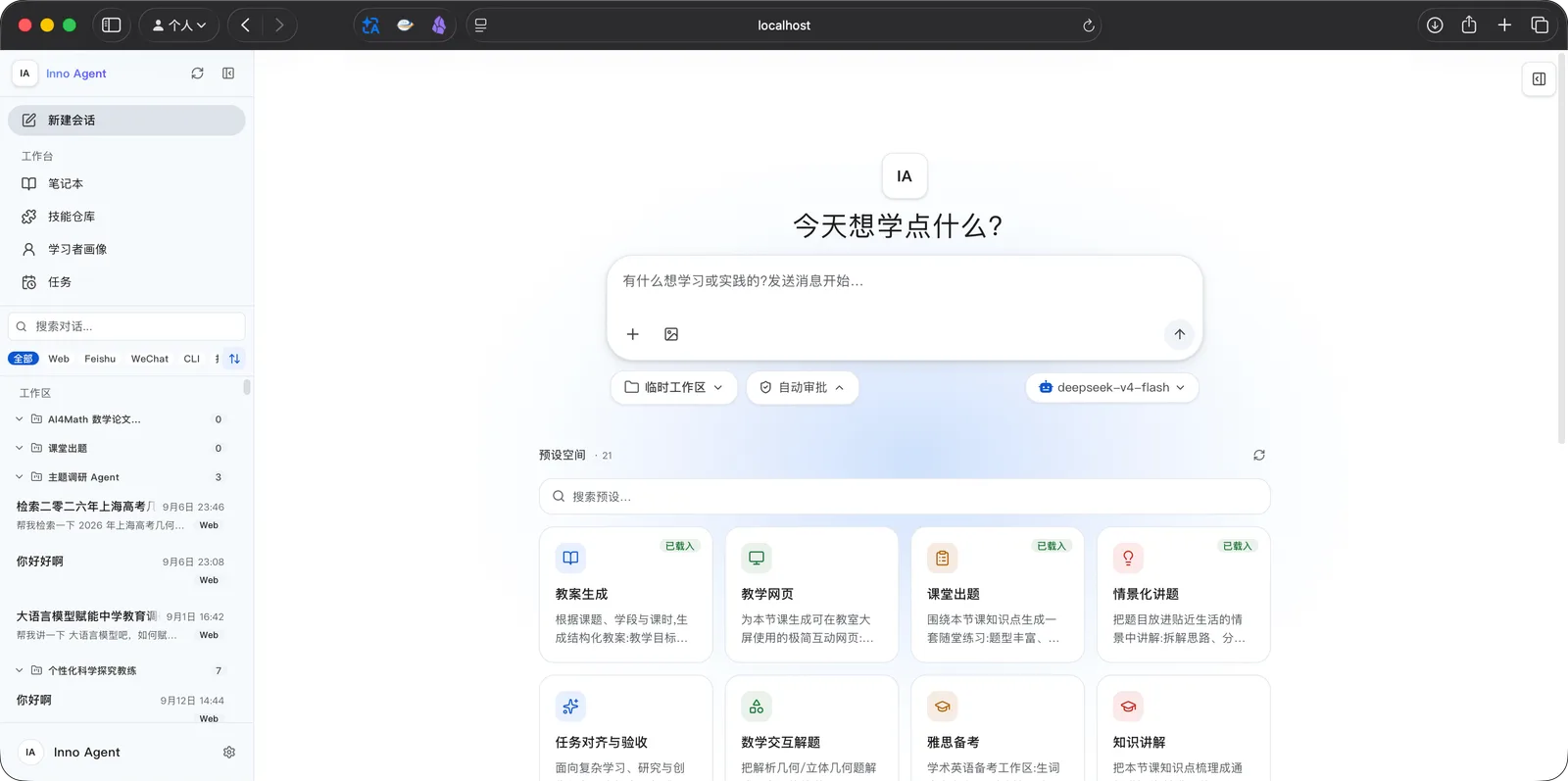
What it does
- Three memory layers: an editable L1 learner profile, an L2 wiki with hybrid BM25 + knowledge-graph retrieval, and L3 cross-conversation recall over SQLite FTS5
- Proactive scheduler — cron jobs created in natural language and run from the agent, the UI or the daemon
- Personal IM channels: Feishu natively, WeChat via iLink QR login or bridge mode, with one dispatcher for reminders
- Practice Lab: a workspace-scoped web terminal (xterm.js over WebSocket) whose run records the agent can read
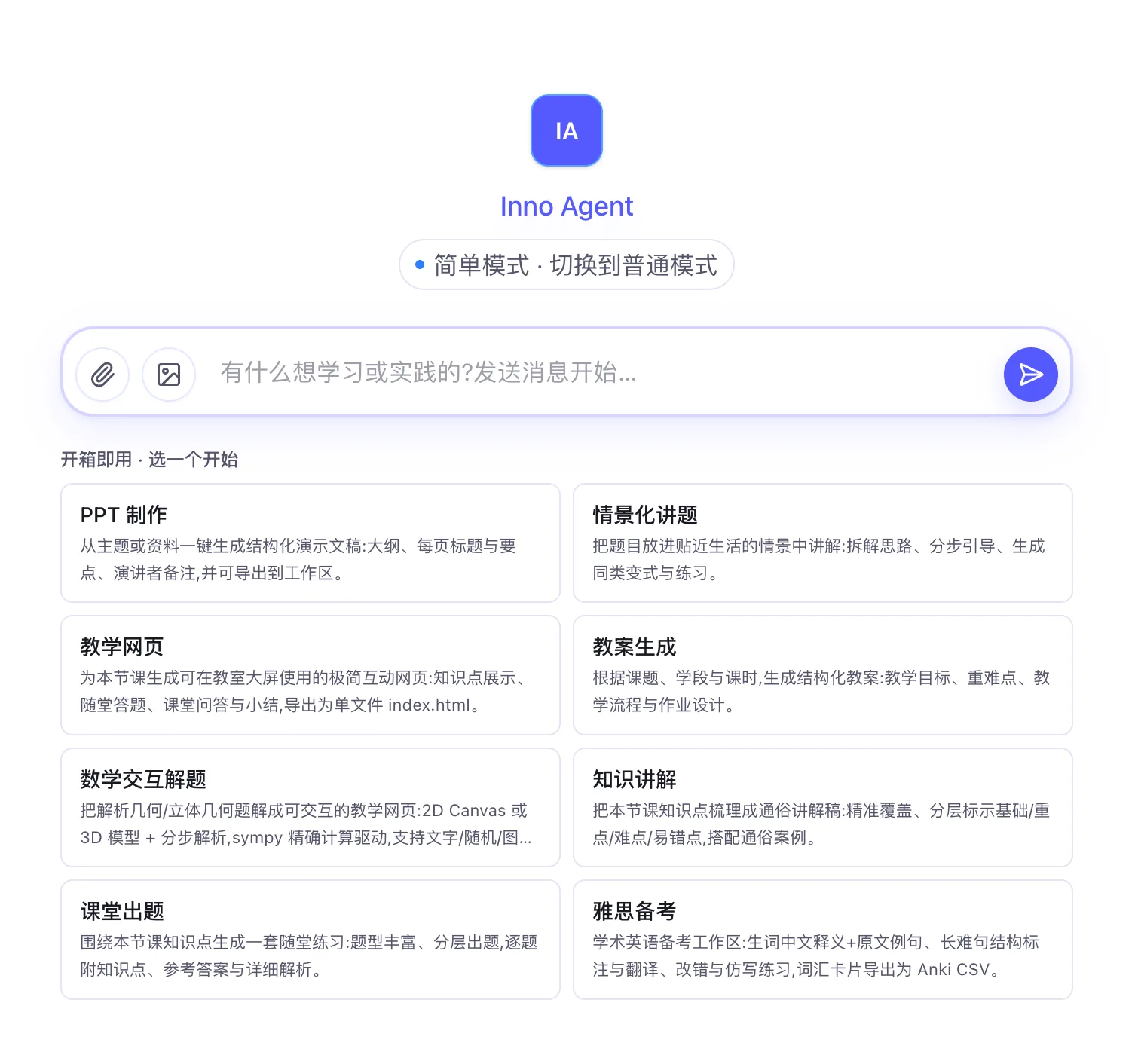
- Simple Mode with one-click preset workspaces such as lesson plans, slide decks and scenario explanations, plus skills imported from a content hub
- Pluggable providers — any openai-completions or anthropic-messages endpoint, switchable live in the UI
- Permission modes with approval cards, an optional OS-level sandbox, and opt-in computer use in the desktop app
Getting started
Inno Agent runs as a desktop app, a web server or a terminal CLI. The commands below come from the repository README; the source install needs Node.js 20.6 or newer.
Easiest: install the desktop app
Download the installer from GitHub Releases — a .dmg for Apple Silicon macOS (unsigned, so right-click → Open on first launch) or a .exe / .msi for Windows. On first launch a default config is created; add your provider API key there or in the in-app settings.
~/.inno-agent/config/config.jsonOr build from source
Clone the repo, install dependencies (this pulls the Pi SDK from npm) and build the backend and web UI, then create the runtime folders and copy the example config.
git clone https://github.com/hhyqhh/inno-agent.git
cd inno-agent

npm install
npm run build

mkdir -p runtime/config runtime/data runtime/skills workspace
cp config.example.json runtime/config/config.json
Point it at a model provider
Each provider in runtime/config/config.json declares a baseUrl, an api type (openai-completions or anthropic-messages), an apiKey and a models list. The three memory layers are toggled under memory.
{
  "defaultProvider": "innospark",
  "defaultModel": "claude-sonnet-4-6",
  "providers": {
    "innospark": {
      "baseUrl": "https://api.example.com",
      "api": "anthropic-messages",
      "apiKey": "replace-me",
      "models": [{ "id": "claude-sonnet-4-6", "name": "Claude Sonnet 4.6" }]
    }
  },
  "memory": { "l1Enabled": true, "l2Enabled": true, "l3Enabled": true }
}
Start the web UI
Run the server against your runtime and workspace folders, then open http://localhost:3000.
npm run server -- --home ./runtime --workspace ./workspace --port 3000Other run modes
The same runtime can be driven from the terminal, as a local desktop build, under the OS-level sandbox, or in Docker (serves on :3000 and mounts runtime/ and workspace/).
npm run start           # CLI (terminal agent, no HTTP)
npm run electron        # desktop app locally
npm run server:sandbox  # web UI with OS-level sandbox (requires ripgrep)
docker compose up -d    # Docker
Commands and code are distilled from the project's own documentation — always check the official repo for the latest.
When to use it
- Reach for it when you want a tutor that keeps an inspectable, correctable model of what you know and where you go wrong
- Reach for it when study notes should accumulate into a searchable wiki the agent can query in later sessions
- Reach for it when review reminders should arrive on Feishu or WeChat on a schedule instead of waiting for you to open a chat
- Reach for it when teachers need one-click presets for lesson plans, classroom exercises or slide decks without configuring an agent
How Inno Agent compares
Inno Agent alongside other open-source learning & tutoring tools AI/TLDR tracks, ranked by GitHub stars.
| Tool | Stars | What it does |
|---|---|---|
| DeepTutor | ★ 42.2k | An agent-native learning workspace from HKU's Data Intelligence Lab that runs tutoring, quizzes, research, visualisation and mastery practice over your own knowledge bases and books. |
| OpenMAIC | ★ 41.3k | Tsinghua's open multi-agent interactive classroom, where agent teachers turn a topic or an uploaded document into a lesson with slides, quizzes, simulations, narration and a shared whiteboard. |
| Lathe | ★ 1.7k | A Go CLI plus coding-agent skills that generate hands-on, multi-part technical tutorials on demand and serve them in a local reader you work through by hand. |
| Inno Agent | ★ 1.3k | A personal learning agent with a learner profile, a wiki knowledge base and cross-conversation recall |