Overview
MiniMax MCP is MiniMax's official Model Context Protocol server. It wraps the MiniMax platform's media-generation APIs as MCP tools, so an MCP client such as Claude Desktop, Cursor, Windsurf or the OpenAI Agents SDK can turn a plain chat request into speech, a cloned or designed voice, an image or a video, and save the result locally or return it as a URL.
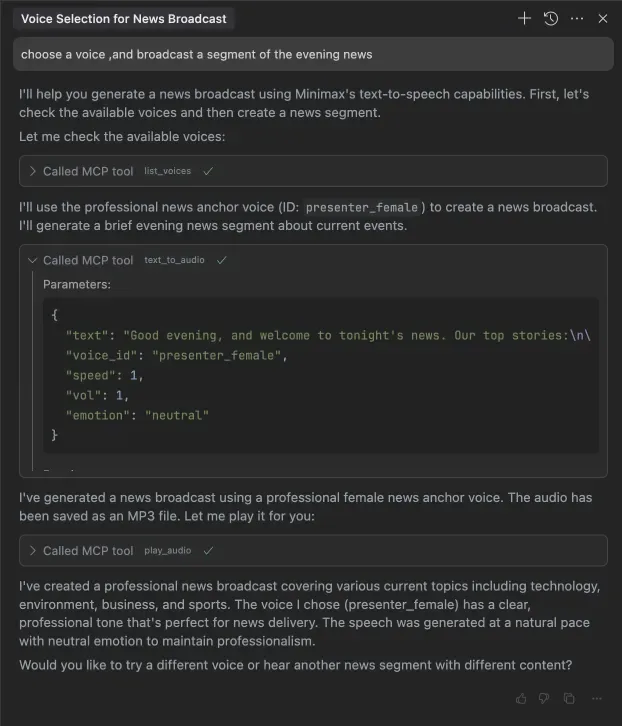
The server exposes a small, fixed toolset: `text_to_audio` and `list_voices` for speech, `voice_clone` and `voice_design` for custom voices, `text_to_image`, `generate_video` with `query_video_generation` for asynchronous video jobs, and `play_audio` to play back what was generated. Video generation covers MiniMax's T2V and I2V model families, the Director variants that accept camera-movement instructions, and MiniMax-Hailuo-02 with 6s/10s duration and 768P/1080P resolution options.
It is a Python package (`minimax-mcp`, MIT-licensed) launched with `uvx`, configured entirely through environment variables: the API key, the API host, an output directory and whether media comes back as local files or URLs. The key and host must come from the same region — the global platform at `api.minimax.io` or the mainland platform at `api.minimaxi.com` — or requests fail with an invalid-key error. It supports stdio for local use and SSE for local or cloud deployment. MiniMax also publishes a JavaScript implementation (MiniMax-MCP-JS), and its README points to the separate MiniMax CLI (mmx-cli) as the recommended route for newer models. Every generation call is billed to the MiniMax account.
What it does
- Text-to-speech with a selectable voice, plus a tool that lists every available voice
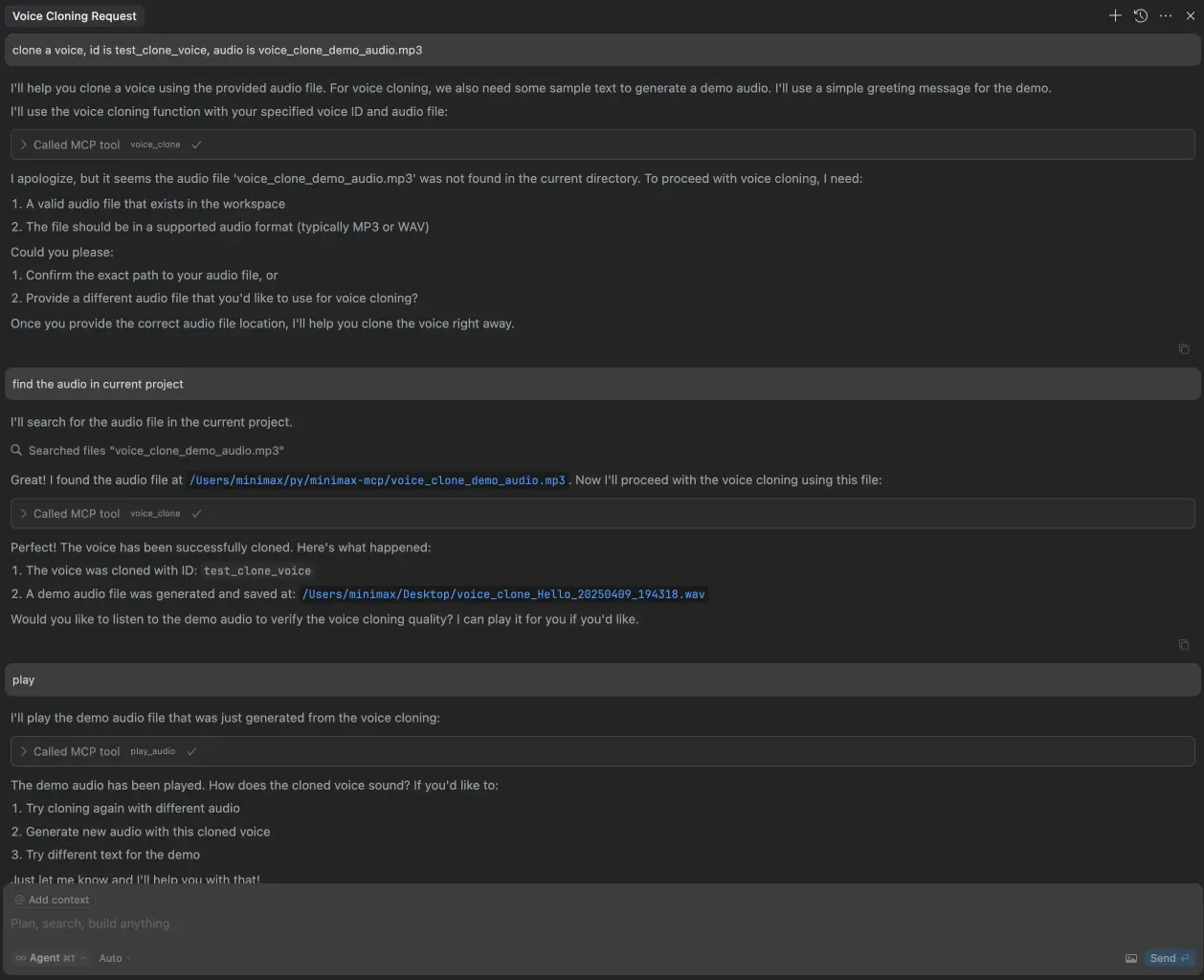
- Voice cloning from audio files and voice design from a descriptive prompt with preview text
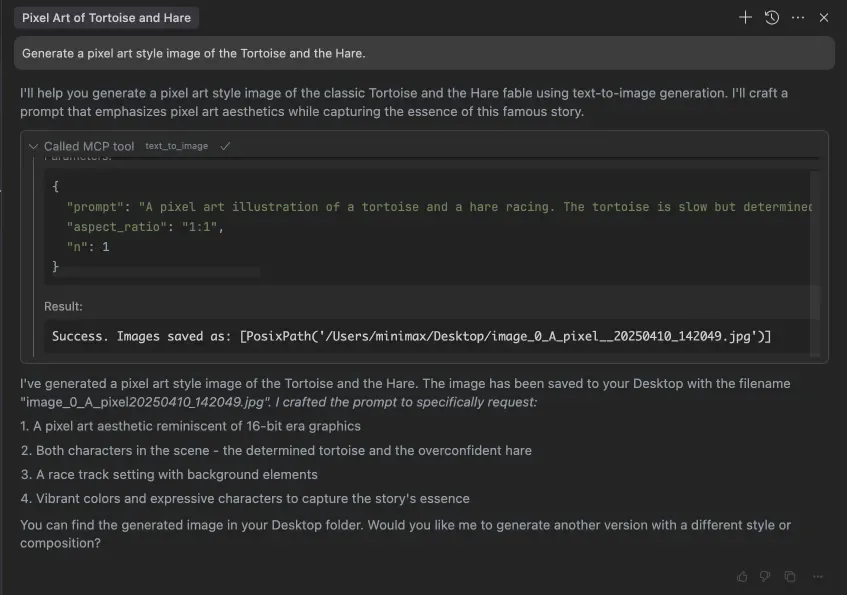
- Text-to-image generation from a prompt, with aspect ratio and image count parameters
- Text-to-video and image-to-video, including Director models with camera-movement instructions and MiniMax-Hailuo-02 duration and resolution controls
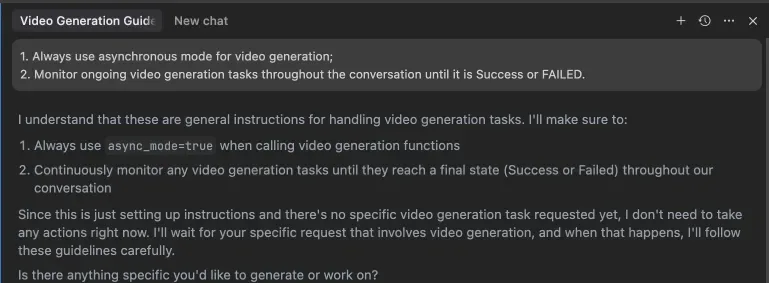
- Asynchronous video mode that returns a task id to poll with `query_video_generation`
- stdio and SSE transports, with output returned as URLs or downloaded to a local directory
Getting started
You need a MiniMax API key and the `uv` Python package manager. The key and API host must belong to the same region: `https://api.minimax.io` for the global platform, `https://api.minimaxi.com` for mainland China.
Get an API key
Create a key in the MiniMax platform's user center (global or mainland, matching the host you will configure).
Install uv
The server is launched with `uvx`, which ships with uv.
curl -LsSf https://astral.sh/uv/install.sh | shAdd the server to your MCP client
In Claude Desktop open Settings > Developer > Edit Config and add the block below to `claude_desktop_config.json`. In Cursor, add the same config under Cursor Settings > MCP > Add new global MCP Server. `MINIMAX_API_RESOURCE_MODE` is optional: `url` (default) returns links, `local` downloads files to the base path.
{
  "mcpServers": {
    "MiniMax": {
      "command": "uvx",
      "args": [
        "minimax-mcp",
        "-y"
      ],
      "env": {
        "MINIMAX_API_KEY": "insert-your-api-key-here",
        "MINIMAX_MCP_BASE_PATH": "local-output-dir-path, such as /User/xxx/Desktop",
        "MINIMAX_API_HOST": "api host, https://api.minimax.io | https://api.minimaxi.com",
        "MINIMAX_API_RESOURCE_MODE": "optional, [url|local], url is default, audio/image/video are downloaded locally or provided in URL format"
      }
    }
  }
}
Fix a spawn uvx ENOENT error
If the client cannot find `uvx`, look up its absolute path and use that as the `command` value (for example `/usr/local/bin/uvx`). On Windows, Claude Desktop also needs Developer Mode enabled from the Help menu.
which uvxAsk for media in chat
Prompt the assistant in natural language — "broadcast a segment of the evening news", "clone a voice", "generate a surfing video". For long video jobs, tell the assistant up front to use async mode and keep polling until the task succeeds or fails; the rule can also live in your IDE settings.
Commands and code are distilled from the project's own documentation — always check the official repo for the latest.
When to use it
- Let Claude or Cursor narrate a script, pick a voice and play the result back without leaving the chat
- Clone a voice from a sample recording, or design a new one from a description, for podcasts or product demos
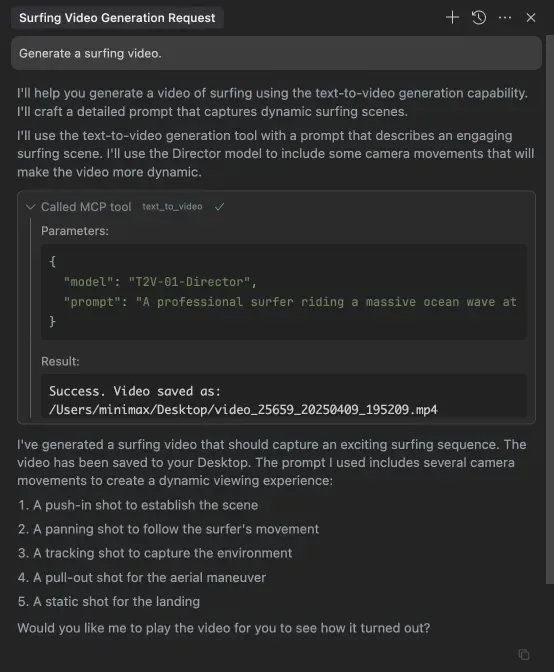
- Generate illustrations and short video clips from inside an agent workflow, saved straight to a project folder
- Host the server over SSE so a team's agents share one MiniMax media backend
How MiniMax MCP compares
MiniMax MCP alongside other open-source media model apis tools AI/TLDR tracks, ranked by GitHub stars.
| Tool | Stars | What it does |
|---|---|---|
| ElevenLabs Python SDK | ★ 3.2k | The official MIT-licensed Python client for the ElevenLabs API, covering text-to-speech, audio streaming, voice cloning and real-time voice agents. |
| MiniMax MMX-CLI | ★ 2.2k | MiniMax's official command-line client for its generative platform — text, image, video, speech, vision and search as shell commands, installable as an agent skill. |
| MiniMax MCP | ★ 1.6k | Official MCP server that gives AI assistants MiniMax speech, voice cloning, image and video generation |
| ElevenLabs | — | AI voice platform with APIs for text-to-speech, voice cloning, dubbing, speech-to-text, and music generation across 70+ languages. |
| Deepgram | — | Enterprise voice AI APIs for real-time speech-to-text, text-to-speech, and voice agent orchestration. |
| AssemblyAI | — | Speech-to-text and speech understanding API that transcribes audio and extracts insights like sentiment and entities. |
| Stability AI | — | Generative media API for image, video, audio, and 3D generation, including Stable Diffusion and Stable Audio models. |
| Luma AI | — | Dream Machine API for generating video and images from text and image prompts. |