Overview
MAC (Multi-Agent CAD) is an open-source Python framework that turns an ordinary design brief into editable engineering geometry. Instead of generating a mesh or an image, it has a chain of LLM agents produce build123d Python code, executes it, and exports STEP, STL and GLB files — so the result can be opened, measured and edited in regular CAD tooling or sent straight to a 3D printer.
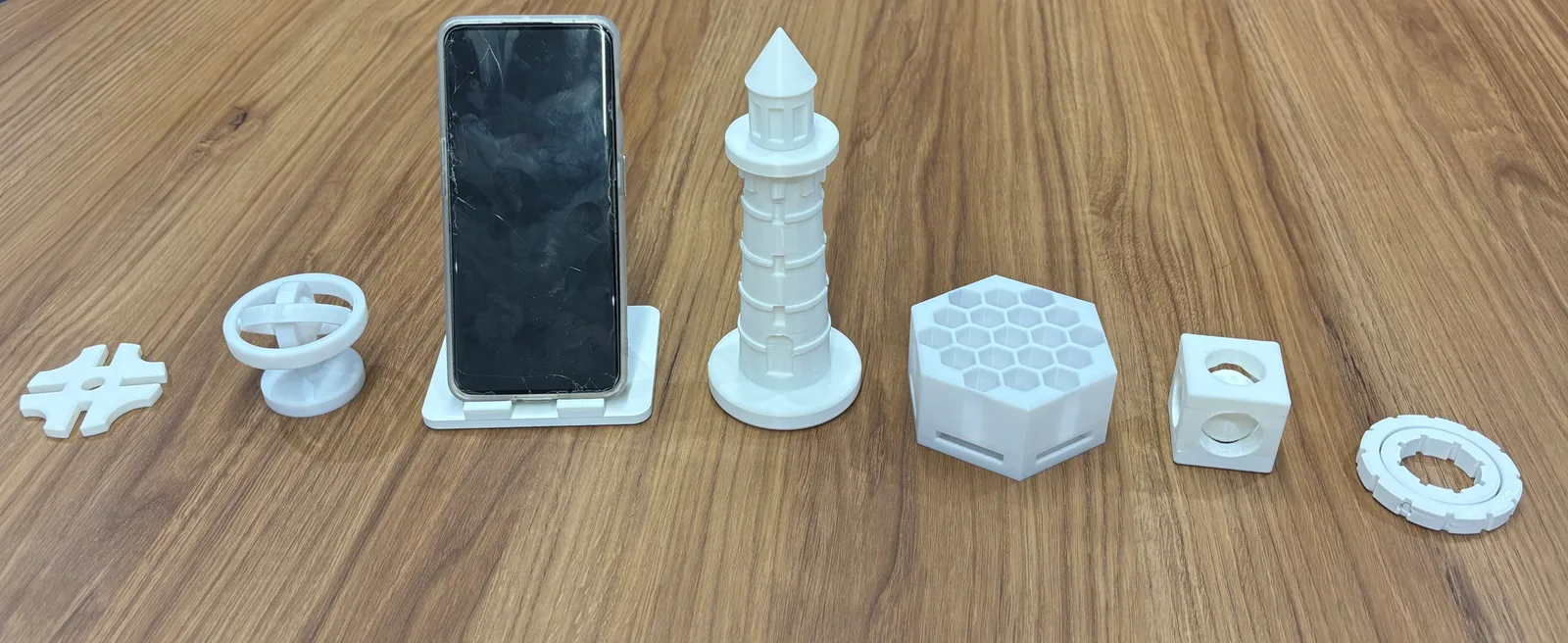
The single-part workflow is decoupled into stages that exchange compact structured artifacts rather than one long conversation: a Spec Planner writes a CAD brief, a Geometric Architect turns it into a geometry plan, a deterministic translator converts common operations (extrusions, revolutions, holes, booleans, patterns, mirrors, fillets, chamfers, shells) into code without another model call, and Aider fills in anything the translator cannot. The generated script is then run, measured and reviewed by an independent QA Judge that can accept the result, request a bounded repair, or halt on an impossible request — optionally comparing rendered views against reference images.

On top of that, MAC ships an experimental assembly workflow (described by the project as a technology preview) that decomposes a mechanism into separately generated components, mates them, validates the result, reuses repeated and mirrored parts, and exports the assembly as STEP/STL/GLB plus a URDF file for robotics and physics simulation. Every stage talks to an OpenAI-compatible endpoint — DashScope by default — and each stage can be given its own model. The project is written in Python and released under the MIT license.
What it does
- Text-to-CAD from plain natural language, with optional reference images that the planner and Judge can use
- Exports editable STEP, STL and GLB, and keeps the generated build123d source, measurements and QA reports on disk for inspection
- Staged agent pipeline (Spec Planner, Geometric Architect, deterministic translator with Aider fallback, QA Judge) with a bounded repair loop
- Experimental multi-part assembly generation with mating, repeated/mirrored part reuse, and URDF export for simulation
- Per-stage model configuration against any OpenAI-compatible endpoint
- Local browser UI for single parts with a 3D preview and downloadable results
Getting started
MAC needs Python 3.11+ and an API key for an OpenAI-compatible model provider. The README's recommended setup uses conda; a pure-pip workaround is documented there for systems without conda.
Clone and create the environment
`aider-chat` is installed separately with `--no-deps` because it pins NumPy 1.x, which conflicts with build123d's NumPy 2.x requirement. The key variable is named `DASHSCOPE_API_KEY` for historical reasons; it carries whichever provider's key you configure.
git clone https://github.com/Pan-Chera/Multi-Agent-CAD.git
cd Multi-Agent-CAD
conda env create -f environment.yml
conda activate multi_agent_cad
pip install --no-deps "aider-chat==0.82.3"
export DASHSCOPE_API_KEY="your-key"
Generate a single part
Set `USER_REQUEST` (and, for a non-DashScope provider, `DS_BASE_URL` and the per-stage model ids) in `multi_agent_cad/config.py`, then run the graph. The build123d source and STEP/STL outputs are written as `temp_*` files in the repository root.
python -m multi_agent_cad.graphOr use the browser UI
The UI listens on 127.0.0.1 by default and executes generated Python with your user's permissions, so do not expose it to an untrusted network.
pip install -e ".[web]"
python -m multi_agent_cad.web
Generate an assembly
Assembly input is also plain language. Jobs are written under `assembly_jobs/job_<timestamp>/` with per-part geometry, the assembled STEP/STL/GLB, a URDF, manifests and QA artifacts.
MAC_ASSEMBLY_REQUEST="Create a two-part hinged clamp with a fixed base and one rotating jaw." \
python -m mac_assembly
Commands and code are distilled from the project's own documentation — always check the official repo for the latest.
When to use it
- Draft a printable mechanical or decorative part from a written description and get STEP/STL you can edit or slice
- Prototype an articulated mechanism and hand its URDF to a robotics or physics simulator
- Run text-to-CAD on your own model provider and keep every plan, script and QA report for auditing
- Study or extend a multi-agent CAD pipeline that separates planning, geometry, coding and verification
How MAC (Multi-Agent CAD) compares
MAC (Multi-Agent CAD) alongside other open-source 3d & cad generation tools AI/TLDR tracks, ranked by GitHub stars.
| Tool | Stars | What it does |
|---|---|---|
| MCP for Blender | ★ 30.9k | MCP server and Blender addon that let an LLM drive Blender directly — creating, modifying and inspecting 3D objects, materials and scenes from a chat prompt. |
| Pascal Editor | ★ 24.9k | A local-first 3D building editor built on React Three Fiber and WebGPU, with a typed architectural node hierarchy and an authenticated MCP service so AI agents can inspect and edit the scene. |
| text-to-cad | ★ 20.6k | A library of agent skills for CAD, CAE and CAM: plain-language to STEP models, DXF drawings, URDF/SRDF/SDF robot files, printability checks and sliced G-code. |
| img2threejs | ★ 18.2k | An agent skill that rebuilds the object in a single reference image as procedural, animation-ready Three.js code, gating each sculpting pass on a vision review against the reference. |
| CADAM | ★ 5.3k | An open-source text-to-CAD web app that has an LLM write OpenSCAD, then exposes the model's parameters as live sliders and exports STL, SCAD and DXF. |
| MAC (Multi-Agent CAD) | ★ 1k | Natural-language briefs in, editable CAD parts and assemblies out |
| 3D Asset Server | ★ 306 | A self-hosted TypeScript server that searches 23 3D asset sites at once, returns each result’s licence, downloads glTF, PBR maps and HDRIs, and exposes the same search to AI agents through an MCP server. |