Overview
PaperBanana generates publication-quality academic figures from text. Give it a methodology section (a text file or a PDF) and a caption describing what the figure should communicate, and it produces a methodology diagram; give it a CSV or JSON file and an intent, and it produces a statistical plot. Each run is saved under `outputs/run_<timestamp>/` with the final image plus every intermediate iteration and its metadata.
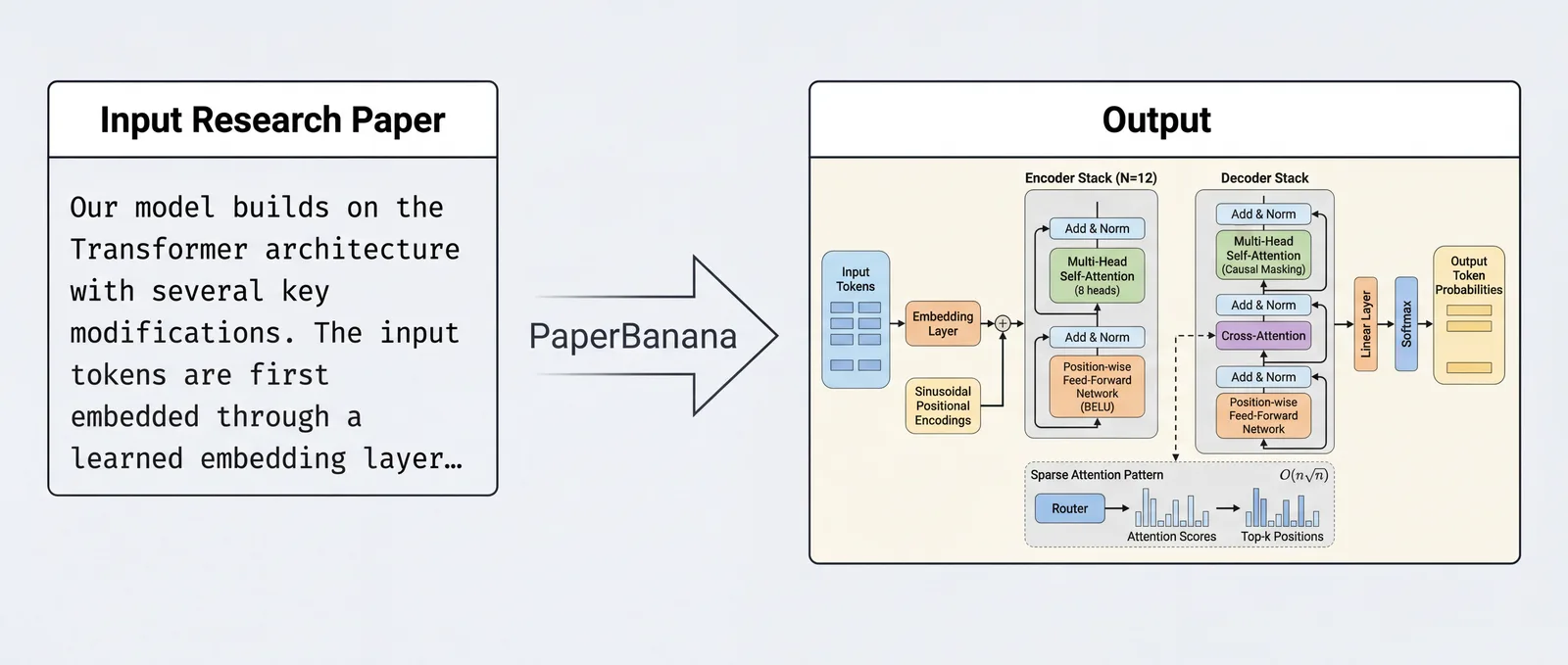
It is an unofficial, community-driven open-source implementation of the paper "PaperBanana: Automating Academic Illustration for AI Scientists" (Zhu et al., arXiv:2601.23265). The README states plainly that the project is not affiliated with or endorsed by the original authors or Google Research, and that it is based on the publicly available paper and may differ from the original system. It is MIT-licensed Python and asks users to cite the original paper.
Under the hood it runs a multi-agent pipeline of up to seven agents. An optional input optimizer enriches the raw methodology text and sharpens a vague caption into a precise visual specification. A Retriever then picks relevant examples from a curated set of 13 methodology diagrams, a Planner writes a detailed description of the target figure, and a Stylist applies NeurIPS-style aesthetic guidelines. Finally a Visualizer renders the image and a Critic checks it against the source and revises the description, looping for a fixed number of rounds (three by default) or, with `--auto`, until the critic is satisfied. Plots are rendered through VLM-generated matplotlib code, so they need no image-generation provider.
What it does
- Two-phase multi-agent pipeline (Retriever, Planner, Stylist, then Visualizer and Critic in a refinement loop) with an optional input-optimization phase
- Methodology diagrams from text or PDF input (with per-page selection), optionally guided by reference or hand-drawn sketch images
- Statistical plots from CSV or JSON data, rendered as matplotlib code written by the VLM
- Providers for OpenAI, Azure OpenAI / Foundry, Google Gemini, Atlas Cloud and OpenRouter, switchable by flag or YAML config
- Batch manifests, full-paper figure packages (`orchestrate`), multi-panel composites, figure polishing and VLM-as-a-Judge evaluation on faithfulness, readability, conciseness and aesthetics
- CLI, Python API, a local Gradio web UI (PaperBanana Studio), an MCP server with eleven tools, and a GitHub Action for Overleaf-synced papers
Getting started
You need Python 3.10+ and an API key for OpenAI (or an Azure OpenAI / Foundry endpoint) or Google Gemini. The README also links a Colab quickstart notebook that runs the whole flow in the browser.
Install
Install from PyPI, or clone the repo for development.
pip install paperbanana

# or from source
git clone https://github.com/llmsresearch/paperbanana.git
cd paperbanana
pip install -e ".[dev,openai,google]"
Add an API key
Put your key in `.env`, or run the interactive setup wizard for Gemini.
cp .env.example .env
# Edit .env and add your API key:
#   OPENAI_API_KEY=your-key-here
#   GOOGLE_API_KEY=your-key-here

paperbanana setup
Generate a methodology diagram
`--optimize` preprocesses the inputs and `--auto` keeps refining until the critic is satisfied. The result lands in `outputs/run_<timestamp>/final_output.png`.
paperbanana generate \
  --input my_method.txt \
  --caption "Overview of our encoder-decoder framework" \
  --optimize --auto
Iterate with feedback, or plot data
Continue the latest run with your own notes for the critic, or turn a results file into a chart.
paperbanana generate --continue \
  --feedback "Make arrows thicker and colors more distinct"

paperbanana plot \
  --data results.csv \
  --intent "Bar chart comparing model accuracy across benchmarks"
Or use the web UI
PaperBanana Studio exposes the same workflows in a local Gradio app, by default at http://127.0.0.1:7860/.
pip install 'paperbanana[studio]'
paperbanana studio
Use it from an MCP client
Add the server to Claude Code, Cursor or any MCP-compatible client via `uvx`, without a local clone.
{
  "mcpServers": {
    "paperbanana": {
      "command": "uvx",
      "args": ["--from", "paperbanana[mcp]", "paperbanana-mcp"],
      "env": { "GOOGLE_API_KEY": "your-google-api-key" }
    }
  }
}
Commands and code are distilled from the project's own documentation — always check the official repo for the latest.
When to use it
- Draft the method-overview figure for a paper straight from its methodology section, then refine it with written feedback
- Turn experiment results in CSV or JSON into consistently styled plots for a venue such as NeurIPS, ICML, ACL or IEEE
- Produce a whole figure package (images, LaTeX snippet and captions) for a paper in one `orchestrate` run
- Keep an Overleaf paper's methodology figure in sync with its text through the bundled GitHub Action
How PaperBanana compares
PaperBanana alongside other open-source image generation tools AI/TLDR tracks, ranked by GitHub stars.
| Tool | Stars | What it does |
|---|---|---|
| Stable Diffusion web UI (AUTOMATIC1111) | ★ 165k | A browser interface for running Stable Diffusion image generation locally with extensions and fine-grained controls. |
| ComfyUI | ★ 142k | A node-based visual editor for building and running image and video generation pipelines like Stable Diffusion and FLUX locally. |
| Fooocus | ★ 53.6k | A simplified image generation app built on Stable Diffusion that hides technical settings for easy prompting. |
| InvokeAI | ★ 28.8k | A self-hosted creative tool and canvas for generating and editing images with open diffusion models. |
| Stability-AI generative-models | ★ 27.3k | Stability AI's official code for its Stable Diffusion family of image and video generation models. |
| FLUX | ★ 26k | Black Forest Labs' open-weight diffusion models and inference code for generating and editing images from text prompts. |
| Z-Image | ★ 12.1k | Alibaba Tongyi's 6B-parameter open image model that produces photorealistic images quickly on a single GPU. |
| PaperBanana | ★ 2.4k | Multi-agent generator for academic diagrams and statistical plots |