Overview
REA (Reverse Engineer Anything) is an open-source TypeScript CLI and MCP server that gives AI coding agents one consistent way to investigate software they do not have the source for. You point your agent at an app, ask how a feature works, and REA lets it decompile the binary, follow the code between functions, and show the evidence behind its explanation. The project describes the workflow in three steps: decompile, understand, recreate.
Deep native analysis runs through Hopper or a Ghidra installation you supply, on macOS and Linux, with an experimental Ghidra-only path for native x86-64 Windows applications. REA installs and manages Hopper for you (its free demo mode is supported), while the Ghidra adapter runs read-only and exposes inventory, decompilation, assembly, cross-references, call graphs and function dossiers. Beyond native binaries it covers managed PE/CLI triage, passive observation of websites, Electron pages and Node/Electron V8 Inspector sessions, JavaScript and source-map reconstruction, and controlled process capture.
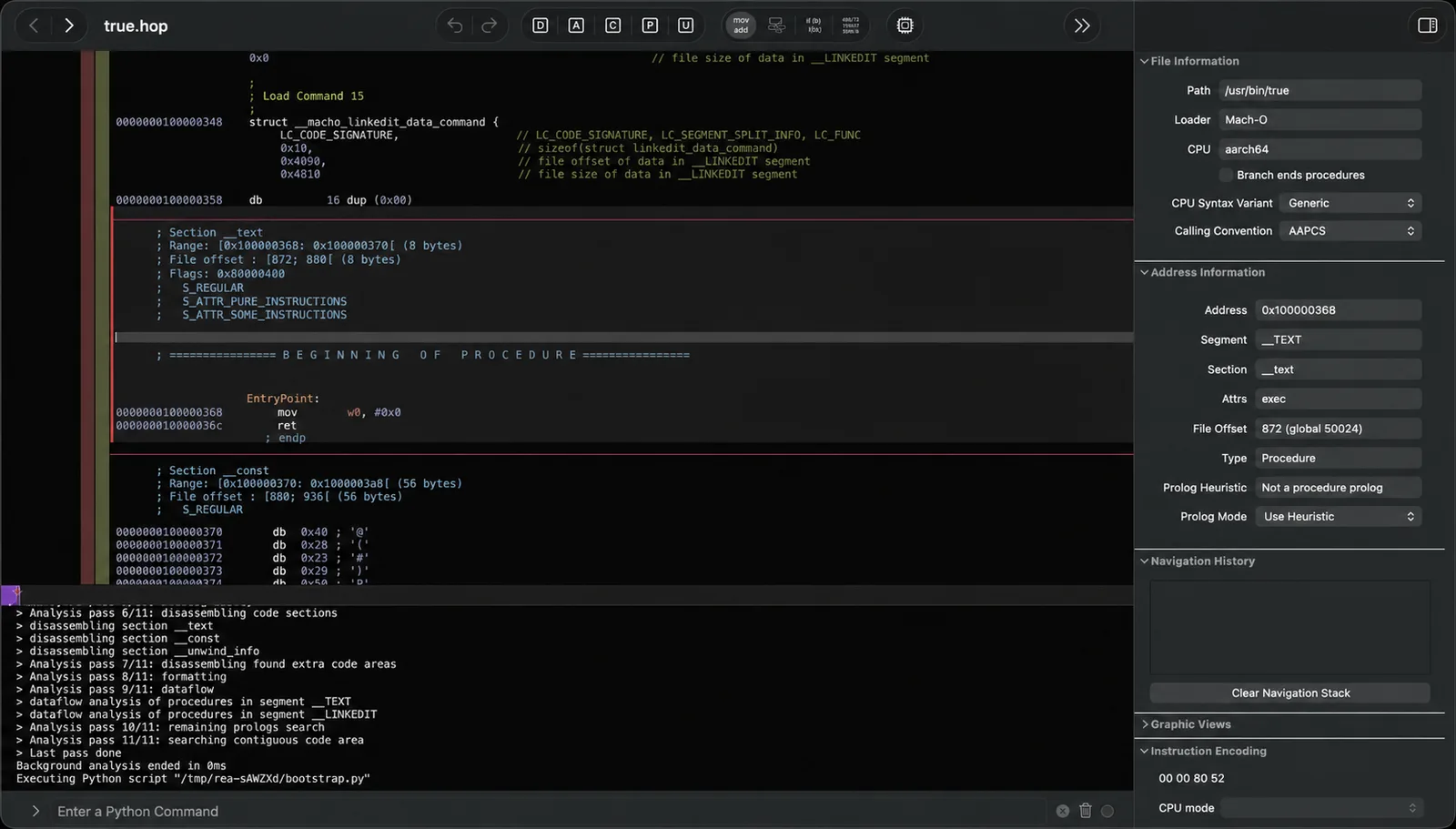
Analysis runs on your own machine and REA does not upload the app to a hosted service. Results are recorded as reproducible Evidence bundles that can be imported, exported and compared, and the project is explicit that it does not claim to recover original source code or automatically clone an application. A guided setup registers REA with Claude Code, Claude Desktop, Codex, Cursor, Gemini CLI and Windsurf.
What it does
- Same reverse-engineering capabilities from the terminal (rea analyze, rea decompile) or from an agent over MCP, with a bundled routing skill
- Native binary analysis through Hopper or a bring-your-own Ghidra 12.1.4 provider: decompilation, assembly, xrefs, call graphs, control-flow graphs and function dossiers
- Static analysis of JavaScript and Electron apps (directories or .asar) without executing them, plus passive website, Electron and V8 Inspector observation
- Reproducible Evidence records that can be validated, canonicalized and compared between investigations
- Reviewed, backup-first setup that detects installed agents, shows every change before applying it, and can be undone with rea uninstall
- Local by design: analysis runs on your machine with no hosted analysis service
Getting started
REA needs Node.js 22.19+ (or 24.11+) on macOS 12+, Ubuntu 24.04+, Fedora 41+ or 64-bit Arch Linux. Run the setup wizard once, then either ask your agent or use the CLI directly.
Run the setup wizard
Setup detects your agents and asks which capabilities to configure: agent integration (MCP registration plus the matching routing skill) and, if needed, the Hopper provider. Nothing is preselected and nothing changes until you approve the final plan. Restart the configured agent afterwards.
npx --yes rea-agents@latest setupAsk your agent
Once REA is registered, describe the app or feature you want to understand. Notes is only the README's example; name any app.
Understand how search works in the Notes app, show me the evidence, and build a
similar feature for my project.
Or install the rea command and use the CLI
Install globally to get a shell-visible rea command, check the environment with doctor, and analyze an app. rea upgrade updates a global install in place.
npm install --global rea-agents
rea setup
rea doctor
rea analyze /Applications/Notes.app
Optional: use Ghidra instead of Hopper
Download Ghidra 12.1.4 and a full JDK 21 yourself, point REA at them, then let doctor verify the installation and setup copy the paths into your MCP registrations.
export GHIDRA_INSTALL_DIR=/absolute/path/to/ghidra_12.1.4_PUBLIC
export JAVA_HOME=/absolute/path/to/jdk-21
rea doctor --json
rea setup
rea providers --json
Commands and code are distilled from the project's own documentation — always check the official repo for the latest.
When to use it
- Working out how a feature in a closed-source app is implemented so you can build your own version adapted to your stack
- Giving a coding agent decompilation, cross-reference and call-graph access to a native binary instead of letting it guess
- Mapping a JavaScript or Electron application from its .asar without running it
- Keeping reproducible, comparable evidence of what an investigation found across app versions
Version history
Every verified update to REA that AI/TLDR tracked, newest first — each links to our coverage and the official changeset.
- 2026-10-06v4.1.0
Adds static Android APK analysis through headless JADX, firmware analysis through Binwalk and Unblob, read-only IDA GUI and headless providers, and Windows x64 read-only analysis in Ghidra. It follows the breaking 4.0.0 release, which removed replay and permission-policy features.
- 2026-10-03v3.2.0
Adds new native investigation features and returns complete native analysis results from the Ghidra provider, alongside a batch of boundary and cleanup fixes.
- 2026-08-09v3.1.0
Adds autonomous Electron runtime analysis and hardens the Evidence lifecycle and MCP contracts.
How REA compares
REA alongside other open-source security agents tools AI/TLDR tracks, ranked by GitHub stars.
| Tool | Stars | What it does |
|---|---|---|
| PentAGI | ★ 25.3k | PentAGI is a self-hosted AI security platform that plans and runs penetration tests autonomously using a team of agents and 20+ built-in pentesting tools. |
| PentestGPT | ★ 15.8k | An open-source agent that uses large language models to run penetration tests and solve security challenges, either fully autonomously or with a human in the loop. |
| IDA Pro MCP | ★ 12.5k | An MCP server and IDA Pro plugin that exposes decompilation, cross-references, renaming and type editing to an LLM client, letting an agent read and annotate a binary inside your IDA database. |
| HexStrike AI | ★ 12.5k | An MCP server that gives an AI agent a single interface to 150+ installed security tools — Nmap, Nuclei, SQLMap, Ghidra, Hashcat and more — so it can drive reconnaissance, scanning and binary analysis itself. |
| CAI | ★ 9.8k | CAI (Cybersecurity AI) is an open-source Python framework for building AI agents that automate offensive and defensive security tasks like recon, vulnerability discovery, and exploitation. |
| REA | ★ 8.9k | Let your coding agent reverse engineer an app, from its behaviour down to the native binary |
| AI-Infra-Guard | ★ 6.8k | Tencent Zhuque Lab's AI red teaming platform: scans agents, Agent Skills and MCP servers, checks AI infra against a CVE library, fingerprints API relays and runs jailbreak evaluations. |
| T3MP3ST | ★ 6.4k | A multi-agent offensive-security harness for authorised testing that drives an already-installed coding agent, or a local OpenAI-compatible model, through recon, exploitation and reporting from a localhost War Room or the CLI. |