Overview
SimpleTuner is a general fine-tuning kit for diffusion models, covering image, video and audio generation through one pipeline. Its stated design philosophy is simplicity — good defaults so there is less to tinker with, code that is meant to be readable, and only features with proven efficacy. The project describes itself as a shared academic exercise and takes contributions openly. No data leaves the machine unless you opt in through `report_to`, `push_to_hub` or a configured webhook.
The breadth is in the model table. SimpleTuner ships training support for roughly forty architectures — Flux.1 and Flux.2, Qwen Image, Stable Diffusion 3, SDXL and the legacy SD 1.x/2.x line, HiDream, Chroma, Auraflow, Sana and Sana Video, Lumina2, PixArt Sigma, OmniGen, Cosmos2 and Cosmos3, Hunyuan Video, LTX Video and LTX Video 2, Wan Video, Kandinsky 5.0 image and video, LongCat, ACE-Step and more — and the README records each model's parameter count, licence and whether commercial use is permitted, which is unusually careful bookkeeping for a training repo.
Training features are consistent across those families: LoRA, LyCORIS and full-rank training; aspect bucketing for mixed image and video sizes; disk caching of image, video, audio and caption embeddings; EMA weights; multi-GPU distribution, with DeepSpeed for optimiser-state offload and FSDP2 for DTensor sharding and context-parallel attention; and training straight from S3-compatible storage such as Cloudflare R2 and Wasabi. Most models are trainable on a 24 GB GPU and many on 16 GB once int8, fp8 or nf4 quantisation is applied.
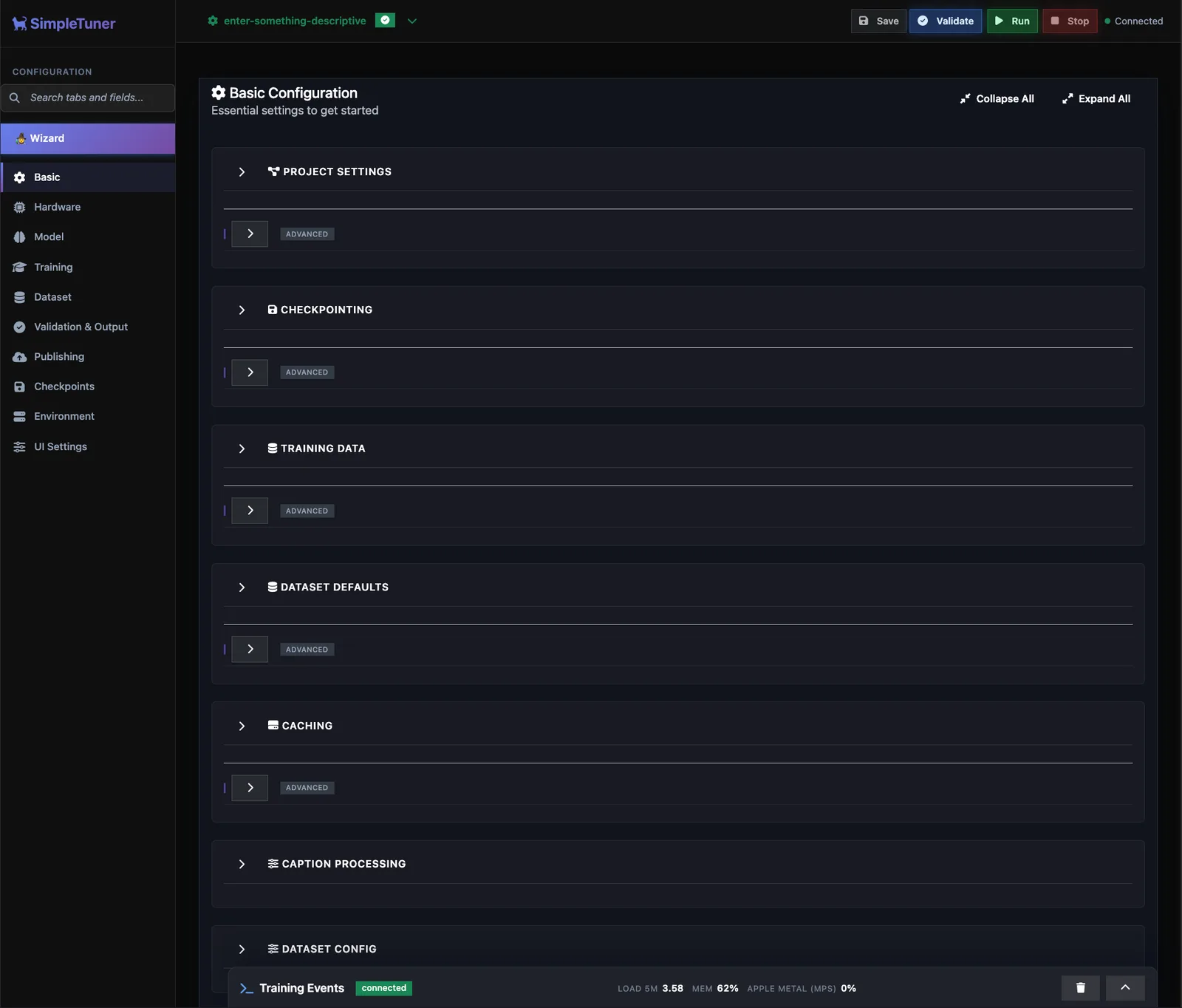
Beyond the trainer there is a web UI that manages the whole training lifecycle, and — free and open source — a multi-user server: distributed GPU workers that register with a central panel and receive jobs over SSE, LDAP/Active Directory or OIDC single sign-on, role-based access control with four default roles, organisations and teams with ceiling-based quotas, a five-level priority job queue with fair-share scheduling, approval workflows for expensive jobs, scoped API keys and audit logging.
What it does
- One pipeline for image, video and audio diffusion models, with ~40 architectures supported and each one's licence and commercial-use status documented
- LoRA, LyCORIS and full-rank training, plus concept sliders with positive/negative/neutral sampling and per-prompt strength
- Memory work that matters on consumer hardware: most models on 24 GB, many on 16 GB with int8/fp8/nf4 quantisation, DeepSpeed offload and FSDP2 sharding
- Aspect bucketing for mixed sizes and ratios, and on-disk caching of image, video, audio and caption embeddings
- Train directly from S3-compatible storage (Cloudflare R2, Wasabi) and across multiple GPUs or nodes
- A web UI for the full training lifecycle, with a multi-user server: worker orchestration over SSE, SSO, RBAC, org/team quotas, a priority queue, approval workflows and audit logging
Getting started
SimpleTuner installs from PyPI; the extra you pick decides which accelerator build of PyTorch comes with it.
Install for your hardware
The base package installs CPU-only PyTorch. Pick the extra that matches your accelerator — CUDA, CUDA 13 for Blackwell, ROCm for AMD, or Apple Silicon.
# Base installation (CPU-only PyTorch)
pip install simpletuner

# CUDA users (NVIDIA GPUs)
pip install 'simpletuner[cuda]'

# CUDA 13 / Blackwell users (NVIDIA B-series GPUs)
pip install 'simpletuner[cuda13]' --extra-index-url https://download.pytorch.org/whl/cu130

# ROCm users (AMD GPUs)
pip install 'simpletuner[rocm]' --extra-index-url https://download.pytorch.org/whl/rocm7.1

# Apple Silicon users (M1/M2/M3/M4 Macs)
pip install 'simpletuner[apple]'
Check you have enough memory
The README's guidance: NVIDIA RTX 3080 and up (tested to H200), AMD 7900 XTX 24 GB and MI300X verified, Apple M3 Max or better with 24 GB+ unified memory for LoRA. By model size — 12B+ needs an A100-80G for full-rank and 24 GB+ for LoRA/LyCORIS; 2B–8B needs 16 GB+ for LoRA and 40 GB+ for full-rank; under 2B is fine on 12 GB. Quantisation lowers all of these.
Start the web UI
The server command launches the dashboard; the tutorial's example enables SSL on port 8080, then you open https://localhost:8080 in a browser and work through the wizard.
simpletuner server --ssl --port 8080Or configure it by hand
If you would rather not use the web interface, the repository's QUICKSTART.md walks through a manual configuration, and each supported model has its own quickstart page (FLUX.md, QWEN_IMAGE.md, SDXL.md, WAN.md and so on) with the settings that architecture needs. The feature-compatibility matrix in QUICKSTART.md says which of PEFT LoRA, LyCORIS, full-rank, ControlNet and reference inputs each model supports.
Scale out when you need to
DEEPSPEED.md covers optimiser-state offload for memory-constrained systems, FSDP2.md covers DTensor sharding and context parallelism, and DISTRIBUTED.md adapts the install and quickstart settings for multi-node training on very large image datasets.
Commands and code are distilled from the project's own documentation — always check the official repo for the latest.
When to use it
- Reach for it to train a LoRA or LyCORIS adapter for a recent image model — Flux, Qwen Image, Chroma, Z-Image — on a single consumer GPU
- Reach for it when the same team trains image, video and audio models and would rather not run three separate trainers
- Reach for it for full-rank fine-tunes that need DeepSpeed or FSDP2 to fit, or multi-node runs over very large datasets
- Reach for it when several people share GPUs and you need quotas, approvals, SSO and an audit trail around who trained what
How SimpleTuner compares
SimpleTuner alongside other open-source fine-tuning frameworks tools AI/TLDR tracks, ranked by GitHub stars.
| Tool | Stars | What it does |
|---|---|---|
| Unsloth | ★ 76.9k | A library that speeds up LoRA and QLoRA fine-tuning while cutting memory use, aimed at training models on a single GPU. |
| LLaMA-Factory | ★ 75.1k | An end-to-end training suite with a web UI that covers pre-training, supervised fine-tuning, and RLHF for hundreds of LLMs and multimodal models. |
| PEFT | ★ 21.7k | Hugging Face's library of parameter-efficient fine-tuning methods such as LoRA, DoRA, and prompt tuning that train small adapters instead of full models. |
| FinGPT | ★ 21.3k | FinGPT is an open-source project of financial LLMs, fine-tuned with LoRA on news and tweet data for tasks like sentiment analysis, relation extraction, and stock-move forecasting. |
| ms-swift | ★ 15.7k | ModelScope's framework for fine-tuning and deploying 600+ LLMs and 300+ multimodal models, supporting PEFT and full-parameter SFT, DPO, and GRPO. |
| LitGPT | ★ 13.7k | An open-source toolkit from Lightning AI to pretrain, finetune, and serve 20+ large language models, each written from scratch for speed and full control. |
| Axolotl | ★ 12.5k | A config-driven tool for fine-tuning and post-training open LLMs that supports SFT, LoRA/QLoRA, DPO, GRPO, and multi-GPU training across many model families. |
| SimpleTuner | ★ 2.9k | A fine-tuning kit for image, video and audio diffusion models — 40-odd architectures, one pipeline, a web UI and a multi-user training server |