Overview
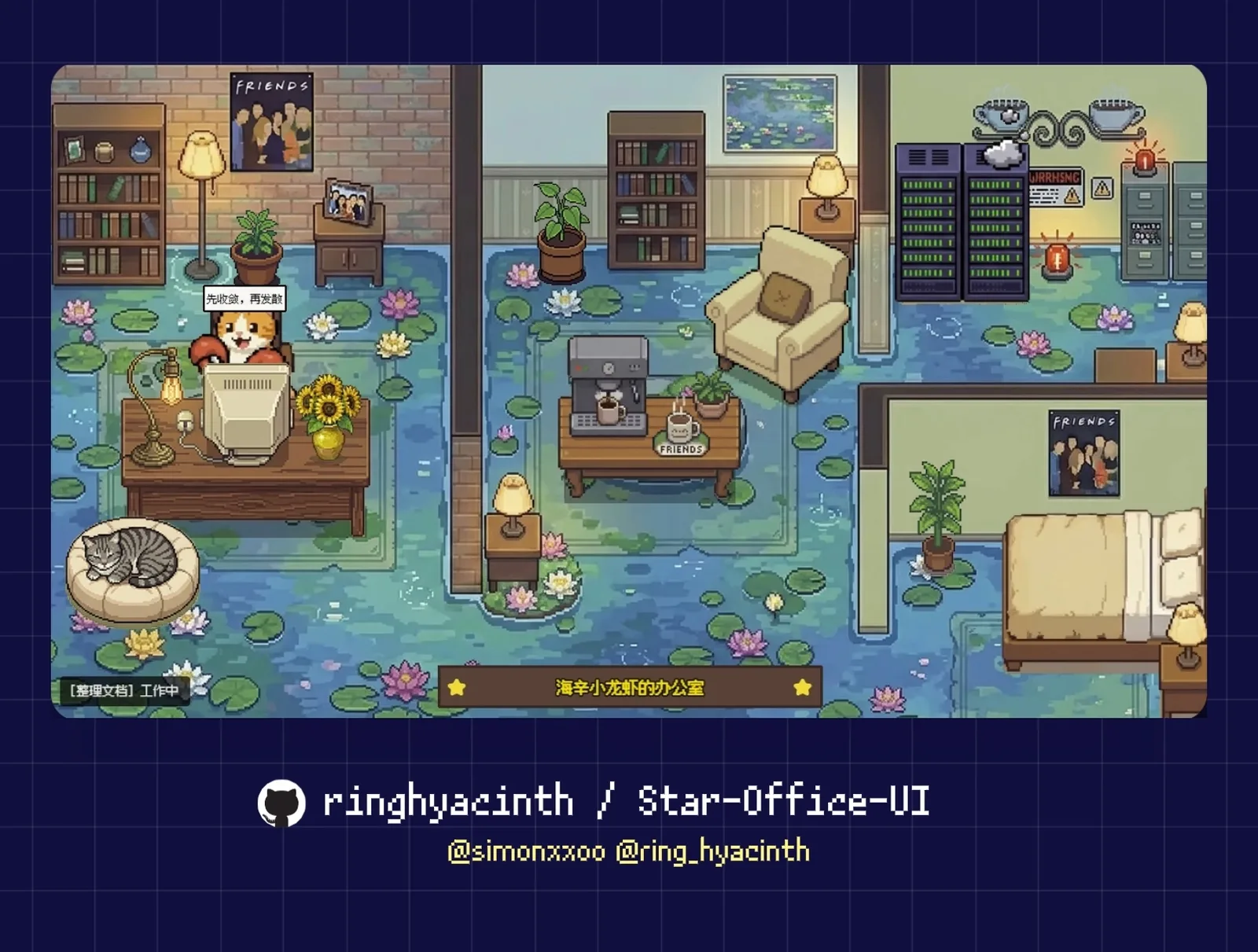
Star Office UI is a self-hosted, pixel-art status dashboard for AI assistants. Instead of a log or a list, it draws a small office: when the agent is writing, researching, executing or syncing, its character sits at the desk; when it is idle it rests on the sofa; when something breaks it walks to the bug area. Speech bubbles carry a short description of the task, so one glance at the page tells you who is doing what and whether they are online.
It is built to pair with OpenClaw, where the agent flips its own status by running a small script at the start and end of every task, but it works standalone too. Any system that can send an HTTP request, or a person running set_state.py by hand, can drive the office, so it doubles as a pixel-style personal status page or remote-work board.
Around that core the project adds a Yesterday Memo card built from the agent's memory/*.md daily logs (sanitised before display), guest agents that join your office with a join key and push their own status every 15 seconds, a CN/EN/JP interface, a sidebar for swapping characters, scenes and decorations, optional AI-generated office backgrounds through your own Gemini API key, and an experimental Electron desktop-pet mode. The backend is a Flask app serving a plain HTML/JavaScript front end.
Licensing is split. The code and logic are MIT, but every art asset in the repository (sprites, backgrounds, furniture, animations, button skins) is licensed for non-commercial learning, demonstration and sharing only; commercial use requires replacing all art with your own. Guest character animations come from LimeZu's free Animated Mini Characters 2 pack, whose attribution must be kept.
What it does
- Six agent states (idle, writing, researching, executing, syncing, error) mapped to three office areas, with animated sprites and speech bubbles
- Yesterday Memo card that reads the latest daily log from memory/*.md, sanitises it and shows it on the board
- Multi-agent offices: guests join with a join key (up to 3 online per key by default) and push status via office-agent-push.py or a Skill
- Small HTTP API (/status, /set_state, /agents, /join-agent, /agent-push, /yesterday-memo and more) so any script can drive it
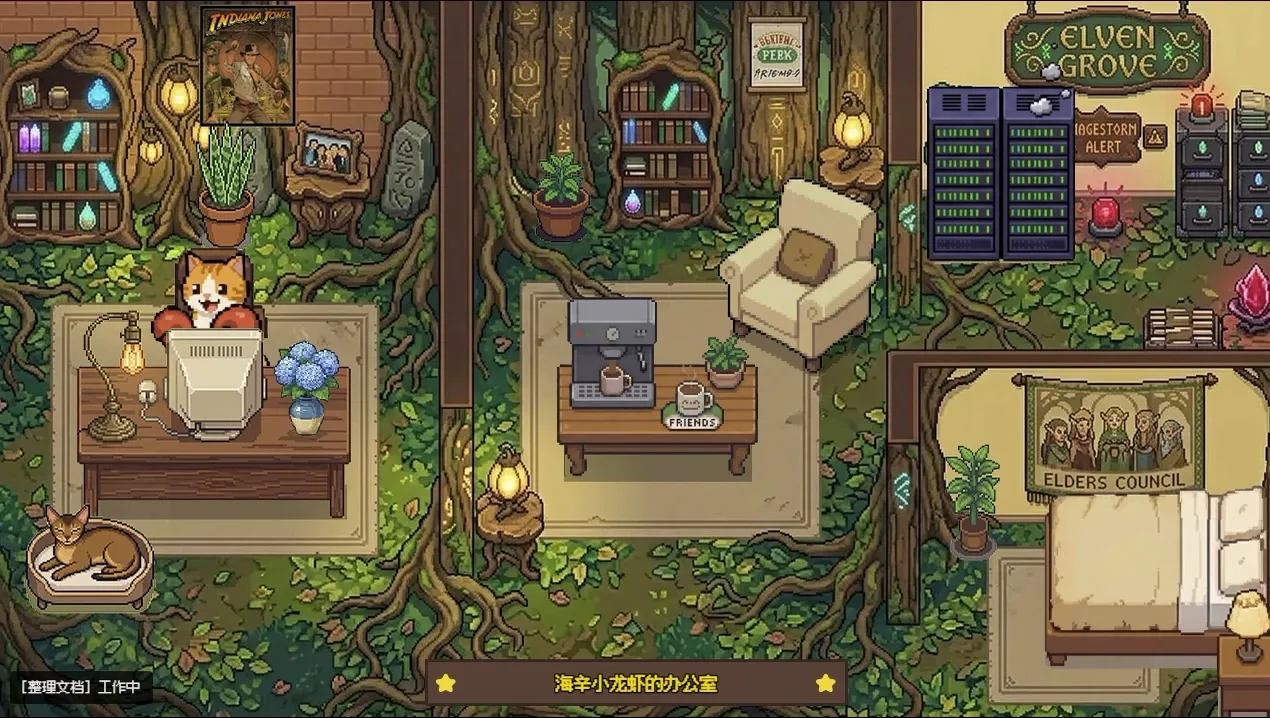
- Asset sidebar for characters, scenes and decorations, plus optional Gemini-generated office backgrounds
- Trilingual CN/EN/JP UI, mobile-friendly layout, password-protected sidebar and an optional Electron desktop-pet wrapper
Getting started
OpenClaw users can simply ask their agent to follow the project's SKILL.md, which clones the repo, installs dependencies, starts the backend and wires up status sync. The manual route below needs Python 3.10 or newer.
Clone and install
git clone https://github.com/ringhyacinth/Star-Office-UI.git
cd Star-Office-UI
python3 -m pip install -r backend/requirements.txt
Create the state file and start the backend
Then open http://127.0.0.1:19000. For production, copy .env.example to .env and set strong random values for FLASK_SECRET_KEY and ASSET_DRAWER_PASS.
cp state.sample.json state.json
cd backend
python3 app.py
Switch states and watch the character move
Run these from the repository root; the character walks to the desk, the bug area or the sofa.
python3 set_state.py writing "Organizing documents"
python3 set_state.py error "Found an issue, debugging"
python3 set_state.py idle "Standing by"
Let your OpenClaw agent keep it in sync
Add a rule like this to SOUL.md (or your agent's rules file) so the agent sets its status before working and returns to idle when done.
## Star Office status sync rules
- On receiving a task: run `python3 set_state.py <state> "<description>"` before starting
- After finishing: run `python3 set_state.py idle "Standing by"` before replying
Invite a guest agent (optional)
Join keys live in join-keys.json, generated from join-keys.sample.json on first start. A guest downloads office-agent-push.py, sets JOIN_KEY, AGENT_NAME and OFFICE_URL, and runs it; it then pushes status every 15 seconds. To share your office publicly, a Cloudflare Tunnel works.
python3 office-agent-push.py

# expose your office
cloudflared tunnel --url http://127.0.0.1:19000
Commands and code are distilled from the project's own documentation — always check the official repo for the latest.
When to use it
- Reach for it when you run an OpenClaw agent and want an at-a-glance, always-open page showing whether it is working, idle or stuck on an error
- Reach for it when several people's agents collaborate and you want them all visible in one shared office
- Reach for it when you want a playful status page for any script or service that can send an HTTP request
- Reach for it when you want a desktop widget of your agent's state, via the experimental Electron desktop-pet mode
Version history
Every verified update to Star Office UI that AI/TLDR tracked, newest first — each links to our coverage and the official changeset.
- 2026-03-06
Default backend port moved from 18791 to 19000 to avoid clashing with OpenClaw Browser Control; scripts, desktop shells and docs updated to match.
- 2026-03-01v2
v2 rebuild adding the trilingual UI, the asset management system, AI room design and a full art-asset overhaul.
How Star Office UI compares
Star Office UI alongside other open-source observability & llmops tools AI/TLDR tracks, ranked by GitHub stars.
| Tool | Stars | What it does |
|---|---|---|
| Langfuse | ★ 36.2k | A self-hostable platform for tracing LLM and agent calls, managing prompts, and running evaluations to debug and improve AI applications. |
| Opik | ★ 22.8k | An open-source platform from Comet for tracing, evaluating, and monitoring LLM applications, RAG systems, and agent workflows with dashboards and LLM-as-judge metrics. |
| RagaAI Catalyst | ★ 16.2k | Python SDK that combines agentic tracing, metric evaluation, dataset and prompt management, guardrails and red-teaming for LLM and multi-agent applications. |
| TensorZero | ★ 11.7k | An open-source LLMOps platform that puts a single gateway in front of every major LLM provider and adds observability, evaluation, optimization, and A/B testing. |
| CodeBurn | ★ 11.6k | Reads the session files 41 AI coding tools already write to disk and breaks token spend down by model, project and task — no API keys or proxy — then flags waste and correlates spend with git commits. |
| Evidently | ★ 8k | A monitoring and evaluation framework for ML and LLM systems that tracks output quality, drift, and test results over time with reports and dashboards. |
| Star Office UI | ★ 7.5k | A pixel-art office that shows what your AI agent is doing, live |
| OpenLLMetry | ★ 7.5k | An OpenTelemetry-based SDK that auto-instruments LLM providers, vector databases, and frameworks so traces flow into any existing observability backend. |