In plain English
You ran fine-tuning. The training loss curved downward on the dashboard. The job finished. Now comes the question that actually matters: did the model get better at your task, or did it just memorize the training set? These are not the same thing, and training loss alone cannot tell you which one happened.
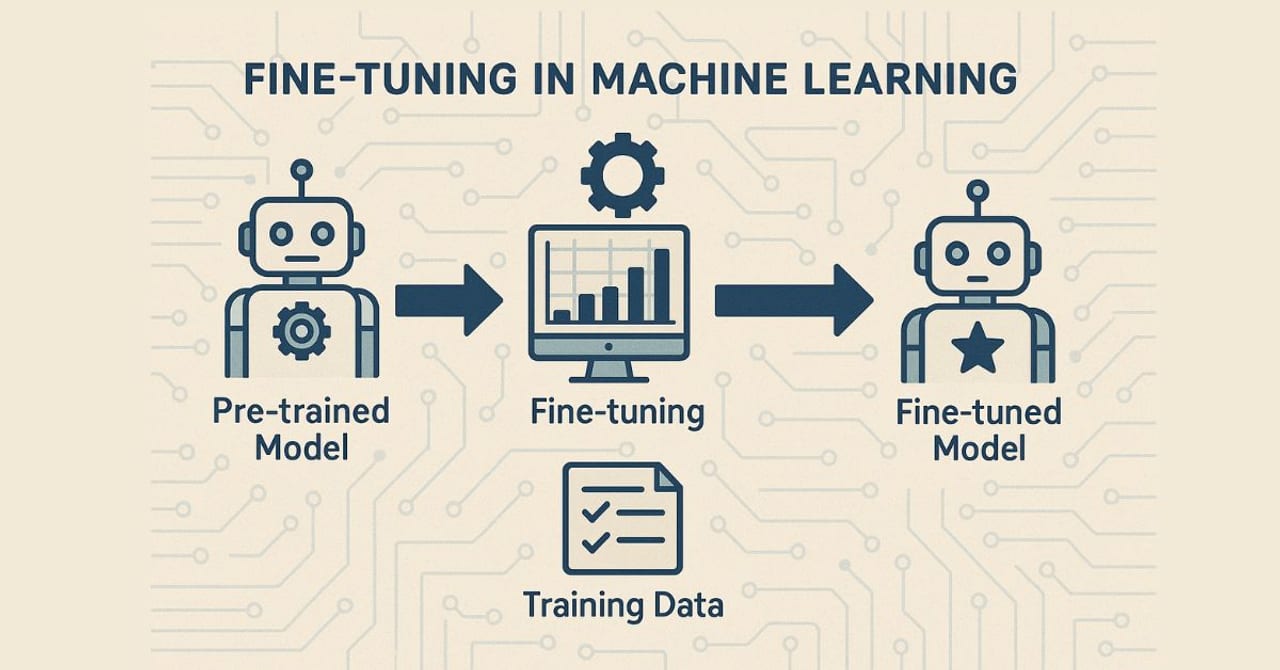
Think of it like a student cramming for an exam. If you only test them on the exact questions they studied, their score looks great. To find out whether they actually understood the material, you need a different set of questions — ones they have never seen. That unseen question set is your held-out test set. Running your fine-tuned model (and your base model) against it is the core of fine-tuning evaluation.
But a single test set score is still not the whole story. A student who aced chemistry may have forgotten calculus in the process. Language models work the same way: fine-tuning on a narrow task can cause the model to quietly lose abilities it had before — a phenomenon researchers call catastrophic forgetting. A complete evaluation checks both dimensions: did the model improve on the target task, and did it hold on to its general capabilities?
Why it matters for builders
Skipping rigorous before-and-after evaluation is one of the most common ways fine-tuning projects fail quietly. The model ships, users start reporting weird answers, and it takes days to trace the regression back to the training run. The cost of a missed eval is paid in production, not in the lab.
There are three failure modes that a proper evaluation catches before they reach users:
- Overfitting. The model scores perfectly on training examples but worse than the base model on real prompts it has never seen. Visible as a widening gap between training loss and validation loss during training.
- Capability regression. Fine-tuning on a narrow task pushes other skills out of the weights. A model fine-tuned on medical Q&A may start producing worse code or worse general reasoning. Research has measured drops of around 10% on general benchmarks like MMLU after narrow fine-tuning.
- Surface improvements that don't transfer. The model learns to sound more like your training examples — matching format and tone — but its actual task accuracy does not improve. Automated metrics can miss this; task-specific evals catch it.
Knowing whether your fine-tune succeeded also drives the next decision: whether to iterate (collect more data, adjust hyperparameters, change the base model), deploy as-is, or abandon fine-tuning in favor of a better prompt or a RAG system.
How the evaluation workflow works
The canonical evaluation workflow has four stages that happen in order. Each stage answers a different question about the fine-tune.
Stage 1: The held-out test split
Before you fine-tune, set aside a portion of your labeled examples that the model will never train on. A common split is 80% training, 10% validation, 10% test. The validation set is used during training to detect overfitting (you monitor validation loss alongside training loss). The test set is locked until after training is complete — it is the final, unbiased measure of generalization.
Stage 2: Establishing the baseline
Run the base model (the one you started from, before fine-tuning) on your test set and record its score on every metric you care about. This baseline is the single most important number in the whole evaluation — it is what the fine-tune is being compared against. Without it, a task accuracy of 72% is meaningless. With it, you know whether 72% is a +15-point improvement or a -3-point regression.
Stage 3: Task-specific metrics
The right metric depends entirely on what the model is supposed to do. There is no universal number. Accuracy on a classification task, exact-match rate on structured extraction, ROUGE-L on a summarization task, and pass@1 on a code generation benchmark are all measuring fundamentally different things. Use the metric that reflects real success in your use case, not the metric that is easiest to compute.
Stage 4: Capability regression checks
After measuring task improvement, re-run the fine-tuned model on a small set of general capability probes: a handful of reasoning problems, some basic instruction-following prompts, and a few examples from domains adjacent to (but not in) your training data. A ~5% drop is often acceptable. A 15–20% drop suggests the training data was too narrow or the learning rate too high, and you should reconsider the run.
Choosing the right metrics for your task
Every fine-tuning use case maps to a different measurement. The table below lists common tasks and their recommended primary metrics.
| Use case | Primary metric | Notes |
|---|---|---|
| Classification / routing | Accuracy, F1 | Use macro-F1 when classes are imbalanced |
| Structured extraction (JSON, tables) | Exact match, field-level accuracy | Parse outputs before scoring — malformed JSON = 0 |
| Summarization | ROUGE-L, BERTScore | ROUGE-L tracks longest common subsequence; BERTScore is better for semantics |
| Open-ended Q&A | LLM-as-judge score, human eval | Automated string metrics miss correct paraphrases |
| Code generation | pass@1, pass@k | Run tests; syntax-valid code that fails tests = 0 |
| Translation | BLEU, COMET | COMET (neural metric) correlates better with human quality than BLEU |
| Instruction following | Rubric pass rate, constraint satisfaction | Break the instruction into checkable sub-criteria |
For open-ended tasks — where the answer space is too large for string matching — the current best practice is LLM-as-judge: use a capable model (such as a frontier model) to score your fine-tuned model's outputs against a rubric. Studies from 2024–2025 confirm that LLM judges correlate well with human rankings on in-domain evaluation, though you should cross-check with a small human sample to verify your rubric is calibrated.
Reading training curves: what loss does and doesn't tell you
Most fine-tuning dashboards plot two loss values over training steps: training loss (computed on the training batch) and validation loss (computed on the held-out validation set after each epoch). Understanding the four patterns these curves form is a prerequisite for diagnosing a run before you even reach the test-set evaluation.
- Both curves fall together
- Validation loss slightly above train loss
- Curves converge near the end
- Action: proceed to test-set eval
- Train loss keeps falling
- Validation loss flattens then rises
- Gap widens over time
- Action: early-stop, add dropout, or reduce epochs
- Both curves plateau at a high value
- Neither curve reaches low loss
- Gap stays narrow but loss stays high
- Action: train longer, increase LR, or get more data
- Train loss near zero from step 1
- Validation loss also very low
- Suspiciously good curves
- Action: audit for test/train overlap
A critical caveat: even a perfectly healthy loss curve — both lines converging smoothly — does not guarantee the model performs well on your actual task. Loss measures the model's certainty about its own next-token predictions; it does not measure whether those tokens form correct answers. A model can have low validation loss while still producing wrong structured outputs, incorrect facts, or off-format responses. The loss curve is a signal about training stability, not a replacement for task-specific evaluation.
from trl import SFTTrainer, SFTConfig

training_args = SFTConfig(
    output_dir="./my-fine-tune",
    num_train_epochs=3,
    per_device_train_batch_size=4,
    per_device_eval_batch_size=4,
    eval_strategy="steps",   # evaluate every N steps, not just at epoch end
    eval_steps=100,
    load_best_model_at_end=True,   # saves the checkpoint with lowest val loss
    metric_for_best_model="eval_loss",
    report_to="wandb",             # stream curves to Weights & Biases
)

trainer = SFTTrainer(
    model=model,
    args=training_args,
    train_dataset=train_ds,
    eval_dataset=val_ds,           # never the test set
)

trainer.train()Common evaluation mistakes (and how to avoid them)
Even teams that know evaluation matters fall into a handful of recurring traps.
Evaluating only on the task you trained on
It feels natural to measure only what you improved. But narrow fine-tuning can silently degrade instruction-following, reasoning, or safety behaviors. Empirical research published in 2024–2025 found that fine-tuned models showed roughly 10% MMLU score drops after narrow domain tuning. Add a lightweight general capability sweep — even 50–100 questions from a public benchmark — to every evaluation run.
Using a validation split as the test set
During training, you may use validation loss to decide when to stop, which checkpoint to keep, or which learning rate to pick. Once you have made those decisions, the validation set is contaminated — you have implicitly optimized for it. The final score must come from a test set that was touched by zero training decisions.
Comparing against the wrong baseline
A common mistake is comparing the fine-tuned model against a generic base model using a generic prompt, when in production you would actually use a carefully engineered system prompt. Your baseline should reflect the strongest version of the non-fine-tuned approach: the base model with your best production prompt. If the fine-tuned model does not beat that, fine-tuning may not be justified.
Treating a positive metric number as deployment approval
A +8 ROUGE-L improvement is promising, but it does not guarantee users will prefer the fine-tuned model. Before deploying, run at least a small human or LLM-judge comparison — 50 to 100 examples, blind — to verify that the metric movement corresponds to real quality improvement. Scores can rise for reasons that do not matter to users (e.g., the fine-tuned model learned to produce longer outputs that accidentally inflate recall-based metrics).
Going deeper
Once you are comfortable with the basic before-and-after workflow, three more advanced techniques are worth adding to your evaluation practice.
Behavioral testing and capability probes
Rather than (or in addition to) benchmark scores, write a small suite of behavioral tests: specific input-output pairs where you know exactly what the correct answer is. These act like unit tests for your model. When a future training run regresses on one of them, you catch it instantly. Tools like lm-evaluation-harness from EleutherAI support running such custom task definitions alongside standard benchmarks, letting you evaluate your fine-tuned model and a base model side-by-side in one command.
Shadow deployment and A/B testing
Offline evaluation is limited by how well your test set represents real traffic. In production, a shadow deployment routes live requests to both the base model and the fine-tuned model, logging both responses without serving the fine-tuned response to users. You compare outputs asynchronously, then run an A/B test once you are confident the fine-tune is better. This is the gold standard for confirming that offline metric gains translate to real user satisfaction.
Iterating based on evaluation results
Evaluation is not a pass/fail gate — it is a diagnostic tool. If the fine-tuned model improves on the target task but regresses on general reasoning, the next iteration might use a lower learning rate, fewer epochs, a data mixture that includes general instruction-following examples alongside task-specific ones, or a parameter-efficient method like LoRA that touches fewer weights and reduces the risk of overwriting general capabilities. The evaluation result tells you where the problem is; the training configuration is how you fix it.
Eval tooling in practice
The Hugging Face evaluate library provides a consistent API for common metrics (ROUGE, BLEU, accuracy, F1, BERTScore) and works with any model you can run locally or via an API. For open-ended quality, the openai Python SDK and any frontier model make it straightforward to build an LLM-as-judge pipeline with a rubric prompt. Experiment tracking tools — Weights & Biases, MLflow, or the Hugging Face Hub's model versions — let you log every metric alongside the exact training config, so you can reproduce and compare runs weeks later.
from evaluate import load
from transformers import pipeline

acc = load("accuracy")

# Run both models on the held-out test set
base_pipe = pipeline("text-classification", model="meta-llama/Meta-Llama-3-8B-Instruct")
ft_pipe   = pipeline("text-classification", model="./my-fine-tune/final")

base_preds = [p["label"] for p in base_pipe(test_texts)]
ft_preds   = [p["label"] for p in ft_pipe(test_texts)]

base_score = acc.compute(predictions=base_preds, references=test_labels)
ft_score   = acc.compute(predictions=ft_preds,   references=test_labels)

print(f"Base model accuracy : {base_score['accuracy']:.3f}")
print(f"Fine-tuned accuracy : {ft_score['accuracy']:.3f}")
print(f"Delta : {ft_score['accuracy'] - base_score['accuracy']:+.3f}")FAQ
Can I use training loss to decide if my fine-tune was successful?
No — training loss only tells you how well the model fits its own training examples. A model can drive training loss to near zero while still performing worse than the base model on real tasks. Always evaluate on a held-out test set with task-specific metrics before drawing any conclusions.
How big should my held-out test set be for fine-tuning evaluation?
As a rough rule, 100–500 examples is enough for most task-specific evaluations, as long as the examples are representative of real inputs. Smaller sets produce noisier estimates — a ±5-point swing on a 50-example test set may not be statistically meaningful. If your dataset is very small (under 200 total), use cross-validation rather than a fixed split.
What is a good baseline to compare my fine-tuned model against?
The baseline should be the strongest non-fine-tuned approach you could realistically deploy: the base model with your best production system prompt and a few-shot examples if you would use them. Comparing against a vanilla zero-shot base model overstates the fine-tune's benefit and leads to shipping models that do not beat what prompt engineering alone could achieve.
How do I check whether fine-tuning caused catastrophic forgetting?
Run the fine-tuned model on a small set of general capability probes from a public benchmark such as MMLU, HellaSwag, or a basic instruction-following suite. Compare its scores to the base model's scores on the same probes. A drop of 5% or less is usually acceptable; a 15% or larger drop suggests the training was too aggressive or the dataset too narrow, and you should consider reducing the learning rate, adding general data to the training mix, or switching to a parameter-efficient method like LoRA.
When should I use human evaluation versus automated metrics?
Use automated metrics (accuracy, ROUGE, F1, pass@1) for any task where correct answers can be checked mechanically — classification, extraction, code, translation. Use human evaluation or LLM-as-judge for open-ended tasks — summarization tone, conversation quality, instruction adherence — where the answer space is too large for string matching. A practical hybrid: automate the bulk of evaluation and use human or LLM-judge on a 50–100 example random sample to verify the automated numbers are calibrated.
What does a positive validation loss trend during training actually tell me?
If your validation loss rises while training loss continues to fall, the model is overfitting — it is memorizing training examples rather than learning generalizable patterns. The right action is to restore the checkpoint from before validation loss started rising (early stopping), not to let the run continue. Most fine-tuning frameworks support load_best_model_at_end=True to do this automatically.