In plain English
When your code talks to a chat-based LLM API, it doesn't just send a blob of text. It sends a messages array — an ordered list of objects where each object has two fields: a role that says who is speaking, and content that says what they said. The model reads the whole list, top to bottom, and then generates the next message as the assistant.
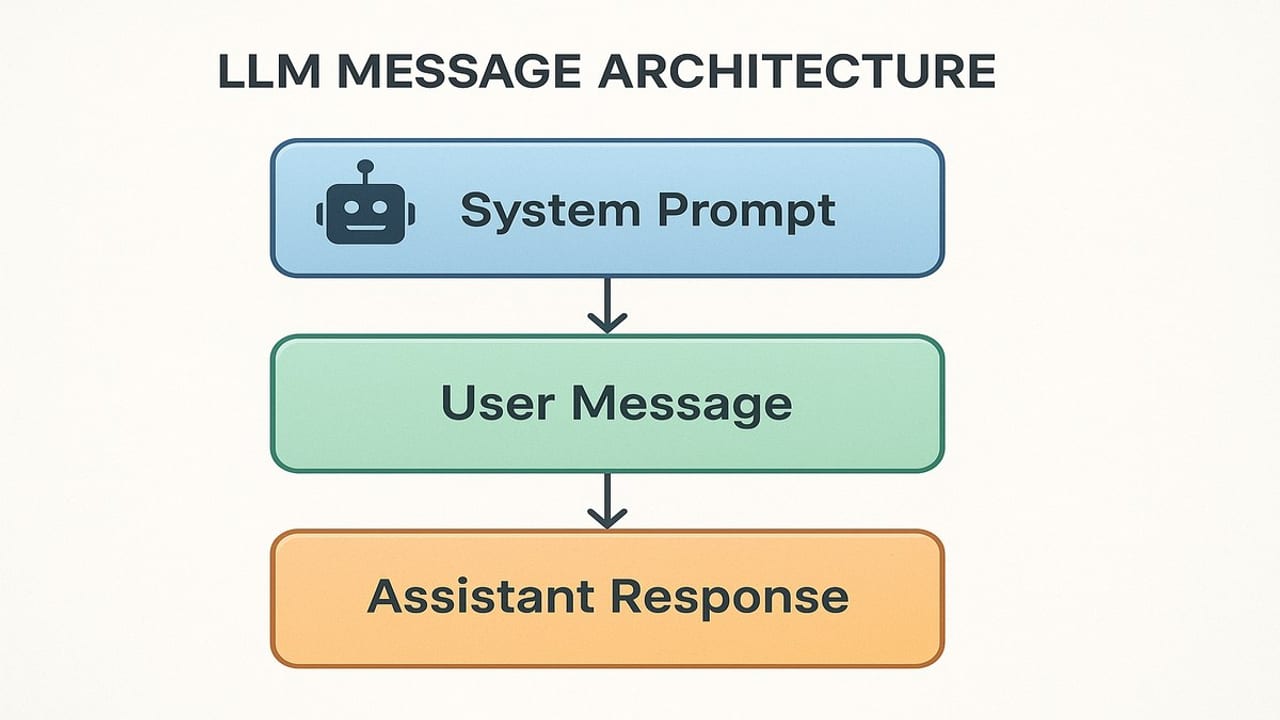
Think of it like a screenplay. A screenplay isn't just dialogue — every line is prefixed with a character name so the actors know who says what. When you send a messages array to a model, you are handing it a screenplay of the conversation so far, and asking it to write the next line for the character named assistant. The model treats each role label as a meaningful cue about whose voice is in that block of text.
Three roles appear in almost every chat API call:
system— developer instructions that set the ground rules for the whole conversation: the model's persona, what it should or shouldn't do, the format of its replies.user— input from the human (or from your application code acting on behalf of a user): questions, requests, data to process.assistant— the model's own past replies, re-injected into the array so the model can see what it already said in earlier turns.
Why it matters
Understanding the messages array is the prerequisite for almost everything in AI engineering. Chatbots, RAG pipelines, coding agents, and multi-step workflows are all variations on the same pattern: build a list of role-tagged messages, send it to a model, get a reply, decide what to append next, repeat. If you misread or misuse the array, the model receives a garbled script and produces confusing results.
Concretely, the messages array is what solves four problems that arise the moment you move beyond a single-shot prompt:
- Instruction isolation — the
systemrole lets you write developer instructions that the model weights more heavily than user input, keeping your product behavior stable even if a user tries to override it. - Conversation memory — by appending every
usermessage and everyassistantreply to the array and resending the whole thing, you give a stateless model the appearance of memory. - Context injection — you can prepend retrieved documents, database rows, or tool results as
usermessages before the actual user question, giving the model data it couldn't know on its own. - Few-shot examples — you can include hand-crafted
user/assistantpairs before the live turn to show the model exactly the format or reasoning style you want it to follow.
The messages array is the fundamental interface between your application logic and the model's intelligence. Everything else — streaming, function calling, structured outputs — is layered on top of this same request body.
How it works
At the wire level, the messages array is the value of the messages key in the JSON body of an HTTPS POST request. Each element is an object with at minimum a role string and a content string. Here is the minimal shape that works with virtually every provider that follows the OpenAI Chat Completions format:
{
  "model": "gpt-5.5",
  "max_tokens": 256,
  "messages": [
    { "role": "system",    "content": "You are a concise coding assistant." },
    { "role": "user",      "content": "What does the zip() function do in Python?" }
  ]
}
The model reads that array in order, top to bottom. It has been fine-tuned on data where a system block at the start contains authoritative instructions, user blocks contain requests to respond to, and assistant blocks contain high-quality replies it should match. The role labels are structural cues the model has learned to treat as meaningful — they are not just metadata, they shape how the model interprets and weights each block of text.
The system role
The system message is where you, the developer, set the rules. It is typically the first message in the array, and the model is trained to treat it as authoritative standing instructions that persist for the whole conversation. Use it to define the assistant's persona, specify the response format, list things the model should never do, and inject background knowledge that every reply should use.
Different providers handle the system role slightly differently. In the OpenAI Chat Completions format, system is just another entry in the messages array. In Anthropic's Messages API, the system prompt is a separate top-level field (system) outside the messages array, and the messages array contains only user and assistant turns. The effect is the same — the model gets developer instructions plus conversation history — but the JSON shape differs.
The user role
A user message is the model's cue to respond. In a simple single-turn call there is one user message — the question. In a multi-turn conversation there are alternating user and assistant messages with the newest user message last. The model is trained to complete the assistant's next turn after the final user message in the array.
Your application code often inserts user messages that the actual human never typed. Retrieved documents, tool results, and injected data all commonly arrive as user messages in the array — the model treats them the same way it treats real human input. Some developers use a user message with a structured prefix like [SEARCH RESULT] or [TOOL OUTPUT] to help the model distinguish injected context from actual user requests.
The assistant role
The assistant role is how the API simulates memory in a stateless system. After the model replies to a user turn, your application code appends that reply to the local messages array with role: "assistant". On the next turn it sends the whole array again, including that prior reply. The model sees its own past output in the array and uses it as context — it 'remembers' what it said because you gave it back.
You can also hand-write assistant messages yourself, before the live conversation starts. This is called few-shot prompting: you supply example user / assistant pairs that demonstrate the exact tone, format, or reasoning style you want. The model picks up the pattern and follows it in the real turn.
How providers differ
The three-role pattern is near-universal, but providers diverge in a few places worth knowing before you switch between them.
| Feature | OpenAI (Chat Completions) | Anthropic (Messages API) |
|---|---|---|
| System prompt location | Inside messages array, role: "system" | Separate top-level system field |
| Roles in messages | system, user, assistant, tool | user, assistant only (system is separate) |
| Alternation rule | Strict: must alternate user/assistant | Strict: must alternate user/assistant |
| Tool results | role: "tool" with tool_call_id | Embedded in user message content blocks |
| Reasoning models | developer role replaces system on reasoning models | No equivalent; system field always works |
The alternation rule is important and often trips up developers: most providers require that user and assistant messages strictly alternate in the array. You cannot send two consecutive user messages — if you try, the API returns a validation error. If you need to inject context between turns, merge it into the same user message, or use a user message immediately followed by a placeholder assistant reply before the next user turn.
Tools and function calls introduce a fourth role — tool in the OpenAI format — that carries the result of a function your code executed. The model sees this result as part of the conversation flow and uses it when writing its next reply. This is the foundation of agentic behavior: the messages array grows to include not just human-AI dialogue but also records of actions taken and their outcomes.
Common patterns in real code
Most real applications build and maintain the messages array with a small loop. Here is the pattern in Python for a multi-turn conversation with OpenAI, and then the same logic targeting Anthropic's API where the system prompt is a separate field.
import os
from openai import OpenAI

client = OpenAI(api_key=os.environ["OPENAI_API_KEY"])

# System message is the first entry in the array
history = [
    {"role": "system", "content": "You are a concise Python tutor. Keep answers under 100 words."}
]

def chat(user_input: str) -> str:
    # 1. Append the new user turn
    history.append({"role": "user", "content": user_input})

    # 2. Send the ENTIRE array — the model sees full context
    response = client.chat.completions.create(
        model="gpt-5.5",
        max_tokens=200,
        messages=history
    )

    reply = response.choices[0].message.content

    # 3. Append the assistant reply so future turns remember it
    history.append({"role": "assistant", "content": reply})
    return reply

print(chat("What is a list comprehension?"))
print(chat("Can you show me an example using the numbers 1 to 5?"))import os
from anthropic import Anthropic
client = Anthropic(api_key=os.environ["ANTHROPIC_API_KEY"])
# Anthropic: system is a separate parameter, NOT in messages
SYSTEM = "You are a concise Python tutor. Keep answers under 100 words."
history = [] # only user and assistant messages
def chat(user_input: str) -> str:
history.append({"role": "user", "content": user_input})
response = client.messages.create(
model="claude-haiku-4-5", # check docs for current model IDs
max_tokens=200,
system=SYSTEM, # top-level field, not in messages
messages=history
)
reply = response.content[0].text
history.append({"role": "assistant", "content": reply})
return reply
print(chat("What is a list comprehension?"))
print(chat("Can you show me an example using the numbers 1 to 5?"))Notice the structural difference: with OpenAI the system message lives inside history, while with Anthropic history starts empty (only user / assistant turns) and the system text is passed separately. The conversation logic — append user, call API, append assistant reply — is otherwise identical.
Few-shot examples in the array
Here is how to inject hand-crafted user / assistant pairs to steer the model's output format before the live user turn:
messages = [
    {
        "role": "system",
        "content": "Classify the sentiment of each review as POSITIVE, NEGATIVE, or NEUTRAL. Reply with only the label."
    },
    # --- few-shot examples ---
    {"role": "user",      "content": "The battery lasts forever and the screen is stunning."},
    {"role": "assistant", "content": "POSITIVE"},
    {"role": "user",      "content": "It arrived two weeks late and the box was crushed."},
    {"role": "assistant", "content": "NEGATIVE"},
    # --- live input ---
    {"role": "user",      "content": "Works as described. Nothing special."}
]
The model sees two complete example turns before the real input, so it learns the expected output format purely from the array structure — no lengthy instruction needed.
Going deeper
Once you are comfortable with the three-role pattern, several important extensions build directly on it.
Tool messages and agentic loops
When you enable function calling, the model can reply with a tool_calls object instead of plain text. Your code executes the requested function and appends the result back to the messages array with role: "tool" (OpenAI) or inside a user content block (Anthropic). The model then reads that result and continues. This is the pattern behind every AI agent: the messages array grows to record not only dialogue but every action taken and its outcome, giving the model a full working history to reason over.
Multi-modal content blocks
In both the OpenAI and Anthropic APIs, the content field in a message can be a list of typed content blocks instead of a plain string. Each block has a type — text, image_url (OpenAI), or image with a base64 payload (Anthropic) — allowing you to pass images, PDFs, and other media as part of a user message. The role structure stays identical; only the content type changes.
Context window pressure and history management
Every token in the messages array counts against the model's context window and is billed on input. A conversation that runs for 50 turns can consume tens of thousands of tokens before the user even types the next question. Production apps address this in three ways: windowing (keep only the last N turns), summarization (periodically replace early turns with a condensed summary injected as a user or system message), and prompt caching (mark a large, stable system prompt for server-side caching so it isn't reprocessed and re-billed on every call). Understanding the messages array deeply is the prerequisite for implementing any of these strategies correctly.
The developer role on reasoning models
OpenAI's reasoning models introduced a developer role that replaces system. The rationale is that reasoning models chain-of-thought internally before replying, and the distinction between 'these are the developer's rules' and 'this is the user's request' becomes more meaningful when the model is running long internal reasoning steps. You should not mix system and developer messages in the same request to these models. If you send a system message to one of these reasoning models it will be treated as developer automatically, but using the correct role name is best practice for clarity.
FAQ
What is the messages array in an LLM API?
It is an ordered list of objects sent in the JSON body of a chat API request. Each object has a role (system, user, or assistant) and content (the text for that turn). The model reads the full list in order and generates the next assistant reply. Because the API is stateless, this array is the only source of context the model has — nothing persists between calls.
What is the difference between the system prompt and the user message?
The system message contains developer instructions — persona, rules, format requirements — that are intended to govern the whole conversation. The user message is the human's (or your application's) actual input to respond to. The model weights the system role as authoritative standing instructions and the user role as the thing to reply to.
Why does the messages array have to alternate user and assistant?
Models are fine-tuned on conversation data formatted as strictly alternating turns, so they expect that structure. The API also enforces it to prevent ambiguous inputs. If you need to inject context (like a document or tool result) between turns, merge it into the same user message rather than adding a second consecutive user entry.
How does the LLM remember previous messages if the API is stateless?
It does not remember on its own — you simulate memory by appending every prior user and assistant message to the array and resending the whole thing with each new request. The model reads the growing transcript and uses it as context. This means conversation history grows your token count with every turn.
Can I put the system prompt inside the messages array for Anthropic's Claude?
No. Anthropic's Messages API requires the system prompt to be passed as a separate top-level system field in the request body, not as a message inside the array. The messages array for Claude should contain only user and assistant turns. Putting a system-role entry in the array will cause a validation error.
What is a few-shot example in the context of the messages array?
Few-shot examples are hand-crafted user and assistant message pairs placed in the array before the live user turn. They show the model the exact output format or reasoning style you expect. Because the model treats assistant messages as its own prior output, it naturally continues the demonstrated pattern when it generates the next reply.