In Plain English
When a model leaves training, its weights are stored as 16-bit or 32-bit floating-point numbers. A full-precision 70B model (think Llama 4 class) weighs roughly 140 GB — far too large for a single consumer GPU. Quantization is the technique that shrinks those numbers down to 4 bits or 8 bits, cutting memory by 60–75% with only a small accuracy penalty.
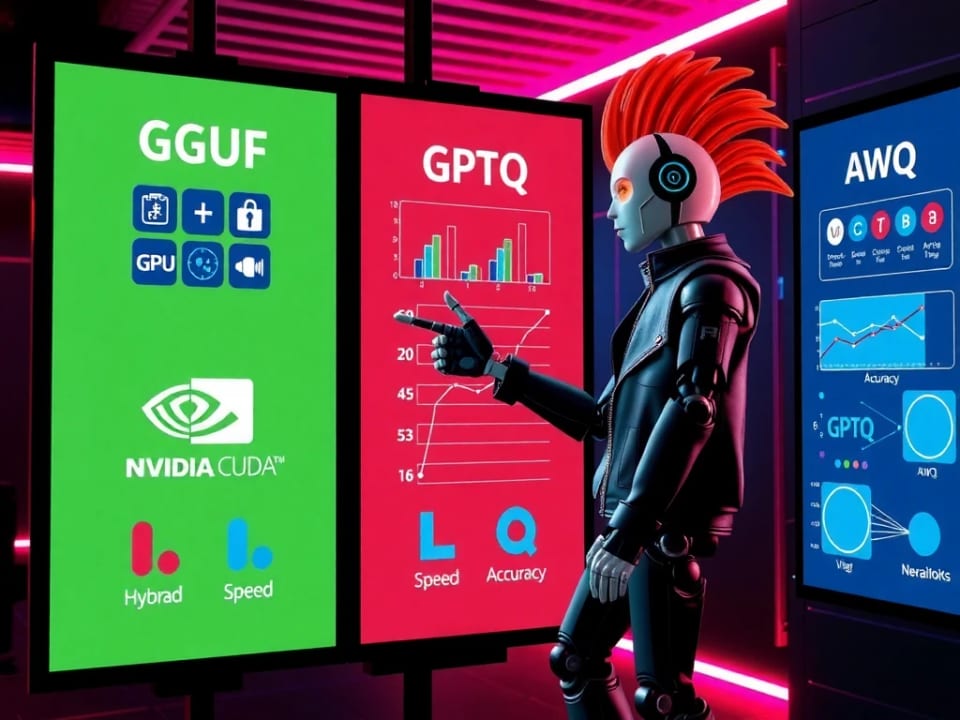
But 'quantize the model' is not a single recipe. There are several competing formats — GGUF, GPTQ, AWQ, and EXL2 — each produced with a different algorithm, stored in a different file layout, and accelerated by a different inference engine. Choosing the wrong one for your hardware is one of the most common reasons people get poor performance or fail to run a model at all.
Think of it like audio compression. All four formats compress the same original model, just as MP3, AAC, FLAC, and Opus all compress the same audio. They differ in which software plays them, which platforms support them, and how much quality they sacrifice at a given file size. The analogy breaks down only in that the 'players' here — llama.cpp, vLLM, ExLlamaV2 — are tightly coupled to the formats: you cannot play a GPTQ file in llama.cpp.
Why It Matters for Builders
The format you choose determines three critical things: which hardware you can run on, which serving engine you use, and how much quality you sacrifice at a given compression level. Getting the pairing wrong means either leaving 20–30% throughput on the table or failing to load the model entirely.
- Hardware reach — GGUF is the only format with working CPU-only and Apple Silicon kernels. GPTQ, AWQ, and EXL2 all require NVIDIA CUDA.
- Serving stack coupling — AWQ and GPTQ are first-class formats in vLLM and Hugging Face Transformers. EXL2 needs ExLlamaV2. GGUF needs llama.cpp (or Ollama, which wraps it).
- Quality at a given bit width — At 4 bits per weight, AWQ typically retains around 95% of full-precision benchmark quality; GGUF with K-quants around 92%; vanilla GPTQ around 90%.
- Time-to-availability — GGUF and AWQ versions of popular models usually appear on Hugging Face within 24–48 hours of a new release. EXL2 may lag by days or weeks.
- Calibration cost — GPTQ and AWQ both require running a small dataset through the model to compute quantization statistics. GGUF's basic quantization (Q4_0, Q8_0) needs no calibration at all; the fancier K-quants also benefit from an importance matrix but it is optional.
For most builders the practical decision tree is simple: if you are serving on NVIDIA GPUs at scale, use AWQ via vLLM. If you are running locally on a laptop, Mac, or a machine with a small GPU, use GGUF via Ollama or llama.cpp. GPTQ is a solid fallback for NVIDIA when an AWQ version is not yet available. EXL2 is worth reaching for only when single-user latency on NVIDIA is your top priority.
How Each Method Works
- Algorithm: block-wise integer quant
- Calibration: optional (imatrix)
- Hardware: CPU, Apple Silicon, NVIDIA
- Engine: llama.cpp / Ollama
- Bit widths: Q2 through Q8 + F16
- Algorithm: second-order (Hessian) OBQ
- Calibration: required (~128 samples)
- Hardware: NVIDIA only
- Engine: vLLM, HF Transformers
- Bit widths: 4-bit (most common), 3- or 8-bit
- Algorithm: activation-aware per-channel scaling
- Calibration: required (~128 samples)
- Hardware: NVIDIA (Marlin), some AMD
- Engine: vLLM, HF Transformers
- Bit widths: 4-bit weight-only
- Algorithm: mixed-precision per-layer GPTQ
- Calibration: required
- Hardware: NVIDIA only
- Engine: ExLlamaV2 only
- Bit widths: 2–8 bpw, mixed per layer
GGUF: Flexible, Portable, CPU-First
GGUF (Georgi Gerganov Universal Format, named after the llama.cpp creator) is a binary container format: a single .gguf file packs together the architecture description, tokenizer vocabulary, all hyperparameters, and the quantized weight tensors. There is no separate config.json — the file is self-contained.
The quantization itself uses block-wise integer quantization. Weights are divided into blocks of 32 values; each block gets its own floating-point scale factor. At decode time, the engine multiplies each integer by its block's scale to recover an approximation of the original float. This is fast and simple, and critically it degrades gracefully: the granularity of the scale factors is what separates low-quality Q2 from high-quality Q8.
The K-quant family (Q4_K_M, Q5_K_M, Q6_K, etc.) is an improvement over the legacy Q4_0/Q4_1 variants. K-quants use a two-level super-block structure where a block of 256 values shares a higher-precision scale, and sub-blocks of 32 within it each get their own scale. The result is better handling of weight distributions with outliers. The 'M' and 'S' suffixes in names like Q4_K_M indicate which internal layers get slightly higher precision — M (medium) is almost always the right pick for consumer use.
GPTQ: Second-Order Weight Optimization
GPTQ (Generative Pre-trained Transformer Quantization, from the 2023 paper by Frantar et al.) is a one-shot post-training quantization method. It runs a small calibration dataset through the model and uses the resulting Hessian matrix — a second-order measure of how sensitive each weight is to small perturbations — to guide how aggressively each weight column is quantized.
The key insight is that quantization error is not uniform. Some weights, when rounded aggressively, cause large changes to the model's output; others barely matter. GPTQ quantizes weights one column at a time and redistributes the accumulated error to the remaining unquantized weights in that layer using the inverse Hessian, a technique called Optimal Brain Quantization (OBQ). It uses Cholesky decomposition to make computing the Hessian inverse tractable for matrices with billions of parameters.
The tooling has evolved: the original AutoGPTQ library was archived in April 2025, and its active replacement is GPTQModel (v5+). For serving, vLLM loads GPTQ weights and — on Ampere and newer NVIDIA GPUs — automatically applies the Marlin kernel, a highly optimized CUDA kernel for 4-bit weight times 16-bit activation matrix multiplication, bringing GPTQ throughput to roughly 712 tokens/second in recent benchmarks.
AWQ: Activation-Aware Weight Scaling
AWQ (Activation-aware Weight Quantization, from MIT HAN Lab, published 2023 and presented at MLSys 2024) starts from a different observation: not all weights are equally important, and importance is determined not by the weight values themselves but by which activations flow through them. Channels that consistently see large activation magnitudes carry more information — quantization error there does more damage.
The clever part is how AWQ protects those important weights without resorting to mixed-precision storage (which would be hardware-inefficient). It applies a per-channel scaling transform before quantization: salient channels are scaled up so that when integer rounding is applied, the relative error is smaller. The scaling is then absorbed into the preceding layer's weights through an equivalent mathematical transformation, leaving the model's computation identical but the quantization error substantially lower. No backpropagation is needed — the calibration only reads activations.
The original AutoAWQ library is now deprecated; the maintained tool is llm-compressor (v0.10+), also from the vLLM team. Like GPTQ, AWQ gets the Marlin kernel in vLLM on Ampere+ GPUs, pushing throughput to around 741 tokens/second — faster than Marlin-GPTQ in head-to-head tests, with better code generation scores (51.8% HumanEval Pass@1 vs 46% for GPTQ at the same 4-bit width).
EXL2: Mixed-Precision Per-Layer
EXL2 is the native format for ExLlamaV2, a CUDA-only inference library. It extends GPTQ's approach to allow fractional bits per weight: rather than quantizing every layer uniformly to 4 bits, EXL2 assigns different bit widths to different layers based on their sensitivity. A model file named 4.65bpw might store some layers at 3-bit and others at 5-bit, averaging out to 4.65 bits across all weights. This mixed-precision approach squeezes better quality out of a given file size than any uniform quantization scheme.
EXL2 wins on single-user latency for NVIDIA hardware, but the trade-offs are significant: CUDA only (no CPU, no AMD, no Apple Silicon), ExLlamaV2 only (no vLLM, no HF Transformers), and new model quants often appear days to weeks after release compared to hours for GGUF and AWQ.
Choosing the Right Format for Your Setup
| Scenario | Recommended format | Why |
|---|---|---|
| Mac (M1/M2/M3/M4) or CPU-only laptop | GGUF Q4_K_M | Only format with optimized Metal/CPU kernels; Ollama makes it one-command simple |
| NVIDIA GPU, single user, max speed | EXL2 4.0–4.65bpw or GGUF via llama.cpp | EXL2 edges out on token generation latency; GGUF is competitive and more available |
| NVIDIA GPU, production serving (vLLM) | AWQ (4-bit, Marlin) | Best throughput + quality in vLLM's Marlin ecosystem; 741 tok/s in benchmarks |
| NVIDIA GPU, AWQ unavailable yet | GPTQ (4-bit, Marlin) | Excellent fallback; Marlin kernel brings it close to AWQ speed (712 tok/s) |
| Small model, quality over size | GGUF Q8_0 or GGUF Q6_K | Near-lossless; 8-bit fits most 7–13B models in 8–16 GB VRAM |
| Constrained memory, 70B+ model | GGUF Q2_K or Q3_K_M | Maximum compression; noticeable quality drop but sometimes the only option |
One practical note: when shopping on Hugging Face, AWQ files are usually the same size as GPTQ files for the same bit width, and both are larger than you might expect — a 4-bit 7B model is still about 4–5 GB because the format stores activations at 16-bit and includes extra metadata. GGUF files of the same model at the same bit width tend to be slightly smaller because they pack metadata more tightly.
Tools and Quantization Workflow
Each format has its own toolchain. Here is the minimal path to quantize or use each one.
GGUF: llama.cpp's quantize tool
# 1. Build llama.cpp (or install via Homebrew on macOS)
git clone https://github.com/ggml-org/llama.cpp && cd llama.cpp
cmake -B build && cmake --build build --config Release -j

# 2. Convert a Hugging Face model to GGUF (fp16 base)
python3 convert_hf_to_gguf.py /path/to/hf-model --outfile model-f16.gguf

# 3. Quantize to Q4_K_M
./build/bin/llama-quantize model-f16.gguf model-q4_k_m.gguf Q4_K_M

# 4. Run inference
./build/bin/llama-cli -m model-q4_k_m.gguf -p "Hello, world" -n 128
AWQ: llm-compressor
# pip install llmcompressor
from llmcompressor import oneshot
from llmcompressor.modifiers.quantization import QuantizationModifier

recipe = QuantizationModifier(
    targets="Linear",
    scheme="W4A16",  # 4-bit weights, 16-bit activations
    ignore=["lm_head"],
)

oneshot(
    model="meta-llama/Meta-Llama-3-8B-Instruct",
    recipe=recipe,
    output_dir="llama3-8b-awq",
    calibration_dataset="wikitext",
    num_calibration_samples=128,
)
GPTQ: GPTQModel
# pip install gptqmodel
from gptqmodel import GPTQModel, QuantizeConfig

quant_config = QuantizeConfig(bits=4, group_size=128)
model = GPTQModel.load("meta-llama/Meta-Llama-3-8B-Instruct", quant_config)

# Calibrate on 128 samples
model.quantize(calibration_dataset, batch_size=4)
model.save("llama3-8b-gptq")
Serving AWQ or GPTQ with vLLM
# vLLM auto-detects the quantization from the model config
# and applies the Marlin kernel on Ampere+ GPUs automatically
vllm serve TheBloke/Llama-3-8B-Instruct-AWQ \
  --quantization awq_marlin \
--max-model-len 4096Going Deeper
Once you are comfortable picking a format, there are several advanced levers to pull.
Importance Matrix Quantization (imatrix) for GGUF
Plain block-wise quantization treats all weights equally. llama.cpp's imatrix (importance matrix) feature runs a calibration dataset through the model, measures how much each weight contributes to the output, and feeds that information to the quantizer so it can preserve the most important weights more carefully. The improvement is most visible at very aggressive quantization levels (Q2, Q3) — at Q4_K_M the gain is smaller but still measurable on reasoning and math benchmarks.
# Generate importance matrix from a calibration corpus
./build/bin/llama-imatrix \
  -m model-f16.gguf \
  -f calibration_data.txt \
  -o imatrix.dat

# Use it during quantization
./build/bin/llama-quantize \
  --imatrix imatrix.dat \
  model-f16.gguf model-q4_k_m-imat.gguf Q4_K_M
Group Size and Its Quality Impact
Both GPTQ and AWQ expose a group size hyperparameter (typically 64 or 128) that controls how many consecutive weights share a single scale factor. Smaller groups mean more scale factors, which means better quality — but also a larger file. group_size=128 is the industry default; dropping to 64 measurably improves perplexity at the cost of a 3–5% larger model. Some AWQ configurations use group_size=64 for 4-bit models smaller than 7B, where per-weight error matters more.
Marlin Kernels: Why They Change the Performance Picture
Raw 4-bit inference is slower than it sounds because modern GPU tensor cores are designed for 16-bit math. The Marlin kernel (from the 2024 paper, now integrated into vLLM) solves this by dequantizing weights from INT4 to FP16 in registers on-the-fly as each matrix multiplication streams through the GPU. This avoids writing dequantized weights back to slow global memory, achieving near-FP16 speeds with 4-bit storage. The catch: Marlin requires Ampere (SM80) or newer — RTX 3000 series and later.
When Quality Beats Compression
For tasks involving multi-step reasoning, code generation, or math, the quality gap between 4-bit and 8-bit quantization is larger than aggregate benchmark numbers suggest. GPTQ's column-by-column error accumulation is particularly harmful for code generation — HumanEval Pass@1 drops roughly 10 points versus AWQ at the same bit width. If your application is a coding assistant or math solver, prefer AWQ over GPTQ, or move to 5-bit (GGUF Q5_K_M) or 8-bit if you have the VRAM.
FAQ
Can I run GPTQ or AWQ models on a Mac or without a GPU?
No. GPTQ, AWQ, and EXL2 all require NVIDIA CUDA kernels. On a Mac (Apple Silicon or Intel) or a CPU-only machine, GGUF via llama.cpp or Ollama is the only practical choice. GGUF has highly optimized Metal kernels for Apple Silicon and AVX2/AVX-512 kernels for x86 CPUs.
Is GGUF always lower quality than AWQ at the same bit width?
Not exactly. At 4 bits, AWQ typically retains slightly more quality (~95% vs ~92% in aggregate benchmarks). But GGUF Q5_K_M often matches or beats 4-bit AWQ, and GGUF with an importance matrix (imatrix) closes the gap further. The format matters less than the bit width: a 5-bit GGUF beats a 4-bit AWQ in most quality metrics.
What happened to AutoGPTQ and AutoAWQ?
AutoGPTQ was archived in April 2025 and replaced by GPTQModel as the active, maintained fork. AutoAWQ was deprecated and replaced by llm-compressor from the vLLM team. Both old libraries still load models for inference but will not receive updates; new quantization work should use the replacement tools.
How do I know which quantization a Hugging Face model uses?
Check the model card tags and the quantization_config field in config.json. GGUF models are distributed as .gguf files (not as a standard Hugging Face directory). AWQ models have quantization_config.quant_type: awq in their config. GPTQ models have quantization_config.quant_type: gptq. EXL2 models are typically uploaded by the quantizer as separate repositories with .safetensors and an exl2_config.json.
Does quantization work the same for different model architectures (Llama, Mistral, Qwen, etc.)?
Mostly yes — all four methods operate on the weight matrices of transformer layers and are architecture-agnostic in principle. In practice, the quantization libraries need explicit support for each architecture's weight naming scheme and attention variant. Check the library's supported model list before quantizing a very new or unusual architecture; llm_head and attention output layers are commonly excluded from quantization (kept in FP16) to protect quality.
Can I mix quantization formats in a single deployment?
Not within a single model instance. However, you can run multiple model replicas with different formats — for example, a GGUF model on a CPU worker for bursty overflow traffic while your primary NVIDIA GPU runs AWQ via vLLM. Some inference platforms (like llama.cpp with --n-gpu-layers) allow partial GPU offloading of a GGUF model, keeping the first N layers on GPU and the rest on CPU RAM.