In plain English
Whisper is OpenAI's open-source speech-to-text model: you hand it an audio file of someone talking, and it hands back the words as text. This is the same family of technology that powers automatic captions, voice notes that turn into typed messages, and meeting transcripts — except Whisper is a single open model you can download and run on your own machine instead of a paid cloud service.
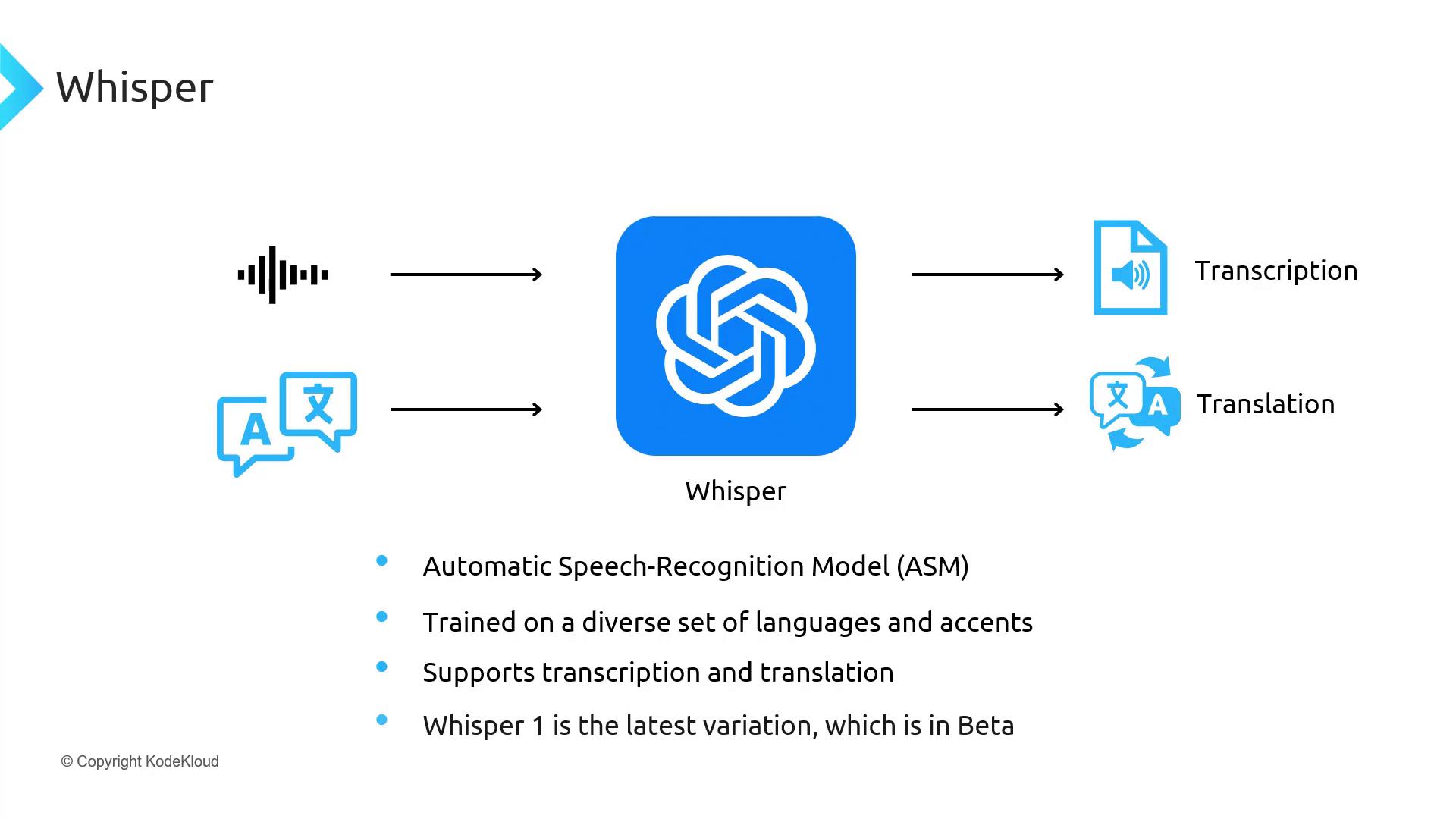
The everyday analogy is a very fast, very patient court stenographer. You play a recording — a lecture, a podcast, a voicemail in Spanish — and Whisper writes down every word it hears. Unlike a human stenographer, it does not get tired, it works across dozens of languages, and it can even translate foreign speech into English as it goes. It does not understand the meaning the way a person does; it is extremely good at the narrow job of turning sound into the matching written words.
Two things make Whisper special. First, it is open — released under the permissive MIT license, so the model weights are public and anyone can run, study, or build on them for free. Second, it became the baseline: when people compare a new transcription tool, "how does it do against Whisper?" is the default question. It is the reference everyone measures against.
Why it matters
Before Whisper, good speech-to-text was mostly something you rented. The accurate engines lived behind cloud APIs from a handful of big providers: you paid per minute of audio, you sent your recordings to someone else's servers, and you accepted whatever languages and quirks they supported. Open alternatives existed but were noticeably weaker, especially on messy real-world audio. Whisper changed the default by being both genuinely good and genuinely free to run.
Here is why builders care, concretely:
- You can run it yourself. Open weights mean the audio never has to leave your own hardware. For private recordings — medical notes, legal calls, internal meetings — that is the difference between "allowed" and "not allowed" in many organizations.
- No per-minute bill. Once it is running on a machine you own, transcribing a thousand hours costs the same as transcribing one: just compute time. That makes large batch jobs — an entire podcast back-catalog, a year of support calls — economically realistic.
- It is multilingual out of the box. One model handles many languages and can translate non-English speech directly into English text, without you wiring up a separate system per language.
- It is robust to real audio. It was trained on a huge, varied pile of audio from the web, so it copes reasonably well with accents, background noise, and casual speech — the conditions where older open models fell apart.
- It spawned an ecosystem. Because the model is open, others built faster and more featureful runtimes on top of it, so you get speed and extras like word-level timestamps without retraining anything.
The result is that Whisper became infrastructure. Countless apps, research projects, and internal tools quietly use it under the hood. If you need to turn speech into text and do not have a specific reason to pay for a hosted service, reaching for Whisper (or one of its faster derivatives) is the obvious first move.
How it works
Whisper is a transformer — the same general architecture behind modern language models — but arranged as an encoder-decoder pair. The encoder's job is to "listen": it reads the audio and builds a rich numeric summary of it. The decoder's job is to "write": it produces text tokens one at a time, looking at that audio summary as it goes. Think of the encoder as the ear and the decoder as the hand.
From sound waves to a picture of sound
Raw audio is just a long list of amplitude numbers — far too much to feed in directly. So the first step converts the audio into a mel spectrogram: essentially a heat-map image of the sound, with time on one axis and pitch (frequency) on the other, brighter where there is more energy. Speech recognition models work on this spectrogram rather than the raw waveform because it makes the patterns of speech — vowels, consonants, syllables — far easier to detect.
Whisper also works in fixed 30-second windows. Audio is sliced into 30-second chunks, each turned into a spectrogram, and the model transcribes one chunk at a time before stitching the results together. That fixed window is why very long files are processed in segments rather than all at once.
Special tokens steer the job
The clever part is that Whisper does more than plain transcription, and it controls which job to do with special tokens the decoder emits at the start. These act like switches: one says which language is being spoken, another chooses between transcribe (write it in the same language) and translate (write it as English), and others mark whether to include timestamps. Because all of this is just predicting tokens, one model can detect the language, transcribe it, and translate it — all in the same forward pass.
The model learned all of this by being trained on an enormous, diverse collection of audio paired with text gathered from the web. It never saw hand-labeled phonetic rules; it simply learned the statistical mapping from "this pattern of sound" to "these words" across many languages and recording conditions at once. That broad, weakly-labeled training is exactly why it generalizes so well to audio it has never heard before.
Running Whisper in practice
Using Whisper is deliberately simple. The reference implementation is a small Python package; you give it an audio file and it returns the text. Here is the whole idea:
import whisper

# Load a model. Sizes trade accuracy for speed/memory:
# tiny < base < small < medium < large.
model = whisper.load_model("base")

# Transcribe in the audio's own language.
result = model.transcribe("meeting.mp3")
print(result["text"])

# Or translate foreign speech directly into English.
result = model.transcribe("entrevista.mp3", task="translate")
print(result["text"])

# Segments come with start/end times you can use for captions.
for seg in result["segments"]:
    print(f"[{seg['start']:.1f}s -> {seg['end']:.1f}s] {seg['text']}")
A few practical points that trip up newcomers:
- Model size is the main dial. Whisper ships in several sizes. Smaller models run fast (even on a CPU) but make more mistakes; larger models are far more accurate but want a GPU and more memory. Pick the smallest size that is accurate enough for your audio.
- A GPU makes a big difference. On a CPU the larger models are slow. Most serious use runs on a GPU, which is also why the faster runtimes below exist.
- Timestamps are segment-level by default. The base model gives you start/end times per phrase, which is enough for rough captions but not for highlighting individual words. Word-level timing needs extra tooling.
- Output is plain text, not structured meaning. Whisper transcribes; it does not summarize, answer questions, or identify who spoke. Those are separate steps you add on top.
Transcribe vs translate vs detect
Whisper bundles three related capabilities that people often confuse. Knowing exactly what each does — and what it does not — saves a lot of disappointment.
| Task | Input | Output | Good to know |
|---|---|---|---|
| Transcribe | Speech in language X | Text in language X | The default. Faithful word-for-word writing of what was said. |
| Translate | Speech in language X | Text in English | One direction only: into English. It will not translate into other target languages. |
| Language detect | Any speech | A language label | Done automatically from the first chunk; you can also set the language yourself to skip guessing. |
The big limitation to remember: translate goes only into English. If you need Spanish audio turned into French text, Whisper alone will not do it — you would transcribe to Spanish, then send that text to a separate translation model. Whisper is a speech model, not a general translator.
It is also worth being clear about what Whisper is not. It does not, by itself, tell you who is speaking (that is diarization), it does not generate speech (that is text-to-speech, the reverse task), and it does not hold a spoken conversation (that is the realm of speech-to-speech models). It does exactly one thing — audio to text — and does it well.
Common pitfalls
Whisper is reliable, but a few failure modes show up often enough that they are worth naming before they bite you.
- Hallucinated text on silence or noise. When fed long stretches of silence, music, or pure noise, Whisper can invent plausible-sounding sentences that were never spoken — a common artifact of generative decoders. Detecting and trimming non-speech segments first, or using a voice-activity filter, sharply reduces this.
- Repetition loops. On difficult audio the decoder can get stuck repeating the same phrase over and over. Good runtimes have settings to detect and break these loops.
- Picking too small a model. The smallest sizes are tempting for speed, but on accented, noisy, or technical audio they make far more errors. If quality is poor, moving up a size is usually the first fix.
- Expecting word-perfect timestamps. Default segment timings are approximate. For tight caption sync or word-level highlighting you need WhisperX or a similar alignment step, not raw Whisper.
- Forgetting it has no speaker awareness. A two-person interview comes back as one undivided wall of text. If you need "who said what", you must add diarization separately.
Going deeper
Once the basics click, the interesting questions are about deployment and the wider family Whisper anchors. A few directions worth knowing.
The speed ecosystem. The original implementation prioritizes clarity over raw performance, so the community built optimized runtimes around the same weights. The best known is faster-whisper, which runs Whisper on an efficient inference engine using techniques like quantization to run several times faster with less memory — without changing the model's accuracy. WhisperX adds forced alignment for accurate word-level timestamps plus optional speaker diarization. The pattern to internalize: Whisper supplies the brains (the trained weights), and these projects supply better plumbing around them.
Self-hosting vs the hosted API. Confusingly, OpenAI also offers Whisper-based transcription through a paid cloud API. The trade-off is the usual one: the API is the least effort and needs no hardware, but you pay per minute and send audio to a third party. Running the open weights yourself is more setup but keeps data in-house and removes the per-minute bill. Many teams prototype on the API and move to self-hosting once volume or privacy demands it.
Fine-tuning for a domain. Because the weights are open, you can fine-tune Whisper on your own audio to sharpen it for a specific accent, a low-resource language, or heavy domain jargon (medical, aviation, a product's brand names). This is an advanced move — it needs labeled audio and care to avoid making the model worse elsewhere — but it is a real lever the closed services do not give you.
Where it sits today. The field keeps moving: newer specialized ASR models and streaming systems sometimes beat Whisper on speed, latency, or a particular language, and real-time voice products often use purpose-built engines (see real-time voice APIs). But as the open, general-purpose baseline — strong across many languages, free to run, and surrounded by a mature tooling ecosystem — Whisper remains the default starting point. If you are building transcription and unsure where to begin, beginning with Whisper is rarely the wrong call.
FAQ
Is Whisper free to use?
Yes. Whisper's model weights and code are released under the permissive MIT license, so you can download, run, modify, and build on them at no cost. The only expense of self-hosting is the compute you run it on. Note that OpenAI's separate hosted transcription API, which is based on Whisper, is a paid service billed per minute of audio.
What languages does Whisper support?
Whisper is multilingual and handles dozens of languages for transcription, with quality varying by how much of each language was in its training data — common languages like English, Spanish, and Mandarin are strongest. It can also translate non-English speech directly into English text. It cannot translate into target languages other than English.
What is the difference between Whisper and faster-whisper?
They produce the same transcriptions because faster-whisper runs the same Whisper model weights. The difference is the engine: faster-whisper is an optimized re-implementation on an efficient inference runtime that transcribes several times faster and uses less memory. Use the original for simplicity and faster-whisper for production speed.
Does Whisper work in real time?
Not naturally. Whisper processes audio in fixed 30-second windows, which suits transcribing recorded files more than live streaming. People build near-real-time setups by feeding it short overlapping chunks, but for true low-latency live captioning, purpose-built streaming or real-time voice systems usually fit better.
Can Whisper tell who is speaking?
No. Whisper transcribes the words but has no built-in idea of speakers, so a multi-person recording comes back as one undivided block of text. To label who said what, you add a separate diarization step — a common pairing is WhisperX, which combines Whisper transcription with speaker diarization.
Why does Whisper sometimes write text that was never spoken?
Because it is a generative model, it can hallucinate plausible-sounding words during silence, music, or noise where there is no real speech to transcribe. Filtering out non-speech audio first — for example with a voice-activity detector — and avoiding very long silent gaps greatly reduces these phantom transcriptions.