Overview
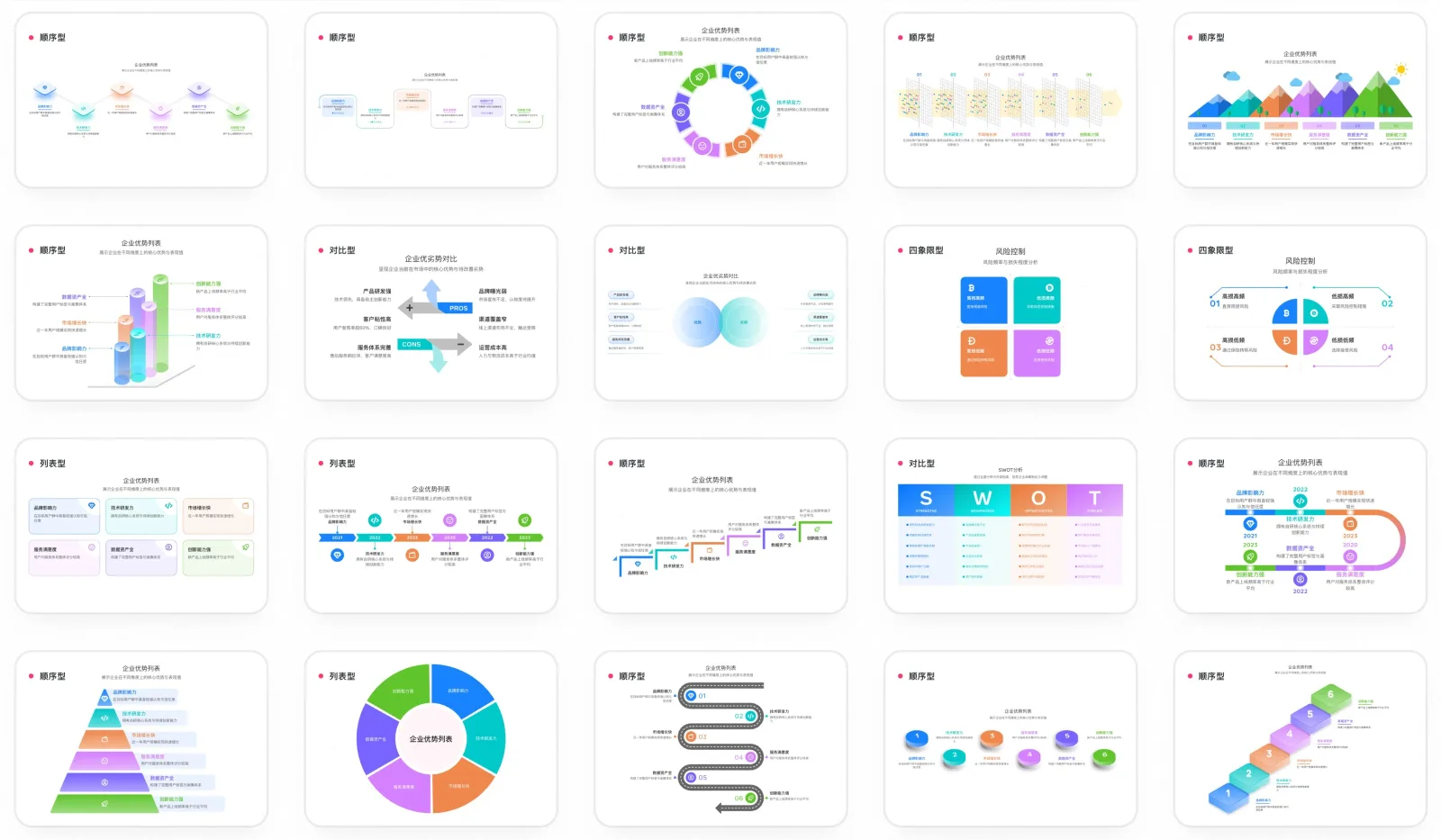
AntV Infographic is AntV's declarative infographic visualisation engine. Instead of hand-placing shapes, you write a short indentation-based document that names a template and supplies the data, and the engine renders a finished infographic from it. The syntax was designed to be written by a model as much as by a person: it is concise enough to fit in a prompt and deliberately fault-tolerant.
That fault tolerance is what makes it a generative-UI component rather than a chart library. Because a partial document still parses, you can append an LLM's output chunk by chunk and re-render on every chunk, so the infographic builds itself in front of the user as the model writes it. Around 200 built-in templates, data-item components and layouts cover the common shapes, and a theme system supplies hand-drawn, gradient and pattern presets before you start customising.
Output is SVG by default, which keeps the result crisp and editable rather than baked into pixels, and the package ships a built-in editor so a user can adjust whatever the model produced. AntV also publishes a set of agent skills — infographic-creator, infographic-syntax-creator, infographic-structure-creator and infographic-item-creator — that teach a coding agent the syntax, installable from a Claude Code plugin marketplace.
What it does
- Declarative, indentation-based infographic syntax designed to be generated by a model
- Highly fault-tolerant parsing, so a streaming LLM response can be re-rendered on every chunk
- ~200 built-in infographic templates, data-item components and layouts
- Theme system with hand-drawn, gradient and pattern presets plus deep customisation
- A built-in editor so AI-generated infographics can be edited afterwards
- SVG rendering by default for visual fidelity and downstream editing
Getting started
Infographic ships as the @antv/infographic npm package. You create an instance bound to a container element and call render with an infographic document.
Install the package
npm install @antv/infographicRender your first infographic
Construct an Infographic bound to a container, then pass a document naming a template and its data. Setting editable: true turns on the built-in editor.
import { Infographic } from '@antv/infographic';

const infographic = new Infographic({
  container: '#container',
  width: '100%',
  height: '100%',
  editable: true,
});

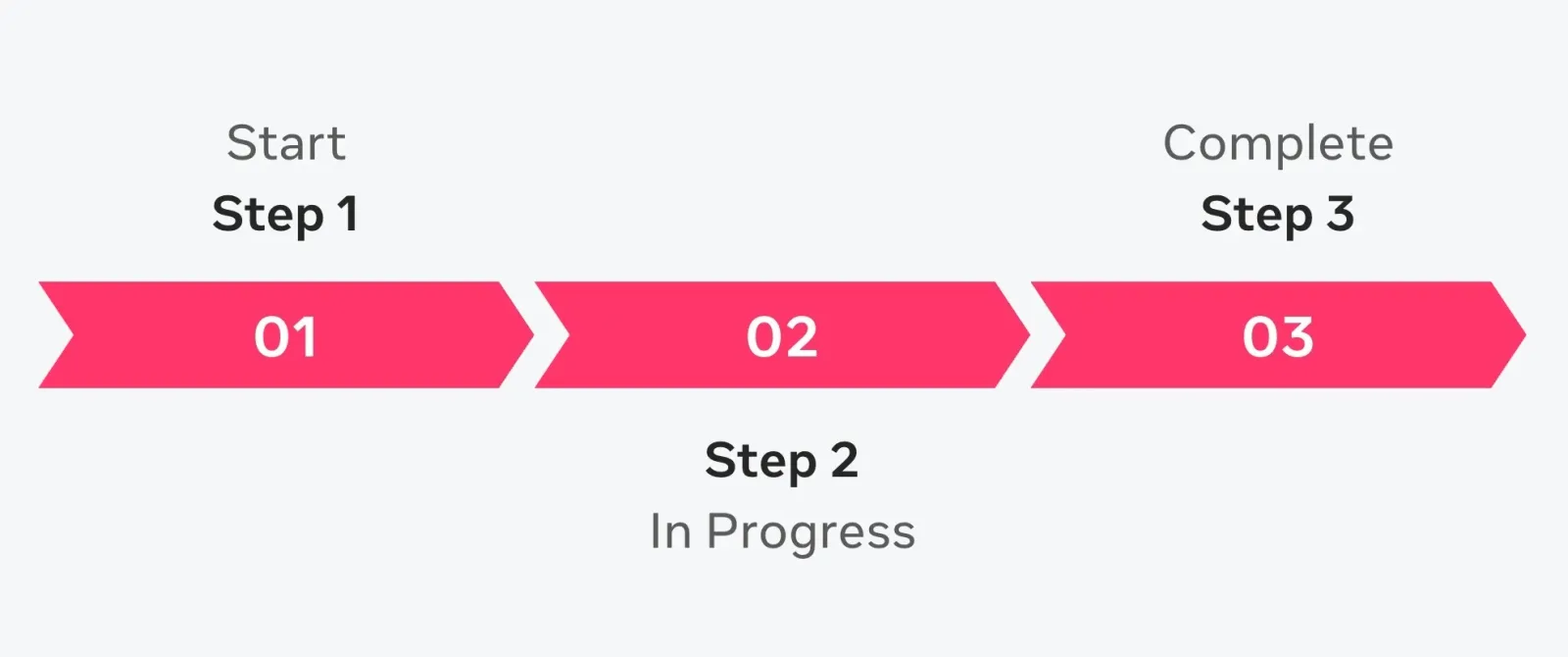
infographic.render(`
infographic list-row-simple-horizontal-arrow
data
  lists
    - label Step 1
      desc Start
    - label Step 2
      desc In Progress
    - label Step 3
      desc Complete
`);
Stream a model's output into it
Because a partial document still parses, you can accumulate chunks from an LLM and re-render each time to get progressive rendering.
let buffer = '';
for (const chunk of chunks) {
  buffer += chunk;
  infographic.render(buffer);
}
Install the agent skills
AntV publishes skills that teach a coding agent the syntax and the structure/item design system. They are available from a Claude Code plugin marketplace.
/plugin marketplace add https://github.com/antvis/Infographic.git
/plugin install antv-infographic-skills@antv-infographic
Commands and code are distilled from the project's own documentation — always check the official repo for the latest.
When to use it
- Reach for it when a chat product should answer with a rendered infographic instead of a wall of bullet points
- Reach for it when you want the visual to appear progressively as the model streams, rather than after the response completes
- Reach for it when generated visuals need to stay editable — SVG output plus a built-in editor lets a user fix what the model got wrong
- Reach for it to give a coding agent a constrained visual vocabulary, so it produces a consistent deck of infographics rather than ad-hoc SVG
How AntV Infographic compares
AntV Infographic alongside other open-source generative ui sdks tools AI/TLDR tracks, ranked by GitHub stars.
| Tool | Stars | What it does |
|---|---|---|
| CopilotKit | ★ 38.2k | A frontend framework for adding in-app AI copilots and agent-driven generative UI to React and other apps, and the maker of the AG-UI protocol. |
| Vercel AI SDK | ★ 27.5k | A TypeScript toolkit for building AI apps and agents that includes streaming helpers and generative-UI features for rendering model output as React components. |
| OpenUI | ★ 22.7k | OpenUI lets you describe a UI in plain language, see it rendered live, ask for changes, and convert the result to React, Svelte, or Web Components. |
| json-render | ★ 18.8k | Vercel Labs' generative UI framework: you declare a catalog of allowed components, a model emits JSON constrained to it, and renderers for React, Vue, Svelte, Solid, React Native, PDF, email and whole Next.js or TanStack Start apps draw it. |
| AG-UI Protocol | ★ 16.8k | An open protocol that standardizes how AI agents stream events and UI to frontend applications, with SDKs across multiple languages and frameworks. |
| OpenUI (Thesys) | ★ 13.5k | An open standard and runtime for generative UI that uses a compact streaming language to let models emit interactive charts, forms, tables, and cards. |
| assistant-ui | ★ 12.7k | A TypeScript/React library of composable chat primitives for building AI chat apps that can render tool calls and JSON as interactive React components. |
| AntV Infographic | ★ 7k | A declarative infographic engine whose syntax is tuned for models to stream |