Overview
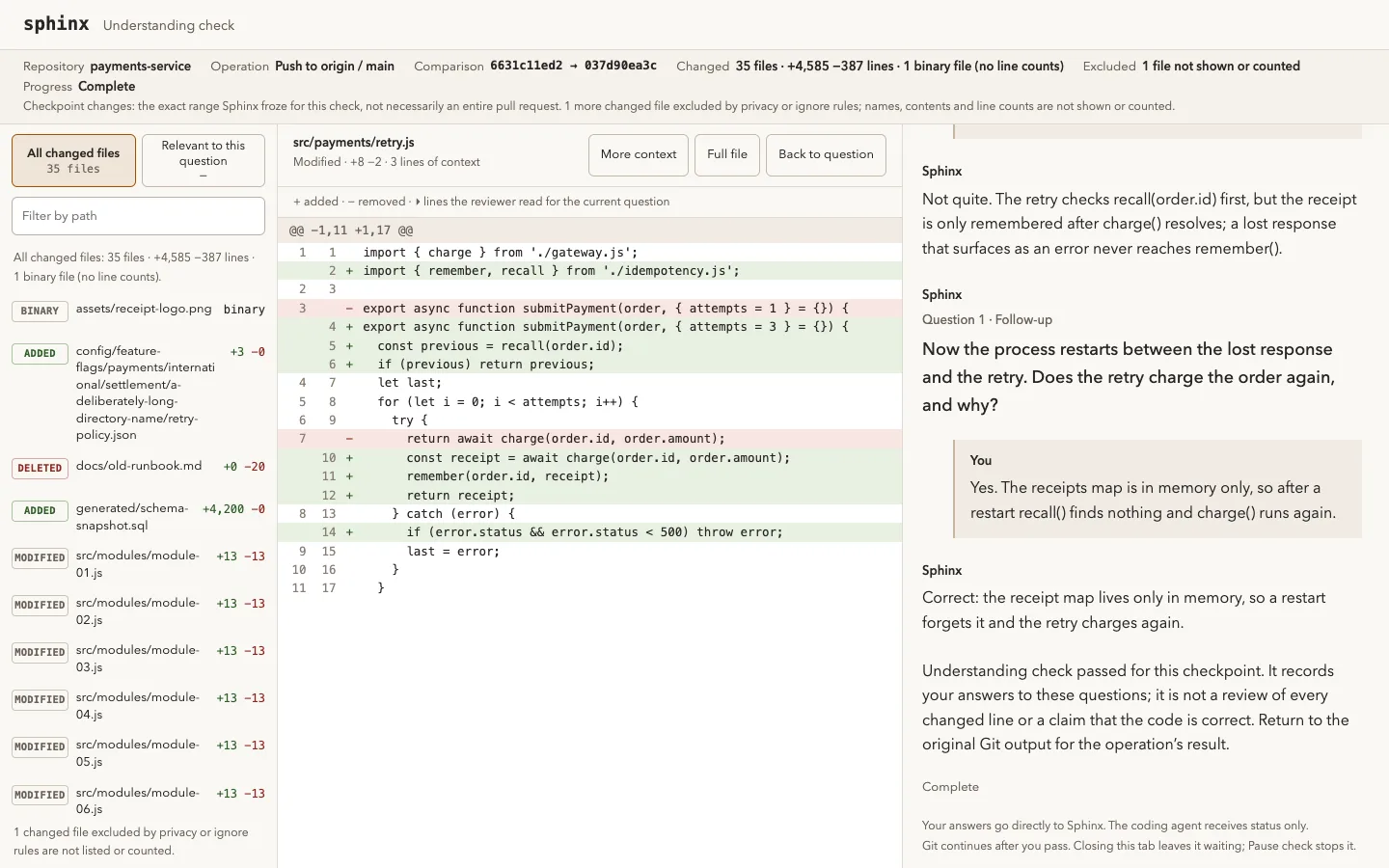
Sphinx is an open-source comprehension checkpoint for agent-assisted development. When you push to a protected branch, git waits while Sphinx asks you to predict what the change will do; if you miss something it explains and gives you a new scenario on the same concept, and once you pass the push continues. It works the same whether you or a coding agent ran git push. The project's line is "outsource your thinking, not your understanding".
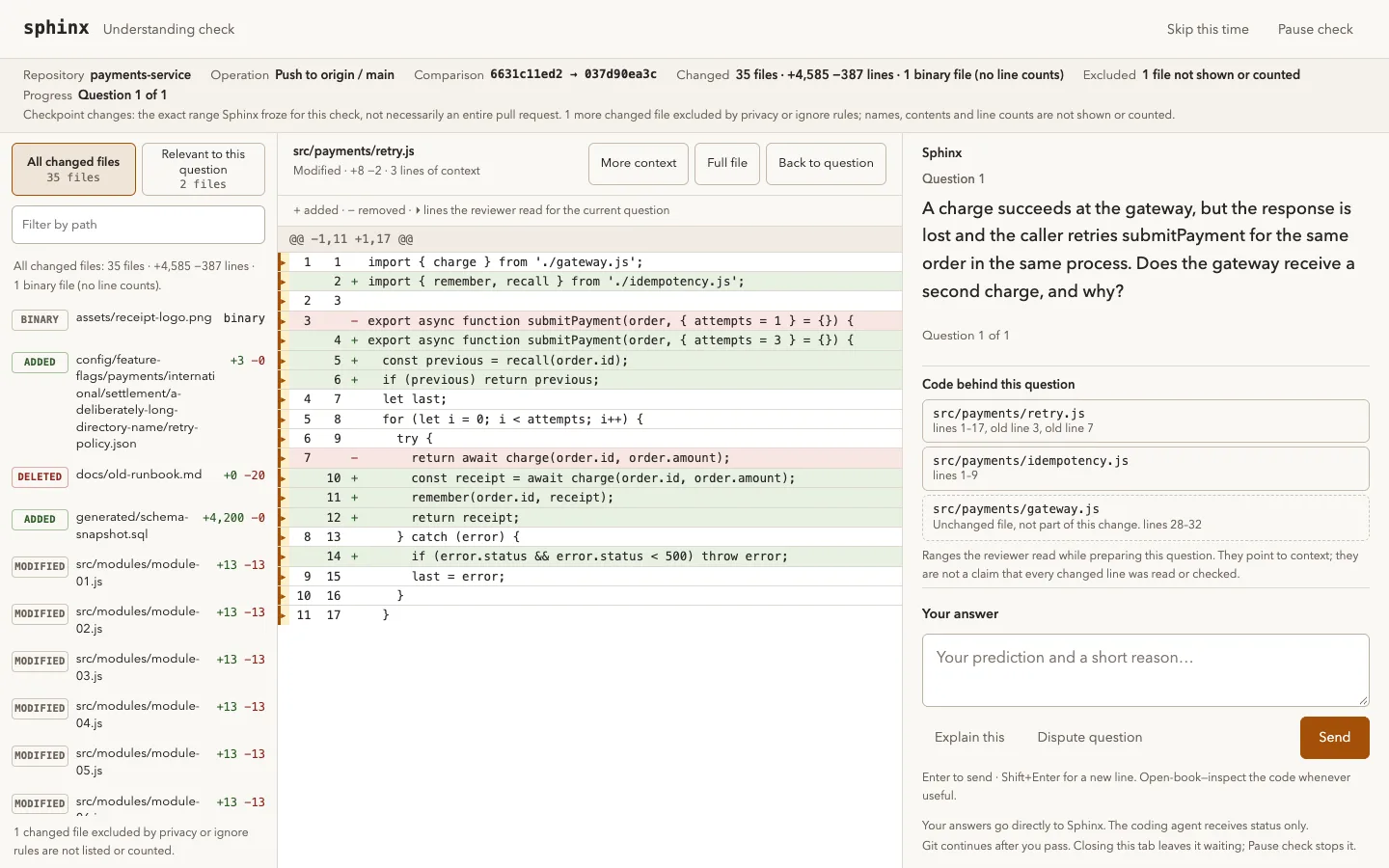
The questions come from a separate reviewer model that reads the committed change through read-only git tools and never sees the conversation that produced the code. They target behaviour, failure modes and invariants rather than file or function names, are open-book, and scale with change size: one for a small change and up to three at the default depth. The questionnaire opens in the browser with the changed files, line counts, a browsable diff and the code locations the reviewer read.
Sphinx has no account or hosted service of its own. The reviewer can be a signed-in Codex or Claude Code CLI, an OpenRouter key or any OpenAI-compatible endpoint; it receives the changed code, related files, your answers and an optional project description, while ignored paths, .env files and private keys are never read. The coding agent sees only check status, progress and usage, never your answers. The README is explicit that this is practice, not a security gate: version 0.1 checks local pushes only, anyone with local access can bypass hooks, and the examiner is an LLM that can be wrong.
What it does
- Pre-push checkpoint on the branches you protect, for pushes run by you or by a coding agent
- Questions about behaviour, failure modes and invariants from a separate reviewer model that only reads the committed change
- Wrong answers get an explanation and a fresh scenario; Explain this, Dispute question, Pause check and Skip this time controls in the questionnaire
- Passes last 24 hours unless the code, destination or policy changes; questions are often prepared in the background after commits
- Integrations for Codex, Claude Code (via MCP), Cursor, OpenCode and Pi, plus plain git
- Repository policy in .sphinxconfig, .sphinxignore and .sphinxcontext.md, with .env files and private keys excluded by default and every sphinx yolo skip logged
Getting started
Sphinx needs Node.js 22.19 or newer, git, and macOS, Linux or WSL (native Windows is not supported yet), plus a reviewer model: a signed-in Codex or Claude Code CLI, an OpenRouter key or an OpenAI-compatible endpoint. The commands come from the project README.
Install the CLI and the global hook
sphinx install sets git's global core.hooksPath; existing hooks still run first. The non-interactive form picks a preset and the agents to wire up.
npm install -g sphinx-understand
sphinx install

# or non-interactive
sphinx install --yes --preset claude-economy --agents claude
Set up a repository
sphinx init writes .sphinxconfig, .sphinxignore and .sphinxcontext.md; edit the ignore file before the first check and commit the three files to share the policy.
cd your-repo
sphinx init --yes --branches main
Check the setup and push
doctor verifies the install; a push to a protected branch then opens the understanding check.
sphinx doctor
git push origin main
Run checks by hand or turn them off
Check staged commits in the terminal, cap model calls per check, or toggle checks for a repository with an optional logged reason.
sphinx check --staged
sphinx config --max-model-calls 30
sphinx yolo --reason "prod hotfix"
Commands and code are distilled from the project's own documentation — always check the official repo for the latest.
When to use it
- Reach for it when coding agents write most of your changes and you want to be sure you understand each one before it reaches main
- Reach for it when you want a reviewer that tests your grasp of failure modes, such as retries and lost responses, rather than one that only comments on the diff
- Reach for it when you want a lightweight, local practice gate with no hosted service, using the Claude Code or Codex subscription you already have
How Sphinx compares
Sphinx alongside other open-source ai code review & security tools AI/TLDR tracks, ranked by GitHub stars.
| Tool | Stars | What it does |
|---|---|---|
| Open Code Review | ★ 47.6k | Alibaba's code-review CLI that pins file selection, bundling and rule matching in deterministic pipelines and leaves only judgement to an LLM agent, producing line-level comments. |
| Bend | ★ 23.8k | Compiled language whose type checker doubles as a proof checker, so an edit only builds if it can be proved to keep the rules declared in a LAWS.bend file. |
| Codex Security | ★ 11.1k | OpenAI's CLI and TypeScript SDK that scans a repository for security vulnerabilities, deduplicates findings by embedding similarity and re-grades their severity against your own policy. |
| Whiteboard | ★ 3.2k | Open-source desktop app where coding agents such as Claude Code and Codex draw sequence and database diagrams of their changes for review beside an AST-aware diff. |
| git-lrc | ★ 1.5k | Go CLI that hooks into git commit to run an AI review of every staged diff before it lands, recording review status in git log. |
| CodeRabbit | — | AI pull request reviewer that analyzes diffs with full-repo context to flag bugs, security issues, and quality problems, posting inline comments and one-click fixes. |
| Greptile | — | AI code review tool that indexes your whole codebase into a graph so a swarm of agents can catch multi-file logic bugs and security risks in every PR. |
| Sphinx | — | A git hook that pauses a push to a protected branch until you correctly predict what the agent-written change does |