In Plain English
Function calling (also called tool use) is the mechanism inside an LLM API that lets the model request execution of a piece of code. You describe your functions as JSON schemas, send them with your prompt, and the model either returns normal text or emits a structured call — {"name": "get_weather", "arguments": {"city": "London"}} — that your application then runs. The model never executes the code itself; it just decides when and with what arguments to invoke it.
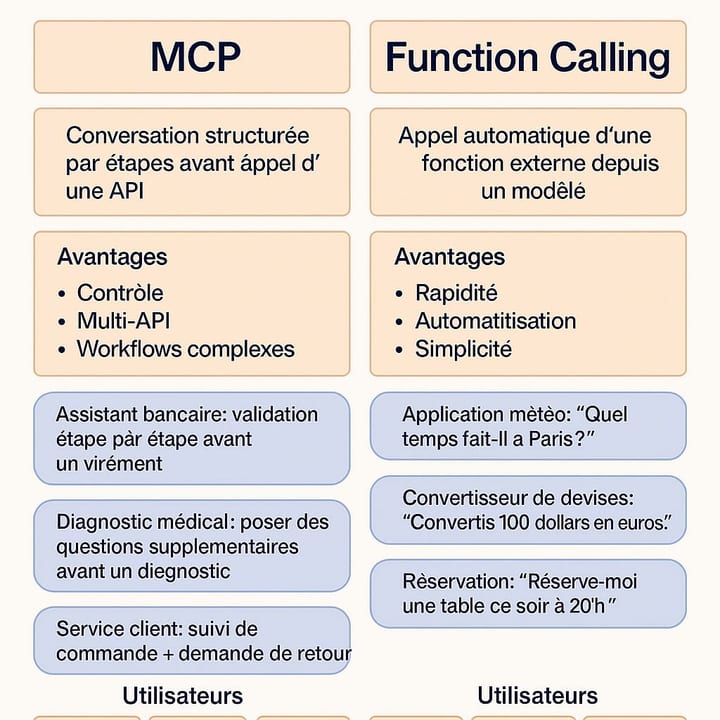
MCP (Model Context Protocol) is a separate open standard, released by Anthropic in November 2024, that solves a different problem: how should the host application discover tools and communicate with them in a vendor-neutral way? Under MCP, tools live in independent servers that speak a JSON-RPC dialect over stdio or HTTP. A capable host — Claude Desktop, Cursor, your custom agent — connects to as many MCP servers as it likes at startup, merges their tool lists, and calls them on demand.
The analogy that makes the difference concrete: function calling is the car's throttle and gearbox — the raw mechanism that makes the vehicle move. MCP is the USB-C standard — the agreed-upon port shape that lets any charger, monitor, or hard drive plug into any laptop without custom cables. You always need the throttle; the USB-C port becomes essential once you have more than one device to connect.
Why It Matters
Before MCP, every AI-powered product that needed to call external tools had to reinvent the wheel. An IDE plugin, a Slack bot, and an automated pipeline all talking to the same GitHub API each maintained their own integration code, their own auth logic, and their own tool JSON schema. A change to the GitHub API meant touching all three. Governance — who called what, when, with which arguments — was impossible to centralize.
For builders this creates two distinct pain points depending on where they sit:
- Tool authors (the team that owns the GitHub integration, the database connector, the Jira client) have to publish and maintain N copies of the same logic for N AI apps.
- App authors (building an agent, a coding assistant, a copilot) have to vet, import, and maintain every integration themselves, and the resulting tool list is locked to that one app.
- Platform teams trying to audit AI tool usage have no single chokepoint — calls are scattered across every app's request logs.
MCP solves the tool-author problem by making tools first-class, independently deployable services. It solves the app-author problem by providing a standard client that can discover and call any MCP server without custom glue code. And it solves the governance problem by giving platform teams a single server gateway to instrument.
If none of those pain points apply — you have three internal tools, one app, one team — plain function calling is almost certainly the right level of abstraction. Adopting MCP when you don't need portability adds infrastructure without adding value.
How It Works
Function calling: inside the API call
Every function-calling interaction is contained within a single conversational thread. You define tools as JSON Schema objects and attach them to each API request. The model produces either a text response or a tool_use block. Your application detects the tool request, runs the function locally, injects the result as a tool_result message, and calls the API again. The loop repeats until the model returns plain text.
import anthropic

client = anthropic.Anthropic()

tools = [
    {
        "name": "get_weather",
        "description": "Return current weather for a city.",
        "input_schema": {
            "type": "object",
            "properties": {
                "city": {"type": "string", "description": "City name"}
            },
            "required": ["city"]
        }
    }
]

response = client.messages.create(
    model="claude-opus-4-8",
    max_tokens=1024,
    tools=tools,
    messages=[{"role": "user", "content": "What is the weather in Tokyo?"}]
)

if response.stop_reason == "tool_use":
    tool_block = next(b for b in response.content if b.type == "tool_use")
    # run your local function, then send the result back
    result = run_tool(tool_block.name, tool_block.input)
# ... append tool_result and call the API againMCP: tools as independent servers
MCP introduces a three-role architecture. The host is the AI application (Claude Desktop, your custom agent). The client is a thin connector the host creates — one per MCP server. The server is a standalone process that exposes tools, resources, and prompts over a defined transport.
At startup the host connects to each configured server and calls tools/list to discover available tools. The resulting schemas are merged and injected into the model's context exactly as if you had defined them with plain function calling. When the model emits a tool call, the host routes it to the correct MCP client, which calls tools/call on the server over the transport, and returns the result.
The transport layer is pluggable. stdio is the default for local servers — the host spawns the server as a child process and communicates via stdin/stdout, with zero network overhead. Streamable HTTP (the successor to the deprecated SSE transport) is used for remote servers — the client sends HTTP POST requests and can receive Server-Sent Events back for streaming. Both transports speak the same JSON-RPC message format, so a server written for stdio can be redeployed over HTTP without changing its tool logic.
Side-by-Side Comparison
| Dimension | Function Calling | MCP |
|---|---|---|
| What it is | LLM API feature: model outputs structured tool requests | Open protocol: standardizes how hosts discover and call tools |
| Where tool logic lives | Inside your application code | In an independent MCP server process |
| Tool discovery | You define schemas manually per request | Server advertises via tools/list at connect time |
| Portability | Locked to one app and provider's schema format | Any MCP host connects to any MCP server |
| Transports | N/A — in-process, API call | stdio (local) or Streamable HTTP (remote) |
| Setup cost | Minimal — just JSON schemas | Requires running a separate server process |
| Latency | No extra hops beyond the LLM call | Extra round-trip to the MCP server per tool call |
| Governance | Distributed across each app's logs | Centralized at the server or gateway layer |
| Best for | Simple apps, prototyping, latency-sensitive paths | Tools shared across multiple apps or teams |
One important clarification: MCP is provider-agnostic. An MCP server written today works with Claude, GPT, Gemini, or any other model that is surfaced through an MCP-compatible host. The tool JSON schemas it advertises are translated by the host into whatever format the chosen LLM expects. Native function calling, by contrast, has subtly different schema conventions across providers — Anthropic's input_schema, OpenAI's parameters, Gemini's function_declarations — so switching models means updating your tool definitions.
Practical Decision Guide
The question is not which is better but which level of abstraction matches your problem. Use this guide as a starting point:
Reach for plain function calling when...
- You have a small, stable tool set (two to five tools) that is unlikely to change or be reused elsewhere.
- You are prototyping. Defining JSON schemas in your request payload is instant; standing up an MCP server is not. Ship the prototype with function calling and graduate it to MCP if reuse demands it.
- Latency is critical. Each MCP tool call adds a network hop — or at minimum a process round-trip for stdio — on top of the LLM call. In real-time voice or streaming UI scenarios, that overhead is measurable.
- Your app is self-contained and there is no other system that will ever need the same tools.
- You control both sides — the tool logic and the AI app — and they will always be deployed together.
Reach for MCP when...
- The same tool needs to work in more than one AI app. If your database connector must work in both Claude Desktop and your internal chatbot, build it once as an MCP server.
- You want to use community-built integrations. The MCP ecosystem already includes hundreds of pre-built servers for filesystems, GitHub, Slack, databases, and common APIs — consuming them costs almost nothing.
- You need centralized governance. An MCP gateway can enforce authentication, log every tool call, and apply rate limits without touching the AI apps that consume the tools.
- You are building a platform for multiple teams. Tool authors publish MCP servers; app authors consume them. Responsibilities stay separated and the interface is stable.
- You want to switch LLM providers without rewriting tool integrations. The host handles format translation; the server never changes.
Going Deeper
MCP resources and prompts
Tools are only one of MCP's three core primitives. Resources are read-only data objects — files, database rows, API responses — that the server exposes so the host can inject them into the model's context without a tool call. Prompts are parameterized instruction templates that the server pre-defines; the host surfaces them to the user as ready-made starting points. Neither concept has a direct equivalent in bare function calling, which is purely a tool-invocation mechanism.
Composing function calling and MCP
In production, most serious agent systems use both. The MCP client merges the tool schemas from all connected servers into a flat list. That list is then sent to the LLM API using the provider's native tool-calling format — so MCP and function calling are not alternatives, they are layers. MCP handles where tools come from and how they are called; the model's function-calling API handles how the model requests a tool at inference time.
Sampling and the full MCP surface
The MCP specification also defines a sampling primitive: an MCP server can ask the host to make an LLM call on its behalf. This is what enables agentic sub-tasks where a tool is itself model-powered without exposing credentials or model access to the server. Combined with resources and prompts, sampling makes MCP a complete protocol for building multi-agent pipelines where each agent exposes tools to, and can invoke tools from, other agents.
Security considerations
Because MCP servers are separate processes (or remote services), they introduce a trust boundary that plain function calling does not have. Malicious or misconfigured MCP server descriptions can attempt prompt injection — embedding instructions in tool descriptions or resource content that hijack the model's behavior. Before connecting any community MCP server in a production pipeline, audit its tool descriptions and resource schemas. A gateway layer that validates server output before it reaches the model context is a worthwhile addition.
FAQ
Is MCP just function calling with extra steps?
No — they solve different problems at different layers. Function calling is the model-side mechanism: the model outputs a structured tool request and your code handles it. MCP is a standardization layer above that: it defines how hosts discover tools from independent servers and route calls to them. MCP still relies on function calling under the hood; it just adds portability, discoverability, and separation of concerns that raw function calling lacks.
Do I need MCP if I'm only using Claude through the Anthropic API?
Not necessarily. If your app is the only consumer of your tools and you control all the code, plain function calling is simpler. MCP pays off when tools need to work across multiple apps or clients — for example, if you want the same database connector to work in Claude Desktop, your internal chatbot, and a CI pipeline.
Can I use MCP with OpenAI models, not just Claude?
Yes. MCP is provider-agnostic. The host translates MCP tool schemas into whatever format the target LLM expects — parameters for OpenAI, input_schema for Anthropic. The MCP server itself never needs to know which model is on the other end.
Does using MCP make my agent slower?
It can add latency. For local stdio servers, the overhead is a process round-trip — typically a few milliseconds. For remote HTTP servers, you add a full network hop per tool call. In most agent workflows this is negligible compared to the LLM call itself, but in real-time voice or streaming UI scenarios it can be noticeable.
What is the difference between MCP tools and MCP resources?
Tools are actions the model can invoke: they accept arguments, execute code, and return a result. Resources are read-only data the server exposes — files, API snapshots, database rows — that the host can inject into the model's context directly without a tool call. Resources are roughly analogous to retrieval-augmented generation (RAG) sources, while tools are analogous to function calls.
When should I switch from function calling to MCP mid-project?
The natural trigger is when a second consumer appears. If a tool that started inside one app is needed by a second app, script, or AI client, that's the moment to extract it into an MCP server. The effort is a one-time refactor that pays dividends as the number of consumers grows.