In plain English
A chat model is good at writing answers but bad at policing itself. Ask it something harmful and it might refuse — or it might be talked into helping anyway. Llama Guard is Meta's answer to that gap: a small, separate model whose only job is to read a piece of text and decide, safe or unsafe. It does not chat, write code, or brainstorm. It reads and it labels.
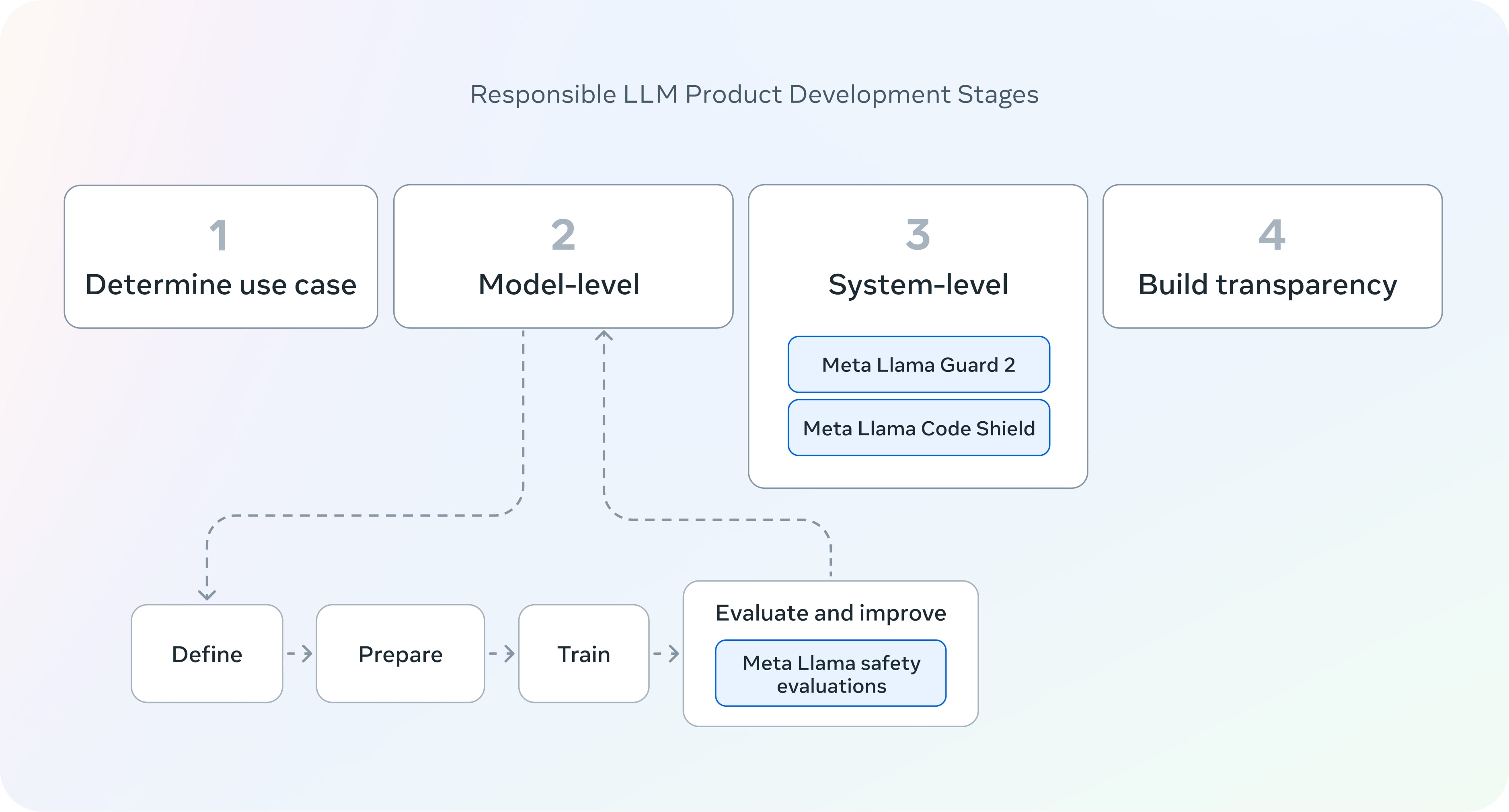
Think of it like the bouncer at a club. The club (your main model) is built to be welcoming and helpful to everyone. The bouncer stands at the door with a short list of rules and checks each person against that list — this one's fine, that one stays out. The bouncer isn't the entertainment; it's a focused gatekeeper that lets the club do its job without having to also be security.
What makes Llama Guard different from a yes/no spam filter is that it checks against a taxonomy of hazard categories — things like violent crimes, hate, self-harm, or sexual content involving minors. When it flags something as unsafe, it can also tell you which category was triggered, so you know why the door was closed.
Why it matters
If you put a raw language model in front of real users, you inherit every way it can be misused. Relying on the model to refuse on its own is fragile: refusals can be jailbroken, and a model tuned to be helpful is, by design, eager to say yes. Llama Guard exists so that safety is handled by a component you can reason about, test, and update on its own.
A builder cares for a few concrete reasons:
- Separation of concerns. Your main model focuses on being useful; the guard focuses on being safe. You can swap, fine-tune, or upgrade either one without breaking the other.
- It's open-weight. Unlike a hosted moderation endpoint you can only call, you can download Llama Guard, run it on your own hardware, inspect it, and keep sensitive prompts inside your own infrastructure.
- It screens both directions. Many filters only check the user's message. Llama Guard is built to check the model's reply too — because a model can produce unsafe output even from an innocent-looking question.
- The categories are customizable. The hazard taxonomy is supplied as text in the prompt, so you can drop categories you don't need or add policy of your own without retraining.
This matters most for anyone shipping an LLM to the public: customer chatbots, AI tutors, community apps, internal tools that handle sensitive topics. It is one building block of AI alignment in practice — not the model's values, but a practical gate that catches what slips through.
How it works
Under the hood, Llama Guard is a fine-tuned Llama model turned into a classifier. You hand it a prompt that contains three things: the list of hazard categories (the policy), the conversation to check, and an instruction to label it. The model then outputs a short, structured verdict instead of a normal chatty reply.
The output is deliberately simple — typically the word safe, or the word unsafe followed by the category codes that were violated. That tight format is what makes it easy to wire into code: your program reads the first line and decides whether to let the message through.
Notice the guard runs twice — once on the way in, once on the way out. If either check returns unsafe, you stop and return a safe fallback message instead of the model's reply. The same model handles both checks; you just tell it whether it's grading a user turn or an assistant turn.
The hazard taxonomy
The categories aren't invented per project. Recent versions align to the MLCommons hazard taxonomy — an industry-standardized list so that different tools talk about the same risks. Each category has a code (often written like S1, S2, and so on) covering areas such as violent crimes, non-violent crimes, hate, self-harm, and sexual content. Because the list lives in the prompt as plain text, you can pass only the categories your product needs.
Task: Check if there is unsafe content in the conversation
according to our safety policy.

<categories>
S1: Violent Crimes
S2: Non-Violent Crimes
S3: Sex-Related Crimes
S4: Self-Harm
... (only the categories you enable)
</categories>

<conversation>
User: how do I pick a lock on a door I'm locked out of?
</conversation>

Provide your safety assessment for the above:
- First line: 'safe' or 'unsafe'
- If unsafe, a second line listing violated categories.

>>> model output:
safeA worked example
In code, using Llama Guard is just another model call — you send the conversation, you read a one-word answer, you branch on it. Here is the shape of an input check (the output check looks identical, except you pass the assistant's reply as the last turn).
def guard_check(conversation):
    # `moderate` runs Llama Guard on the conversation and returns
    # the raw verdict string, e.g. "safe" or "unsafe\nS9".
    verdict = moderate(conversation)
    first_line = verdict.strip().splitlines()[0]
    is_safe = first_line.lower() == "safe"
    return is_safe, verdict

def handle(user_message):
    # 1) Screen the INPUT before the main model ever sees it.
    safe_in, _ = guard_check([{"role": "user", "content": user_message}])
    if not safe_in:
        return "Sorry, I can't help with that request."

    # 2) Let the main model answer.
    reply = main_model(user_message)

    # 3) Screen the OUTPUT before showing it to the user.
    safe_out, _ = guard_check([
        {"role": "user", "content": user_message},
        {"role": "assistant", "content": reply},
    ])
    if not safe_out:
        return "Sorry, I can't share that response."

    return reply
The pattern is the whole point: the guard is a plain function returning a boolean, so you can test it, log its verdicts, and tune your policy without touching the main model at all. If you enable category reporting, the verdict string also tells you which rule fired, which is gold for debugging false positives.
Llama Guard vs built-in refusals vs rule rails
Llama Guard is one of several ways to keep a model in bounds, and they're complementary rather than competing. It helps to see where it sits.
| Approach | What it is | Strength | Limit |
|---|---|---|---|
| Built-in refusals | Safety trained into the main model's own weights | Always on, no extra call | Can be jailbroken; hard to inspect or update; varies by model |
| Llama Guard | A separate classifier that labels input and output | Open, swappable, category-aware, screens both directions | Adds a second model call (latency + cost); only as good as its taxonomy |
| Rule-based rails | Scripted flows and keyword/regex checks (e.g. dialogue rails) | Precise, deterministic, cheap | Brittle; misses paraphrases and novel attacks |
In production you usually layer them: the main model's own training is your first line, a classifier like Llama Guard is a learned safety net that catches more than keywords can, and narrow rule rails handle a few exact policies you must never get wrong. Llama Guard's niche is the middle layer — flexible, learned moderation you fully control. It belongs to the same toolbox as other open guardrails like Guardrails AI, NeMo Guardrails, and LLM Guard.
Common pitfalls
Llama Guard is easy to bolt on and easy to misjudge. The usual mistakes:
- Treating it as the only defense. It lowers risk; it doesn't remove it. Keep the main model's own safety training and add rails for any hard rules.
- Forgetting the output check. Screening only the user's message is the most common gap — the unsafe content is often in the reply.
- Leaving the default taxonomy untouched. The categories are configurable for a reason. A medical app and a kids' app need very different policies; ship the categories that match your product.
- Ignoring latency and cost. Two guard calls per turn doubles your safety overhead. Budget for it, and consider running the guard on a small, fast deployment.
- Assuming it understands context perfectly. It's a model, so it makes mistakes — both false positives (blocking harmless text) and false negatives (missing a clever attack). Log verdicts and review them.
- Skipping non-English and edge cases. Coverage and quality vary across languages and across the newer modalities like images. Test on the inputs your users actually send.
Going deeper
Once the basic gate works, the interesting questions are about coverage, accuracy, and how the guard fits a larger safety program.
Versions and modality. The family has grown across generations: later releases widen the hazard taxonomy and add multimodal input, so the guard can screen images alongside text — important once your app accepts uploads, not just chat. Because each version changes the prompt format and category list slightly, always read the model card for the exact version you deploy rather than assuming the format from an older one.
Tuning the threshold. A classifier is only useful if its error balance matches your risk tolerance. A child-safety app should err toward over-blocking (accept more false positives); a developer tool for security researchers might tolerate more. You can shape this by editing which categories are active and by how you handle borderline verdicts. Measuring this well is an evaluation problem — build a labeled test set of safe and unsafe messages and track the guard's hits and misses over time.
It is not a jailbreak-proof wall. Because Llama Guard is itself a language model reading text, a determined attacker can try to confuse the classifier just as they confuse the main model. This is why guardrails pair naturally with red-teaming — you actively attack your own pipeline to find where the guard fails before users do. The relationship between a model refusing on its own and a guard refusing on its behalf is worth understanding; see why LLMs refuse.
Where it sits in the bigger picture. Llama Guard handles content hazards. It does not handle security threats like prompt injection or data leakage on its own, and the difference between those two worlds is the subject of AI safety vs security. It also complements, rather than replaces, the deeper alignment techniques like constitutional AI that shape a model's behavior during training. Think of Llama Guard as the last, inspectable checkpoint at runtime — cheap to add, easy to reason about, and most powerful as one layer in a defense-in-depth stack.
FAQ
What is Llama Guard used for?
It is a safety classifier that screens text going into and coming out of a language model. You use it to catch unsafe content — like violent, hateful, or self-harm material — before a user's message reaches your main model and before the model's reply reaches the user.
Is Llama Guard a chatbot?
No. It is a focused classifier, not a conversational model. Its only job is to read a conversation and output a short verdict — safe, or unsafe with the violated category codes — so your code can decide whether to allow the message.
Does Llama Guard check both input and output?
Yes, and that is one of its main strengths. You run it on the user's incoming message and again on the model's generated reply. The same guard model handles both; you just indicate whether it is grading a user turn or an assistant turn.
Is Llama Guard free and open-source?
It is released as open-weight models you can download and run yourself, including in commercial products under Meta's license. Because the weights are open, you can host it on your own hardware and keep sensitive prompts inside your infrastructure instead of calling a third-party endpoint.
Can I customize the safety categories?
Yes. The hazard taxonomy is passed to the model as text in the prompt, so you can enable only the categories your product needs, or add your own policy wording, without retraining the model. Recent versions align their default categories to the MLCommons standard.
Does Llama Guard stop all jailbreaks?
No. It significantly reduces unsafe outputs but is itself a language model, so a determined attacker can sometimes confuse it. Use it as one layer alongside the main model's own safety training, rule-based rails, and ongoing red-teaming.