In plain English
You start a fine-tuning run, the loss prints for half a second, and then the whole thing dies with CUDA out of memory. The model has, say, 7 billion parameters and your GPU has 24 GB of memory — so why doesn't it fit? The weights alone are only about 14 GB. Where did the other 10-plus gigabytes go?
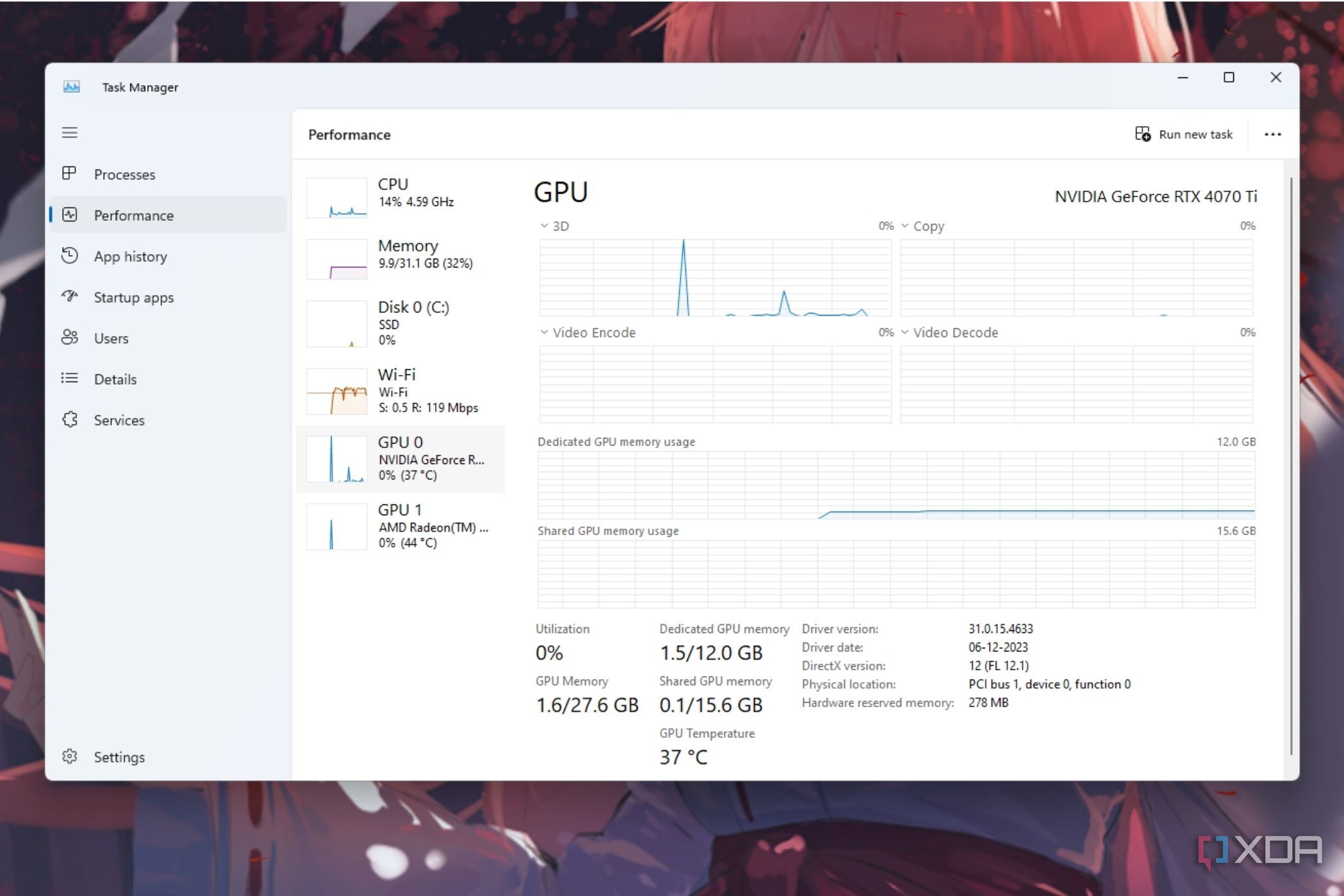
The trap is assuming training memory equals model size. It doesn't. Loading a model for inference (just running it) is cheap — you mostly pay for the weights. Loading it for training is expensive, because training has to remember a lot of extra bookkeeping for every single weight it plans to update.
Picture a chef following a recipe versus a chef rewriting the recipe while cooking. To just cook, you need the recipe card on the counter — that's the weights. But to improve the recipe, you also need: a notepad of what to change (gradients), a running diary of how each ingredient has trended over the last hundred attempts (optimizer state), and a memory of every intermediate dish you tasted along the way so you can trace what went wrong (activations). The recipe card is the small part. The notepad, the diary, and the row of tasting bowls are what flood the kitchen.
Why it matters
VRAM is the single hardest constraint in fine-tuning. It decides which models you can touch at all, how big a batch you can train, and how much the whole job costs. Almost every practical fine-tuning technique — LoRA, quantization, gradient checkpointing, gradient accumulation, offloading — exists for one reason: to shrink one of the four things eating your memory so the run fits on the hardware you actually have.
- It gates what you can even attempt. Full fine-tuning of a 7B model needs roughly 60–80 GB of VRAM with a standard optimizer — out of reach for a single consumer GPU. Knowing why tells you which lever to pull instead of giving up or renting a far bigger machine than you need.
- It drives cost. Bigger memory needs mean bigger GPUs and longer queues. If you can fit a job on one 24 GB card instead of an 80 GB one, you pay a fraction of the price — see the cost breakdown.
- The error message is unhelpful.
CUDA out of memorydoesn't say which consumer overflowed. Once you can name the four — parameters, gradients, optimizer states, activations — you can read the situation and pick the fix that targets the right one.
The good news: the four consumers respond to different levers. Activations shrink with gradient checkpointing or a smaller batch. Gradients and optimizer states shrink dramatically with LoRA. Weights shrink with quantization. Once you know which lever moves which number, fitting a run stops being trial-and-error.
Where the memory actually goes
During training, VRAM is split across four consumers. The first three scale with the number of trainable parameters; the fourth scales with batch size and sequence length. Understanding that split is the whole mental model.
1. Parameters (the weights)
The model itself. In half precision (FP16 or BF16, 2 bytes per number), a model needs about 2 × parameter_count bytes. A 7B model is roughly 14 GB just sitting there. This is the part everyone expects — and it's usually the smallest slice of a full training run.
2. Gradients
To learn, the model computes a gradient — "which way should this weight move?" — for every trainable weight. That's one more number per weight, so a full fine-tune adds roughly another 2 × parameter_count bytes. For a 7B model, another ~14 GB. We're already at ~28 GB and haven't started the expensive parts.
3. Optimizer states (the silent giant)
This is the slice that surprises people. The standard optimizer, Adam (and its common variant AdamW), doesn't just apply the gradient. For each weight it keeps a running average of recent gradients (momentum) and a running average of their squared size (variance). That's two extra numbers per weight, and they're traditionally stored in full 32-bit precision — 4 bytes each — for stability.
So Adam alone can cost 8 × parameter_count bytes (two states × 4 bytes). For a 7B model that's ~56 GB — more than the weights and gradients combined. This single fact is why full fine-tuning is so VRAM-hungry, and why the techniques later in this article focus so hard on reducing the number of weights the optimizer has to track.
4. Activations
When data flows forward through the network, each layer produces intermediate outputs — activations. The backward pass needs those values to compute gradients, so by default they're all kept in memory until used. Unlike the first three, activation memory doesn't depend on parameter count; it depends on batch size × sequence length × model width × number of layers. Double the batch, and activation memory roughly doubles. This is the consumer that spikes when you feed long sequences or large batches, and it's often the one that tips a borderline run into OOM.
- Parameters — ~2 bytes each (FP16)
- Gradients — ~2 bytes each
- Optimizer states — ~8 bytes each (Adam)
- Fix: train fewer weights (LoRA)
- Activations — grow with batch size
- ...and with sequence length
- ...and with model depth/width
- Fix: checkpointing, smaller batch
A worked estimate: will it fit?
Let's budget a 7-billion-parameter model and see why the same model fits or OOMs depending on how you train it. Numbers are approximate — real frameworks add overhead — but the ratios are what matter.
| Consumer | Full fine-tune (FP16 + Adam) | LoRA (fraction of weights trained) |
|---|---|---|
| Parameters | ~14 GB (all weights, FP16) | ~14 GB (frozen base, still loaded) |
| Gradients | ~14 GB (one per weight) | ~0.1 GB (only adapter weights) |
| Optimizer states | ~56 GB (Adam, 2 states × 4 bytes) | ~0.4 GB (only adapter weights) |
| Activations | depends on batch/seq | depends on batch/seq |
| Rough total (before activations) | ~84 GB | ~15 GB |
The base weights are the same in both columns. What collapses is everything that scales with trainable weights: gradients and optimizer states. By freezing the base model and training only a tiny set of adapter weights, LoRA makes those two consumers nearly vanish. That's the entire reason a 7B fine-tune that needs an 80 GB GPU full can drop onto a single 24 GB card with LoRA.
Now layer quantization on top. QLoRA loads the frozen base weights in 4-bit instead of 16-bit, cutting that ~14 GB of parameters down to ~4 GB while still training the small LoRA adapters. Suddenly the whole run fits comfortably where the full fine-tune couldn't even load. Same model, same data — three orders of magnitude difference in trainable-weight memory.
The levers: which trick shrinks which consumer
Here is the map that ties the whole topic together. Each VRAM-saving technique targets a specific consumer. Pick the lever that matches the consumer that's actually overflowing.
| Technique | Shrinks mainly | How it works | Main cost |
|---|---|---|---|
| LoRA / PEFT | Gradients + optimizer states | Freeze the base, train tiny adapter matrices, so only a fraction of weights get gradients and optimizer state | Slightly less expressive than full fine-tune |
| Quantization (e.g. QLoRA) | Parameters | Store frozen base weights in 4-bit instead of 16-bit | Small quality loss; some compute overhead |
| Gradient checkpointing | Activations | Discard most activations on the forward pass; recompute them during backprop | ~20–30% slower training (extra recompute) |
| Smaller batch + gradient accumulation | Activations | Use a tiny micro-batch, accumulate gradients over several steps before updating | More steps; slightly slower |
| 8-bit optimizer | Optimizer states | Store Adam's two states in 8-bit instead of 32-bit | Tiny precision loss |
| CPU/disk offloading | All of the above | Park states you aren't using right now in system RAM or on disk | Much slower (data shuttling) |
Gradient checkpointing, made concrete
Gradient checkpointing is the classic activation-memory fix, and it's worth understanding because it's a pure memory-for-compute trade. Normally you save every layer's activations on the forward pass so the backward pass can reuse them. With checkpointing, you save only a few "checkpoint" activations and throw away the rest. When the backward pass needs a discarded activation, it recomputes it from the nearest checkpoint. You pay extra compute (one partial re-forward) to avoid storing a mountain of activations.
In most frameworks it's a one-line switch. In Hugging Face transformers, for example, you enable it on the model or in the trainer arguments — and a borderline run that OOMs often fits immediately, at the cost of being a bit slower.
from transformers import TrainingArguments

args = TrainingArguments(
    # Activations: tiny micro-batch, but accumulate to a real effective batch
    per_device_train_batch_size=1,
    gradient_accumulation_steps=16,   # effective batch = 16

    # Activations: recompute instead of storing them
    gradient_checkpointing=True,

    # Optimizer states: store Adam's two states in 8-bit
    optim="adamw_bnb_8bit",

    # Weights + gradients: use BF16 instead of FP32
    bf16=True,
)
# Pair with a LoRA/QLoRA config to shrink gradients + optimizer states further.Going deeper
Once the four-consumer model clicks, a few sharper details separate a run that just fits from one that fits comfortably and trains fast.
Peak vs. steady-state memory. OOM happens at the peak, not the average. Memory usually peaks at the end of the forward pass (all activations live) or during the optimizer step. A run can look healthy for a while and still crash at the peak of a long sequence. Tools like nvidia-smi and PyTorch's torch.cuda.max_memory_allocated() report the peak — watch that number, not the resting one.
Fragmentation. PyTorch's CUDA allocator can leave VRAM fragmented, so you OOM even with "free" memory that's too scattered to use. Setting PYTORCH_CUDA_ALLOC_CONF=expandable_segments:True often reclaims a surprising amount on borderline runs — a free win before you change anything else.
Sequence length is a quadratic-ish lever. Standard attention's activation cost grows fast with sequence length. Halving your max sequence length (or packing short examples together so you waste fewer padding tokens) can free more activation memory than any other single change. Memory-efficient attention kernels like FlashAttention also cut the activation footprint of attention itself.
Offloading is the last resort, not the first. Offloading optimizer states or parameters to CPU RAM (e.g. DeepSpeed ZeRO stages, or QLoRA's paged optimizers) lets enormous models fit on small GPUs — but every shuttle across the PCIe bus is slow. Reach for the cheap levers first (checkpointing, accumulation, LoRA, quantization); offload only when the model genuinely can't fit otherwise.
Know when to stop optimizing and rent. Sometimes the right answer is to not fit it on your laptop at all. A hosted fine-tuning API handles the memory budget for you, and renting a single larger GPU for an hour can be cheaper than a week of fighting OOMs. Memory budgeting is a means to an end — getting a good model — not a sport. If LoRA + checkpointing + accumulation still won't fit, that's a signal to scale the hardware, not to keep squeezing.
The durable takeaway: training memory is four buckets — parameters, gradients, optimizer states, activations — and every famous trick is just a way to drain one of them. Name the bucket that's overflowing, pick the matching lever, and "it doesn't fit" turns into "here's exactly what to change."
FAQ
How much GPU memory do I need to fine-tune a 7B model?
For a full fine-tune with Adam in mixed precision, budget roughly 60–80 GB of VRAM (weights + gradients + optimizer states, plus activations). With LoRA it drops to around 15–20 GB, and with QLoRA (4-bit base weights) a 7B fine-tune can fit on a single 24 GB consumer GPU. The exact number depends on your batch size and sequence length, which drive activation memory.
Why does fine-tuning use so much more memory than just running the model?
Inference mostly pays for the weights. Training adds three more consumers: a gradient for every trainable weight, the optimizer's extra state (Adam keeps two values per weight), and activations saved for the backward pass. Those extras can easily total 4–5× the size of the weights alone.
What is gradient checkpointing and when should I use it?
It saves memory by discarding most activations during the forward pass and recomputing them during backprop, instead of storing them all. Use it when activations are your bottleneck — long sequences or large batches. It typically costs about 20–30% slower training, but it's often a one-line switch that turns an OOM into a working run.
How does LoRA reduce memory if it still loads the whole model?
LoRA freezes the base model, so the base weights still occupy VRAM — but they get no gradients and no optimizer state. You only train tiny adapter matrices, so the gradient and optimizer-state consumers (the two biggest in a full fine-tune, thanks to Adam) shrink to almost nothing. That's where the savings come from.
What's the difference between batch size and gradient accumulation for memory?
Batch size sets how many examples flow through at once, which directly drives activation memory. Gradient accumulation lets you use a tiny micro-batch but sum gradients over several steps before updating — so you get the training behavior of a large effective batch while only paying the activation memory of the small one. It's the standard way to train stably on a tight VRAM budget.
I still get CUDA out of memory with LoRA — why?
LoRA and quantization only shrink the parameter-scaled consumers (gradients, optimizer states, weights). They do nothing for activations, which scale with batch size and sequence length. If your OOM persists, lower the batch size, enable gradient checkpointing, or shorten the max sequence length.