In plain English
Before a RAG system can search your documents, it has to read them — and real documents are a mess. A PDF is not text; it is a bag of positioned glyphs, scanned pages, multi-column layouts, headers, footers, and tables drawn with lines. A Word file, an HTML page, and a PowerPoint each hide their content in a completely different format. Feed any of these to a naive text extractor and you get garbage: page numbers jammed into sentences, table cells flattened into nonsense, two columns interleaved line by line.
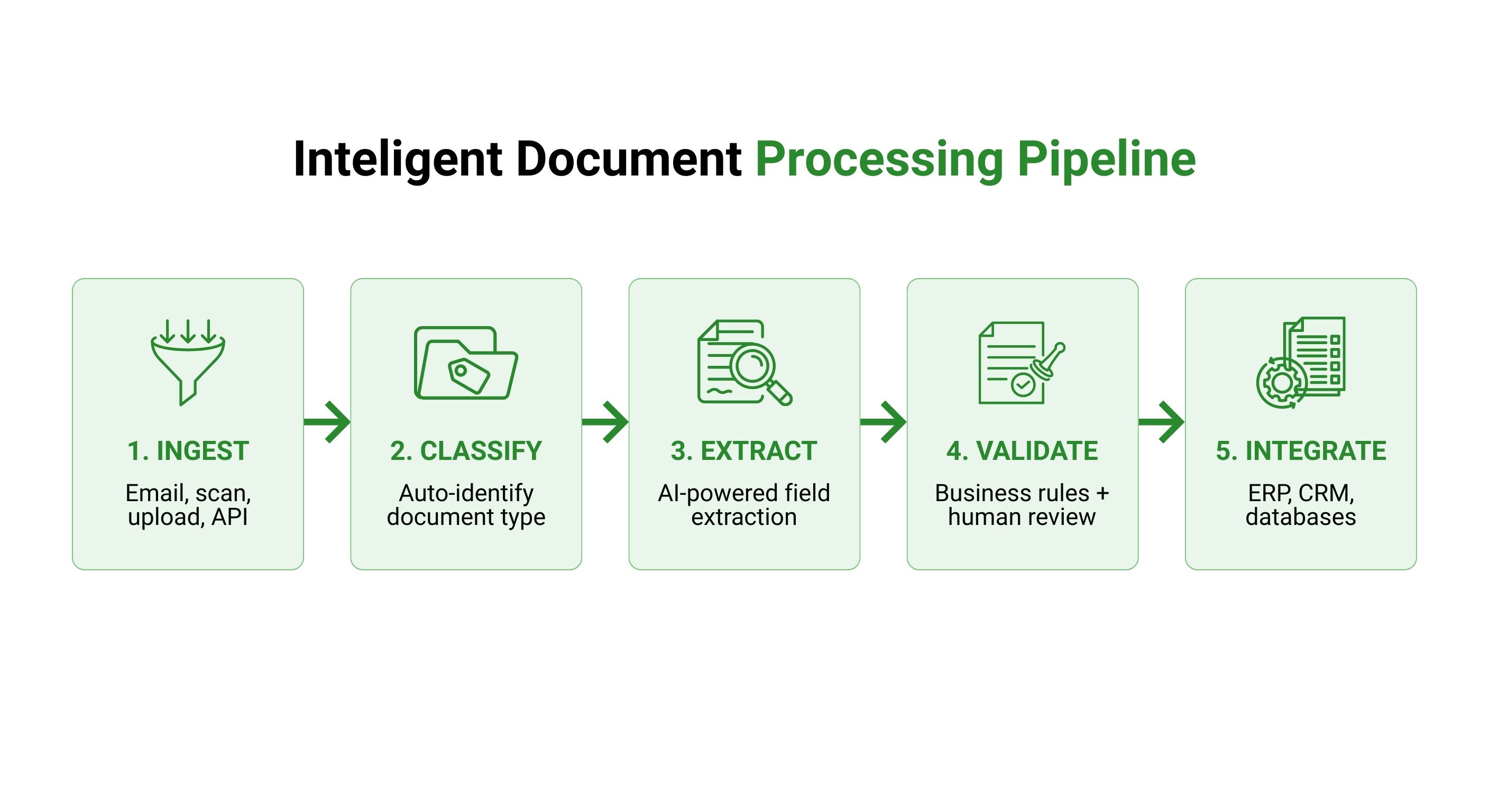
Unstructured is an open-source library that fixes the very first step. You hand it a messy file in almost any format, and it hands back a clean, normalized list of elements — a title here, a paragraph there, a list, a table, a piece of code — each labeled by type and carrying useful metadata (page number, source file, position). It turns documents into data you can actually work with.
Think of it like a mailroom clerk for a giant pile of incoming paperwork. The clerk does not write your report or answer your questions. They open every envelope no matter the shape, throw away the junk-mail inserts, sort the contents into clearly labeled trays — invoices here, letters there, tables in their own folder — and pass you a tidy stack. Everything downstream gets easier because someone already did the unglamorous sorting.
Why it matters
There is an unglamorous rule that every RAG team eventually learns the hard way: retrieval quality is capped by parsing quality. The fanciest embedding model and reranker in the world cannot rescue an answer if the source text was scrambled before it was ever chunked or embedded. Garbage in, garbage retrieved, garbage out.
Unstructured exists to make that first mile reliable, and it solves three concrete problems.
- Format sprawl. Your knowledge lives in PDFs, scanned contracts, HTML help pages, Word docs, slide decks, spreadsheets, and email. Writing and maintaining a separate parser for each is a tax that never ends. Unstructured gives you one function that handles them all.
- Layout destruction. Plain text extraction throws away structure. A two-column research paper gets read straight across, mixing the left and right columns into word salad. A table becomes a wall of numbers with no rows or columns. Unstructured preserves reading order and keeps tables, titles, and lists distinct.
- Noise. Real documents are full of things you do not want in your index — repeated page headers and footers, navigation menus, boilerplate, page numbers. Cleaning this out later is painful; partitioning it out at the source is far easier.
Who should care? Anyone whose RAG corpus is more than a folder of clean .txt files — which is almost everyone. If you are building over real-world PDFs, internal wikis, regulatory filings, or scanned documents, the difference between naive extraction and structured partitioning is the difference between a demo and a system people trust. The element-based output also flows straight into the next steps: chunking and embedding.
How it works
Unstructured's job sits at the front of the ingestion pipeline, between your raw files and the chunker. Its core verb is partition: read a document and break it into a list of typed elements. Everything else — cleaning, chunking, staging for a vector store — builds on that list.
The element mental model
Instead of returning one long blob of text, Unstructured returns an ordered list where each item is an element with a category and metadata. Common element types include Title, NarrativeText (a normal paragraph), ListItem, Table, Image, and Header/Footer. The metadata on each element typically records its source filename, page number, and where it sat on the page — context you can use later to filter, cite, or group.
This is the key idea: a document is not a string, it is a structured sequence of labeled blocks. Once content is shaped that way, every downstream decision gets smarter. You can drop every Header and Footer to kill boilerplate. You can keep a Title glued to the paragraphs beneath it when you chunk. You can route a Table through special handling instead of mangling it into prose.
Partition, then optionally chunk
Partitioning detects the file type and picks the right strategy. For a clean digital PDF it can read the embedded text directly; for a scanned page or an image it falls back to OCR (optical character recognition) to recognize the characters, and uses layout detection to find titles, columns, and table regions. The result is the same kind of element list regardless of how messy the input was.
Crucially, partitioning is not the same as chunking. Partitioning recovers the document's true structure; chunking then groups those elements into retrieval-sized passages. Unstructured offers smart chunking strategies (for example, chunk-by-title, which starts a fresh chunk at each section heading so a chunk maps to a coherent section) — but the clean elements are what make good chunking possible in the first place.
from unstructured.partition.auto import partition

# `partition` sniffs the file type and routes to the right parser:
# PDF, HTML, .docx, .pptx, images, email, and more.
elements = partition(filename="annual-report.pdf")

for el in elements[:5]:
    # Each element knows its category and carries metadata.
    print(type(el).__name__, "|", el.text[:60])

# Example output:
#   Title         | 2024 Annual Report
#   NarrativeText | This year we focused on three strategic priorities...
#   Title         | Financial Highlights
#   Table         | Revenue 2024 2023 Product 120 98 Services 64 51 ...
#   ListItem      | Expanded into two new regional markets
That is the whole shape of it: one partition call turns an arbitrary file into a clean, typed list. From there you clean, chunk, embed, and store — but the hard part, reading the document correctly, is already done.
From elements to a RAG-ready index
The element list is the bridge to the rest of your pipeline. A realistic flow filters out noise, chunks by structure, and stages the result for embedding.
from unstructured.partition.auto import partition
from unstructured.chunking.title import chunk_by_title

elements = partition(filename="handbook.pdf")

# 1) Drop boilerplate: page headers/footers add noise to every chunk.
body = [e for e in elements
        if type(e).__name__ not in ("Header", "Footer")]

# 2) Chunk by section so each chunk is one coherent topic.
chunks = chunk_by_title(body, max_characters=1000)

# 3) Each chunk is now clean text + metadata, ready for embedding.
for c in chunks:
    text = c.text                      # what you embed
    page = c.metadata.page_number      # what you cite later
    # embed(text) -> store(vector, text, page) in a vector database
Notice how much the structure buys you. Because headers and footers are labeled, removing them is a one-line filter rather than a brittle regex. Because chunking is title-aware, a chunk corresponds to a real section instead of an arbitrary character window that might slice a sentence — or a table — in half. And because every chunk keeps its page number, you can show a citation when the model answers, which is one of the biggest trust wins in any RAG product.
When to reach for it (and when not to)
Unstructured is a parser, not a magic wand. Knowing where it shines — and where a different tool fits better — saves a lot of frustration.
| Situation | Good fit? | Why |
|---|---|---|
| Mixed bag of PDF, HTML, .docx, slides | Strong fit | One interface for many formats is exactly its purpose |
| Boilerplate-heavy docs (headers, footers, nav) | Strong fit | Typed elements make noise easy to filter out |
| A folder of already-clean .txt or Markdown | Overkill | Little to recover; a simple read + split is enough |
| Very complex scanned PDFs, dense tables, charts | Partial | Solid, but a layout-specialist parser may read harder pages better |
| You need structured fields, not passages | Wrong tool | That is extraction/IDP, a different job from document ETL |
Unstructured is the default, general-purpose choice — the library you reach for first because it handles the long tail of formats. For the hardest documents, specialist parsers exist that focus on deep PDF and layout understanding, and you can mix tools: many teams use Unstructured broadly and route their gnarliest files elsewhere. The decision is not Unstructured versus the rest; it is which tool reads each kind of document best. See parsing PDFs for RAG for the deeper PDF discussion.
Going deeper
Once the basic partition → clean → chunk flow clicks, a few nuances separate a quick script from a robust ingestion pipeline.
Fast vs. high-resolution strategies. Partitioning a PDF is a speed-versus-accuracy trade. A fast strategy reads embedded text and is cheap, but it cannot help a scanned page and may miss complex layout. A high-resolution strategy runs layout detection and OCR to recover tables, reading order, and image regions — far more accurate on hard documents, but slower and heavier. Picking the right strategy per document type is one of the highest-leverage tuning knobs you have.
OCR and language coverage. For scanned or image-only files, output quality is bounded by the OCR step. Skewed scans, low resolution, handwriting, and non-Latin scripts all degrade results, and you usually have to install and configure an OCR engine with the right language packs. If recall on scanned docs is poor, suspect OCR before you blame your embeddings.
Garbage filtering before embedding. Beyond headers and footers, real corpora contain repeated cover pages, tables of contents, legal disclaimers, and empty or near-empty elements. Indexing them dilutes your vector store with noise. A short cleaning pass on the element list — dropping tiny fragments, deduplicating boilerplate, normalizing whitespace — pays for itself in retrieval precision. The broader discipline is covered in cleaning data before RAG.
Tables and code need bespoke handling. A flattened financial table or a mangled code block is worse than useless — it actively misleads retrieval. Keep tables as structured markup, and treat code with structure-aware chunking rather than character windows; see chunking code, tables, and Markdown.
The durable lesson mirrors the one from RAG itself: most of your answer quality is decided before the model ever runs. A clean, faithful element list is the foundation everything else stands on, so when retrieval disappoints, look at what your parser produced first — open the elements, read them, and fix the parse before you touch the prompt.
FAQ
What is Unstructured used for?
It is an open-source document ETL library that turns messy files — PDFs, HTML, Word, slides, images, email — into a clean, normalized list of typed elements (titles, paragraphs, tables, lists). In RAG, it is the preprocessing step that prepares documents for chunking and embedding.
What is the difference between partitioning and chunking?
Partitioning reads a document and recovers its true structure as labeled elements; chunking then groups those elements into retrieval-sized passages. Partitioning is about reading the document correctly; chunking is about splitting it sensibly. Good chunking depends on good partitioning first.
Does Unstructured do OCR?
Yes, for scanned pages and images it falls back to OCR (optical character recognition) plus layout detection to recover text, titles, and tables. The quality of OCR output depends on scan resolution, language, and the OCR engine you have configured, so it is often the limiting factor on image-only documents.
Is Unstructured free and open source?
There is a free, open-source Python library you run yourself, plus a separate hosted platform and API that adds connectors, scale, and managed infrastructure. The open-source library covers the core parsing concepts and is enough to build a full ingestion pipeline.
How does Unstructured improve RAG quality?
Retrieval quality is capped by parsing quality — if the source text is scrambled, no embedding model or reranker can fix the answer. By preserving reading order, keeping tables and titles intact, and labeling noise like headers and footers so you can drop it, Unstructured gives the chunker and embedder clean input to work with.
When should I use a different parser instead?
For a folder of already-clean text or Markdown, Unstructured is overkill — a simple read-and-split is enough. For the hardest scanned PDFs, dense tables, or charts, a layout-specialist parser may read those pages better, and many teams mix tools: Unstructured broadly, a specialist for the gnarliest files.