GitHub · 2026-06-23 · major
GitHub Copilot app gets BYOK — Anthropic, Ollama, and LM Studio supported
The GitHub Copilot desktop app now supports bring-your-own-key for Azure OpenAI, Anthropic, Microsoft Foundry, Foundry Local, LM Studio, Ollama, and any OpenAI-compatible endpoint, with keys stored in the OS keychain.
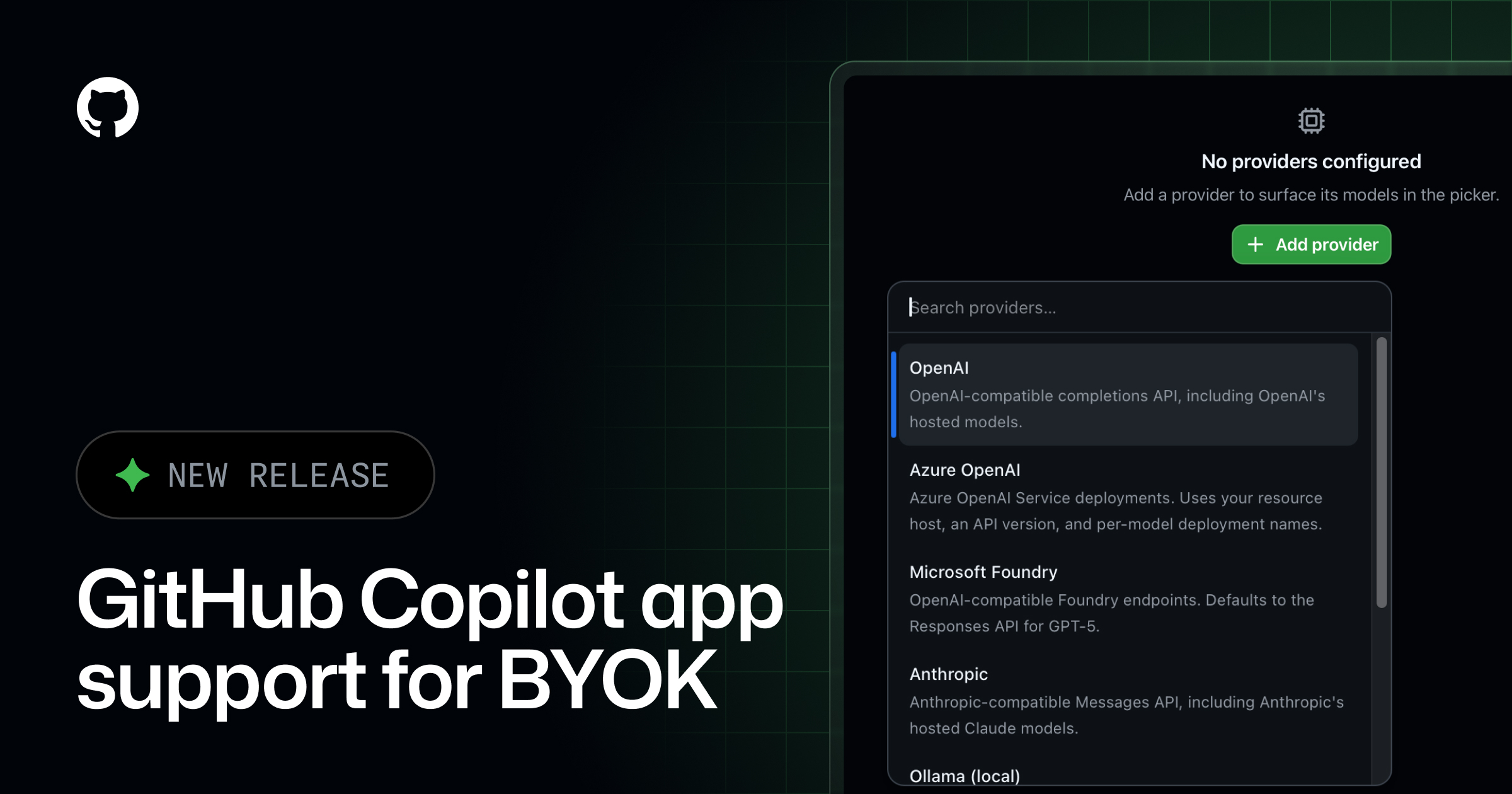
GitHub Copilot's desktop app now talks to Anthropic, Ollama, LM Studio, and any OpenAI-compatible endpoint with your own API key.
Quick facts
| Maker | GitHub |
|---|---|
| Surface | GitHub Copilot desktop app |
| Supported providers | OpenAI, Azure OpenAI, Microsoft Foundry, Anthropic, LM Studio, Ollama, Foundry Local, any OpenAI-compatible endpoint |
| Where keys live | System credential store (OS keychain), never shown in the UI |
| Use case | Mix frontier and local models; route inference through your own infrastructure |
What is it?
The GitHub Copilot app's new bring-your-own-key feature lets you connect Copilot to model providers you already pay for instead of routing everything through GitHub-hosted models. The supported list covers cloud (OpenAI, Azure OpenAI, Microsoft Foundry, Anthropic), enterprise gateways (any OpenAI-compatible HTTP endpoint), and fully local runners (LM Studio, Ollama, Foundry Local).
How does it work?
You paste an API key for a provider into the Copilot app's settings; it stores the secret in the operating-system credential store and never displays it in the UI. From then on Copilot routes its prompts to that provider's endpoint, so you can mix frontier and local models across tasks or send every request through your own infrastructure to satisfy enterprise security policies.
Why does it matter?
Copilot users who could not — for compliance or cost reasons — send code to the default GitHub model pool now have an official supported path, including running a fully local model on the same laptop. It also makes Anthropic Claude a first-class Copilot backend without a third-party proxy, after community projects like Headroom previously had to bridge the gap by hand.
Who is it for?
enterprises with key/provider restrictions, devs running local LLMs, and Anthropic API customers
Frequently asked questions
- Which model providers can you connect to the GitHub Copilot app via BYOK?
- GitHub Copilot app BYOK supports OpenAI, Azure OpenAI, Microsoft Foundry, Anthropic, LM Studio, Ollama, Foundry Local, and any OpenAI-compatible HTTP endpoint. That covers frontier cloud APIs, on-prem gateways, and fully local model runners from one configuration panel inside the desktop app.
- Where does GitHub Copilot store BYOK API keys?
- GitHub Copilot stores BYOK API keys in the operating system's credential store — the OS keychain on macOS, Credential Manager on Windows, and libsecret on Linux. The documentation states the keys are never displayed in the Copilot UI, so they stay scoped to the local user account.
- Can you use Anthropic Claude inside the GitHub Copilot app now?
- Yes. BYOK in the GitHub Copilot desktop app lets you add an Anthropic API key and route Copilot calls to Claude models directly, alongside or instead of the GitHub-hosted models. This is the first official path for using Claude as the Copilot app's inference provider.
- Does BYOK in the Copilot app work with local model runners?
- Yes. The Copilot app BYOK list includes LM Studio, Ollama, and Foundry Local, so you can point Copilot at a model running entirely on your laptop. Combined with the OpenAI-compatible option you can also wire up llama.cpp servers, vLLM, or any other endpoint that mimics OpenAI's API shape.
Try it
Install the Copilot app, then open Settings → Models → Add provider