GitHub · 2026-06-23 · major
GitHub Copilot CLI GA — tabbed terminal with MCP, skills, and plugins
GitHub Copilot CLI's new terminal UI is generally available, adding Session/Issues/PRs/Gists tabs, in-session /mcp, /skills, /plugin, and /settings commands, and theme-aware accessibility with screen-reader support.
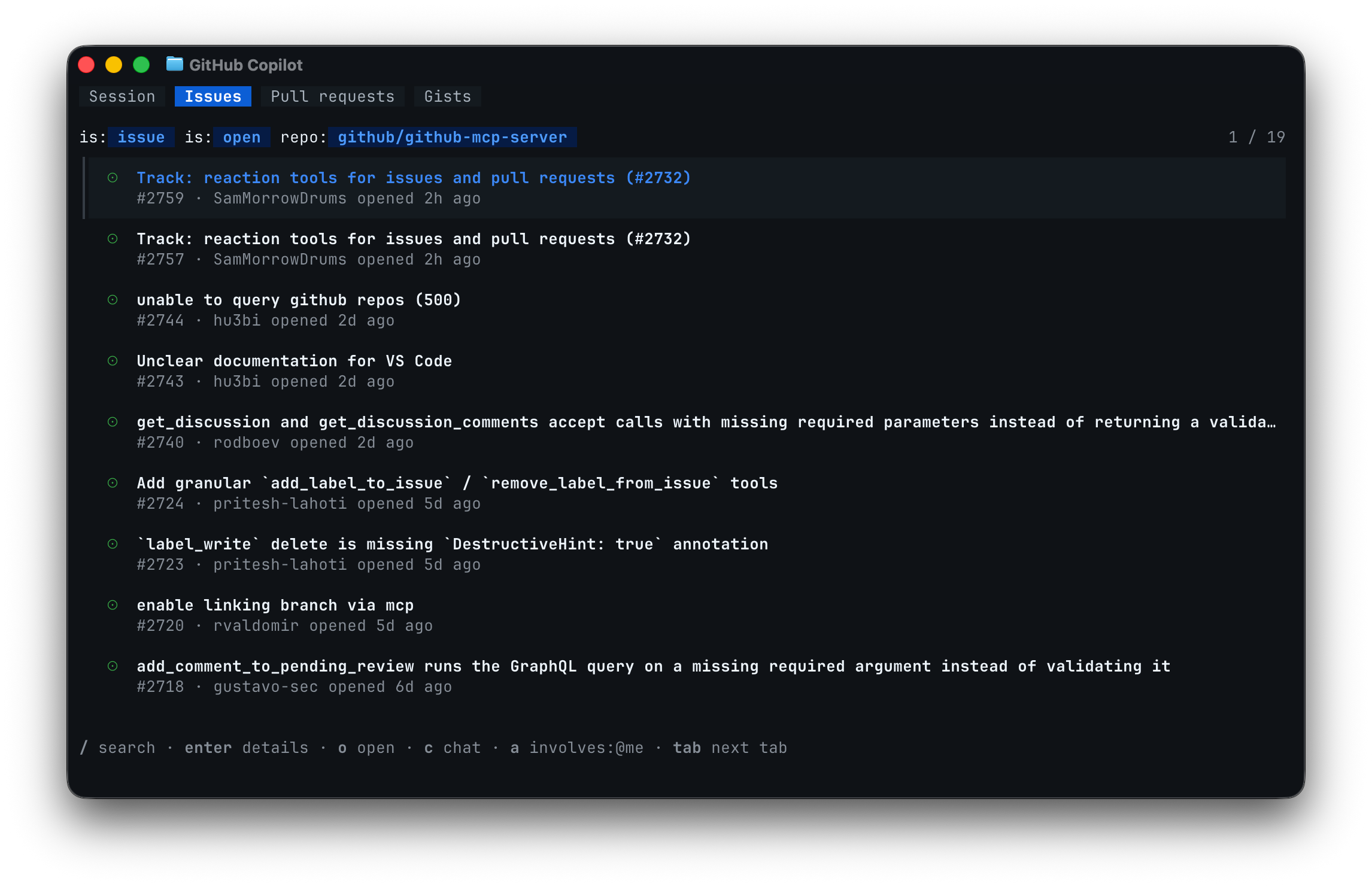
Copilot CLI's new tabbed terminal hits GA with Session, Issues, PRs, and Gists tabs plus in-session MCP, skills, and plugin commands.
Quick facts
| Maker | GitHub |
|---|---|
| Surface | Copilot CLI (terminal) |
| Status | Generally available |
| Tabs | Session, Issues, Pull requests, Gists |
| In-session commands | /mcp add, /skills, /plugin, /settings |
| Accessibility | Default, dim, high-contrast, colorblind themes plus auto screen-reader |
| Update | Run `copilot update` to install |
What is it?
GitHub Copilot CLI's redesigned interactive terminal — previewed at Microsoft Build 2026 — is now generally available. Inside any Git repository the session opens with four tabs: Session, Issues, Pull requests, and Gists, so you can browse GitHub work without leaving the terminal.
How does it work?
Slash commands inside the live session handle configuration: `/mcp add` wires up Model Context Protocol servers, `/skills` and `/plugin` install reusable tool packs, and `/settings` exposes preferences directly. The UI layers theme-aware colors on top of your terminal palette, with default, dim, high-contrast, and colorblind variants, and switches on screen-reader support automatically when one is detected.
Why does it matter?
Copilot CLI users no longer have to drop out of the terminal to triage issues or edit a config file to add an MCP server, so a session that used to mean two or three context switches now stays in one place. The new theme + screen-reader handling also makes Copilot CLI usable for developers with low-vision or color-vision needs without manual setup.
Who is it for?
GitHub Copilot CLI users who configure MCP servers, skills, or plugins from the terminal
Frequently asked questions
- How do I update GitHub Copilot CLI to the new GA terminal?
- Run `copilot update` in any shell to pull the new GA build of GitHub Copilot CLI. The new tabbed terminal then becomes the default interactive view, with Session, Issues, Pull requests, and Gists tabs visible at the top inside any Git repository session.
- Can you configure MCP servers and skills from inside the new Copilot CLI session?
- Yes. GitHub Copilot CLI's GA terminal adds `/mcp add`, `/skills`, `/plugin`, and `/settings` slash commands that walk you through wiring up Model Context Protocol servers, skills, plugins, and CLI settings without leaving the active session or editing config files by hand.
- What accessibility options does GitHub Copilot CLI GA add?
- GitHub Copilot CLI GA ships theme-aware colors with default, dim, high-contrast, and colorblind variants, plus automatic screen-reader support when one is detected. The themes follow your terminal palette so the new UI stays readable inside light, dark, or custom shells.
- What was previewed at Microsoft Build 2026 and is now GA?
- The redesigned interactive terminal interface for GitHub Copilot CLI — previewed at Microsoft Build 2026 — is the piece going generally available. It bundles the new tabs, in-session slash commands for MCP/skills/plugins/settings, and the accessibility themes into the default Copilot CLI experience.
Try it
copilot update