Overview
CCB, short for Claude Codex Bridge, is a terminal UI that runs several AI coding CLIs at once in named tmux panes and gives them a way to hand work to each other. Each pane is a real, fully interactive terminal running the agent's own CLI — Codex, Claude, Gemini, Kimi, Qwen, Cursor, Copilot, OpenCode and a dozen more — so nothing is proxied or re-implemented, and you can take a pane over and type into it whenever you want.
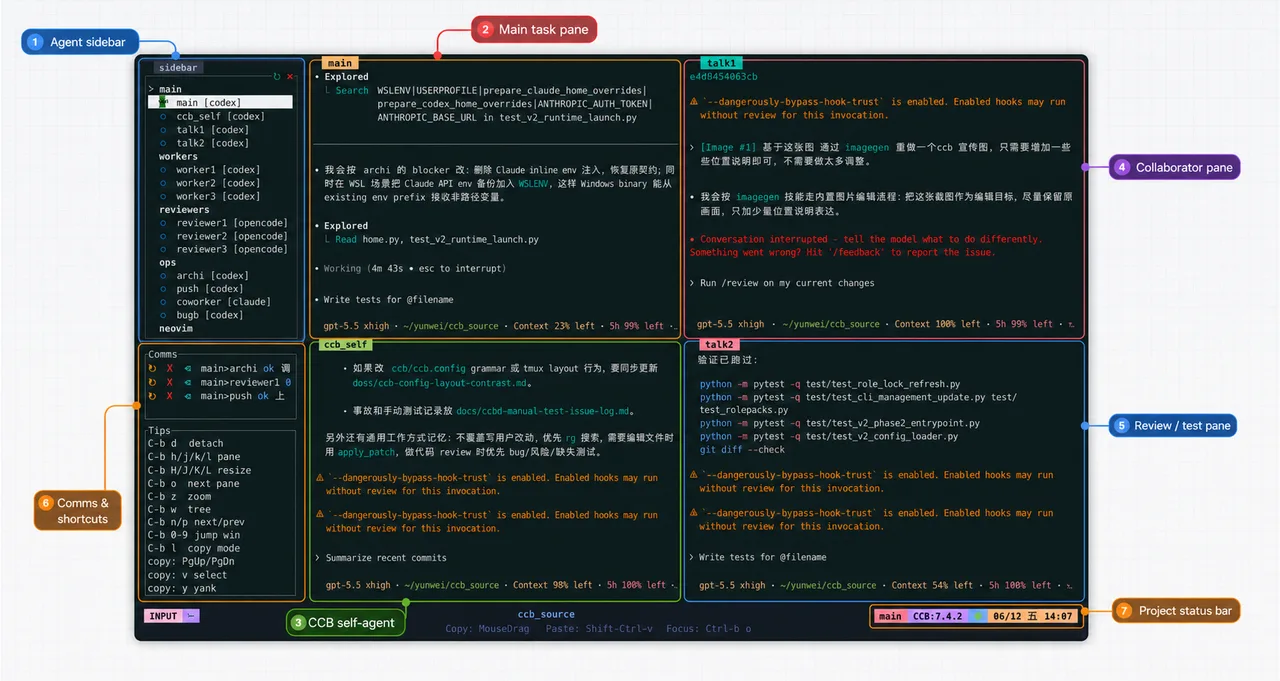
The coordination layer is what distinguishes it from a tmux config. Panes are declared as named roles in a `.ccb/ccb.config` file using a compact window syntax, and a `/ask` command routes a request from one role to another, which makes dependency chains (A→B→C), fan-out (A→B,C) and fan-in (A,B→C) expressible. A shared `.ccb/ccb_memory.md` file gives every role the same durable project notes, and built-in skills (`ask`, `ccb-clear`, `ccb-compact`, `ccb-diagnose`) are injected into each agent.
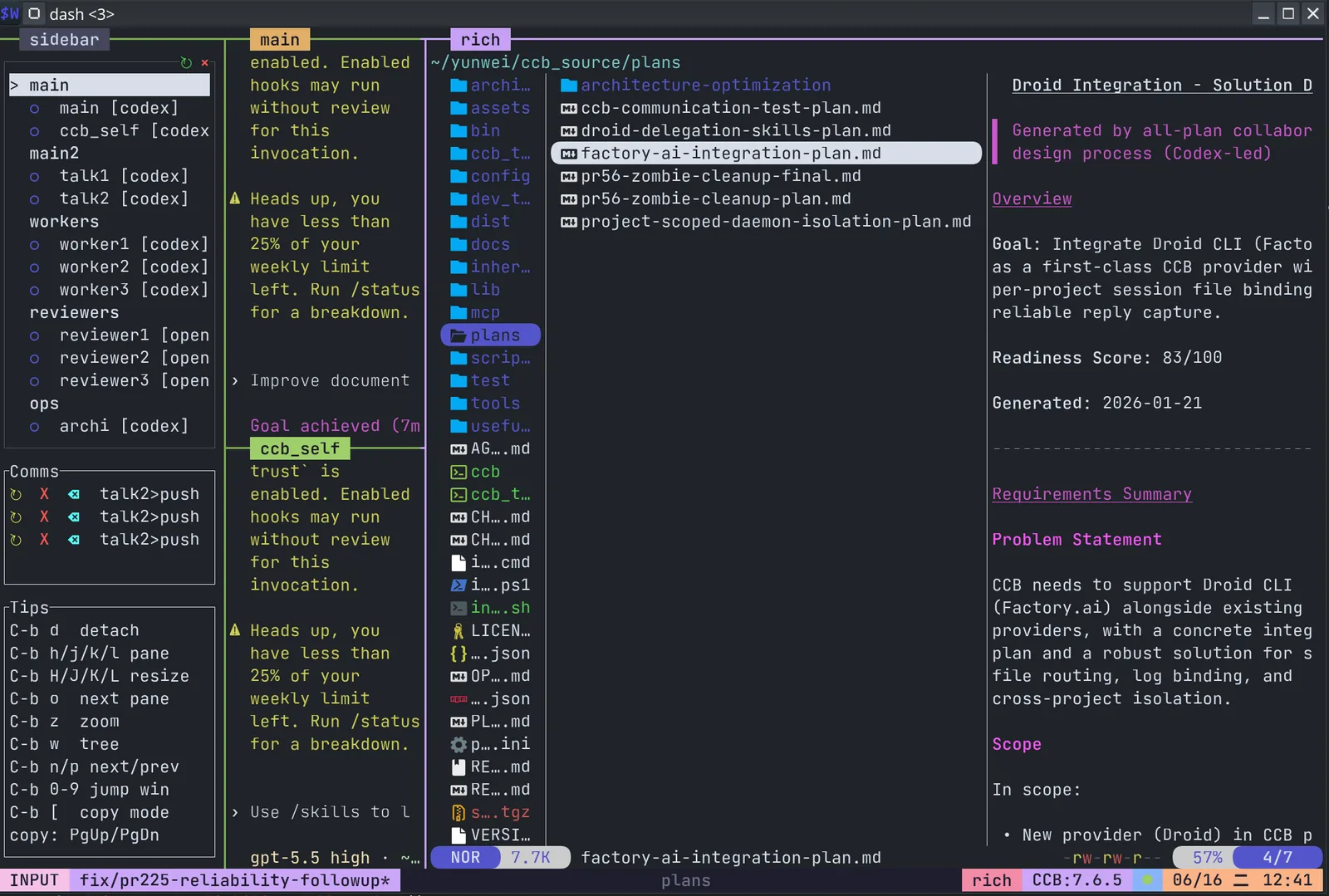
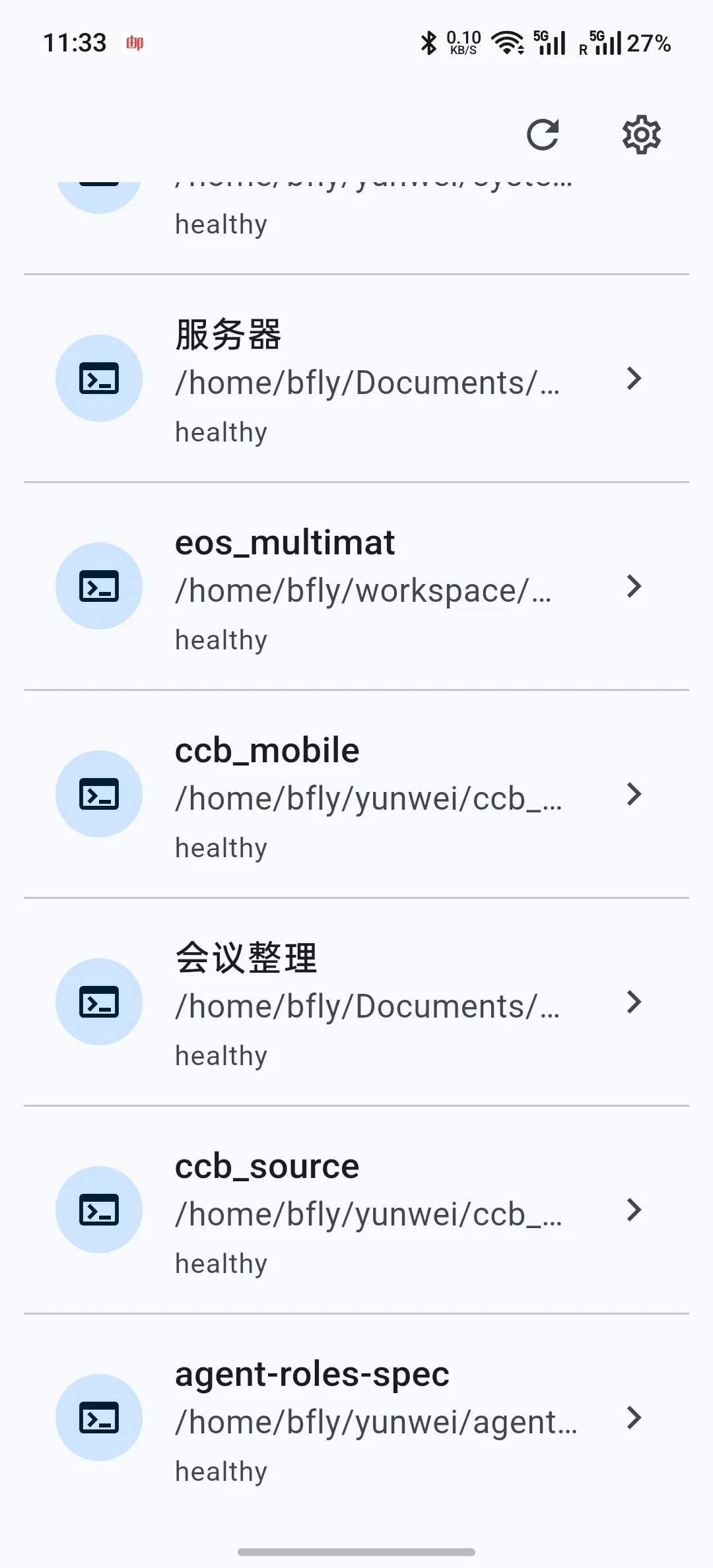
A background daemon, `ccbd`, holds the session state, so closing the UI does not stop the agents working. Two optional layers sit on top: a Rich mode built on WezTerm and Yazi that adds a file browser, document editing and media preview next to the agent panes, and an Android remote controller with voice input, file transfer and terminal access that reaches the daemon over LAN, Tailscale or an end-to-end encrypted relay. By default the daemon binds to loopback only.
What it does
- Runs 16+ coding CLI families concurrently in visible, fully interactive tmux panes you can take over at any time
- Named roles and a `/ask` command that express chained, parallel and fan-in collaboration between agents
- A background daemon (`ccbd`) that keeps project and session state alive when the UI is closed
- Shared project memory in `.ccb/ccb_memory.md`, plus per-project topology and provider settings in `.ccb/ccb.config`
- A visual config panel for windows, panes, providers, models, thinking levels and API overrides, with validate, dry-run and hot reload
- Rich mode (WezTerm + Yazi) for file browsing, editing and media preview, and an Android remote controller with voice input
Getting started
CCB installs as a global npm package and expects tmux plus whichever agent CLIs you want it to drive. A project is any directory containing a `.ccb` folder.
Install
A tarball and an install script are published as well, and there is a native Windows x64 build in beta.
npm install -g @seemseam/ccb@latestAnchor a project
Create the marker directory in the repository you want CCB to work on, then launch it there.
mkdir -p .ccb
ccb
Declare your panes
Windows are named; inside a window, `,` stacks panes and `;` splits them. Each pane is `role:provider`, optionally in its own git worktree.
[windows]
main = "main:codex"
work = "worker1:codex(worktree), worker2:claude(worktree)"
review = "reviewer:claude, qa:gemini"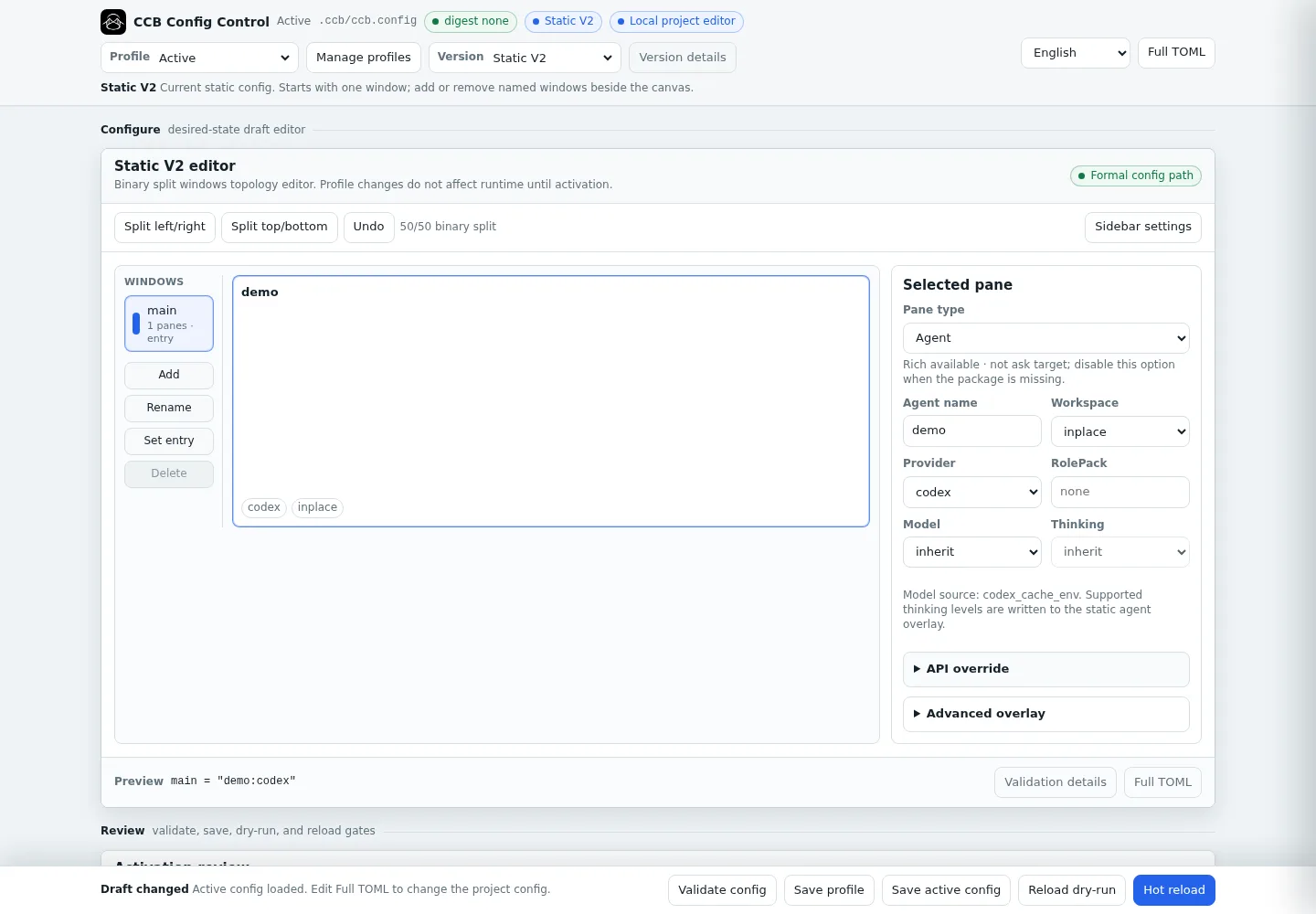
Edit and validate the topology
The config panel edits the same file and can dry-run a reload before applying it.
ccb config ui
ccb config validate
Route work between agents
From any pane, address another role by name; the reply comes back into your pane.
/ask reviewer review the latest parser changes and list blocking issues.Add Rich mode or the mobile controller
Both are optional installs on top of the base package.
ccb update rich
ccb update mobile
Commands and code are distilled from the project's own documentation — always check the official repo for the latest.
When to use it
- Having one model write and another review, without copying diffs between terminal windows by hand
- Comparing how two or three coding CLIs handle the same task, side by side on the same repository
- Running workers in separate git worktrees so parallel agents do not fight over the same checkout
- Checking on or steering a long-running agent session from a phone while the daemon keeps it alive
How CCB compares
CCB alongside other open-source coding-agent harnesses & runtimes tools AI/TLDR tracks, ranked by GitHub stars.
| Tool | Stars | What it does |
|---|---|---|
| CC Switch | ★ 134k | A cross-platform desktop app that manages provider configuration for eight coding-agent CLIs from one place, with a local failover proxy, MCP and skill management, and spend tracking. |
| Oh My OpenAgent | ★ 69.3k | Opinionated agent bundle for OpenCode and Codex CLI that ships preconfigured sub-agents, lifecycle hooks and built-in MCP servers behind a single ultrawork command. |
| herdr | ★ 40.2k | A single-binary terminal multiplexer built for coding agents: persistent sessions across local and SSH machines, per-pane working/blocked/idle status, and a socket API agents drive themselves. |
| oh-my-claudecode | ★ 39.3k | A plugin and CLI that adds multi-agent orchestration to Claude Code: staged autopilot workflows, parallel tmux workers, and advisors that route a second opinion to Codex, Gemini, Grok or Cursor. |
| AionUi | ★ 33k | An open-source desktop workspace that pairs a built-in agent engine with dozens of external CLI agents, adding scheduled runs, MCP tools and remote access from a WebUI or chat apps. |
| cmux | ★ 27.3k | A Ghostty-based macOS terminal built around coding agents: vertical tabs that show git branch, PR status and ports, attention notifications when an agent needs you, and a scriptable built-in browser. |
| cc-connect | ★ 15.6k | A Go daemon that bridges local coding agents — Claude Code, Codex, Cursor Agent, Gemini CLI, OpenCode, Kimi CLI and more — to Feishu, DingTalk, Slack, Telegram, Discord, LINE and WeCom, so you drive them from chat. |
| CCB | ★ 3.5k | A tmux workspace that runs several coding CLIs side by side and lets them talk |