Overview
Maestro is a cross-platform desktop app for orchestrating a fleet of AI coding agents and projects at once. It supports Claude Code, OpenAI Codex, OpenCode, Factory Droid and Copilot CLI (beta), and it is a pass-through to whichever provider you already use: the MCP tools, skills, permissions and authentication configured in those agents work identically inside Maestro. The difference is that Maestro drives them non-interactively — each task gets a prompt and returns a response, in a new session or resuming a prior one.
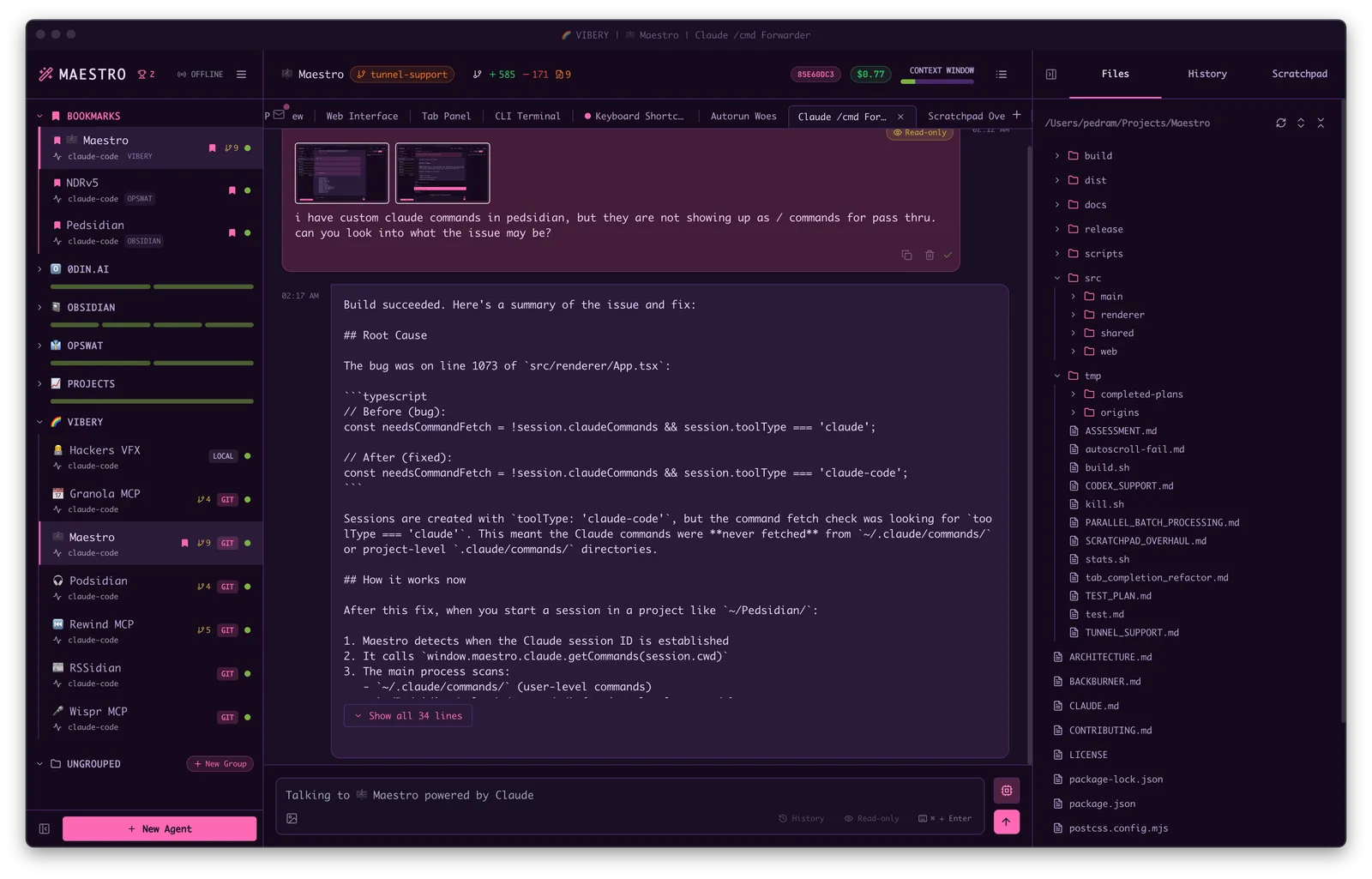
The workflow it is built around is spec-then-execute. You collaborate with an agent to write a detailed specification document, then Auto Run works through it automatically, giving each task a fresh session with clean context so long unattended runs do not drift. Playbooks make that repeatable: file-system-based markdown checklists batch-processed through agents, runnable in loops with full history. Git worktrees keep parallel work from colliding — sub-agents are created from the git branch menu and each operates in its own directory, so you can work interactively in the main repo while they run, then open PRs from the UI.
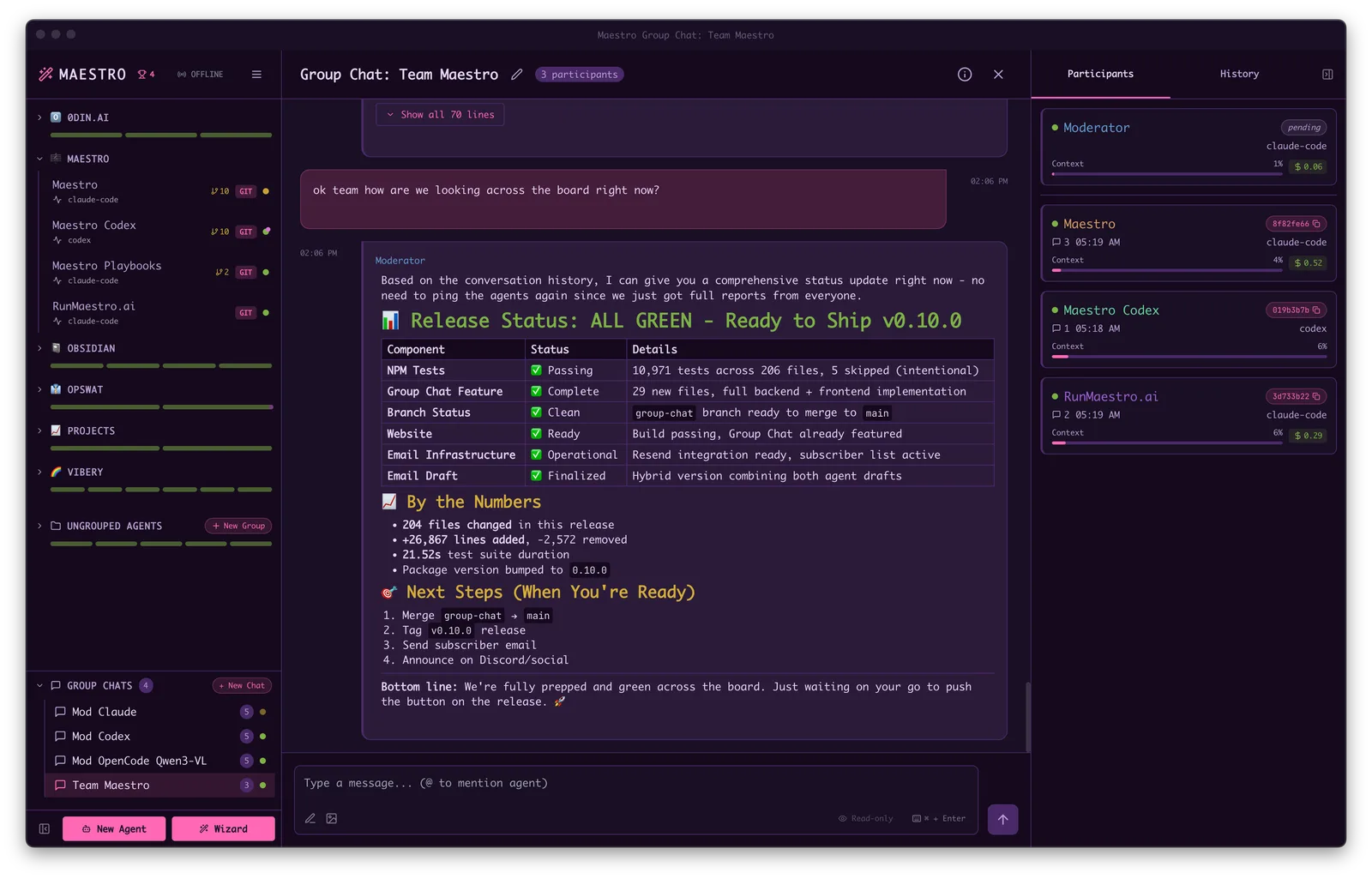
The rest is the scaffolding that makes a fleet manageable. Every agent has both an AI terminal and a command terminal, switched with one shortcut. Group Chat puts several agents in one conversation with a moderator agent routing questions and synthesising answers. A built-in web server with QR-code access (and optional Cloudflare tunnelling) turns a phone into a remote control, while maestro-cli covers headless operation from cron or CI. Agent resilience retries a turn that dies on a 529 or a spent quota, backing off for a blip or waiting out the real reset window, so Auto Run batches resume themselves. Maestro is AGPL-3.0 licensed.
What it does
- Runs Claude Code, OpenAI Codex, OpenCode, Factory Droid and Copilot CLI (beta) side by side, as a pass-through to your own provider config
- Git worktree sub-agents — parallel agents on isolated branches in their own directories, with one-click PR creation
- Auto Run and Playbooks: markdown task checklists batch-processed through agents, each task in a fresh session, runnable in loops
- Group Chat, where a moderator agent routes questions across several agents and synthesises their answers
- Mobile remote control through a built-in web server with QR access, plus Cloudflare tunnelling for access from outside the LAN
- maestro-cli for headless use — list agents and groups, run playbooks from cron or CI, with human-readable or JSONL output
- Agent resilience: automatic retry and backoff on 529 Overloaded or exhausted plan quota, with optional failover to a backup endpoint
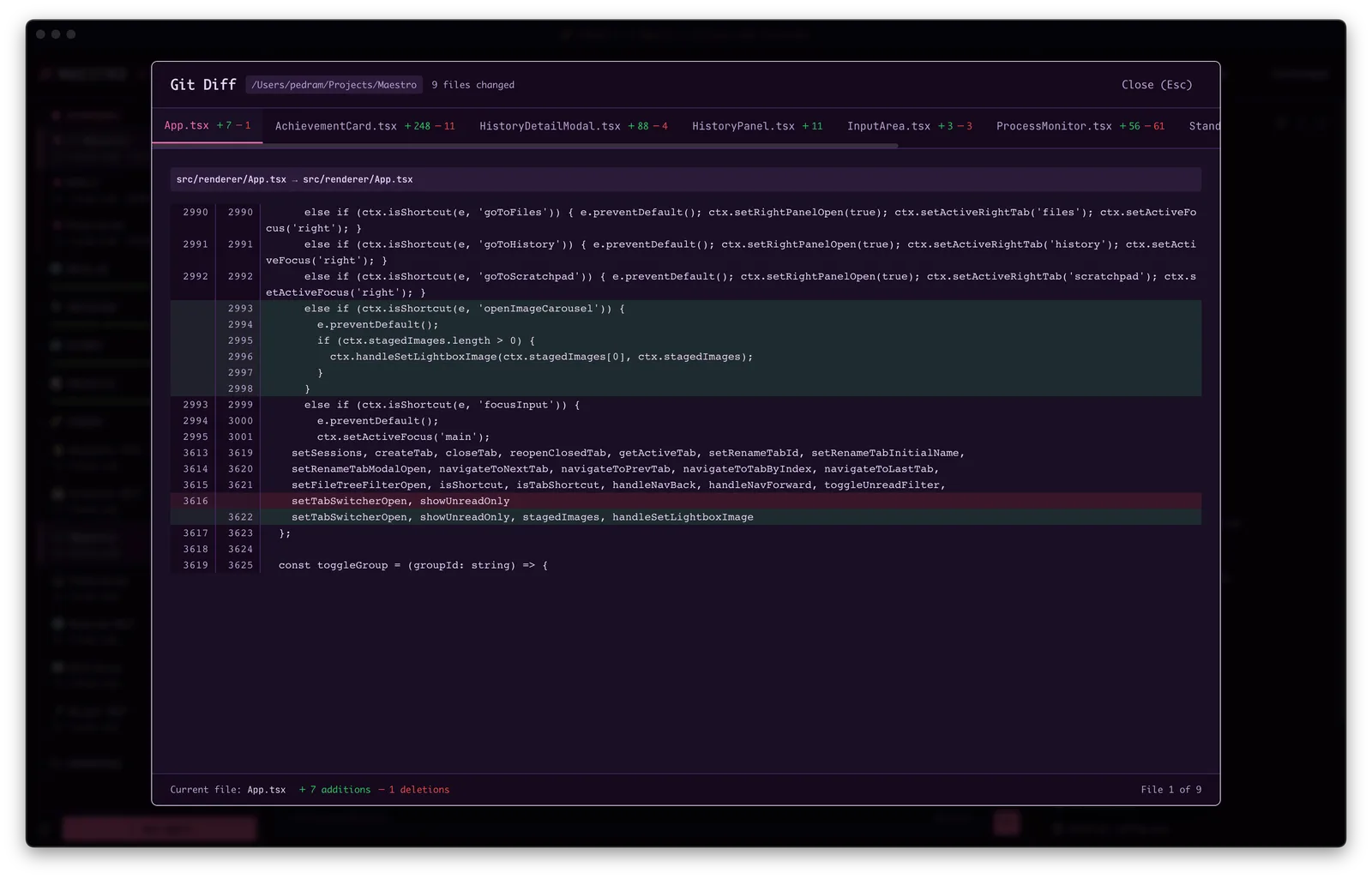
- Session discovery that imports existing conversations from every supported provider, plus git diffs, a file explorer, Parquet preview, a usage dashboard and cost tracking
Getting started
Maestro is a desktop app. Grab a packaged release, or build from source if you want to track the repo.

Install at least one coding agent first
Maestro drives agents you already have installed and authenticated — Claude Code, OpenAI Codex, OpenCode, Factory Droid or Copilot CLI. Git is optional but unlocks the worktree and diff features. Then download a packaged build for your platform from the repository's Releases page.
Or build from source
A standard clone-install-run; the dev server launches the Electron app.
git clone https://github.com/RunMaestro/Maestro.git
cd Maestro
npm install
npm run dev
Learn the four shortcuts that matter
Maestro is keyboard-first. Quick Actions opens everything else, and Cmd+J flips an agent between its AI conversation and its shell.
Cmd+K / Ctrl+K   Quick Actions
Cmd+N / Ctrl+N   New agent
Cmd+J / Ctrl+J   Switch AI / terminal
Cmd+/ / Ctrl+/   All shortcuts
Run headlessly
The bundled maestro-cli lists agents and groups and runs playbooks without the UI, which is what you want from a cron job or a CI step. Output is human-readable or JSONL for scripting; see the CLI page in the docs for the command reference.
Commands and code are distilled from the project's own documentation — always check the official repo for the latest.
When to use it
- Keep several repos or features moving at once instead of babysitting one agent session at a time
- Turn a written spec into an unattended Auto Run batch, with each task starting from clean context
- Run agents on isolated git worktrees so parallel work never fights over the same working tree
- Kick off or check on a long agent run from your phone, or schedule a playbook from cron

How Maestro compares
Maestro alongside other open-source coding-agent harnesses & runtimes tools AI/TLDR tracks, ranked by GitHub stars.
| Tool | Stars | What it does |
|---|---|---|
| CC Switch | ★ 134k | A cross-platform desktop app that manages provider configuration for eight coding-agent CLIs from one place, with a local failover proxy, MCP and skill management, and spend tracking. |
| Oh My OpenAgent | ★ 69.3k | Opinionated agent bundle for OpenCode and Codex CLI that ships preconfigured sub-agents, lifecycle hooks and built-in MCP servers behind a single ultrawork command. |
| herdr | ★ 40.2k | A single-binary terminal multiplexer built for coding agents: persistent sessions across local and SSH machines, per-pane working/blocked/idle status, and a socket API agents drive themselves. |
| oh-my-claudecode | ★ 39.3k | A plugin and CLI that adds multi-agent orchestration to Claude Code: staged autopilot workflows, parallel tmux workers, and advisors that route a second opinion to Codex, Gemini, Grok or Cursor. |
| AionUi | ★ 33k | An open-source desktop workspace that pairs a built-in agent engine with dozens of external CLI agents, adding scheduled runs, MCP tools and remote access from a WebUI or chat apps. |
| cmux | ★ 27.3k | A Ghostty-based macOS terminal built around coding agents: vertical tabs that show git branch, PR status and ports, attention notifications when an agent needs you, and a scriptable built-in browser. |
| cc-connect | ★ 15.6k | A Go daemon that bridges local coding agents — Claude Code, Codex, Cursor Agent, Gemini CLI, OpenCode, Kimi CLI and more — to Feishu, DingTalk, Slack, Telegram, Discord, LINE and WeCom, so you drive them from chat. |
| Maestro | ★ 3.4k | A keyboard-first desktop command centre for running a fleet of coding agents in parallel — Claude Code, Codex, OpenCode, Factory Droid and Copilot CLI in one window |