Overview
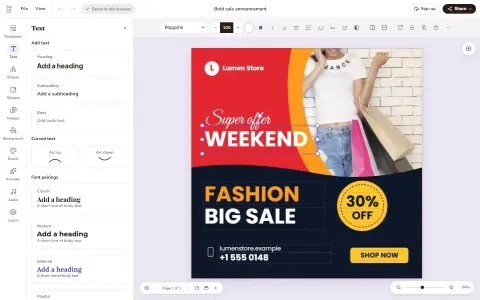
Doory is a design editor that runs in the browser, built as an open-source alternative to Canva. You start from a template or a blank page and make posters, social posts, stories, slides, invitations, resumes, thumbnails and business cards, then export them as PNG, JPG, SVG, PDF, MP4, WebM or GIF. There is no paid plan, guests can start without an account (their work is saved in the browser), and the whole thing can run on your own server with Docker or without it.
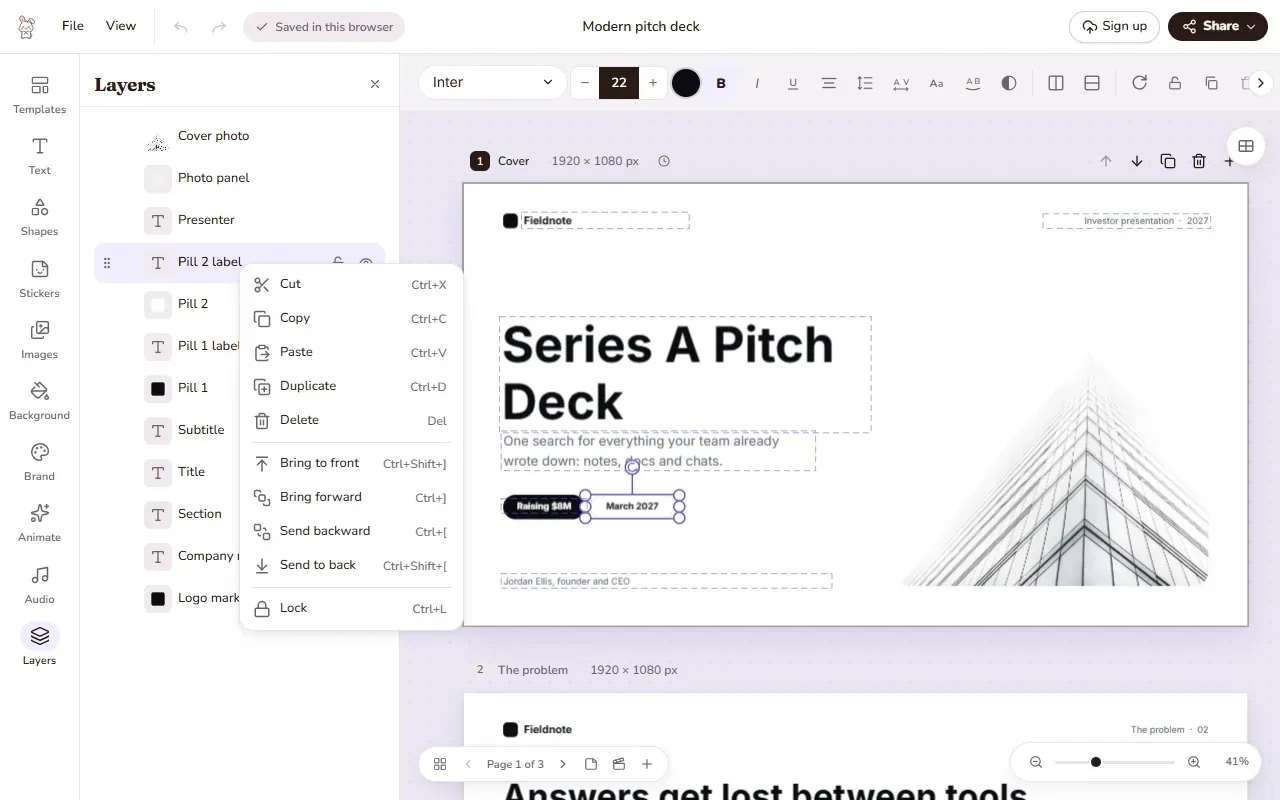
The editor covers the usual design-tool ground: text with curved text, effects and font pairings; shapes, lines, about 27,500 icons, stickers and QR codes; photo cropping, masks, filters, in-browser background removal and 2× to 4× upscaling; layers, groups, snapping, rulers and several pages per design. Designs can be animated with enter, exit and emphasis animations, page transitions, music loops and sound effects, presented with speaker notes, and edited together in real time through share links that view, comment or edit, with pinned comments and version history. Brand kits hold a team's colours, fonts and logos.
What puts it in an AI catalogue is its Model Context Protocol server. A self-hosted Doory can expose an MCP endpoint at `/mcp` so Claude, Cursor and other MCP clients can list, create and edit a user's designs, add text, shapes, pictures and pages, search templates, fonts and stock photos, fill templates by field key (`fill_design`, `bulk_fill`), and export pages as images, PDFs or videos. Access goes through per-user tokens with chosen permissions, share-link changes are marked destructive so clients ask first, comment text reaches the assistant labelled as untrusted, and every edit is saved in the design's version history so it can be undone. The same template filling is available over a REST API.
Doory is written in TypeScript (React 19, Vite, Fabric.js, Yjs and Zustand) with a Python backend (Django 5, Django REST Framework, Channels and PostgreSQL). It is released under the Attribution Assurance License: you may use, change and redistribute it, including commercially, as long as the licence and NOTICE stay with it and the author's credit is shown in the running app. The README describes it as a young project whose editor is complete while the template library is small, with ten starter templates.
What it does
- Browser editor for posters, social posts, stories, slides, invitations, resumes, thumbnails and business cards, with exports to PNG, JPG, SVG, PDF, MP4, WebM and GIF
- Photo tools including masks, filters, in-browser background removal and 2× to 4× upscaling, plus about 27,500 icons and an open-licensed font catalogue
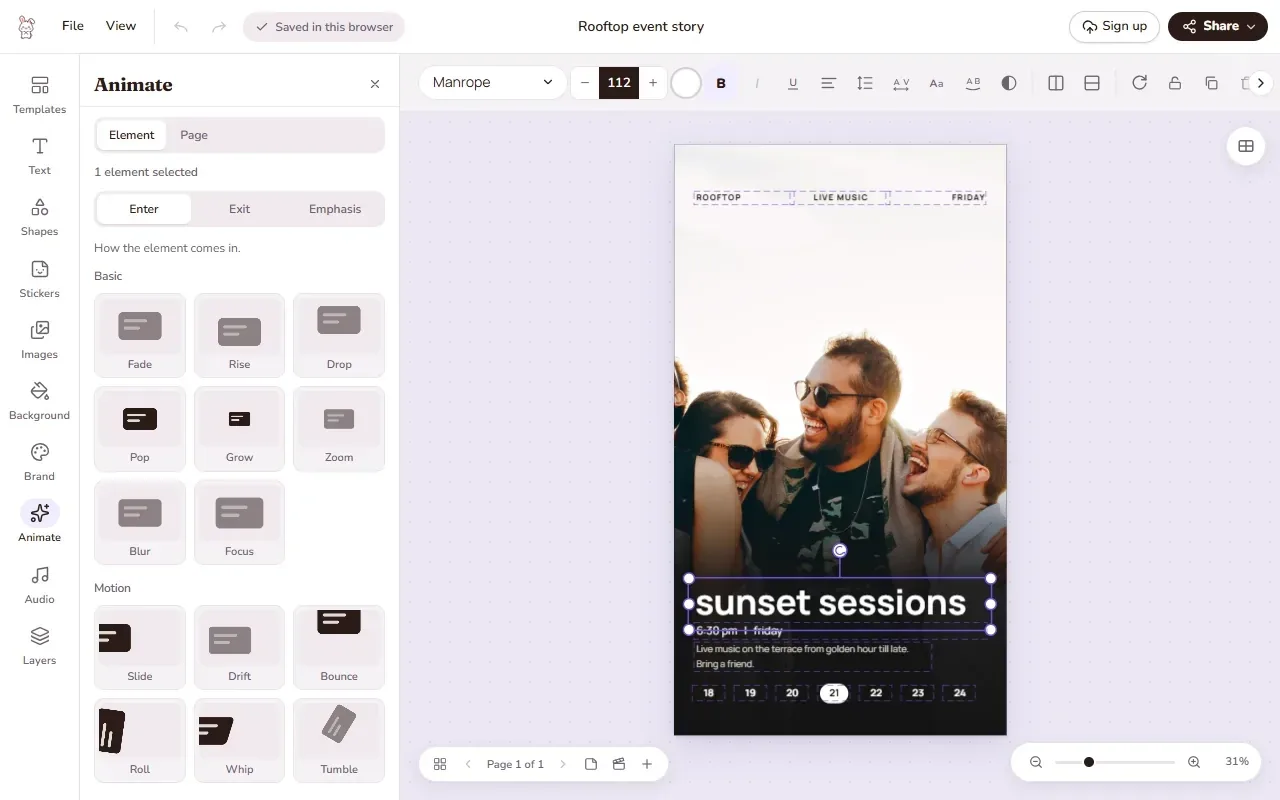
- Animations, page transitions, music and sound effects, and a present mode with speaker notes and a second presenter window
- Real-time co-editing, share links that view, comment or edit, pinned comments, version history and brand kits
- Optional MCP server at /mcp: assistants create, edit, fill and export designs with scoped, expiring per-user tokens
- Template filling by field key over MCP or REST (POST /api/v1/designs/{id}/fill/ and /bulk-fill/), one new design per row
Getting started
Self-host Doory with Docker Compose, then turn on the MCP server and connect an assistant. The commands below are from the project's README and its MCP guide (docs/self-hosting/mcp.md); installing without Docker (nginx and systemd) is documented in the repo.
Start it with Docker Compose
Copy the example environment file and set `DJANGO_SECRET_KEY` (for example from `openssl rand -base64 48`) and `POSTGRES_PASSWORD`, then build and start the stack and create your admin account. Nothing creates one for you.
git clone https://github.com/shaongitbd/doory
cd doory
cp .env.example .env     # set DJANGO_SECRET_KEY and POSTGRES_PASSWORD
docker compose up -d --build
docker compose exec api python manage.py createsuperuser
Open the editor and add starter content
Open http://localhost:8080 and start designing. A new site starts empty, so add the starter content (templates, fonts, icons, audio) described in `docs/self-hosting/content.md`. Pre-built images for linux/amd64 and linux/arm64 are also published on ghcr.io if you prefer not to build.
Turn on the MCP server
The MCP server is off by default. Add both lines to `.env` and run `docker compose up -d` again; this starts the `mcp` service. `docker compose ps mcp` should then show it as healthy. Exporting designs through MCP also needs server-side export.
MCP_ENABLED=true
COMPOSE_PROFILES=mcp
Connect an assistant
In Doory open Settings → AI assistants (MCP), create a token, choose what it may do and when it expires, and copy it (it is shown once). Add the server to your MCP client with your domain's `/mcp` URL and the token as a bearer header. Then ask for something like "make a 1080 x 1350 poster for our summer sale with the brand colours".
{"type": "http", "url": "https://your-domain/mcp", "headers": {"Authorization": "Bearer doory_…"}}Commands and code are distilled from the project's own documentation — always check the official repo for the latest.
When to use it
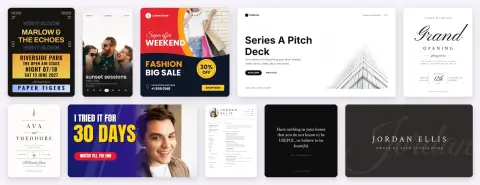
- Reach for it when a team wants a free, self-hosted Canva-style editor for social posts, posters and slide decks, with its designs stored on its own server
- Reach for it to let Claude or Cursor build and edit real, hand-editable designs over MCP instead of generating flat images
- Reach for it to produce many variants of one template, one per row of data, from an assistant (bulk_fill) or the REST bulk-fill endpoint
- Reach for it to turn a design into an animated video or GIF with transitions, music and sound effects
How Doory compares
Doory alongside other open-source office documents & spreadsheets tools AI/TLDR tracks, ranked by GitHub stars.
| Tool | Stars | What it does |
|---|---|---|
| Next AI Draw.io | ★ 36.4k | An open-source web app, desktop app and MCP server that draws and edits real draw.io diagrams from chat, with every AI change saved as a version you can compare, restore or undo, across 25 model providers. |
| OfficeCLI | ★ 32.6k | A single-binary command-line Office suite built for AI agents: create, read and edit Word, Excel and PowerPoint files, render them to HTML or PNG, and drive it all over MCP. |
| Univer | ★ 22.7k | An open-source TypeScript SDK that embeds spreadsheets, docs, slides, boards and bases in your product, with a headless Node.js runtime and an AI SDK for agents. |
| GenOffice | ★ 11.1k | A desktop office suite for macOS, Windows and Linux that opens and saves native .docx, .xlsx and .pptx files with an AI panel beside every document, plus a CLI and agent skill for editing the same files headlessly. |
| Edit Banana | ★ 5.5k | An open-source pipeline from BIT-DataLab that rebuilds flowcharts, architecture figures and formulas from static images as editable draw.io (DrawIO XML) files, using fine-tuned SAM 3 segmentation, OCR and Pix2Text. |
| Doory | ★ 1.9k | A self-hostable Canva-style design editor that AI assistants can drive over MCP |
| PaperPilot | ★ 654 | A local-first PDF and document toolkit in pure Rust that runs as a CLI, MCP server, REST API, desktop app and in-browser WASM build: merge, split, compress, OCR, PII-scan and extract PDFs without uploading them. |