Overview
Next AI Draw.io turns a sentence into a diagram on a real draw.io canvas. You describe an architecture diagram, flowchart or sequence diagram and the AI writes the draw.io XML, streaming its changes onto the canvas and highlighting the shapes it just touched. Because the result is an ordinary draw.io diagram, you can double-click to rename, drag, restyle and add pages by hand, then export it as `.drawio`, `.png`, `.svg` or `.drawio.svg` at any time.
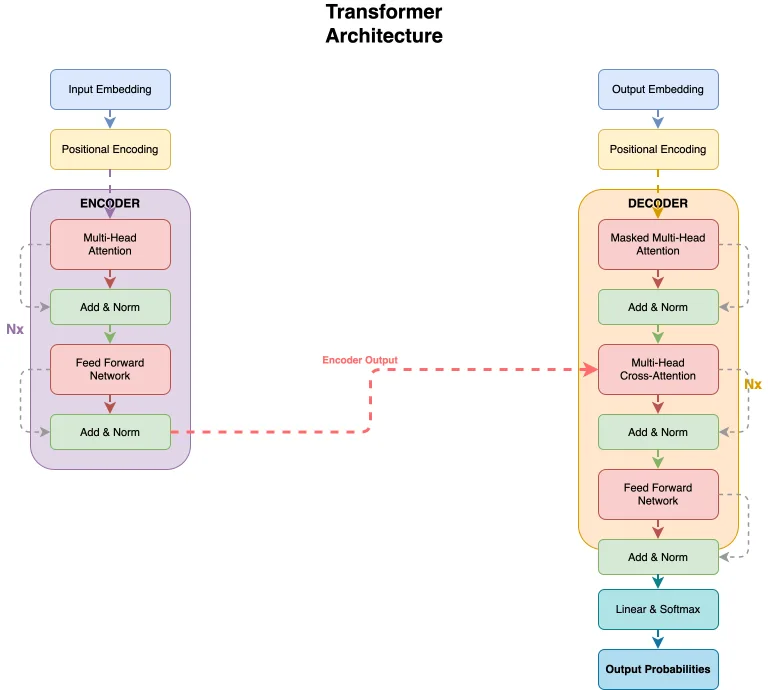
Editing is a conversation with the canvas. The current diagram, including your own hand edits, is sent with every message; you can select a few shapes and ask the AI to change only those, and you can upload a screenshot or a sketch for it to redraw, or a PDF, Markdown or code file to get a diagram of its content. Every AI change becomes a version card with a thumbnail that you can compare with the canvas, restore or undo, and a single Ctrl+Z on the canvas takes back a whole AI change. Built-in AWS, Azure, GCP and Kubernetes icon libraries cover cloud architecture work, and connectors can carry a flowing animation.
It ships in three forms: a hosted web demo, a desktop app for Windows, macOS and Linux, and an MCP server (`@next-ai-drawio/mcp-server`) that lets Claude Code, Claude Desktop, Cursor, Codex, VS Code and other MCP clients draw diagrams directly into a browser preview. The MCP server bundles the draw.io editor so the preview works offline, includes a screenshot tool so the agent can look at its own rendering and fix it, keeps version history and multi-page diagrams, and auto-saves sessions to `~/.next-ai-drawio/`.
It works with 25 model providers, among them AWS Bedrock (the default), OpenAI, Anthropic, Google AI, Azure OpenAI, Ollama, OpenRouter and DeepSeek, plus an OpenAI-compatible preset for vLLM, LM Studio or a gateway. On the demo site a visitor's own API key stays in the browser. Self-hosters can offer several models to every user and manage models, access codes, feature switches and quotas from an `/admin` panel. The project is a Next.js app written in TypeScript and released under the Apache 2.0 license.
What it does
- Architecture diagrams, flowcharts and sequence diagrams from one sentence, with AWS, Azure, GCP and Kubernetes icon libraries and animated connectors
- Edit by chat: changes stream onto the canvas, changed shapes are highlighted, and a selection limits the AI to those shapes
- Every AI change is a version card you can compare, restore or undo; one Ctrl+Z reverts a whole AI change
- Redraws an uploaded screenshot or sketch, or diagrams the content of a PDF, Markdown or code file
- Web app, Windows/macOS/Linux desktop app, and an MCP server for Claude Code, Cursor, Codex and VS Code
- 25 model providers including Ollama and an OpenAI-compatible preset; exports `.drawio`, `.png`, `.svg` and `.drawio.svg`
Getting started
Try the hosted demo with nothing to install, add the MCP server to your coding agent, or run the web app yourself. The README notes that the task is long, strictly formatted draw.io XML, so a capable model works best; small models tend to produce broken diagrams.
Open the online demo
Go to https://next-ai-drawio.jiang.jp/ and describe a diagram. The demo has a usage limit; to lift it, click the settings icon in the chat panel and enter your own provider and API key, which stays in your browser. Desktop installers for Windows, macOS and Linux are on the GitHub Releases page.
Add the MCP server to Claude Code
`--scope user` makes it available in every project. Then ask for something like "a flowchart of user authentication with login, MFA and session management" and the diagram appears in your browser as it is drawn.
claude mcp add --scope user drawio -- npx @next-ai-drawio/mcp-server@latestOr configure it in any MCP client
Claude Desktop, Cursor, VS Code and other clients take the same server entry in their MCP configuration.
{
  "mcpServers": {
    "drawio": {
      "command": "npx",
      "args": ["@next-ai-drawio/mcp-server@latest"]
    }
  }
}
Self-host the web app
Clone, install, and put your provider and API key in `.env.local` (the provider guide in `docs/en/ai-providers.md` lists the variables for each). The dev server listens on http://localhost:6002. Vercel, Tencent EdgeOne Pages, Cloudflare Workers, Docker and offline deployments are documented in the repo.
git clone https://github.com/DayuanJiang/next-ai-draw-io
cd next-ai-draw-io
npm install
cp env.example .env.local   # add your provider and API key
npm run dev
Commands and code are distilled from the project's own documentation — always check the official repo for the latest.
When to use it
- Reach for it when you want a cloud architecture or flowchart drafted from a sentence but still need a normal, hand-editable draw.io file at the end
- Reach for it to let a coding agent such as Claude Code or Cursor draw a diagram of a codebase or system into a live browser preview over MCP
- Reach for it to turn a whiteboard sketch, a screenshot or a document into an editable diagram
- Reach for it when a team wants a self-hosted diagramming assistant on its own models, including local ones through Ollama
How Next AI Draw.io compares
Next AI Draw.io alongside other open-source office documents & spreadsheets tools AI/TLDR tracks, ranked by GitHub stars.
| Tool | Stars | What it does |
|---|---|---|
| Next AI Draw.io | ★ 36.4k | Draw and edit real draw.io diagrams by chatting with an AI |
| OfficeCLI | ★ 32.4k | A single-binary command-line Office suite built for AI agents: create, read and edit Word, Excel and PowerPoint files, render them to HTML or PNG, and drive it all over MCP. |
| Univer | ★ 22.7k | An open-source TypeScript SDK that embeds spreadsheets, docs, slides, boards and bases in your product, with a headless Node.js runtime and an AI SDK for agents. |
| GenOffice | ★ 10.7k | A desktop office suite for macOS, Windows and Linux that opens and saves native .docx, .xlsx and .pptx files with an AI panel beside every document, plus a CLI and agent skill for editing the same files headlessly. |
| Edit Banana | ★ 5.5k | An open-source pipeline from BIT-DataLab that rebuilds flowcharts, architecture figures and formulas from static images as editable draw.io (DrawIO XML) files, using fine-tuned SAM 3 segmentation, OCR and Pix2Text. |