Overview
Foundation Lab is a native iOS and macOS app for learning, testing and shipping with Apple's Foundation Models framework — the Swift API that exposes the language model built into Apple Intelligence. It keeps the prompt, the configuration, the tools, the transcript and the evidence of each run in one place, so an experiment against the on-device model can be opened, changed and re-run without writing a throwaway app first.
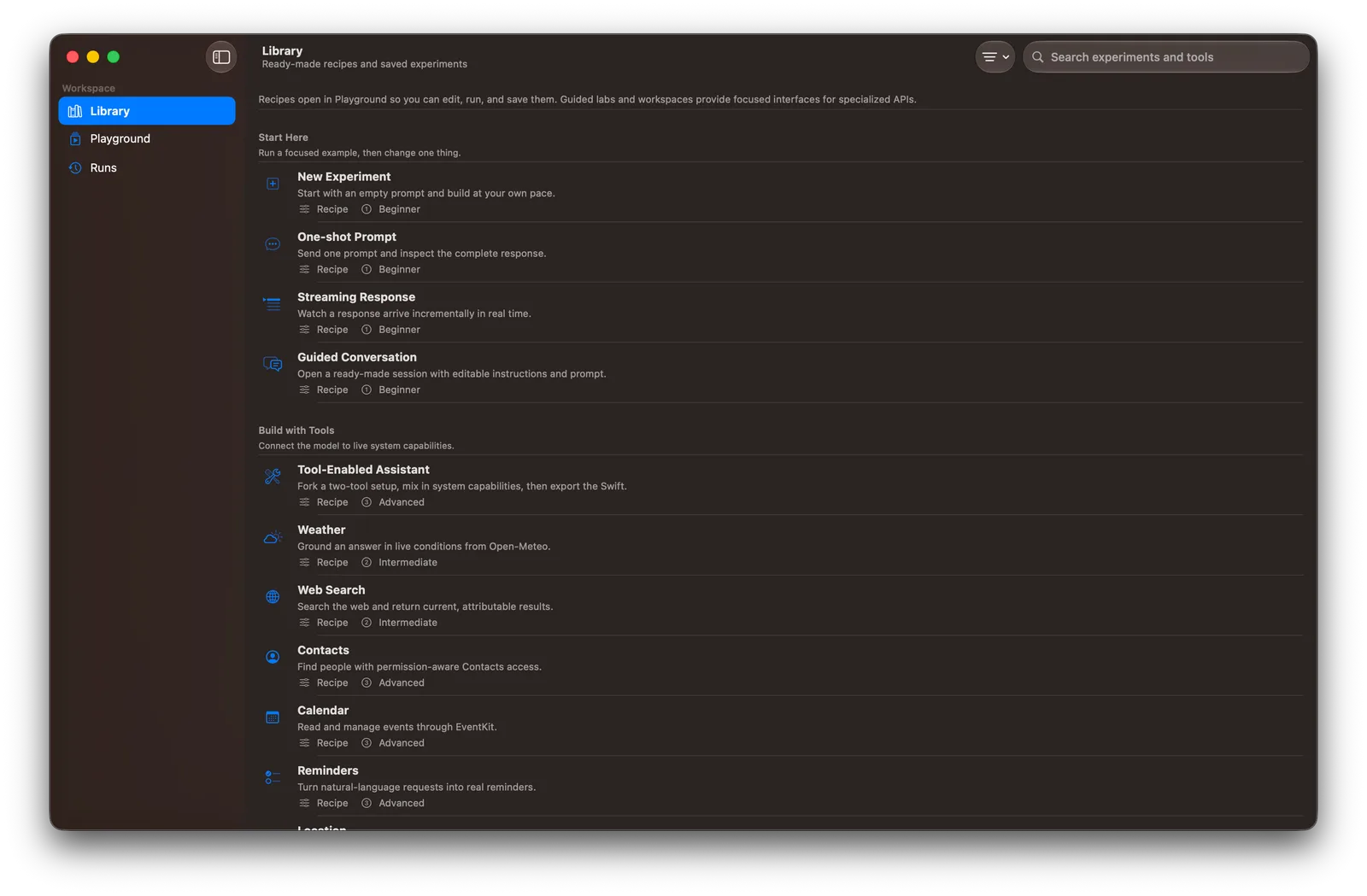
The app has three destinations. Library holds 18 editable recipes, 14 guided labs, three workshops and saved experiments; Playground is where prompts, instructions, sampling, reasoning and tools are configured, responses stream in, and a configuration can be exported as Swift; Runs keeps each run's status, configuration, transcript events, tool calls, timing and token usage. Nine ready-made tool recipes — weather, web search, contacts, calendar, reminders, location, HealthKit, Apple Music and web metadata — come from the companion FoundationModelsTools package.
Live model runs need Apple Silicon with Apple Intelligence enabled on iOS 26 or macOS 26; simulator builds are for compiling and checking the interface. When built with Xcode 27 the app adds labs for the OS 27 APIs, including Private Cloud Compute, image attachments, explicit tool-calling modes, reasoning controls and context-budget visualization. On macOS an Adapter Comparison workspace runs the same prompt through the base model and a `.fmadapter` side by side, while training and export live in the bundled `fmas` CLI. The project is MIT-licensed and written in Swift.
What it does
- Library of 18 editable recipes, 14 guided labs and three workshops that open straight into a runnable experiment
- Playground with editable instructions, sampling, response limits, runtime and reasoning controls, streaming output and voice input
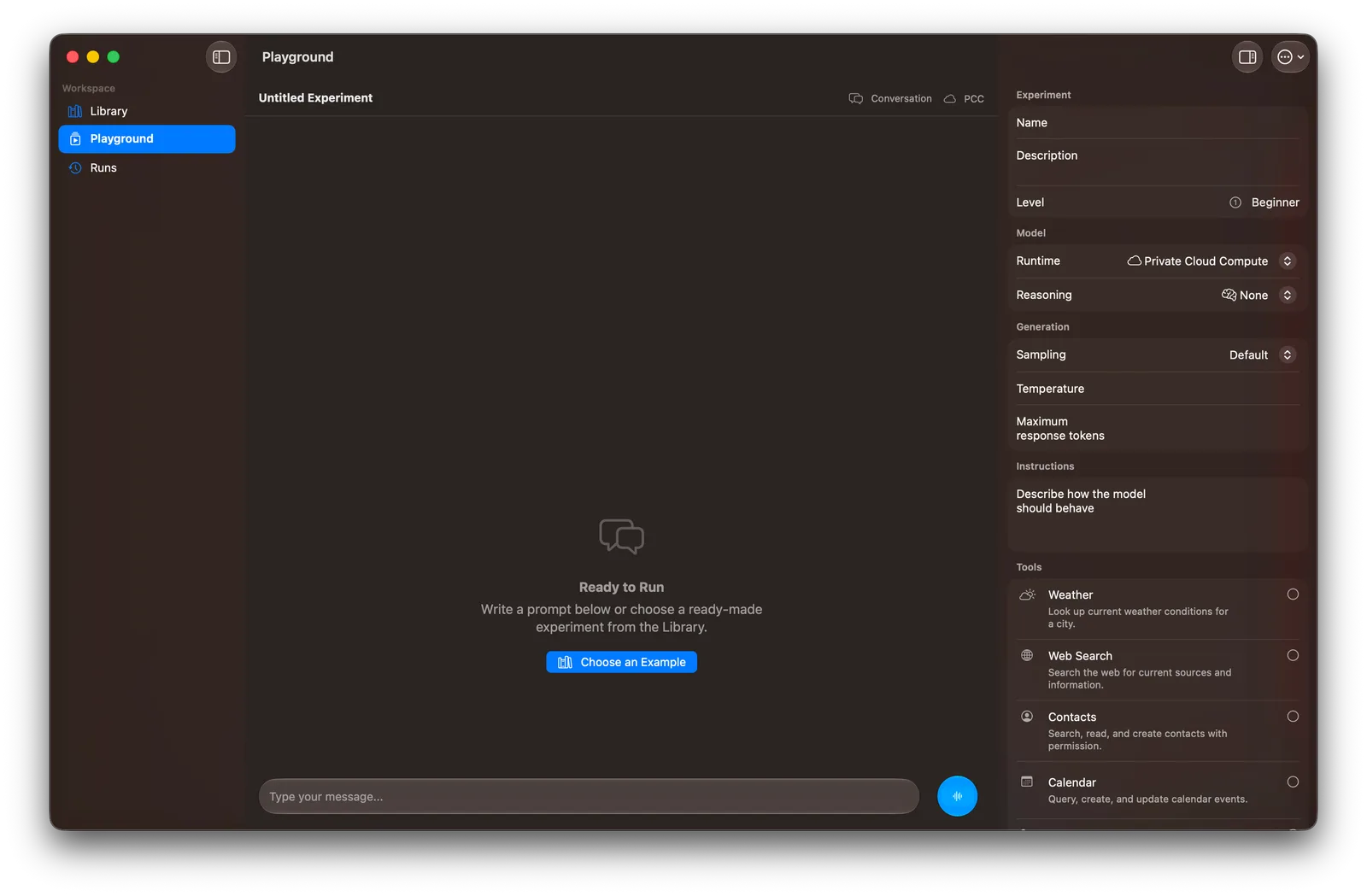
- Swift export of a Playground configuration, so an experiment becomes app code
- Runs view with persisted transcript events, tool calls, timing and token usage for every run
- Nine built-in tools (weather, web search, contacts, calendar, reminders, location, HealthKit, Apple Music, web metadata), with confirmation before any tool changes user data
- Structured-output examples with @Generable models, @Guide constraints and dynamic schemas, plus RAG document indexing
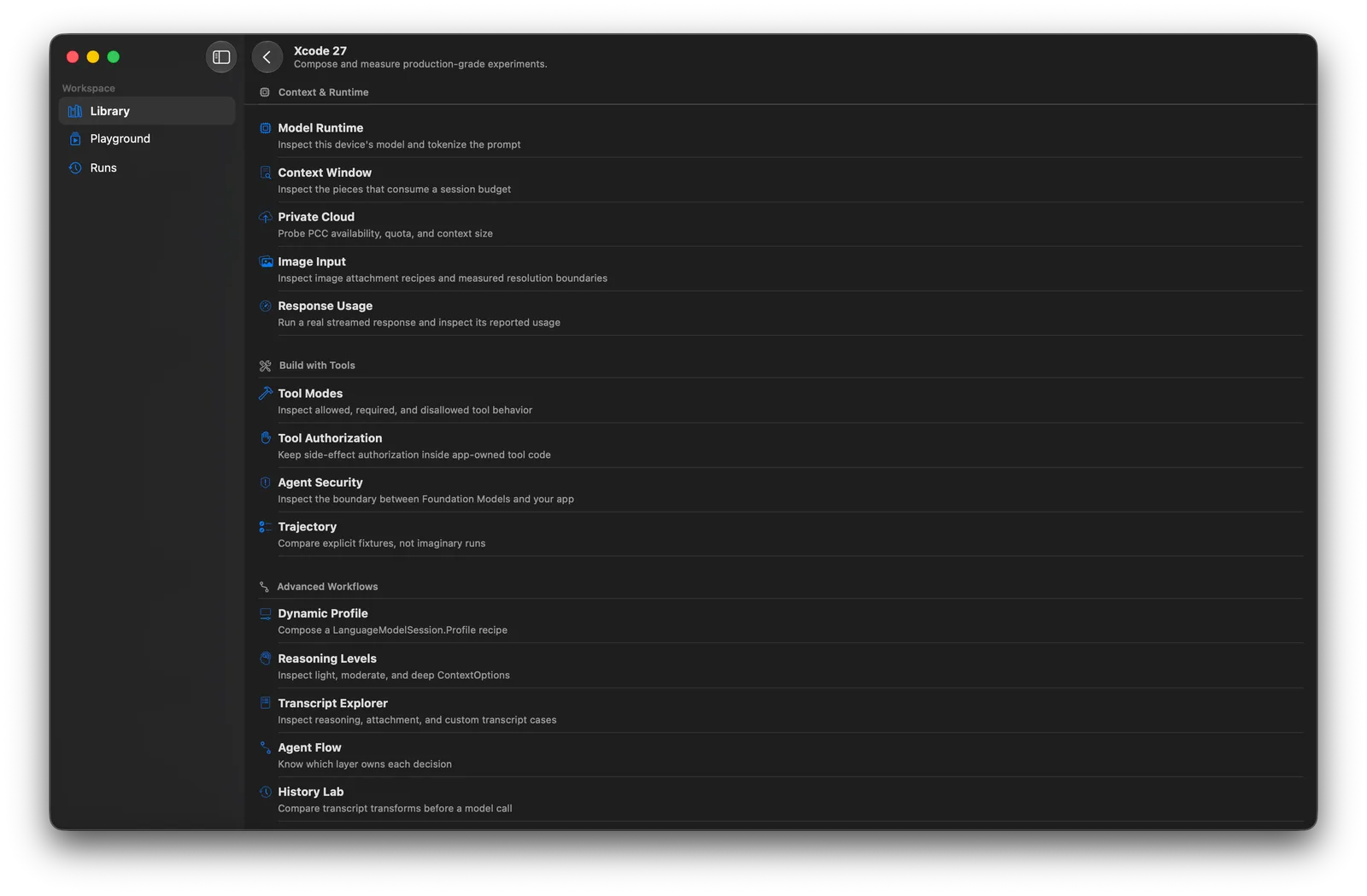
- Xcode 27 labs for Private Cloud Compute, image input, tool-calling modes, transcript inspection and context budgets
- Adapter Comparison on macOS: base model and a .fmadapter run side by side with time-to-first-token and total duration, with the fmas CLI for training and export
Getting started
Foundation Lab is built from source in Xcode 26.6 or Xcode 27 (a TestFlight beta is also offered). Live runs need a physical Apple Silicon device with Apple Intelligence turned on.
Clone and open the project
Open the Xcode project and run the Foundation Lab scheme on a Mac or a compatible iPhone or iPad.
git clone https://github.com/rudrankriyam/Foundation-Models-Framework-Lab.git
cd Foundation-Models-Framework-Lab
open FoundationLab.xcodeproj
Or build from the command line
The same scheme builds for macOS and for the iOS Simulator without code signing. Simulator builds check compilation and the interface; they cannot run the model.
xcodebuild \
  -project FoundationLab.xcodeproj \
  -scheme 'Foundation Lab' \
  -destination 'generic/platform=macOS' \
  CODE_SIGNING_ALLOWED=NO \
  build
Run a recipe, then change one thing
Pick a recipe in Library — it opens in Playground, where you can edit the prompt, instructions or tools, run it, save it as an experiment and inspect the result in Runs.
Library → New Experiment / One-shot Prompt / Tool-Enabled Assistant → Playground → RunsTrain and compare an adapter (macOS)
Adapter training and export use the fmas CLI in Tools/AdapterStudio; the resulting .fmadapter can be imported into the Adapter Comparison workspace.
python3.11 -m venv .venv-fmas
source .venv-fmas/bin/activate
python -m pip install -e Tools/AdapterStudio
fmas init
fmas setup
fmas train-adapter --help
Commands and code are distilled from the project's own documentation — always check the official repo for the latest.
When to use it
- Find out what Apple's on-device model can and cannot do before building a feature on it
- Prototype a tool-calling assistant against Contacts, Calendar or HealthKit and export the working setup as Swift
- Debug a Foundation Models session by reading its transcript events, tool calls and token usage
- Check whether a custom adapter actually beats the base model on the same prompt
- Learn the Xcode 27 Foundation Models APIs through guided labs
How Foundation Lab compares
Foundation Lab alongside other open-source local runtimes tools AI/TLDR tracks, ranked by GitHub stars.
| Tool | Stars | What it does |
|---|---|---|
| Ollama | ★ 184k | A developer-friendly tool that downloads and runs local LLMs from the terminal with a built-in OpenAI-compatible API. |
| llama.cpp | ★ 132k | A C/C++ inference engine that runs LLMs in the GGUF format on CPUs, Apple Silicon, and GPUs with low memory use. |
| GPT4All | ★ 77.3k | GPT4All is a free desktop app and Python client that runs large language models locally on your own computer, with no API calls or GPU required. |
| LocalAI | ★ 49.8k | A self-hosted server that exposes an OpenAI-compatible API for running text, vision, voice, and image models on local hardware. |
| Jan | ★ 45k | An open-source desktop app that runs LLMs fully offline as a ChatGPT-style assistant on your own computer. |
| Colibrì | ★ 43.3k | A pure-C inference engine that keeps a Mixture-of-Experts model's dense trunk resident in RAM and streams its routed experts from disk, so 744B-2.8T models run on consumer hardware. |
| AirLLM | ★ 40.3k | A Python inference library that keeps only one transformer layer on the GPU at a time, so a 70B model runs on a single 4GB card and a 671B MoE model on about 12GB, without quantization. |
| Foundation Lab | ★ 1.2k | A native iOS and macOS workbench for running, inspecting and comparing prompts, tools and adapters on Apple's on-device Foundation Models |