Overview
Splash is Inco AI's local inference engine for Macs with Apple silicon. Instead of being a general-purpose runtime that loads anything, it is built around a small set of supported models — Qwen3.8-27B and Qwen3.6-35B-A3B, from Unsloth GGUF or MLX 4-bit checkpoints, plus Prism ML's Ternary Bonsai 2 — and serves them on `127.0.0.1:8000` behind OpenAI Chat Completions, Responses and Completions and Anthropic Messages endpoints, with streaming, tool calls, JSON Schema output, images and inline PDFs. A built-in chat page is served from the same address.
Each supported model is paired with a trained DFlash 2 draft model for speculative decoding and with Metal kernels written for that model's shapes; the runtime, scheduler, cache and API are shared. Kernels ship precompiled, so the Homebrew package needs no Xcode or local tuning. On first start Splash downloads the target model and its matching draft, prepares the weights once and maps them from disk on later starts. Memory and context are sized automatically up to the model's native window, cached prefixes are reused, and concurrent requests are batched. Options cover a Metal memory cap, a context limit, BF16 instead of the default INT8 KV cache, an optional SSD tier for KV cache, and an offline mode.
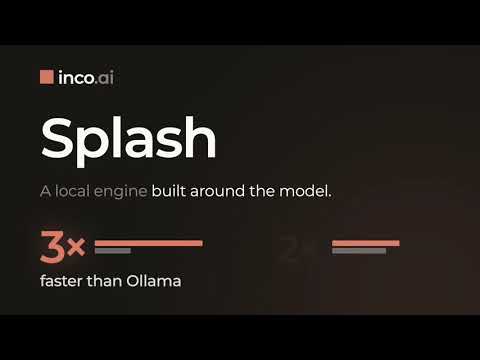
The project is aimed at running coding agents locally: `splash claude`, `splash codex`, `splash opencode`, `splash hermes` and `splash pi` launch an installed agent pointed at the local server, and LM Studio publishes its own setup guide for using Splash as an engine. The README reports its own measurements on an M5 Pro and an M3 Max, including a decode-speed comparison against llama.cpp on the same Unsloth UD-Q4_K_M weights, with test conditions in docs/performance.md. It requires an M3 or newer Mac and macOS 26.4 or later; the 4-bit examples need at least 36 GB of unified memory, while smaller GGUF variants run on 24 GB Macs. Splash is C++ and Apache-2.0 licensed; its GGUF kernels include MIT-licensed material from llama.cpp.
What it does
- DFlash 2 speculative decoding with a matching trained draft model selected automatically for each supported model
- Model-specific, precompiled Metal kernels — no Xcode, Command Line Tools or local tuning needed
- OpenAI Chat Completions, Responses and Completions plus Anthropic Messages APIs, with streaming, tool calls, JSON Schema output, images and inline PDFs
- Automatic memory and context planning, prefix-cache reuse and batching of concurrent requests, with optional BF16 KV and an SSD cache tier
- One-command launchers for Claude Code, Codex, OpenCode, Hermes and Pi, plus a built-in browser chat page
- Loads Qwen3.8-27B and Qwen3.6-35B-A3B from Unsloth GGUF (1–8 bit) or MLX 4-bit checkpoints, and Prism ML Ternary Bonsai 2 in PQ2_0
Getting started
Splash needs an Apple M3 or newer Mac, macOS 26.4 or later and Homebrew. The 4-bit examples need at least 36 GB of unified memory (48 GB recommended); 24 GB Macs can use smaller GGUF variants. Leave disk space for both the downloads and the prepared weights.
Install and start the server
The first run downloads the model and its matching DFlash 2 draft, prepares the weights and starts serving on 127.0.0.1:8000. Later starts reuse them. Leave the terminal open once it prints `Ready`.
brew install incoai/tap/splash
splash serve --model unsloth/Qwen3.8-27B-GGUF:UD-Q4_K_M
Chat or launch a coding agent
Open http://127.0.0.1:8000 in a browser for the built-in chat page, or run an installed coding agent against the local server from another terminal.
splash opencode # or: splash claude / splash codex / splash hermes / splash piCall the API
Any OpenAI- or Anthropic-compatible client can point at the local server. Reasoning follows the model default; `"reasoning_effort": "none"` turns it off.
curl http://127.0.0.1:8000/v1/chat/completions \
  -H 'Content-Type: application/json' \
  -d '{
    "model": "unsloth/Qwen3.8-27B-GGUF:UD-Q4_K_M",
    "messages": [{"role": "user", "content": "Explain speculative decoding in one sentence."}]
  }'
Tune memory and cache
Memory and context are sized automatically; add these flags to `splash serve` to set your own limits. The server listens on localhost without authentication by default — see `splash serve --help` for LAN access and auth.
splash serve --model unsloth/Qwen3.8-27B-GGUF:UD-Q4_K_M \
  --max-memory 28G --max-context 100K --max-cache-disk 16G
Commands and code are distilled from the project's own documentation — always check the official repo for the latest.
When to use it
- Run Claude Code, Codex or OpenCode against a local Qwen model on a Mac instead of a hosted API
- Serve a private OpenAI- or Anthropic-compatible endpoint with tool calling and structured output from one Apple silicon machine
- Run a supported Qwen model on a Mac with model-specific Metal kernels and speculative decoding rather than a general-purpose runtime
- Use Splash as the engine behind LM Studio via its setup guide
Version history
Every verified update to Splash that AI/TLDR tracked, newest first — each links to our coverage and the official changeset.
- 2026-09-261.1.0
Added direct loading of upstream Unsloth GGUF (1–8 bit) and MLX 4-bit checkpoints, Prism ML Ternary Bonsai 2 support, an optional BF16 KV cache and an SSD cache tier, and Pi coding-agent support.
- 2026-09-211.0.2
Faster Apple9 Q4 and MoE decode with batching of up to four requests, score-only /v1/judgments and /v1/systemone APIs, model aliases and a server-wide default reasoning effort.
- 2026-09-201.0.1
More reliable startup under memory pressure, shared-prefix reuse across concurrent requests, a configurable port, larger image uploads and PDF inputs up to 64 pages.
- 2026-09-181.0
First release: Qwen3.8-27B and Qwen3.6-35B-A3B packages with DFlash 2, OpenAI and Anthropic APIs, tool calling and structured output, and launchers for Claude Code, Codex, OpenCode and Hermes via Homebrew.
How Splash compares
Splash alongside other open-source local runtimes tools AI/TLDR tracks, ranked by GitHub stars.
| Tool | Stars | What it does |
|---|---|---|
| Ollama | ★ 182k | A developer-friendly tool that downloads and runs local LLMs from the terminal with a built-in OpenAI-compatible API. |
| llama.cpp | ★ 130k | A C/C++ inference engine that runs LLMs in the GGUF format on CPUs, Apple Silicon, and GPUs with low memory use. |
| GPT4All | ★ 77.4k | GPT4All is a free desktop app and Python client that runs large language models locally on your own computer, with no API calls or GPU required. |
| LocalAI | ★ 49.4k | A self-hosted server that exposes an OpenAI-compatible API for running text, vision, voice, and image models on local hardware. |
| Jan | ★ 44.8k | An open-source desktop app that runs LLMs fully offline as a ChatGPT-style assistant on your own computer. |
| Colibrì | ★ 39.3k | A pure-C inference engine that keeps a Mixture-of-Experts model's dense trunk resident in RAM and streams its routed experts from disk, so 744B-2.8T models run on consumer hardware. |
| llmfit | ★ 37.5k | A Rust terminal tool that inspects your CPU, RAM, GPUs and VRAM and scores which open-weight models and quantizations will actually run well on that machine, with a TUI, CLI, REST API and local-runtime integrations. |
| Splash | ★ 1.1k | A local inference engine for Apple silicon, built around the model |