Overview
Project Maya is an open-source inference engine built for one model: GLM-5.3-Flash, zai-org's MIT-licensed Mixture-of-Experts model with 321 billion parameters, about 18 billion of them active per token, and a context of up to 1 million tokens. Models of that size usually need a datacenter; Maya's aim is to run it on hardware people already own, from a single NVIDIA card up to 16 that share the model, with AMD GPUs and Windows supported experimentally. Nothing leaves the machine. The repository was created on 2026-10-06 by Peasant Smith (@mw00) and is co-maintained by @needmorevram.
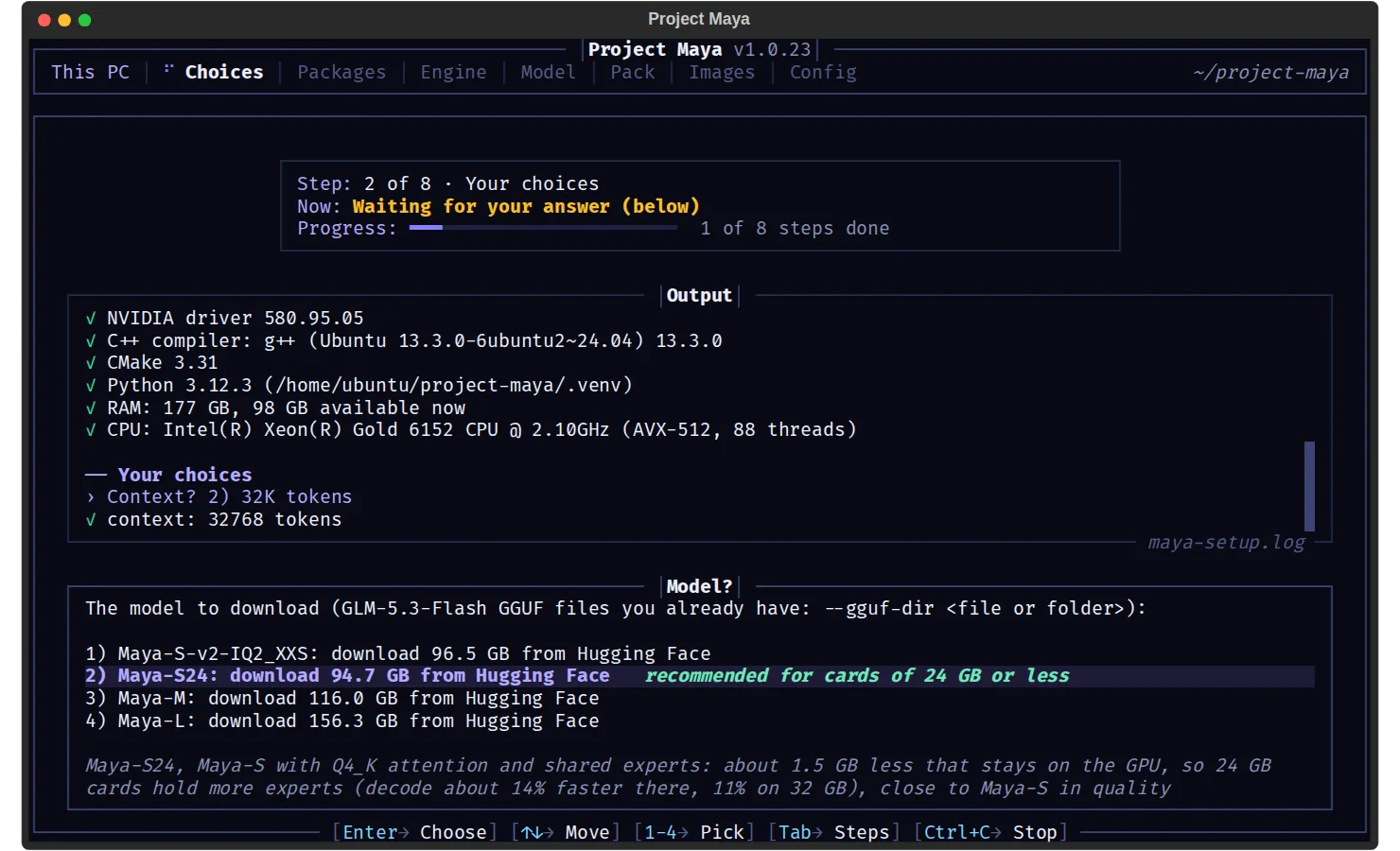
The engine splits the model across the whole PC. It keeps the experts a conversation uses most on the GPU, the next ones in RAM and the rest on an NVMe SSD, and moves them as you chat; it also measures the GPUs, CPU, RAM and SSD and tunes itself to them. Maya ships its own compressed builds of the model, made from Z.ai's FP8 release: Maya-S (96.5 GB, the default), Maya-S24 for cards of 24 GB or less, Maya-M (116 GB) and Maya-L (156.3 GB). The README reports that they keep 97.7–99.2% of the FP8 model's zero-shot accuracy, and each keeps the model's MTP block, which drafts tokens ahead.
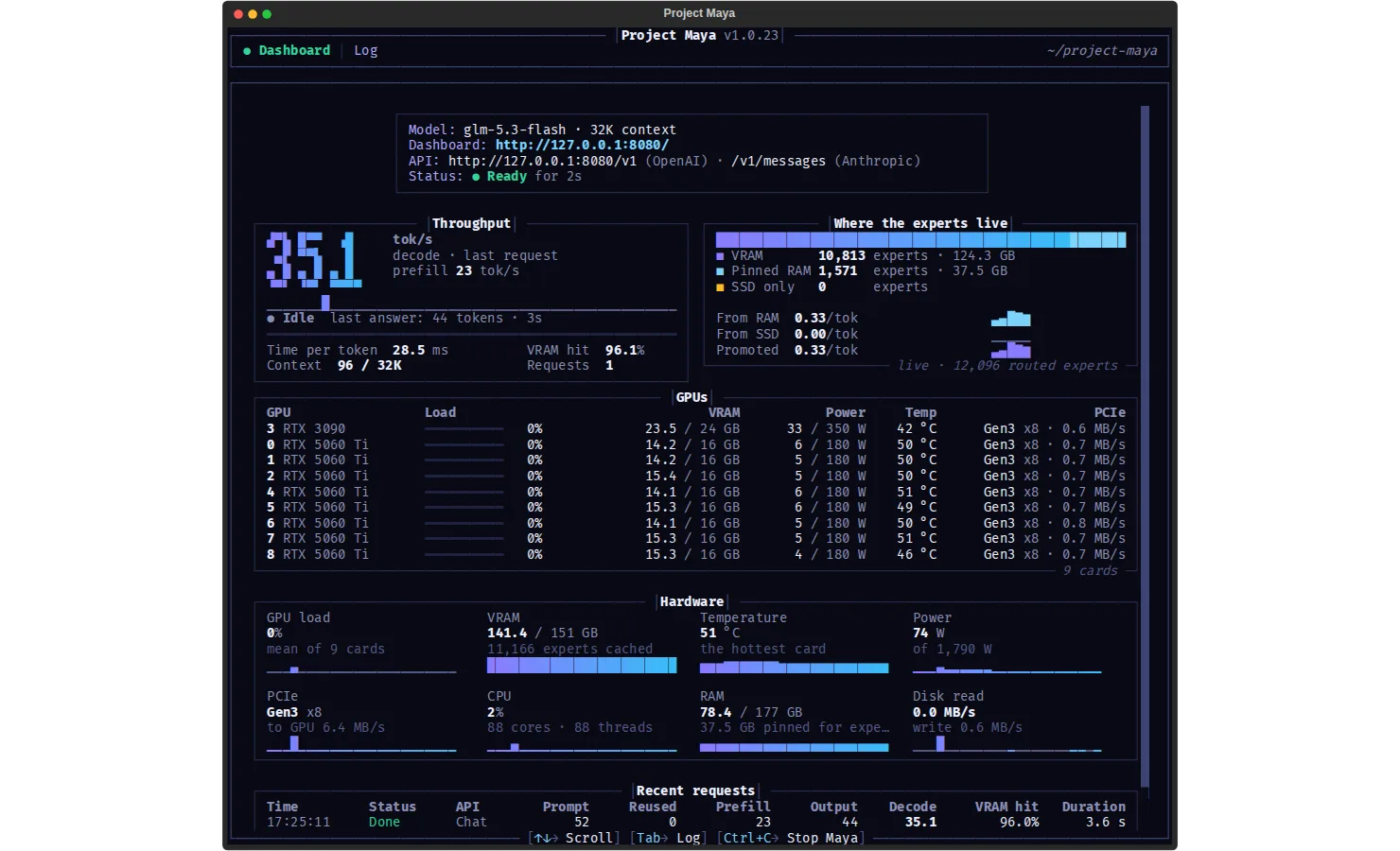
Around the engine sit a local server and a dashboard. The server speaks an OpenAI-compatible API at /v1 and Anthropic's Messages API at /v1/messages, with streamed tool calls, so coding agents such as Claude Code can point at it; it accepts image input and can answer up to 8 requests at once. The README's speed table is built from user-submitted benchmarks, ranging from 14.5 tokens per second on an RTX 5090 laptop to 118 tokens per second on four RTX 4090s. Maya started from the Strata engine and builds on ggml/llama.cpp, follows exllamav3 for its EXL3 support, and is released under the MIT licence; the optional DFlash2 drafter it can download is licensed CC BY-NC-ND 4.0, for non-commercial use only.
What it does
- Runs the 321B GLM-5.3-Flash on one NVIDIA GPU (compute capability 7.0 or newer) or up to 16, with experimental AMD (ROCm 7) and Windows 10/11 support
- Tiers the model's experts across VRAM, RAM and an NVMe SSD and moves them to follow the conversation; needs 32 GB of RAM minimum
- Its own quantized builds (Maya-S, Maya-S24, Maya-M, Maya-L) plus turboderp's community EXL3 quants as an experimental option
- OpenAI-compatible /v1 and Anthropic /v1/messages APIs with streamed tool calls, image input and up to 8 parallel requests
- A browser chat and a live Monitor of the model and hardware, plus a terminal dashboard while it runs
- Built-in tools: --calibrate tunes the engine to the PC, --bench measures speed, --report writes a troubleshooting file
Getting started
Maya targets Linux on x86-64 with the NVIDIA driver, CUDA 12.x, g++ and Python 3.10+, a fast NVMe SSD with room for the model (about 100 GB for Maya-S, 160 GB for Maya-L) and at least 32 GB of RAM. The setup checks all of this, prints the exact command for anything missing and installs nothing system-wide. Windows uses START-MAYA.bat; AMD has its own guide in docs/AMD_MAYA.md.
Clone the repository and run the setup
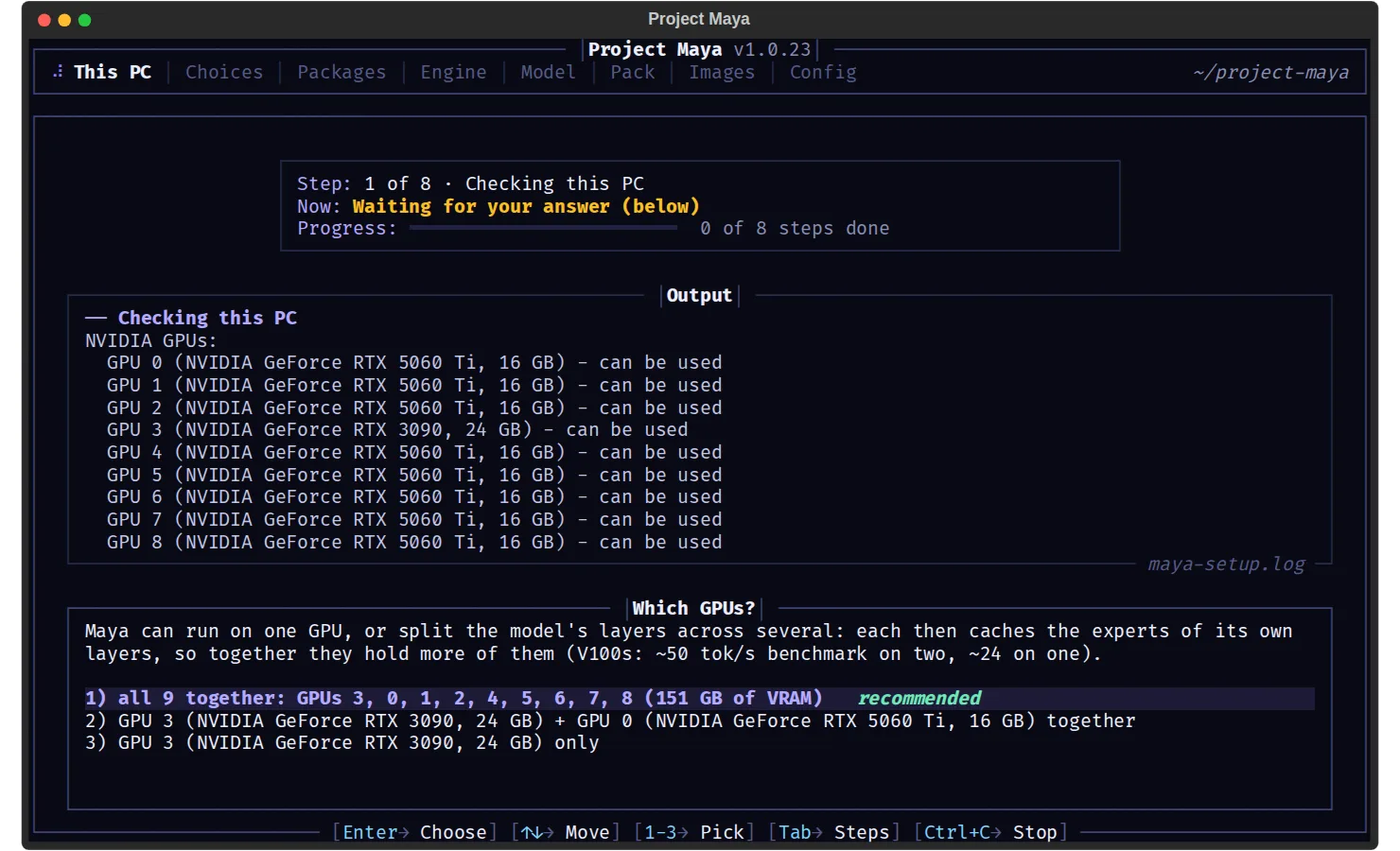
Answer a few questions (Enter takes the recommended choice). The setup shows every download before it starts, builds everything once (20–40 minutes plus the download) and then starts the model. Ctrl+C stops it, and ./setup.sh starts it again.
git clone https://github.com/mw00/project-maya.git && cd project-maya
./setup.sh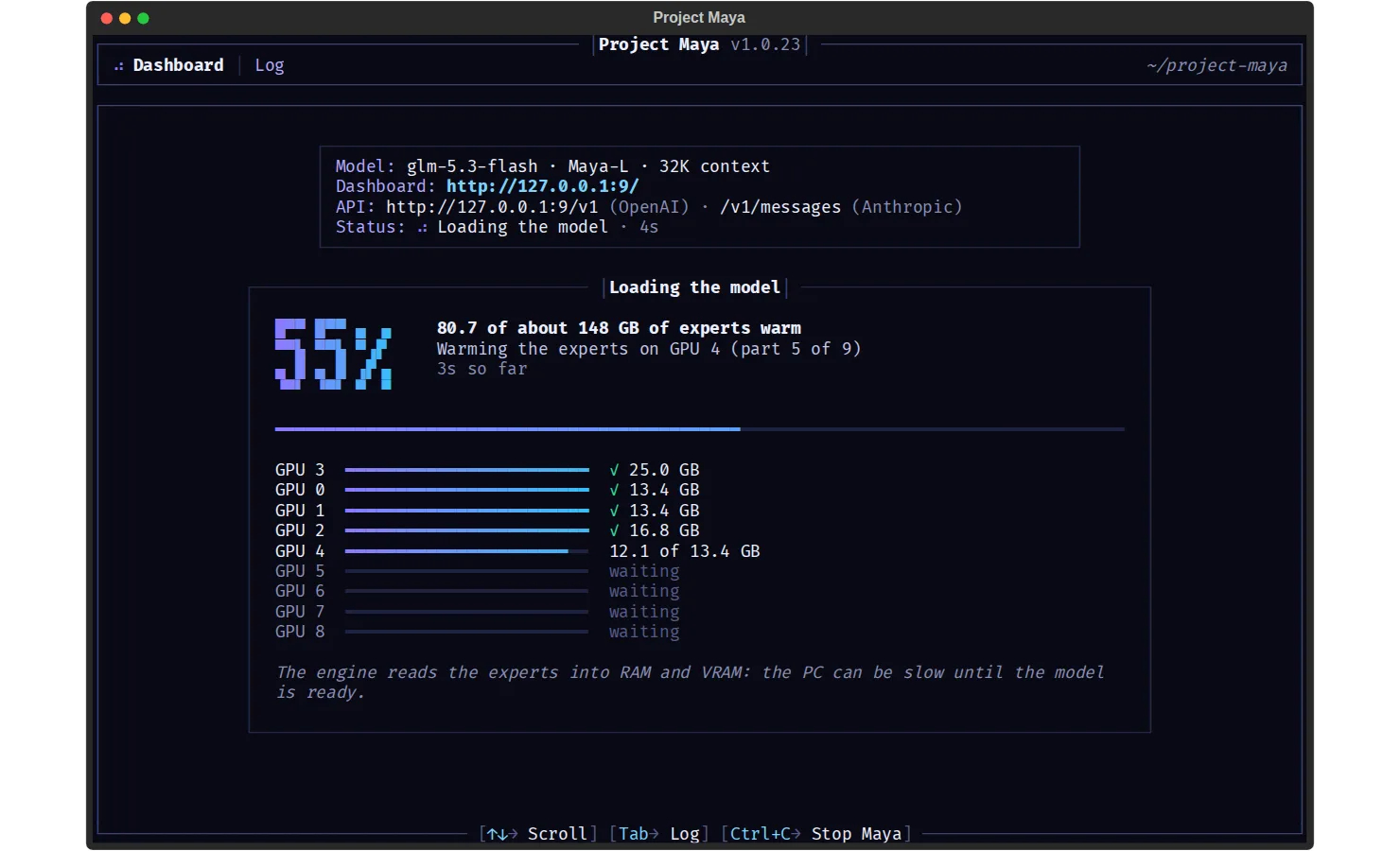
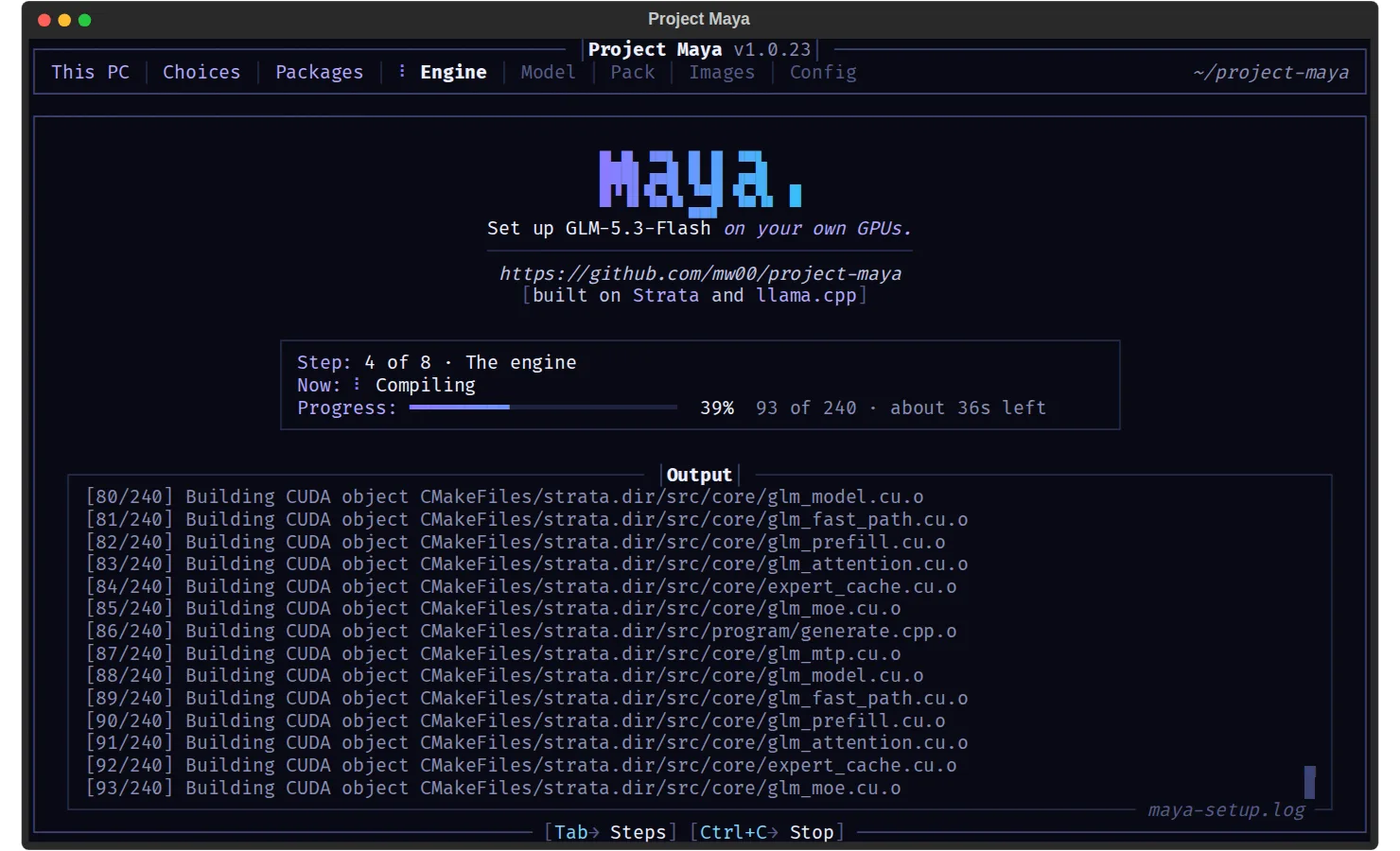
Open the chat and monitor
The browser chat and the live Monitor are served locally once the model has loaded. The start takes a few minutes, because the engine pins most of the free RAM for its expert tier.
http://127.0.0.1:8080Point your apps and coding agents at it
OpenAI-style clients use the /v1 base URL; Anthropic-style clients use /v1/messages. For Claude Code, set the base URL.
http://127.0.0.1:8080/v1            # OpenAI-compatible API
http://127.0.0.1:8080/v1/messages   # Anthropic API
ANTHROPIC_BASE_URL=http://127.0.0.1:8080
Tune it to your hardware
Calibration takes 10–15 minutes. --parallel keeps a number of simultaneous requests (up to 8) in the config.
./maya.sh --calibrate
./maya.sh --parallel 4
Serve other devices, with a key
To reach Maya from another machine, re-run the setup with a host and an API key. The README says to always set a key.
./maya.sh --setup --host 0.0.0.0 --api-key <secret>When something goes wrong
Run the report right after a slow answer or an error and attach the maya-report.txt it writes to a GitHub issue; nothing is sent anywhere by itself.
./maya.sh --reportCommands and code are distilled from the project's own documentation — always check the official repo for the latest.
When to use it
- Run a 321B open-weight model on a workstation or a multi-GPU home server instead of paying for API tokens
- Back a coding agent such as Claude Code with a private model through the Anthropic or OpenAI API
- Keep sensitive code, documents and images on your own machine while using a frontier-size model
- Put older or mixed GPUs (Tesla V100s, RTX 3090s, RTX 5060 Tis) to work on one large model
How Project Maya compares
Project Maya alongside other open-source local runtimes tools AI/TLDR tracks, ranked by GitHub stars.
| Tool | Stars | What it does |
|---|---|---|
| Ollama | ★ 184k | A developer-friendly tool that downloads and runs local LLMs from the terminal with a built-in OpenAI-compatible API. |
| llama.cpp | ★ 132k | A C/C++ inference engine that runs LLMs in the GGUF format on CPUs, Apple Silicon, and GPUs with low memory use. |
| GPT4All | ★ 77.3k | GPT4All is a free desktop app and Python client that runs large language models locally on your own computer, with no API calls or GPU required. |
| LocalAI | ★ 49.8k | A self-hosted server that exposes an OpenAI-compatible API for running text, vision, voice, and image models on local hardware. |
| Jan | ★ 45k | An open-source desktop app that runs LLMs fully offline as a ChatGPT-style assistant on your own computer. |
| Colibrì | ★ 43.3k | A pure-C inference engine that keeps a Mixture-of-Experts model's dense trunk resident in RAM and streams its routed experts from disk, so 744B-2.8T models run on consumer hardware. |
| AirLLM | ★ 40.3k | A Python inference library that keeps only one transformer layer on the GPU at a time, so a 70B model runs on a single 4GB card and a 671B MoE model on about 12GB, without quantization. |
| Project Maya | ★ 1.4k | A single-model engine, server and dashboard that runs the 321B GLM-5.3-Flash privately on one to 16 of your own GPUs |