In plain English
When you fine-tune a model or build a preference dataset, the model you get is only as good as the examples you feed it. Messy labels, duplicate rows, a few toxic answers slipped in — the model copies all of it. So before training, somebody has to actually look at the data: read examples, fix wrong labels, rate which answer is better, and throw out the junk. Argilla is the open-source tool built for exactly that job.
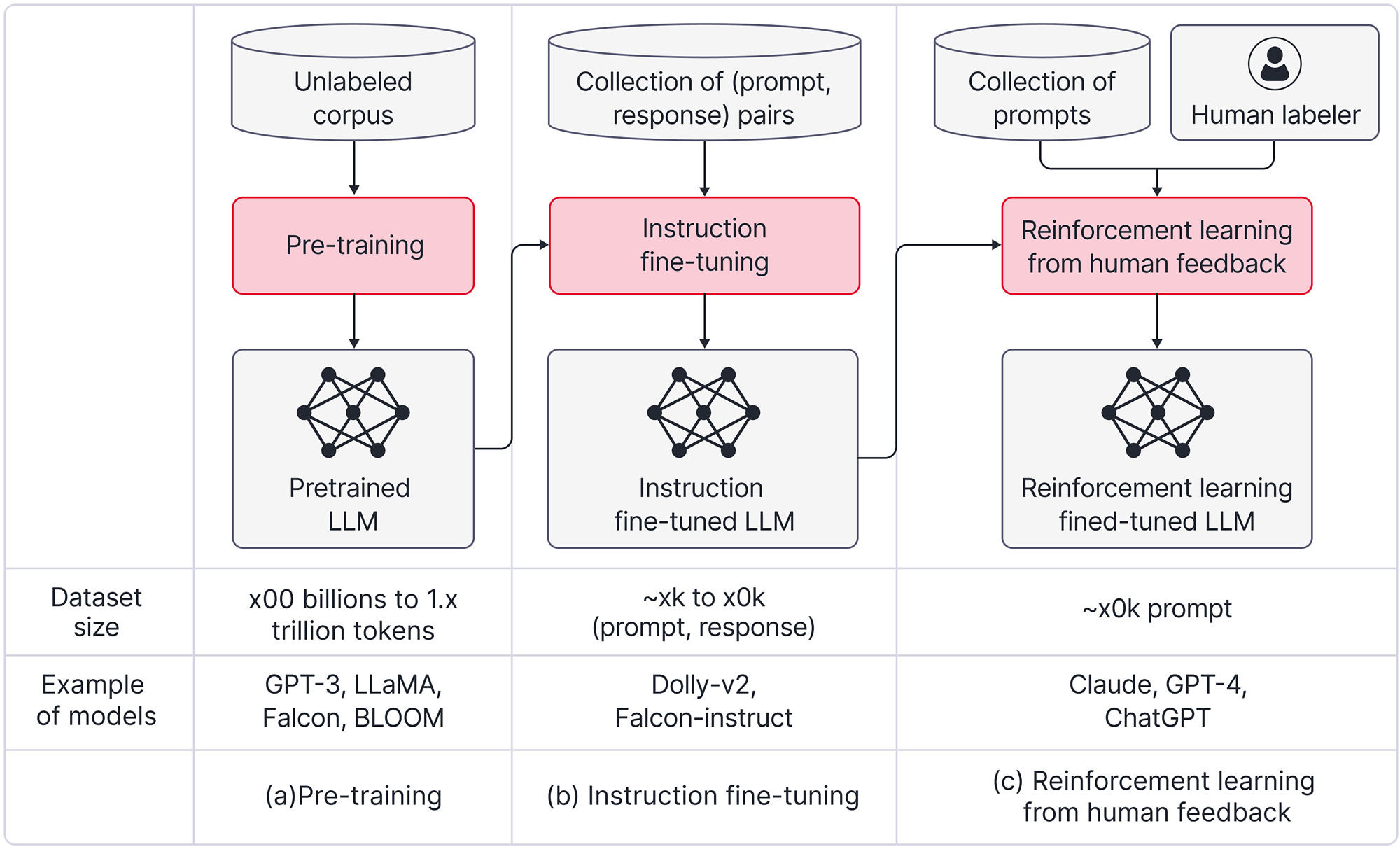
Think of Argilla as a spreadsheet with opinions, designed for AI training data. Instead of a flat grid of cells, you get a web app where each row is a record — a prompt, a model's answer, maybe two answers to compare — and a clean side panel where a human gives feedback: pick a label, write a correction, rate a response one to five, or mark a pair as "A is better than B." Several people can work through the same queue, and Argilla keeps every annotation tied to who made it.
Here is the everyday analogy. Generating raw data is like a film crew shooting hundreds of hours of footage. Argilla is the editing room: the place where a human watches the takes, keeps the good ones, cuts the bad ones, and labels what is left so the final reel is something you would actually ship. The camera (your model or your generator) makes the raw material; Argilla is where it becomes a usable dataset.
Why it matters
A quiet truth of applied AI: most of the quality of a fine-tuned model comes from the data, not the training recipe. You can copy a state-of-the-art training script in an afternoon, but assembling a few thousand clean, correctly-labeled, on-topic examples is the slow, unglamorous part that decides whether the result is good. Argilla exists to make that part faster, more organized, and less error-prone.
Here are the concrete problems it solves for a builder:
- Raw data is dirty. Scraped text, support tickets, and model-generated examples are full of duplicates, off-topic rows, broken formatting, and a few harmful samples. Untouched, all of it teaches the model bad habits. Argilla gives you a place to read through it and cut what does not belong.
- Labeling needs structure. Pasting labels into a spreadsheet falls apart with more than one person: no shared queue, no record of who labeled what, no easy way to spot disagreement. Argilla turns labeling into a real workflow with questions, guidelines, and per-annotator tracking.
- Preference data needs human judgment. Training a model to prefer better answers (the data behind RLHF and similar methods) means a person has to compare responses and say which is better. That comparison is the dataset, and Argilla is built to collect it cleanly.
- Synthetic data still needs a human pass. It is now common to generate training data with a strong model. That data is cheap and plentiful but uneven, so teams review and filter it before trusting it — which is exactly what Argilla is for.
Who should care? Anyone curating a dataset for fine-tuning, building a preference/feedback dataset, cleaning a RAG knowledge base, or evaluating model outputs at scale. If your task is "get a pile of examples into good enough shape to train or test on," Argilla is the kind of tool you reach for instead of a hand-rolled spreadsheet.
How it works
Argilla runs as a small web server with a database behind it. You define what a record looks like and what questions a human should answer about it, push your raw data in from Python, let people annotate through the browser UI, then pull the labeled dataset back out — ready to feed into training or evaluation.
The core building blocks
Three concepts do almost all the work. A field is read-only content shown to the annotator (the prompt, the response, a retrieved passage). A question is the feedback you want back (a label, a rating, a free-text correction, a ranking of two answers). A record is one item to review — its fields plus the empty questions waiting to be answered. You bundle these into a dataset with written guidelines so everyone labels the same way.
The end-to-end loop
In practice the work flows in a loop. You log raw or model-generated records into Argilla, a team annotates them in the UI, you export the responses, use them to train or improve a model or generator, and then log the next, better batch back in for another review. Each turn of the loop raises data quality.
Everything in the UI has a Python counterpart, so the loop is scriptable. A minimal session looks like this:
import argilla as rg

client = rg.Argilla(api_url="http://localhost:6900", api_key="...")

# 1) Define the dataset: what humans SEE (fields) and ANSWER (questions).
settings = rg.Settings(
    guidelines="Rate how helpful the answer is, then fix it if wrong.",
    fields=[rg.TextField(name="prompt"), rg.TextField(name="answer")],
    questions=[
        rg.RatingQuestion(name="quality", values=[1, 2, 3, 4, 5]),
        rg.TextQuestion(name="correction", required=False),
    ],
)
dataset = rg.Dataset(name="support-answers", settings=settings)
dataset.create()

# 2) Push raw records in for review.
dataset.records.log([
    {"prompt": "How do I reset my password?", "answer": "Click Forgot Password."},
    {"prompt": "What are your support hours?", "answer": "24/7 on weekends only."},
])

# 3) ...people annotate in the browser, then you read it back as data.
for record in dataset.records(with_responses=True):
    print(record.fields["prompt"], "->", record.responses["quality"])
The browser UI is where the human time goes: annotators see one record at a time, answer the questions, and move on. Argilla supports bulk actions, filtering and similarity-based search to find related records, and tracks multiple responses per record so you can measure how often annotators agree — a key signal of whether your labels are trustworthy.
A worked example: building a preference dataset
Say you want to teach a model to write better support replies, using preference data. The dataset you need is a list of records where each one has a prompt, two candidate answers, and a human verdict on which answer is better. That verdict is the whole point — a model cannot reliably grade itself on tone and helpfulness, so a person decides.
- Generate candidates. For each prompt, produce two answers — often from the same model at different settings, or from two different models. This is where synthetic-data generators come in.
- Log them as records. Each record shows the prompt as a field and the two answers as fields; the question is a ranking ("which response is better?") plus an optional note.
- Annotate. Reviewers read each pair and pick the winner. With clear guidelines and several annotators, you can see where they disagree and tighten the rules.
- Export the chosen/rejected pairs. Argilla hands you a clean dataset of (prompt, preferred answer, rejected answer) triples — exactly the shape preference-training methods expect.
- Train, then loop. Fine-tune on the result, generate fresh answers from the improved model, and log them back for the next review round.
Where Argilla fits among data tools
Argilla is one tool in a data pipeline, not the whole thing. It is easy to confuse with general labeling platforms or with data-generation and data-cleaning tools, so it helps to see the division of labor.
| Tool type | What it does | Example role |
|---|---|---|
| Synthetic generator | Creates raw examples with an LLM | Distilabel makes candidate answers and pairs |
| Annotation / curation (Argilla) | Humans review, label, rate, and rank data | Turn raw rows into a trusted dataset |
| Large-scale data curation | Automated clean/dedup/filter at huge scale | Prepare a pretraining-size corpus |
| Training framework | Actually fine-tunes the model | Consumes the curated dataset |
The key distinction: tools like NVIDIA's NeMo Curator are built for automated cleaning of enormous corpora (millions of documents, deduplication on GPUs), while Argilla is built for human-in-the-loop review of the smaller, higher-value datasets where a person's judgment matters — instruction data, preference data, evaluation sets. They sit at different stages and different scales. Argilla also overlaps with general data-labeling platforms, but it is opinionated toward LLM and NLP feedback (ratings, rankings, text corrections) rather than, say, drawing boxes on images.
Common pitfalls
The hard part of data curation is rarely the tool — it is the human process around it. Most teams stumble on the same few things.
- Vague guidelines. If reviewers are not told precisely what "better" or "correct" means, every annotator invents their own rule and your labels become noise. Write the guidelines first, with examples, before logging a single record.
- Ignoring annotator disagreement. Argilla can collect several responses per record; if you only ever keep one and never check agreement, you miss the warning sign that your task is ill-defined. Low agreement usually means the instructions are broken, not the people.
- Curating too little — or too much. A few hundred carefully reviewed examples often beat a hundred thousand untouched ones. But over-filtering can also strip diversity and leave the model brittle. Aim for clean and representative, not just clean.
- Forgetting it is feature-frozen. Do not build a workflow that depends on a feature you hope will arrive. Design around what Argilla does today.
- Treating export as the finish line. A clean dataset is the input to training, not the output. Always close the loop: train, look at the result, and feed the model's new mistakes back in for another curation round.
Going deeper
Once the basics click, a few patterns and edge cases are worth knowing as you scale curation up.
Suggestions and model-in-the-loop. You do not have to make humans start from a blank field. You can attach a suggestion to each record — a label or answer your current model predicts — so the annotator only has to confirm or correct it. This is far faster than labeling from scratch, and it turns annotation into a tight human-plus-model loop: the model proposes, the human disposes, and the corrections train the next model.
Active learning and prioritization. Rather than labeling records in a random order, you can label the most useful ones first — typically the examples the model is most unsure about. Reviewing those high-value records first means you reach a good dataset with far less human effort. Argilla's filtering and similarity search make it practical to surface those records and skip the easy, redundant ones.
Measuring data quality. Mature teams treat their dataset like code: they track inter-annotator agreement, keep a held-out slice for spot-checking, and version datasets so they can tell which data produced which model behavior. The same care you would put into catastrophic forgetting or choosing a fine-tuning toolkit belongs on the data itself — it is the part most likely to silently sink the project.
Where to go next. Argilla is one piece of a larger story: pair it with synthetic data generation to feed the queue, with model distillation when a big model is grading or generating for a small one, and with a training framework to consume the result. The durable lesson is simple: spend your effort on the data, because that is where the quality lives — and a human-in-the-loop curation tool is how you spend it well.
FAQ
What is Argilla used for?
Argilla is an open-source tool for annotating and curating data used to train and evaluate language models. Teams use it to review, label, rate, rank, and clean datasets — for example building instruction or preference datasets — turning raw or model-generated examples into a trusted dataset for fine-tuning.
Is Argilla free and open source?
Yes. Argilla is open source and free to self-host. It is part of Hugging Face and is still actively maintained and stable, though it is largely feature-frozen, so treat it as a dependable, finished tool rather than one expecting major new features.
What is the difference between Argilla and Distilabel?
Distilabel generates synthetic data and preference pairs with LLMs; Argilla is where humans review and curate that data. They are sister projects designed to work together — Distilabel produces candidates at scale, Argilla cleans and labels them. Generation and curation are two halves of one pipeline.
Does Argilla train models?
No. Argilla does not train anything — it is purely a data annotation and curation tool. You use it to produce a clean, labeled dataset, then hand that dataset to a separate training framework to do the actual fine-tuning.
How is Argilla different from a general data-labeling platform?
Argilla is opinionated toward LLM and NLP feedback: it has built-in question types for ratings, rankings, labels, and free-text corrections, and tracks multiple responses per record to measure annotator agreement. General platforms cover broader tasks like image bounding boxes; Argilla is tuned specifically for text and model-feedback datasets.
Can multiple people annotate the same dataset in Argilla?
Yes. Argilla is built for teams: several annotators can work through the same queue, and it records who answered what. Collecting multiple responses per record lets you measure inter-annotator agreement, which is a key signal of whether your labels and guidelines are trustworthy.