In plain English
The OpenAI API is how your code talks directly to OpenAI's GPT models — the current GPT-5 series and the rest. When you type a message into ChatGPT, a person is doing the asking. The API is the same brain, but your program sends the message and your program reads the answer — no browser, no human, no copy-paste.
A good analogy: imagine a very smart research assistant locked in a server room. You can't visit in person, but you can slip a note under the door (your HTTP request), and a reply slides back out a moment later (the JSON response). The API is that note-passing system — a defined set of rules for asking the model a question and getting an answer back.
Concretely: your code sends an HTTPS request to https://api.openai.com, carrying your question plus a secret API key that proves you have a valid account. OpenAI runs the model on its servers, then sends back a JSON object with the model's reply. That round trip is the entire API at its core.
Why it matters
ChatGPT is built for one person asking one question at a time in a browser. The API removes both of those limits. A single script can send thousands of questions while you sleep. An app can serve a million users, each getting a private AI response. An automation can classify every support ticket the moment it lands.
The API is what transforms "GPT is an impressive demo" into "GPT is a feature I can ship." It's the difference between using a power drill and wiring a drill motor into your own assembly line.
Who should care
- App developers adding AI to a product — a writing assistant, a smart search bar, a customer chatbot.
- Data engineers running bulk analysis — extracting structured data from thousands of documents overnight.
- Automation builders hooking GPT into scripts, internal tools, and no-code/low-code workflows.
- AI learners — the OpenAI API is one of the most common starting points for anyone learning to build with large language models, and the concepts (messages, tokens, streaming, tool calls) transfer directly to other providers.
How it works
Every text generation request follows the same round trip, whether you use the newer Responses API or the classic Chat Completions API.
Two endpoints: Chat Completions vs. Responses
OpenAI currently offers two endpoints for text generation. Chat Completions (POST /v1/chat/completions) has been around since 2022 and is the one most tutorials, libraries, and examples reference. Responses (POST /v1/responses) launched in March 2025 and is OpenAI's new recommended default for all new projects.
- Launched 2022, battle-tested
- You manage conversation state
- Input: messages array
- Output: choices array
- Fully supported, no deprecation planned
- Launched March 2025, recommended for new code
- Optional server-side state management
- Input: input string or array
- Output: output array with output_text helper
- Built-in tools: web search, code interpreter, file search
The Responses API is a superset of Chat Completions — everything Chat Completions can do, Responses can do too, plus more. OpenAI has stated it has no plans to deprecate Chat Completions, so existing code doesn't need to migrate. But for new projects, OpenAI recommends the Responses API because future features (advanced reasoning, new modalities, agent tools) will land there first.
How conversation state works
Both endpoints are stateless by default — OpenAI's servers keep no memory of a previous call. This is the most important thing for beginners to understand. If you want the model to know what was said earlier in a conversation, you must resend the full history each time.
The Responses API adds an option called stored state: when you pass store: true, OpenAI saves the conversation on their side and you can pass the previous response's id on your next call instead of resending the whole history. This saves bandwidth and can reduce costs. Chat Completions has no equivalent — you always manage history yourself.
Your first call, step by step
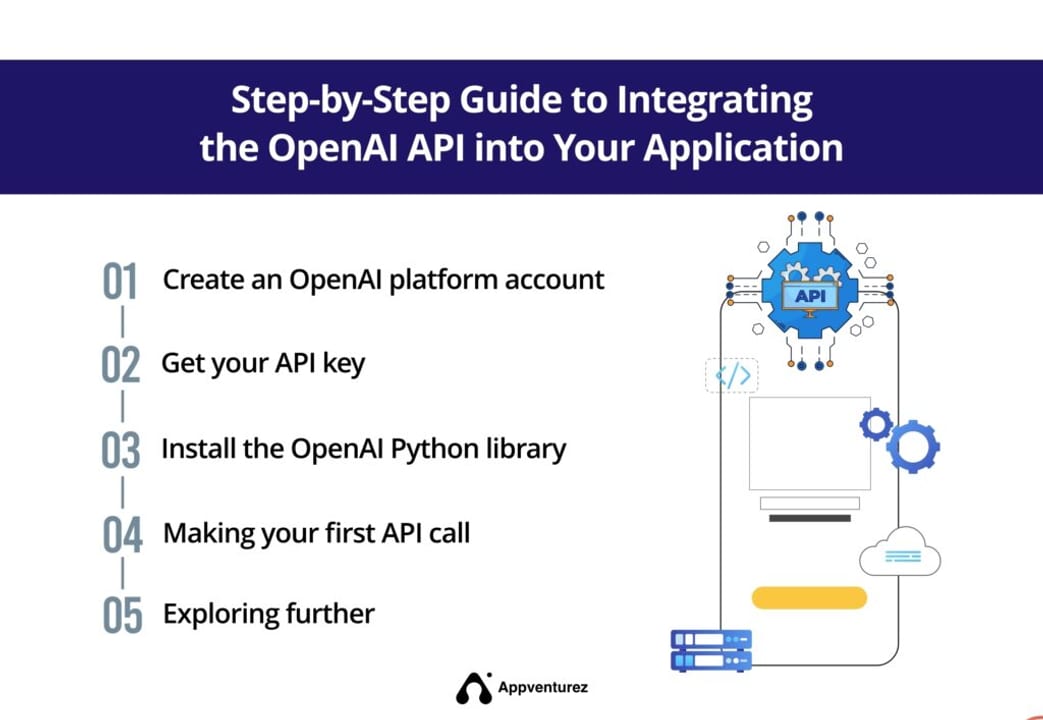
Here's how to get from zero to a working GPT response. Four steps.
- Get an API key. Sign up at platform.openai.com, go to the API keys section, and create a new secret key. It starts with
sk-.... Treat it like a password — anyone who has it can charge your account. - Store it in an environment variable. Never hardcode the key in your source files. The SDK reads
OPENAI_API_KEYautomatically. - Install the SDK.
pip install openaifor Python. OpenAI also ships an official TypeScript/JavaScript package. - Send a request and read the reply.
pip install openai
export OPENAI_API_KEY=sk-...   # your real key
Using the Responses API (recommended for new code)
from openai import OpenAI

# Reads OPENAI_API_KEY from the environment automatically.
client = OpenAI()

response = client.responses.create(
    model="gpt-5.5",
    instructions="You are a helpful assistant. Be concise.",
    input="Explain what a token is in one sentence.",
)

# output_text is a convenience property — the aggregated text reply.
print(response.output_text)
print("Input tokens:", response.usage.input_tokens)
print("Output tokens:", response.usage.output_tokens)
Using the Chat Completions API (works everywhere)
from openai import OpenAI

client = OpenAI()

completion = client.chat.completions.create(
    model="gpt-5.5",
    messages=[
        {"role": "system", "content": "You are a helpful assistant. Be concise."},
        {"role": "user",   "content": "Explain what a token is in one sentence."},
    ],
)

# The reply text lives in choices[0].message.content.
print(completion.choices[0].message.content)
print("Input tokens:",  completion.usage.prompt_tokens)
print("Output tokens:", completion.usage.completion_tokens)
Both snippets produce the same result: a short answer about tokens and a usage report. The key structural difference is how the output is accessed: Responses gives you response.output_text; Chat Completions gives you completion.choices[0].message.content.
Picking a model and understanding billing
"GPT" is a family, not a single model. You specify which one you want in the model field on every request. They trade intelligence, speed, and cost against each other. Picking the wrong one — usually picking too large a model for a simple job — is one of the most common beginner cost mistakes.
| Model | Relative cost | Speed | Best for |
|---|---|---|---|
| gpt-5.5 | Higher | Standard | Production-grade tasks: coding, reasoning, analysis, text + images |
| gpt-5.5 Instant | Higher | Fast | Snappy, interactive chat where low latency matters |
| gpt-5.4-mini | Lower | Fast | Everyday tasks at lower cost — a strong all-rounder |
| gpt-5.4-nano | Lowest | Fastest | High-volume, simple jobs: classification, routing, extraction |
| gpt-5.5 Pro | Highest | Slower | Hard reasoning tasks where you need the most capable model |
How billing actually works
You are charged per token, and OpenAI bills input and output tokens at separate rates. A token is roughly 4 characters, or about three-quarters of a word in English. The phrase "Explain what a token is" is about 7 tokens.
The gotcha with multi-turn conversations: because both APIs require you to resend the full message history each call (unless you use the Responses API's stored state), your input token count grows with every turn. By message 20, you're paying for turn 1's text twenty times over. This is why features like prompt caching and stored state exist. Watch usage on every call while you're learning — building intuition for real token counts is the fastest way to avoid bill shock.
Common beginner mistakes
These are the problems that consume the most beginner time. Knowing them before they happen saves hours.
Expecting the API to remember previous messages
Both the Responses and Chat Completions APIs are stateless by default. If the model seems to have "forgotten" what you said two messages ago, it's because you didn't send those messages in the current request. Keep your own conversation list and pass the full history, or use the Responses API's store: true option to let OpenAI manage it for you.
Hardcoding the API key
Never paste sk-... directly into your source code. Bots scan public GitHub repositories for exposed keys within minutes of a push. Always use an environment variable (OPENAI_API_KEY) or a secrets manager. If a key is exposed, revoke it immediately in the platform dashboard.
Using the wrong model for the job
Reaching for a flagship model like gpt-5.5 to classify a customer email as "positive" or "negative" is like renting a freight truck to carry a backpack. The smaller gpt-5.4-nano or gpt-5.4-mini tiers handle simple classification and extraction tasks at a fraction of the cost — often with identical results.
Ignoring the finish reason
Both APIs return a finish_reason (Chat Completions) or status (Responses API) telling you why the model stopped. If you see length instead of stop, the reply was cut off — max_tokens (Chat Completions) or max_output_tokens (Responses) was too low. Always check the finish reason before acting on a response.
Not handling 429 rate limit errors
OpenAI measures rate limits by requests per minute and tokens per minute. New accounts start at lower tiers and limits rise with usage. The Python and Node SDKs automatically retry 429 errors with exponential backoff — but only up to a point. Design your code to handle them gracefully: catch RateLimitError, add jitter to retries, and consider the Batch API for high-volume workloads.
from openai import OpenAI, RateLimitError, APIStatusError

client = OpenAI()

try:
    response = client.responses.create(
        model="gpt-5.5",
        input="Hello!",
    )
    print(response.output_text)
except RateLimitError:
    print("Rate limited. The SDK already retried; back off further or use the Batch API.")
except APIStatusError as e:
print(f"API error {e.status_code}: {e.message}")| HTTP code | Means | What to do |
|---|---|---|
| 401 | Invalid or missing API key | Check OPENAI_API_KEY is set and valid |
| 404 | Unknown model string | Fix the model name (check the models list at platform.openai.com) |
| 429 | Rate limited | SDK retries automatically; slow down or switch to Batch API |
| 500/503 | OpenAI server error | Transient; SDK retries, otherwise wait and retry |
Going deeper
Once your first call works, the same fundamentals unlock every serious OpenAI-powered feature. None of the following are completely separate systems — they're additional fields and patterns layered on top of the basic request you already know.
Streaming
By default you wait for the entire reply, then receive it all at once — which can mean seconds of blank screen for a long response. Streaming delivers the text token by token as it's generated, producing the typewriter effect seen in chat interfaces. It also avoids HTTP timeouts on long outputs. Set stream=True on either endpoint. The mechanics — server-sent events, partial delta objects — are explained in the streaming guide.
Tool use (function calling)
GPT can't check the current weather, run a SQL query, or call your company's internal API on its own. Tool use (also called function calling) lets you describe functions the model may call; when it decides one is needed it returns a structured request — {"name": "get_weather", "arguments": {"city": "Tokyo"}} — your code executes it, and you feed the result back for a final answer. It's the engine behind every AI assistant that actually does things. The Responses API also ships built-in tools (web search, code interpreter, file search) that you don't have to implement yourself.
Structured outputs
Pass a JSON schema in the response_format field and OpenAI guarantees the reply matches it exactly. This is the reliable way to extract structured data from unstructured text without writing fragile parsers — the model's output can be passed directly to json.loads() and will never violate the schema.
Embeddings and images
The same OpenAI Python client gives you access to the Embeddings API (POST /v1/embeddings) — which converts text into a vector of numbers useful for semantic search and RAG — and the Images API for AI image generation. These are separate endpoints with their own pricing, but the same key and SDK patterns apply.
Reasoning models
OpenAI's most capable tiers (such as the GPT-5 Pro reasoning models) can spend extra computation on an internal chain of thought before replying, trading latency and cost for significantly better results on hard math, coding, and logic tasks. They use the same Responses and Chat Completions endpoints but have different parameter constraints (for example, limited temperature control and different token limits). For routine tasks they're overkill; for genuinely hard problems they can be transformative.
FAQ
What is the OpenAI API in simple terms?
It's a way for your code — not a person in a browser — to send questions to OpenAI's GPT models and get AI-generated replies. You make an HTTPS request to https://api.openai.com with your question and a secret API key, OpenAI runs the model, and returns the answer as JSON. It's how you build GPT into an app, script, or automated workflow.
What is the difference between the Responses API and Chat Completions?
Chat Completions is the original endpoint (launched 2022) — battle-tested, supported by almost every library. The Responses API (launched March 2025) is OpenAI's new recommended endpoint; it's a superset of Chat Completions with optional server-side conversation state and built-in tools like web search. Chat Completions is not being deprecated, so existing code doesn't need to change, but new projects should prefer the Responses API.
How do I get an OpenAI API key?
Sign up at platform.openai.com, navigate to the API keys section, and click to create a new secret key. Store it in an environment variable (OPENAI_API_KEY) — never paste it directly into your code or commit it to a repository.
How much does the OpenAI API cost for a beginner?
Costs depend on the model and how many tokens you use. A typical short conversation with a smaller model like gpt-5.4-mini (a good starting tier) costs fractions of a cent. Experimentation and learning generally runs to a few dollars per month at most. Watch the usage field on every response to build intuition for real costs before scaling up.
Which OpenAI model should I use as a beginner?
A smaller tier like gpt-5.4-mini is the best starting point for most beginners: it's capable enough for chat, coding help, summarization, and extraction, while costing much less than the flagship gpt-5.5. Use gpt-5.4-nano for extremely simple, high-volume jobs like classification. Graduate to gpt-5.5 or its reasoning tiers only when smaller models give clearly unsatisfactory results.
Does the OpenAI API remember my previous messages?
Not by default — both the Responses and Chat Completions APIs are stateless. You must resend the full conversation history with each request if you want the model to recall earlier turns. The Responses API offers an optional store: true mode that lets OpenAI keep the history server-side, so you only send the new message on follow-up calls.