In plain English
When OpenAI launched its chat API, the request and response shape it used — a messages array of roles, a model name, a temperature, and a JSON reply with choices[0].message.content — became wildly popular. So popular that other companies decided not to fight it. Instead of inventing their own incompatible format, they built endpoints that accept exactly the same JSON OpenAI's does.
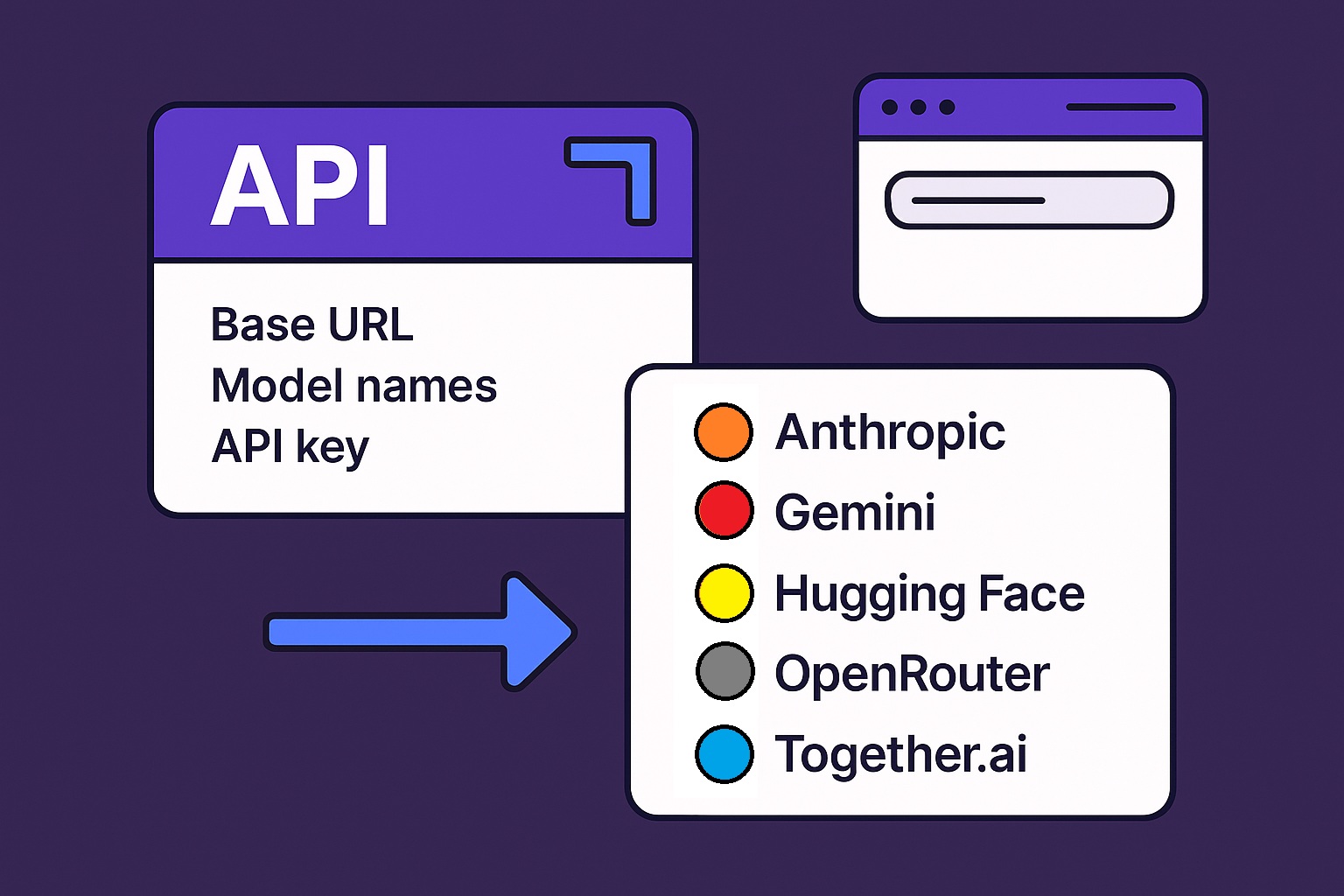
That is what OpenAI-compatible means: a server that speaks the same wire format as OpenAI's Chat Completions API. You point the official OpenAI SDK at a different web address, hand it a different API key, and the same code that called GPT now calls a completely different model — from a different company, or one running on your own laptop — without changing a single line.
Think of it like the standard wall socket. Your phone charger doesn't care who built the power plant behind the outlet — as long as the plug shape and voltage match, it just works. OpenAI's request format became that standard plug. Dozens of providers and local tools (vLLM, Ollama, LM Studio, Together, Groq, OpenRouter, and many more) wired their service to fit it, so the OpenAI client plugs straight in.
Why it matters
The whole point is to avoid lock-in and rewrites. Without a shared format, every provider would ship its own SDK, its own field names, and its own quirks, and switching models would mean rewriting your integration each time. OpenAI compatibility turns that into a configuration change.
- Swap providers in seconds. Move from a hosted API to a cheaper one, or to a model you self-host, by editing two values: the base URL and the API key. Your prompts, parsing, and retry logic stay the same.
- Reuse the whole ecosystem. Tools built around the OpenAI format — observability dashboards, gateways, eval harnesses, framework integrations — work with any compatible endpoint for free. You inherit a huge toolchain you didn't have to build.
- Run open models the same way you run hosted ones. Local runtimes like vLLM, Ollama, and LM Studio expose an OpenAI-compatible server, so the code you wrote against a cloud API also drives a model on your own GPU. Develop against a local model, ship against a hosted one, no rewrite.
- Hedge against outages and price changes. If one provider has an incident or raises prices, a fallback to a compatible provider can be a base-URL switch instead of a project.
Who should care? Anyone calling LLMs from code who doesn't want to marry one vendor. Startups comparing price and speed across providers. Teams that prototype on a hosted model and later move to a self-hosted one for cost or privacy. Anyone building a gateway or router that sends traffic to several models behind one interface.
How it works
An LLM API call is just an HTTP POST to a URL, with an Authorization header carrying your key and a JSON body describing the request. The OpenAI SDK is a thin wrapper around that POST. Two settings control where the request goes and who you are: base_url (the server address) and api_key (your credential). Compatibility means a different server accepts the same body at the same path — /v1/chat/completions — so only those two settings need to change.
The swap pattern
Here is the entire trick. The default points the client at OpenAI. Override base_url and api_key, and the exact same call goes elsewhere. The model string changes too, because each provider names its models differently.
from openai import OpenAI

# 1) Default: talks to OpenAI.
client = OpenAI(api_key="sk-...")

# 2) A hosted compatible provider — only base_url + key + model change.
client = OpenAI(
    base_url="https://api.groq.com/openai/v1",
    api_key="gsk_...",
)

# 3) A model on your own machine via Ollama — note the local URL.
client = OpenAI(
    base_url="http://localhost:11434/v1",
    api_key="ollama",          # local servers often ignore the key
)

# The call below is IDENTICAL no matter which client above you used:
resp = client.chat.completions.create(
    model="llama-3.3-70b-versatile",   # provider-specific model id
    messages=[{"role": "user", "content": "Say hi in one word."}],
)
print(resp.choices[0].message.content)
The request body — the messages array, the model field, optional knobs like temperature and max_tokens — is serialized to the same JSON in all three cases. The response comes back in the same shape, so resp.choices[0].message.content works everywhere. That uniformity is the entire value proposition. (For a refresher on the messages structure itself, see the messages array.)
What carries over and what breaks
The promise "the OpenAI SDK just works" is true for the core of the API and gets shakier the further you move from it. Knowing the dividing line saves you hours of confusing debugging. Roughly, the common path is portable; the advanced path is provider-specific.
| Feature | Portability | What to expect |
|---|---|---|
Basic chat (messages, model, temperature, max_tokens) | Reliable | Works on essentially every compatible endpoint. |
Streaming (stream=true) | Usually fine | The token-by-token format is widely copied, but tiny chunk differences exist. |
| Tool / function calling | Varies a lot | Field names match, but support, reliability, and the way arguments are formatted differ by provider and model. |
| Structured / JSON output | Inconsistent | response_format may be ignored, partially honored, or implemented differently. Test it, never assume it. |
| Vision / images / audio | Often missing | Multimodal inputs are far less commonly implemented than text. |
| Provider-specific extras | Not portable | Reasoning effort, caching, safety controls, logprobs, seeds — these are bespoke and may error or be silently dropped. |
The pattern is consistent: the lowest common denominator — send messages, get text, optionally stream — is what compatibility guarantees. Anything that is a provider's special feature lives outside the shared contract. A request that includes an unsupported field might be rejected with an error, or worse, accepted and silently ignored, so you think it worked when it didn't.
Native SDK vs compatibility layer
Many providers offer both their own native API and an OpenAI-compatible endpoint. For example, you can call Anthropic's Claude through its native API and SDK, and several gateways also expose Claude behind an OpenAI-compatible URL. Which should you use? It's a genuine trade-off between portability and full power.
- One code path for many providers
- Swap models by changing base_url
- Reuse the whole OpenAI toolchain
- Only the common feature set
- New native features lag or never arrive
- Full access to every feature, day one
- Best docs and first-class support
- Provider-specific request shape
- Switching providers means a rewrite
- Tied to that vendor's SDK
A practical rule: use the compatible endpoint when portability matters — you're comparing providers, building a router, or want one integration that serves many models. Use the native API when you need a provider's distinctive capabilities at full fidelity, such as Anthropic's prompt caching and extended thinking via the Claude API, OpenAI's newest features via the OpenAI API, or Google's via the Gemini API. Cloud platforms like Bedrock and Vertex AI add yet another access path with their own auth.
Going deeper
Once the base-URL swap clicks, a few deeper realities separate a toy demo from a robust integration across providers.
Model names are not portable. The model field is a provider-specific string, not a standard. gpt-4o-mini, llama-3.3-70b-versatile, and claude-sonnet-4-5 all live in the same field but belong to different providers. When you swap base_url, you must also swap model to an id that provider recognizes, or you'll get a model-not-found error. A small config map from your internal model alias to each provider's real id keeps this tidy — and see choosing a model tier for picking the right one.
Errors and rate limits differ underneath the shape. Even when the successful response matches, error bodies, status codes, and rate-limit headers vary between providers. Compatibility covers the happy path more faithfully than the failure path, so your retry and backoff logic should not assume identical error formats everywhere — see handling API errors.
Tokenization and pricing are model-specific. The same prompt is split into a different number of tokens by different models, so max_tokens budgets and cost estimates don't transfer one-to-one when you switch. Two providers serving "the same" open model can even tokenize and price differently.
Auth and privacy still vary. The header is the same (Authorization: Bearer <key>), but how you obtain and scope keys differs per provider, and so does what each one does with your data. Read each provider's terms; a compatible wire format says nothing about retention or training use. Background on both: API keys explained and API data privacy.
The format is evolving. OpenAI itself has introduced a newer Responses API alongside classic Chat Completions, while Chat Completions remains the broadly-copied standard. "OpenAI-compatible" almost always means Chat-Completions-compatible today. Expect the common denominator to keep shifting, and pin your assumptions to what you actually tested against each provider rather than to the brand name on the format.
The durable takeaway: OpenAI compatibility is a brilliant convenience for the 90% of calls that are just "send messages, get text," and a trap if you assume it covers the other 10%. Build on the portable core, isolate the provider-specific parts behind a thin layer of your own, and verify every advanced feature against the exact provider and model you ship.
FAQ
What does "OpenAI-compatible API" actually mean?
It means a server accepts the same HTTP request and returns the same JSON response shape as OpenAI's Chat Completions API. Because the format matches, the official OpenAI SDK can call that server unchanged — you just point it at a different base_url with a different key. The model behind it can be anything (Llama, Mistral, Qwen, and so on).
How do I use the OpenAI SDK with a different provider?
Create the client with the provider's base_url and api_key, then set the model field to an id that provider recognizes. The rest of your call — the messages array and any parameters — stays the same. The base URL must be copied exactly from the provider's docs, since some end in /v1 and some don't.
Does everything work the same across compatible providers?
No. Basic chat, streaming, and common parameters are highly portable. Tool calling, structured JSON output, vision, and provider-specific extras vary a lot and may be missing, partial, or silently ignored. Treat the core call as portable and test every advanced feature against the specific provider and model you use.
Can I run local models with the OpenAI SDK?
Yes. Local runtimes like vLLM, Ollama, and LM Studio expose an OpenAI-compatible server, usually at a localhost address such as http://localhost:11434/v1. Point the OpenAI client at that URL and the same code that calls a hosted model drives a model on your own machine. Local servers often ignore the API key.
Should I use a compatible endpoint or the provider's native API?
Use the compatible endpoint when portability matters — comparing providers, building a router, or keeping one integration for many models. Use the native API when you need a provider's distinctive features at full fidelity, like prompt caching or extended reasoning. Many teams default to compatible and drop to native only where a special feature pays off.
Why do I get a model-not-found error after switching base_url?
Because model names are provider-specific. When you change the base_url, you must also change the model string to an id that provider serves — gpt-4o-mini won't exist on a Llama provider. Keep a small map from your internal model alias to each provider's real model id to avoid this.