In plain English
When you send an image to an LLM API, you're not just sending a file — you're spending tokens, the same currency the model uses to read your text prompts and produce its answers. Images aren't priced separately; they're converted into a number of tokens based on their pixel dimensions and the provider's specific tiling logic, then billed at that provider's standard per-token input rate.
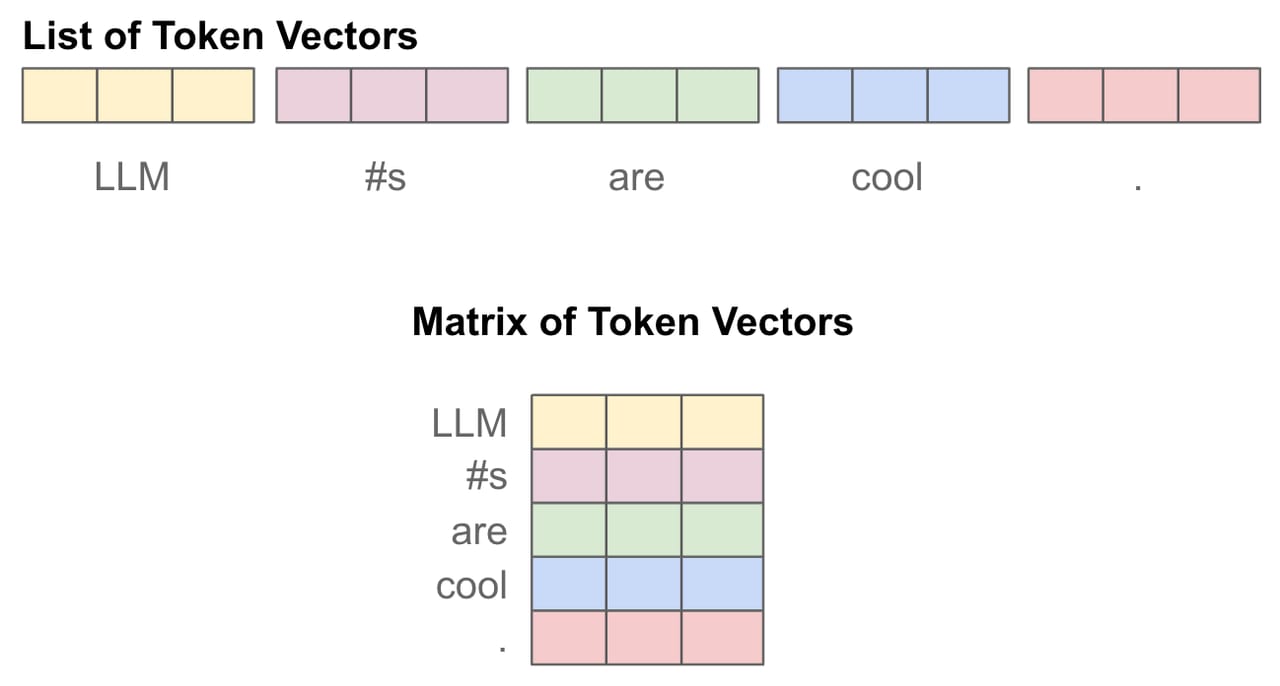
Think of it like a mosaic. The model can't look at a JPEG the way your browser does. Instead, the image is broken into small rectangular patches (tiles), and each patch becomes one visual token. A small thumbnail might produce a few hundred tokens; a high-resolution screenshot might produce several thousand. The more tiles needed to cover the image, the more tokens you pay for.
Why it matters
Text tokens are cheap enough that most developers ignore them early on. Image tokens are different — a single large image can cost as much as a substantial block of text, and if your application processes hundreds of images per hour, those costs compound fast.
- Cost predictability: knowing the formula lets you budget and alert before bills become surprises.
- Resolution vs. quality tradeoff: most vision tasks — classification, extraction, OCR — don't need 4K resolution. Resizing to 768px before sending can cut token costs by 80–95% with no quality loss.
- Model selection: a cheaper model at higher resolution may cost the same as a pricier model at lower resolution. Token math helps you compare apples to apples.
- Multi-image pipelines: processing 10 images per request multiplies your image token spend by 10. If each image is oversized, costs spiral quickly.
- Caching strategy: because image tokens dominate the prompt cost in many pipelines, prompt caching has an outsized effect on vision workloads compared to text-only ones.
Understanding image token pricing is the first step to optimising your vision pipeline. The formulas are simple once you see them — and the savings from applying them correctly are real.
How it works
Every provider follows a variation of the same basic algorithm: resize the image if it exceeds a maximum dimension, divide it into a fixed-size tile grid, and count the tiles. Each provider has chosen different tile sizes and base costs, which produces different token counts from the same image. Here is how the three major providers handle it.
- 28x28 px patches
- Formula: ceil(W/28) x ceil(H/28)
- Max 1,568 tokens (most models)
- Max 4,784 tokens (Opus 4.7+)
- Quick estimate: (W x H) / 750
- 512x512 px tiles
- Low detail: flat 85 tokens
- High detail: 85 base + 170/tile
- Scale to fit 2048px, then 768px short side
- Example: 1024x1024 = 765 tokens
- 768x768 px tiles
- Small images (<=384px): 258 tokens
- Larger: 258 tokens per tile
- Tiles: ceil(W/768) x ceil(H/768)
- Example: 1024x1024 = 4 tiles = 1,032 tokens
Anthropic Claude: the 28-pixel patch formula
Claude divides your image into a grid of 28x28 pixel blocks, each of which becomes one visual token. The precise formula is ceil(width / 28) x ceil(height / 28). Claude also enforces a visual token budget per model: most earlier Claude models cap out at 1,568 visual tokens, while Claude Opus 4.7 and later models raised the ceiling to 4,784 visual tokens to support higher-resolution analysis. If your image would produce more patches than the budget allows, Claude scales it down to fit first.
A quick rule of thumb for Claude: divide the total pixel count by 750. So a 1,000x1,000 image is roughly 1,000,000 / 750 = 1,334 tokens, and a 2,000x2,000 image is 4,000,000 / 750 = 5,333 tokens (which would be scaled down to the budget on older models).
OpenAI GPT: tiles and the detail parameter
OpenAI's GPT vision pricing is unique in that you choose between two quality modes with the detail parameter. "detail": "low" always costs a flat 85 tokens, regardless of the image's dimensions. The model sees a downsampled 512x512 thumbnail and nothing more. This is ideal for routing, classification, or any task where you just need a rough sense of the image content.
"detail": "high" (the default) costs 85 base tokens plus 170 tokens per 512x512 tile. Before tiling, OpenAI first scales the image to fit within a 2048x2048 bounding box, then scales again so the shortest side equals 768 pixels. The resized image is then divided into 512x512 tiles and each tile is charged at 170 tokens.
| Image size | Detail mode | Tiles | Token cost |
|---|---|---|---|
| Any size | low | 1 (thumbnail) | 85 |
| 1024 x 1024 | high | 4 (2x2 grid) | 765 |
| 512 x 512 | high | 1 | 255 |
| 2048 x 4096 | high | 6 (scaled to 768x1536) | 1,105 |
| 1920 x 1080 | high | 3 (scaled to 1366x768) | 595 |
Google Gemini: 258 tokens per 768-pixel tile
Gemini uses a 768x768 pixel tile size. Images where both dimensions are 384 pixels or smaller are counted as a fixed 258 tokens. For larger images, the tile count is ceil(width / 768) x ceil(height / 768), and each tile costs 258 tokens. A 1024x1024 image requires a 2x2 grid of tiles: 4 tiles x 258 = 1,032 tokens. A 768x768 image fits in exactly one tile: 258 tokens.
Side-by-side cost comparison
The same image produces wildly different token counts depending on which provider and mode you use. The table below compares token costs for four common image sizes across the three providers, assuming OpenAI GPT high-detail mode.
| Image size | Claude (tokens) | OpenAI high detail (tokens) | OpenAI low detail (tokens) | Gemini (tokens) |
|---|---|---|---|---|
| 512 x 512 | 336 | 255 | 85 | 258 |
| 1024 x 1024 | 1,369 | 765 | 85 | 1,032 |
| 1920 x 1080 | 2,954 | 595 | 85 | 774 |
| 2048 x 2048 | 5,334 (capped ~1,568 on older models) | 1,105 | 85 | 4,128 |
A few observations stand out. First, OpenAI low detail is always 85 tokens regardless of dimensions — the cheapest option by far for any task that doesn't need fine-grained resolution. Second, Claude and Gemini costs grow roughly proportionally with pixel area; there's no flat-fee escape hatch. Third, a full-resolution 2048x2048 screenshot on Claude would hit the older models' visual token budget cap at 1,568 tokens, so the image is silently scaled down — good for your wallet, potentially bad if you needed that detail.
How to cut vision API costs
Most applications send images at much higher resolution than the task actually requires. The single biggest lever on vision cost is pre-resizing your images before sending them. Here are the most effective techniques, roughly ordered by impact.
1. Resize to the model's effective resolution
Each provider internally scales images anyway. Claude targets roughly 1,568 patches, which corresponds to a ~1,150,000 pixel image. There is no benefit in sending a 4K image — you'll pay the same (or less, due to capping) as a 1072x1072 image. For OpenAI high detail, the effective max is 2048px scaled to 768px shortest-side. Pre-scaling to 1024px on the longest edge before sending typically costs the same tokens with negligible visual quality loss for most tasks.
from PIL import Image
import io

def resize_for_vision(image_path: str, max_px: int = 1024) -> bytes:
    """Resize image so the longest side <= max_px, preserving aspect ratio."""
    img = Image.open(image_path)
    img.thumbnail((max_px, max_px), Image.LANCZOS)
    buf = io.BytesIO()
    img.save(buf, format="PNG")
    return buf.getvalue()

# Sending to Claude: a 4000x3000 image → 1024x768, tokens cut by ~12x
image_bytes = resize_for_vision("big_screenshot.png", max_px=1024)
2. Use OpenAI's low-detail mode for classification tasks
If you're asking a yes/no question, routing an image to a category, or checking whether an image contains a specific object, "detail": "low" gives you a flat 85-token cost. That's a 9x reduction compared to a 1024x1024 high-detail call (765 tokens). Low-detail mode produces a 512x512 thumbnail view of the image — sufficient for most classification and routing tasks.
3. Crop to the region of interest
Don't send the full page if you only care about a signature block in the bottom corner, or the price label on a shelf. Cropping before sending reduces pixel count and therefore token count proportionally. A 1920x1080 screenshot cropped to the 300x200 area you care about costs roughly 7% of the original token count on Claude and Gemini.
4. Use prompt caching for repeated images
If your application repeatedly sends the same image (a reference diagram, a system schematic, a product photo), use prompt caching. Claude's prompt caching gives a 90% discount on cached tokens after the first cache write. OpenAI automatically caches prompt prefixes with a 50% discount. If your image appears at the start of every call, caching it can slash costs dramatically over the life of the session.
5. Count tokens before committing
Both Anthropic and OpenAI provide token-counting endpoints you can call before actually running inference. Use Anthropic's client.messages.count_tokens() or include the image in a dry-run call to the OpenAI tokenizer to get the exact token count for a given image at a given resolution. Build this into your pipeline to catch unexpectedly large images before they inflate your bill.
Going deeper
Once you have a handle on the basic formulas and resizing tricks, several more advanced topics are worth understanding to truly optimise a production vision pipeline.
Model-specific visual token budgets and the resolution ceiling
Claude's visual token budget is a hard architectural cap, not just a pricing signal. Older Claude models are capped at 1,568 visual tokens. Claude Opus 4.7 raised the cap to 4,784 visual tokens, enabling finer analysis of high-resolution documents, medical imagery, and complex charts. If you're doing document Q&A or technical diagram analysis where fine print matters, upgrading to a higher-budget model — and paying the extra image token cost — may produce significantly better results than resizing.
Batch API pricing for high-volume pipelines
Both Anthropic and OpenAI offer asynchronous batch APIs that process jobs off-peak for roughly 50% of the standard token price. If you're processing thousands of images — a document archive, a product catalog, a nightly screenshot sweep — batching is by far the biggest cost lever available. You trade latency (hours instead of seconds) for cost savings that can easily reach 50% of your total vision API spend.
Image tokens in multi-turn conversations
A subtle trap: when you include images in a multi-turn chat, the full image token cost is charged on every API call that includes that message in the conversation history. If your chat history includes a 1,000-token image and you make 20 follow-up turns, you pay for the image 20 times. Mitigate this by using Anthropic's Files API (which lets you reference an uploaded image by ID without re-encoding it as base64), or by summarising and dropping image messages from the history after the model has processed them.
The emerging fixed-token image billing model
Some newer model APIs and deployment tiers are moving toward fixed per-image pricing rather than resolution-based token counting. This simplifies billing but removes the cost-optimisation lever of resizing. When evaluating providers for a new vision project, check whether the billing model is tile-based (where resizing saves money) or per-image flat-rate (where it doesn't). Gemini's newer image-generation model lines, for example, charge a fixed token amount for output images at each resolution tier rather than a dynamic tile count.
FAQ
How many tokens does a typical screenshot cost on Claude?
For a standard 1920x1080 screenshot, Claude's formula (ceil(1920/28) x ceil(1080/28)) produces approximately 2,954 visual tokens on models with the 4,784 token budget. On older models capped at 1,568 tokens, Claude will downscale the image first. At Claude Sonnet pricing of $3.00 per million input tokens, that's roughly $0.009 per screenshot.
Is OpenAI's low-detail mode really always 85 tokens regardless of image size?
Yes. When you pass "detail": "low" in the image_url block, OpenAI processes a 512x512 downsampled version of your image and always charges exactly 85 tokens, no matter whether the original was 100x100 or 4000x3000. This makes it ideal for tasks like image classification or routing where fine detail isn't needed.
Why does the same image cost different tokens on Claude vs OpenAI vs Gemini?
Each provider uses a different tile size and base cost: Claude uses 28x28 pixel patches, OpenAI uses 512x512 pixel tiles (high-detail) or a flat fee (low-detail), and Gemini uses 768x768 pixel tiles at 258 tokens each. The different patch sizes mean a 1024x1024 image produces 1,369 tokens on Claude, 765 on OpenAI (high detail), and 1,032 on Gemini — all from the same file.
Does resizing an image always reduce the token cost?
Yes, as long as you stay below the provider's maximum effective resolution. Resizing reduces the number of tiles needed to cover the image, proportionally cutting token cost. The one exception is OpenAI's "detail": "low" mode, which costs 85 tokens regardless of dimensions — resizing has no effect there.
Do image tokens benefit from prompt caching?
Yes, with caveats. Claude's prompt caching applies to image tokens just like text tokens — a cached image hit costs 10% of the standard input price after the initial write. OpenAI's automatic caching applies to the full prompt prefix, including image content. The key requirement is that the image (and everything before it in the prompt) must be identical across calls for the cache to hit.
What happens if my image exceeds Claude's visual token budget?
Claude automatically downscales the image before processing to fit within the model's visual token cap (1,568 tokens for most models, 4,784 for Opus 4.7 and later). You still pay for the downscaled token count, not the original. No error is thrown — the model simply sees a lower-resolution version. If fine detail matters for your task, use a model with the higher token budget.