Overview
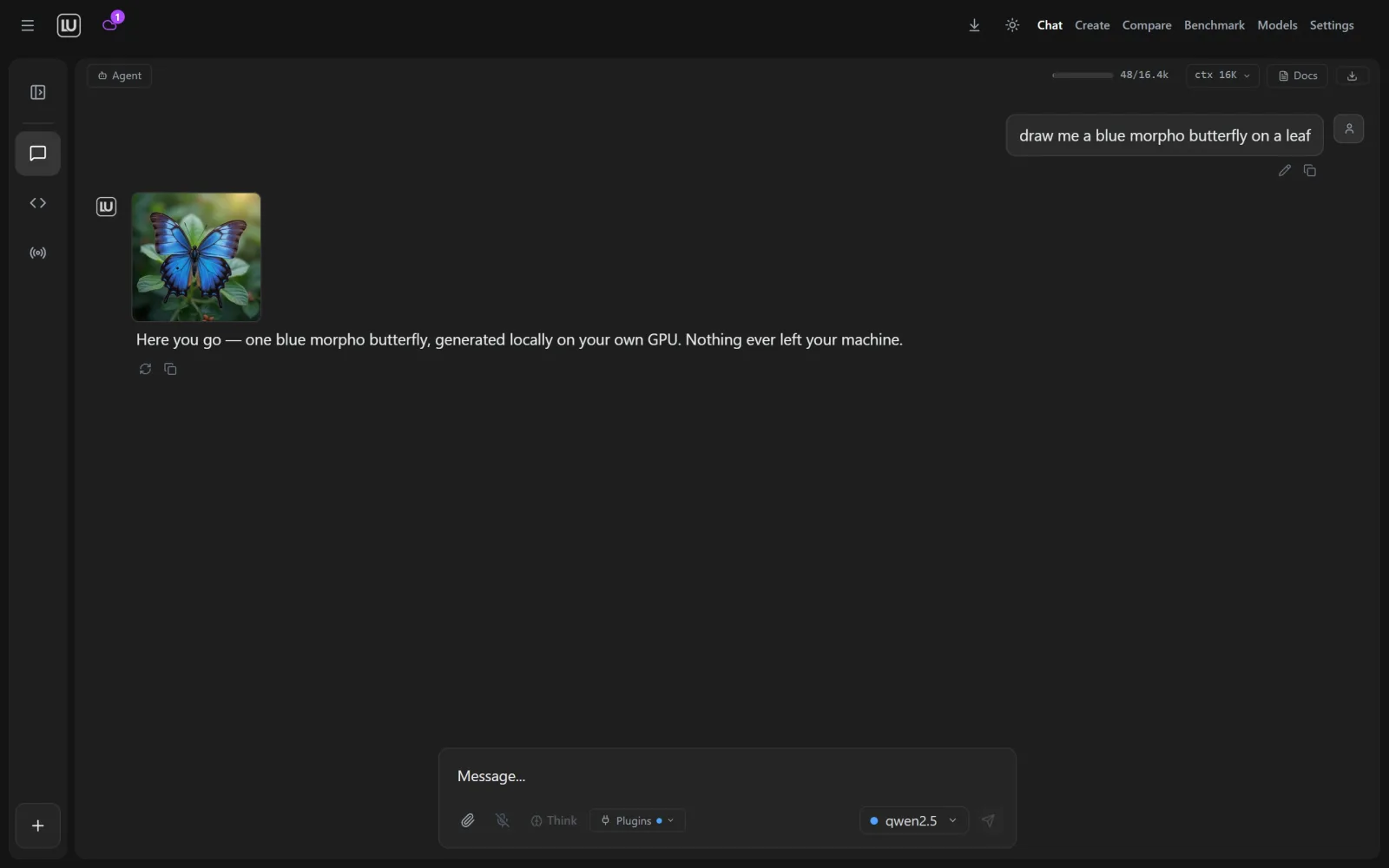
Locally Uncensored is a free, open-source desktop application for Windows and Linux that bundles several kinds of local AI work into one app. Chat, Create, Code and Agent are tabs in the same window and share the same models, and the README states that everything runs on your own machine with no Docker, terminal or config files required.
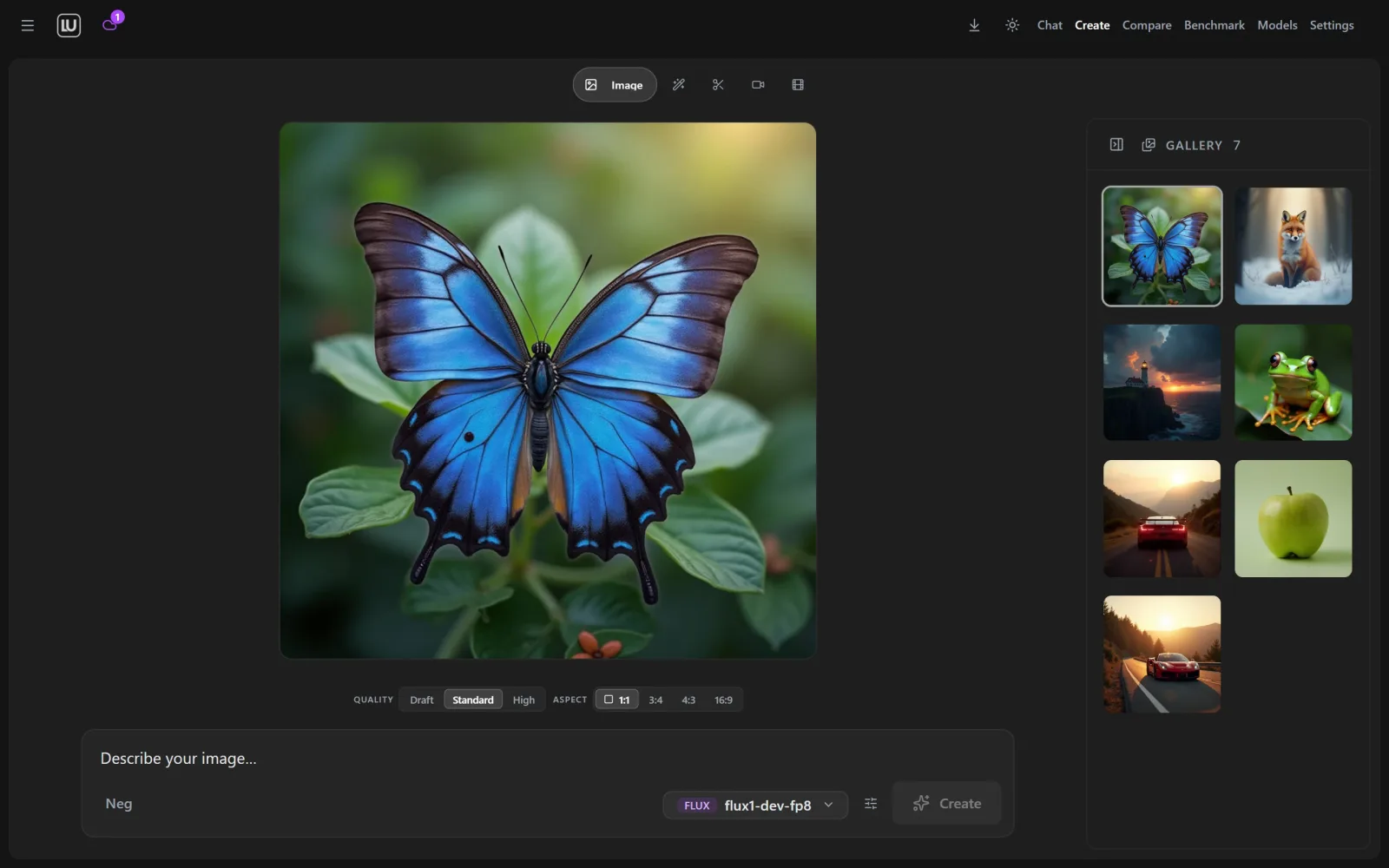
On first launch a setup wizard looks for an AI engine already running on the machine and installs one with a single click if there is none; it does the same for ComfyUI, which the app uses to generate images and video. A model manager marks which models fit your hardware, downloads them in one click, and can link models that tools such as Ollama or LM Studio already store instead of copying them. The Create tab drives ComfyUI without node graphs, with lanes for text to image, masked inpainting, background removal, video, image animation, clip extension, music and a Character Studio that trains a character LoRA.
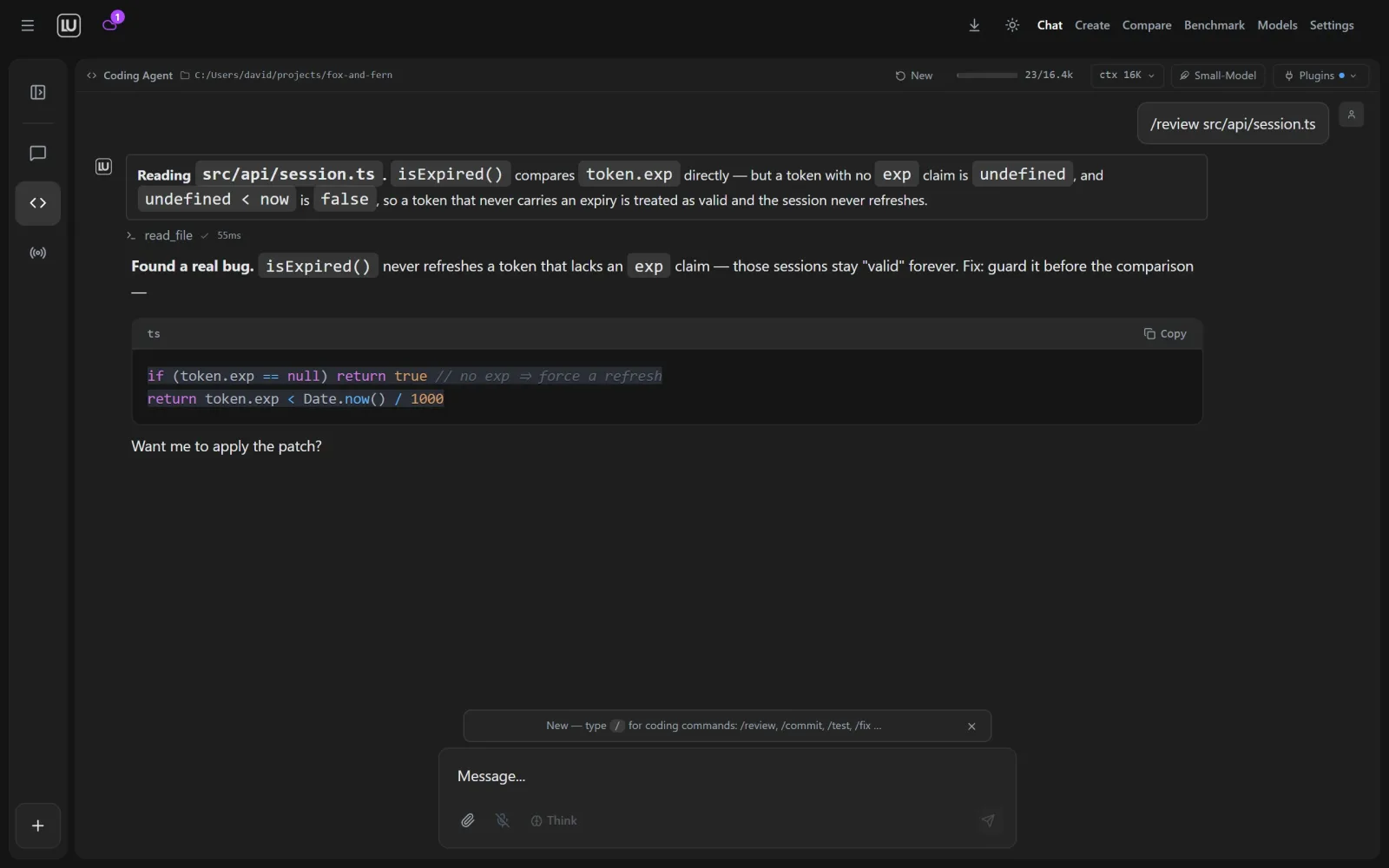
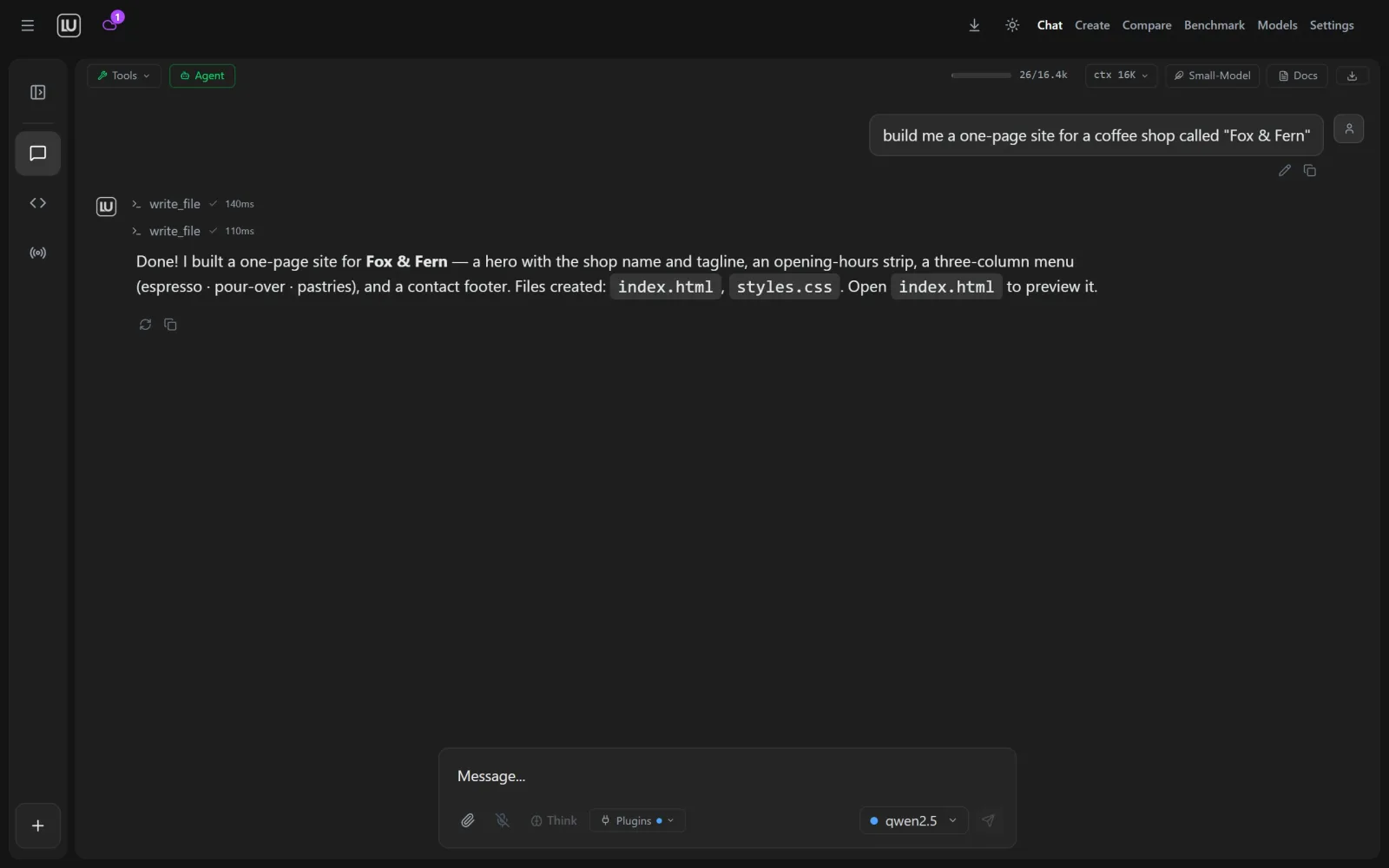
The Code tab is a coding agent that maps the repository, edits only the lines requested, shows the diff before applying it, runs tests and reads the failures, with Ask, Plan and Bypass modes and per-project rules in a .lurules file. The Agent tab adds web search and fetch, file access, a shell, code execution, screenshots and your own MCP servers, with every tool call passing a permission gate and long jobs running as background agents.
The app detects existing engines including Ollama, LM Studio, vLLM, KoboldCpp, llama.cpp, LocalAI, Jan and text-generation-webui, and ships its own LU Engine for machines that have none. Cloud providers such as OpenAI, Anthropic and OpenRouter are optional and use your own keys, and an optional paid LU Labs Cloud switch runs larger models on hosted GPUs. Its chat menu lists abliterated models, which the project describes as having trained-in refusal behaviour removed from the weights, alongside mainstream ones. It is built with Tauri v2, a Rust backend and React, and is released under AGPL-3.0; there is no macOS desktop build.
What it does
- Chat, Create, Code and Agent tabs in one desktop window, sharing the same local models
- First-launch wizard that finds or installs a local AI engine and a managed ComfyUI for images and video
- Model manager that marks what fits your hardware, downloads in one click and links models already stored by Ollama or LM Studio
- Coding agent that shows diffs before applying them, runs tests, and follows per-project rules in a .lurules file
- Tool-using agent with web search, files, shell, code execution and MCP servers behind a permission gate you control
- Document chat, voice in and out, side-by-side model comparison, on-device benchmarks and an OpenAI-compatible Local API
Getting started
Locally Uncensored ships as a desktop installer for Windows 10/11 and as AppImage, .deb and .rpm packages for Linux, all on the project's GitHub Releases page. The README describes getting from install to output in three steps; building from source is also documented for contributors.
Install the app
Download the Windows installer (NSIS .exe or .msi) or a Linux AppImage, .deb or .rpm from GitHub Releases and run it like any other program. On first launch a wizard detects an existing AI engine or installs one with a single click, and does the same for ComfyUI.
Pick a model
Open the model manager, which marks which models fit your hardware and downloads them in one click. It works with an engine you already have, such as Ollama or LM Studio, and can link the models those tools already store without copying them.
Create
Switch between the Chat, Create, Code and Agent tabs in the same window; the models you picked carry across. The project's getting-started guide at locallyuncensored.com/guide/ walks through this with screenshots.
Or build from source
For development, clone the repository and run it in browser dev mode or build the desktop binary with Tauri. setup.bat on Windows and setup.sh on Linux and macOS bootstrap Node, Git and Ollama for dev mode.
git clone https://github.com/PurpleDoubleD/locally-uncensored.git
cd locally-uncensored
npm install
npm run dev          # browser dev mode
npm run tauri build  # desktop binary
Commands and code are distilled from the project's own documentation — always check the official repo for the latest.
When to use it
- Reach for it when you want local chat plus image and video generation on your own GPU without wiring up ComfyUI node graphs yourself
- Use it to run a coding agent against a local model that shows its diff before touching your files and runs your tests afterwards
- Give a local model agent tools such as web search, a shell and your own MCP servers, with each call passing a permission gate
- Put one front end over engines you already run, such as Ollama, LM Studio or llama.cpp, and expose them to other tools through its OpenAI-compatible Local API
How Locally Uncensored compares
Locally Uncensored alongside other open-source local runtimes tools AI/TLDR tracks, ranked by GitHub stars.
| Tool | Stars | What it does |
|---|---|---|
| Ollama | ★ 182k | A developer-friendly tool that downloads and runs local LLMs from the terminal with a built-in OpenAI-compatible API. |
| llama.cpp | ★ 130k | A C/C++ inference engine that runs LLMs in the GGUF format on CPUs, Apple Silicon, and GPUs with low memory use. |
| GPT4All | ★ 77.4k | GPT4All is a free desktop app and Python client that runs large language models locally on your own computer, with no API calls or GPU required. |
| LocalAI | ★ 49.3k | A self-hosted server that exposes an OpenAI-compatible API for running text, vision, voice, and image models on local hardware. |
| Jan | ★ 44.7k | An open-source desktop app that runs LLMs fully offline as a ChatGPT-style assistant on your own computer. |
| Colibrì | ★ 38k | A pure-C inference engine that keeps a Mixture-of-Experts model's dense trunk resident in RAM and streams its routed experts from disk, so 744B-2.8T models run on consumer hardware. |
| llmfit | ★ 37.2k | A Rust terminal tool that inspects your CPU, RAM, GPUs and VRAM and scores which open-weight models and quantizations will actually run well on that machine, with a TUI, CLI, REST API and local-runtime integrations. |
| Locally Uncensored | ★ 1.8k | A desktop studio that puts local chat, image and video generation, a coding agent and a tool-using agent in one window |