Overview
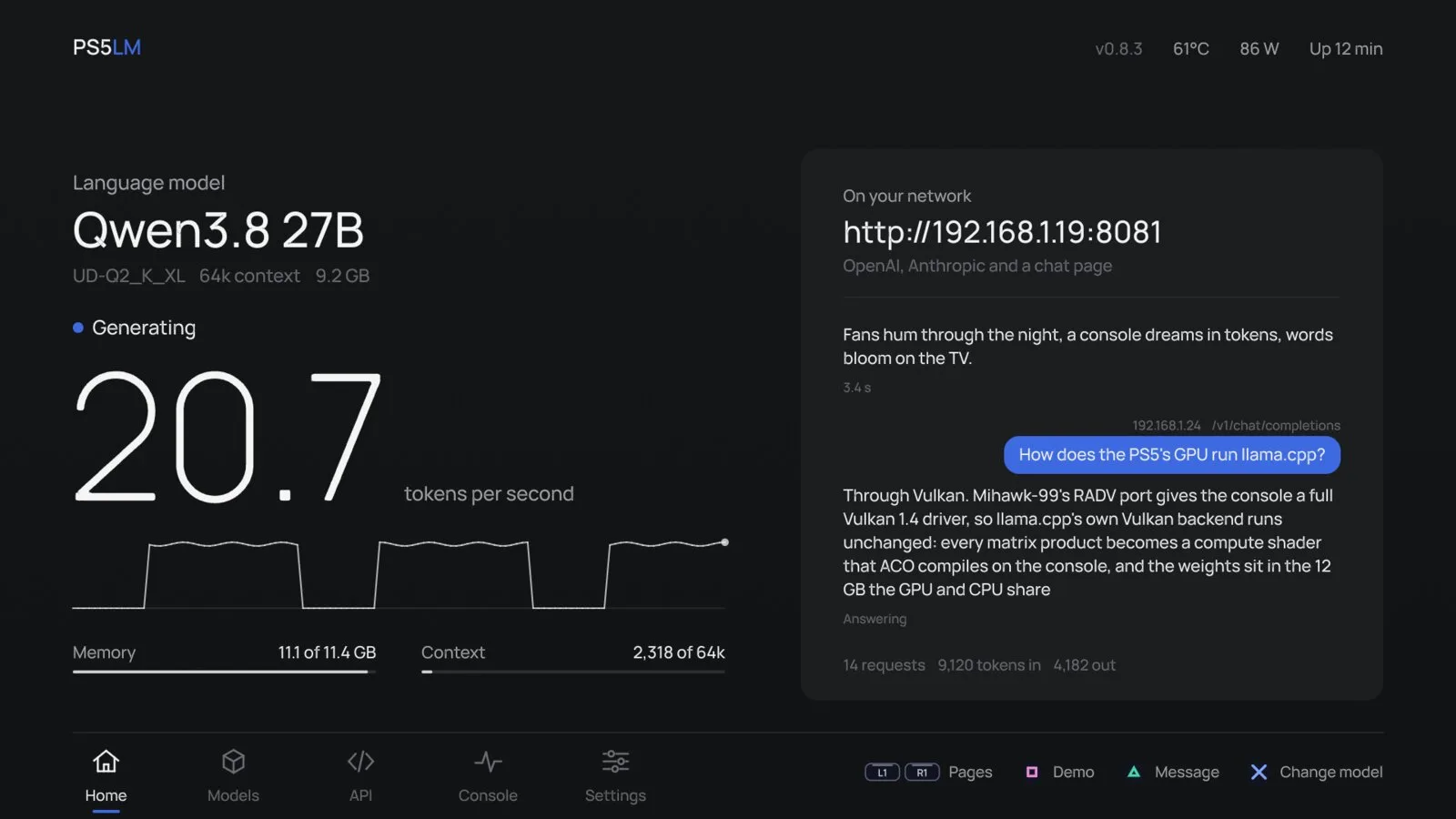
PS5LM runs llama.cpp on the GPU of a jailbroken PlayStation 5 and serves GGUF language models to the other devices on your network. While it runs there is no PC, no cloud service and no account involved: the console downloads models from Hugging Face, loads them, and answers requests on port 8081 through an OpenAI-style /v1/chat/completions endpoint, an Anthropic-style /v1/messages endpoint and a browser chat page.
The GPU work goes through llama.cpp's Vulkan backend on the console's RDNA 2 graphics. The model and its context share 11.4 GB of the PS5's memory, and a model planner picks the longest context that fits the free memory. The project's own measurements on a PS5 Slim are 207 tokens/s for Qwen 3.5 0.8B, 55 tokens/s for Qwen 3.5 9B and about 20 tokens/s for Qwen 3.8 27B at a 2-bit quantization with a 64k context; the project says generation is limited by memory bandwidth.
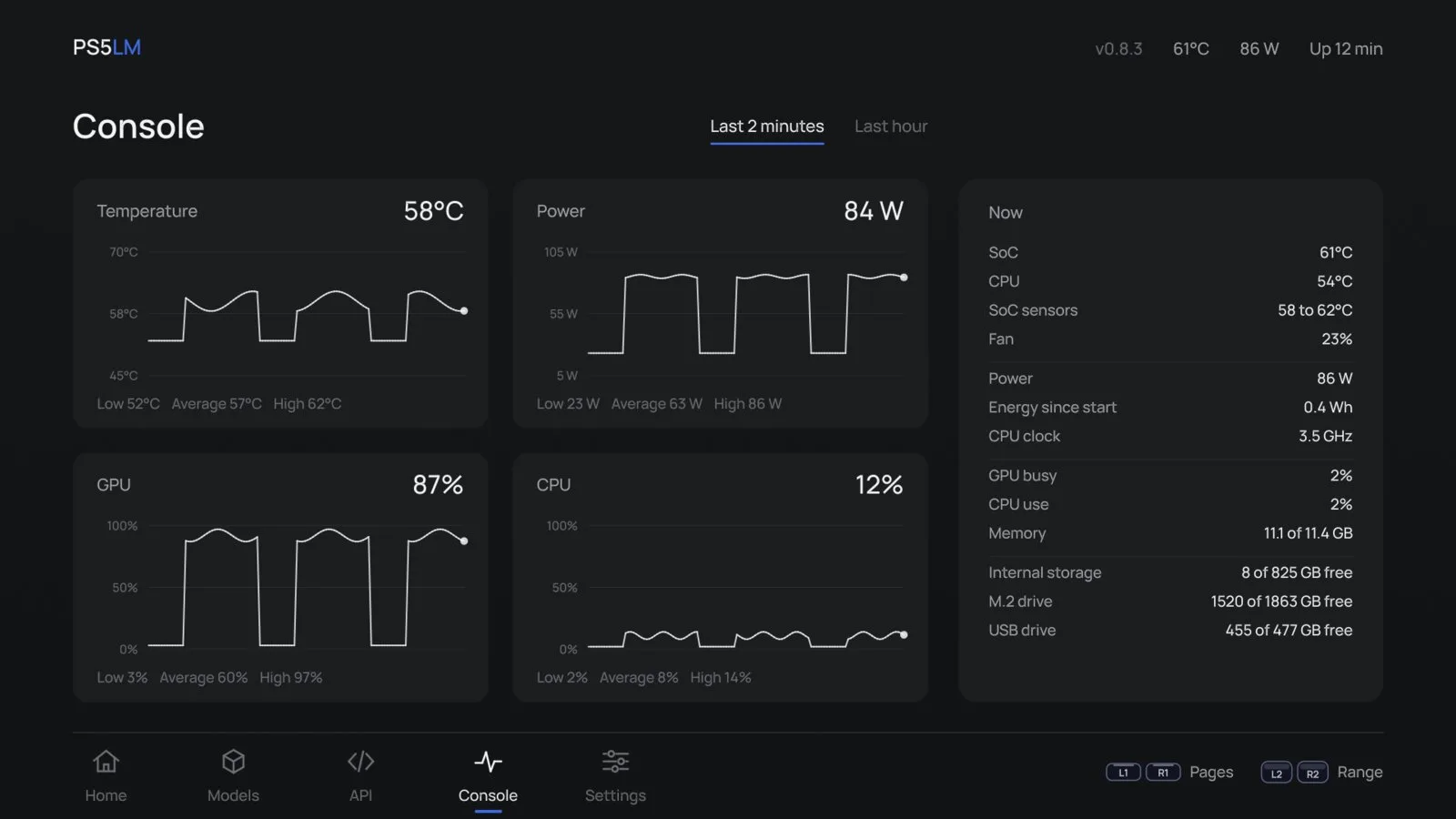
On the TV, PS5LM shows the incoming requests, a model library, an API page and a Console page with temperature, power and load. It also serves decision models from Ollaya through a /v1/systemone endpoint, and reads images with models that ship an image projector, such as Gemma 4 and MiniCPM-V. It needs a PS5 you own on firmware 7.00 to 13.60 with a jailbreak and the kstuff-lite, etaHEN and ShadowMountPlus payloads, and is released under GPL-3.0.
What it does
- Runs llama.cpp on the PS5 GPU through its Vulkan backend, with any GGUF model that fits in 11.4 GB of shared memory
- OpenAI /v1/chat/completions and Anthropic /v1/messages endpoints plus a browser chat page on port 8081
- Ollaya-compatible decision models through /v1/systemone
- Image input for models with an image projector, such as Gemma 4, MiniCPM-V and d1
- Downloads models from Hugging Face on the console and stores them internally or on an M.2 or USB drive
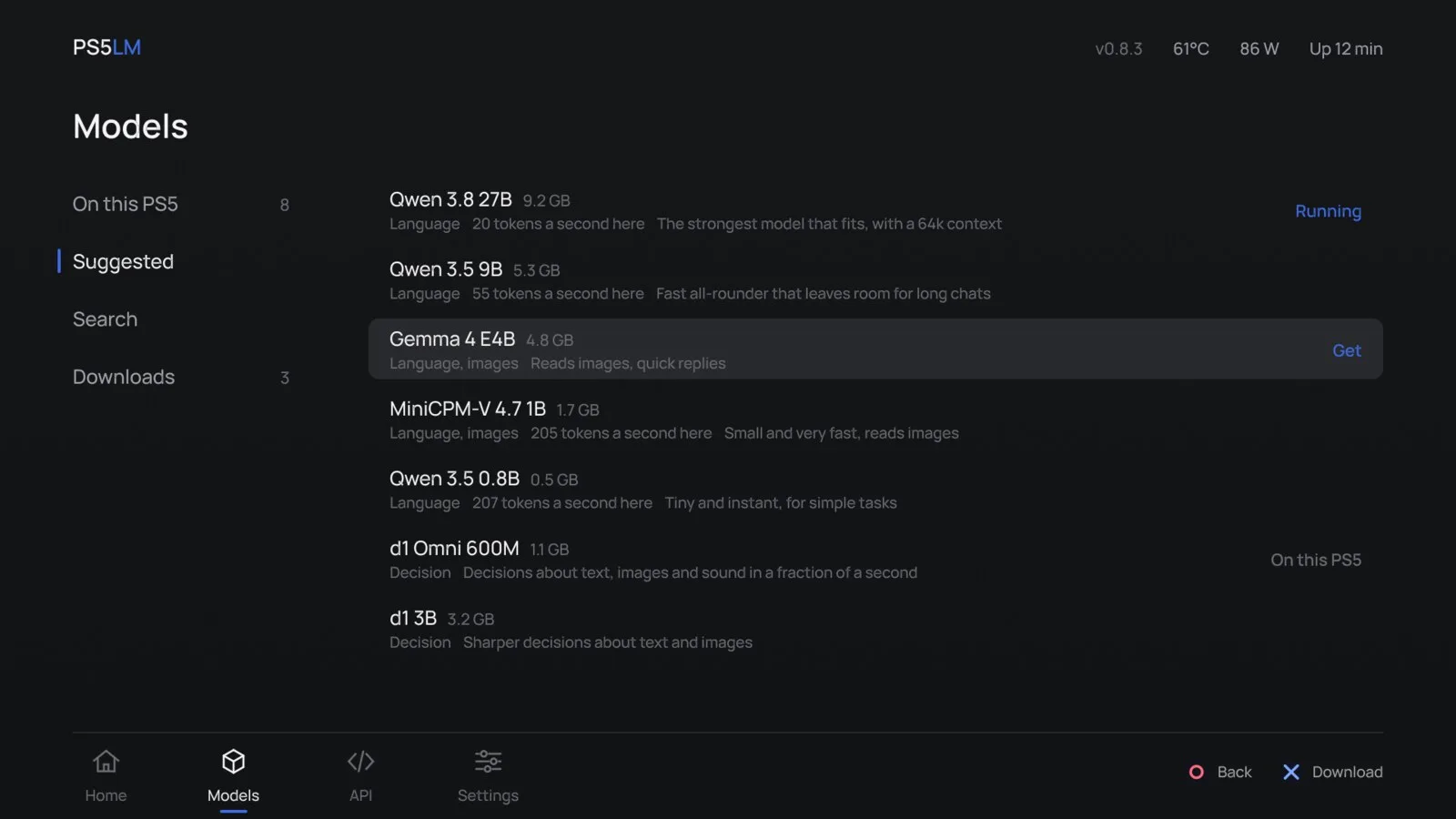
- A TV interface with Home, Models, API, Console and Settings screens; the Console page tracks temperature, power and load
Getting started
PS5LM needs a PS5 you own on firmware 7.00 to 13.60, jailbroken, with the kstuff-lite, etaHEN and ShadowMountPlus payloads loaded. elfldr and ftpsrv are recommended for telemetry and copying files.
Install the app
Download ps5lm-app-vX.Y.Z.zip from the latest GitHub release, unzip it, and copy the PPSA99575 folder to /data/homebrew over FTP. ShadowMountPlus adds PS5LM to the home screen. To update later, copy the new folder over the old one; settings and models stay in /data/PS5LM.
Get a model
Open PS5LM, go to Models > Suggested and download one. You can also copy a .gguf file to /data/PS5LM/models, or to PS5LM/models on a USB drive.
Call it from another device
Load the model. When Home shows Ready, open http://<console>:8081 in a browser, or point an OpenAI or Anthropic client at that address. Decision models answer on /v1/systemone.
curl http://<console>:8081/v1/systemone -H 'Content-Type: application/json' -d '{
  "state": "I was charged twice this month. Refund me or I cancel.",
  "questions": {
    "intent": {"type": "choice", "instructions": "What does the customer want?",
               "criteria": {"refund": null, "information": null, "cancel": null}},
    "angry":  {"type": "noul", "instructions": "Is the customer angry?"}
  }
}'
Commands and code are distilled from the project's own documentation — always check the official repo for the latest.
When to use it
- Reuse a PS5 you already own as a private, always-on LLM server for laptops and phones on your home network
- Point OpenAI- or Anthropic-compatible tools at a local endpoint instead of a cloud API
- Run small decision models for fast typed answers about text and images
- Skip it if your console is not jailbroken or is on firmware newer than 13.60 — it only runs on a jailbroken PS5
How PS5LM compares
PS5LM alongside other open-source local runtimes tools AI/TLDR tracks, ranked by GitHub stars.
| Tool | Stars | What it does |
|---|---|---|
| Ollama | ★ 184k | A developer-friendly tool that downloads and runs local LLMs from the terminal with a built-in OpenAI-compatible API. |
| llama.cpp | ★ 131k | A C/C++ inference engine that runs LLMs in the GGUF format on CPUs, Apple Silicon, and GPUs with low memory use. |
| GPT4All | ★ 77.4k | GPT4All is a free desktop app and Python client that runs large language models locally on your own computer, with no API calls or GPU required. |
| LocalAI | ★ 49.6k | A self-hosted server that exposes an OpenAI-compatible API for running text, vision, voice, and image models on local hardware. |
| Jan | ★ 45k | An open-source desktop app that runs LLMs fully offline as a ChatGPT-style assistant on your own computer. |
| Colibrì | ★ 42.4k | A pure-C inference engine that keeps a Mixture-of-Experts model's dense trunk resident in RAM and streams its routed experts from disk, so 744B-2.8T models run on consumer hardware. |
| AirLLM | ★ 39k | A Python inference library that keeps only one transformer layer on the GPU at a time, so a 70B model runs on a single 4GB card and a 671B MoE model on about 12GB, without quantization. |
| PS5LM | — | Turn a jailbroken PS5 into a local LLM server for your home network |