
What is md2wechat?
md2wechat is a Go command-line tool that breaks publishing to a WeChat Official Account into a set of verifiable commands. It sits in the Writing & Marketing category of the AI Productivity & Writing tools and is open-source, written in Go and licensed md2wechat Source Available License (based on Business Source License 1.1; free for personal non-commercial, learning, evaluation and non-profit use, commercial use requires a licence; changes to Apache-2.0 on 2030-01-01).
Overview
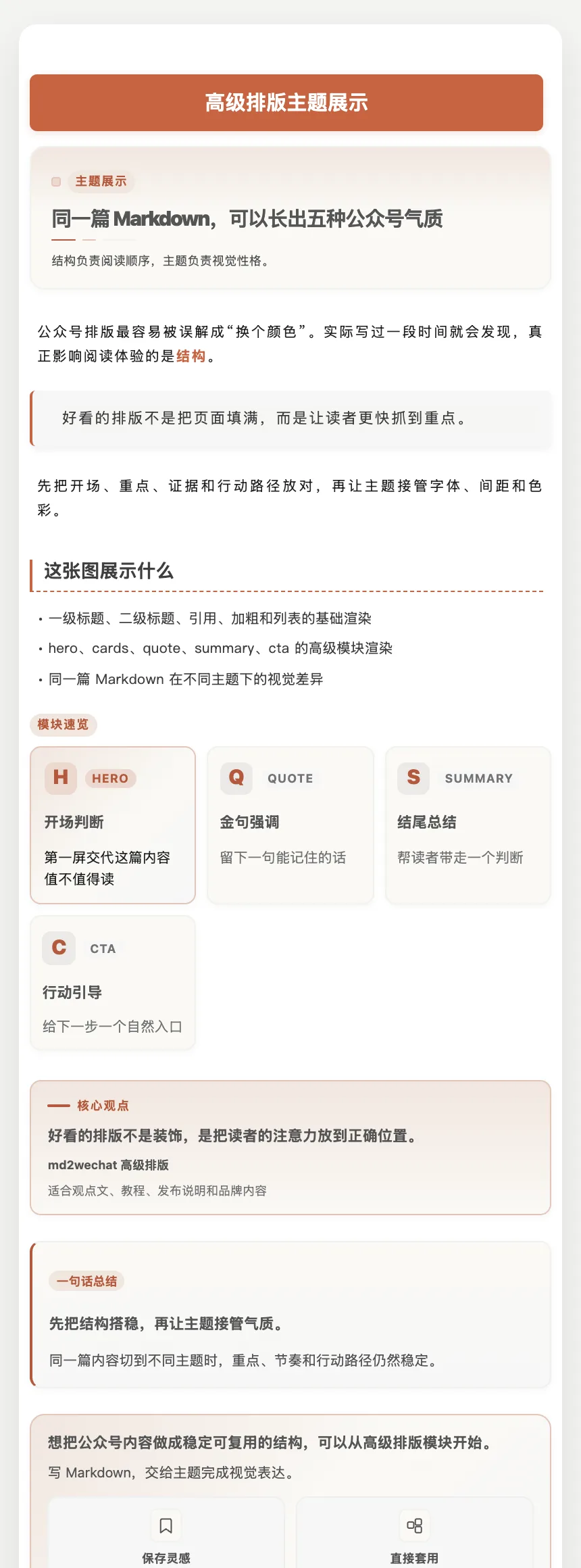
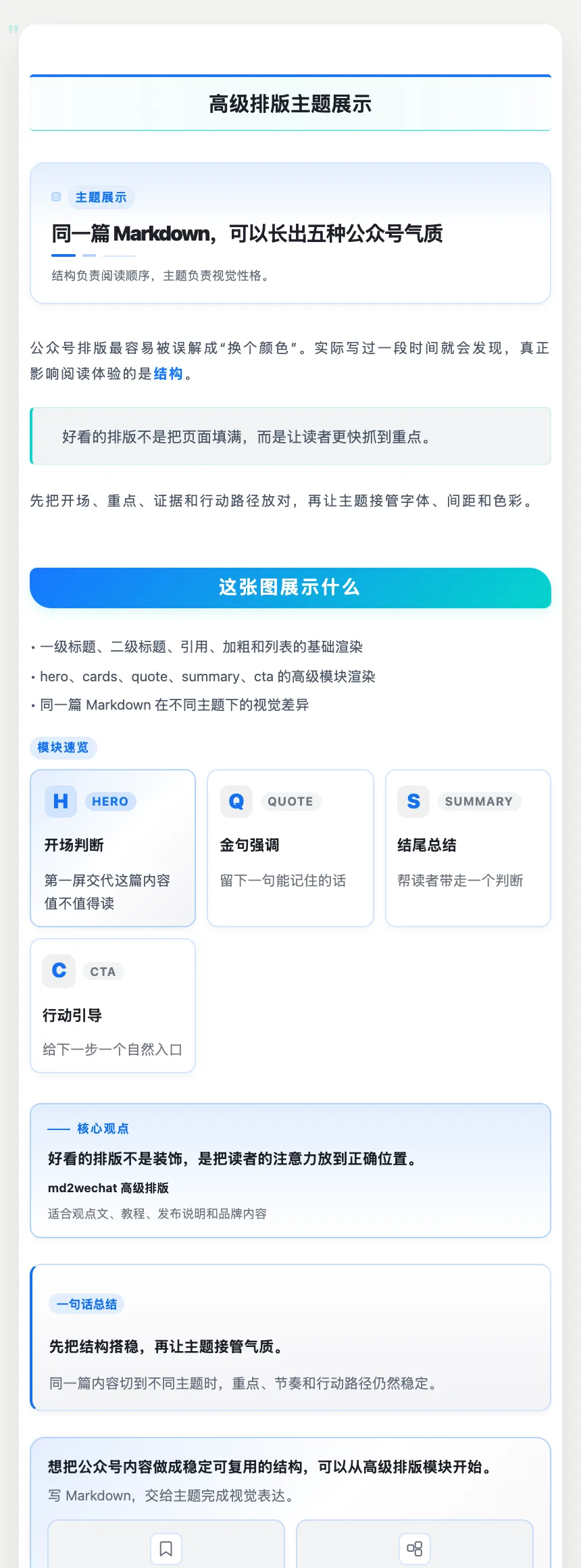
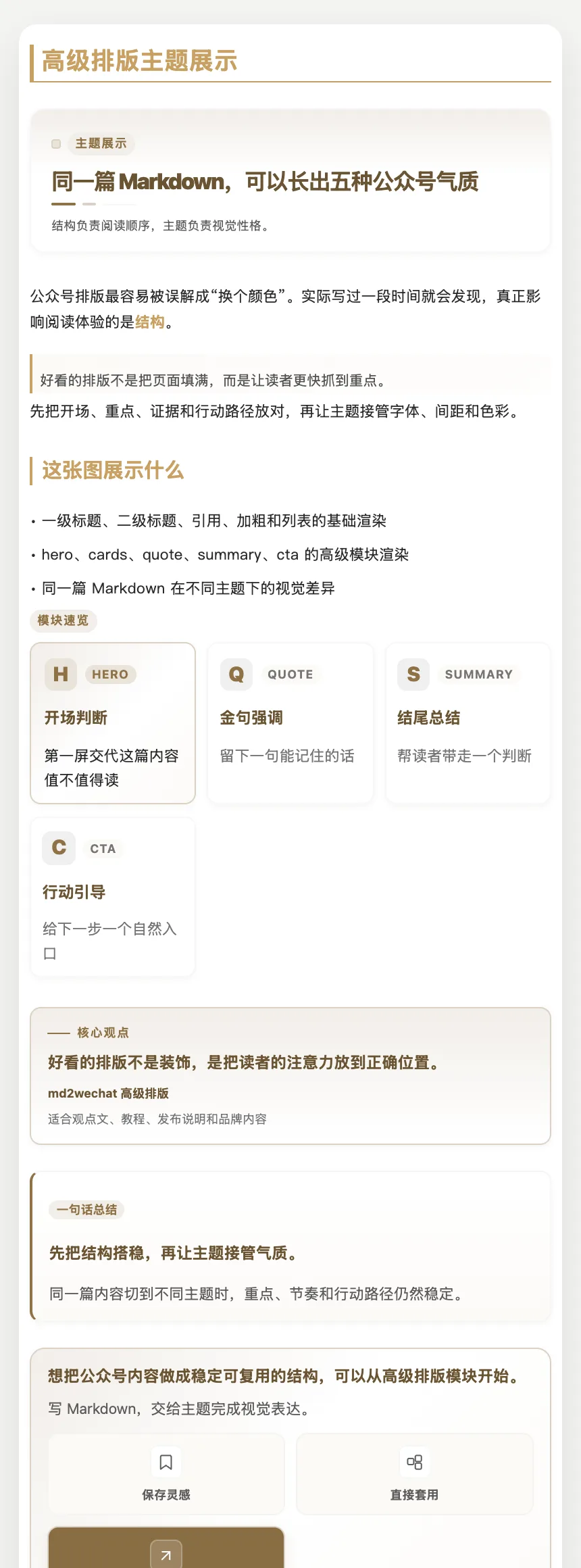
md2wechat is a Go command-line tool that breaks publishing to a WeChat Official Account into a set of verifiable commands. You write Markdown; `convert` turns it into WeChat-ready HTML, `inspect --json` reports the title, summary, images, cover and whether the article is ready to become a draft, and only an explicit `--draft` run uploads images and creates the draft in the WeChat backend. The project is built to be driven by AI agents — its README names Claude Code, Codex, WorkBuddy, Kimi Work, Hermes Agent and OpenClaw — and every discovery command (`capabilities`, `doctor`, `themes`, `layout`, `providers`, `skills`) returns a single-line JSON object so an agent can check what is available instead of guessing.
Around conversion sit content-production commands: `write` drafts an article from an idea, `humanize` rewrites AI-sounding text, `title suggest` prepares headline suggestions, and `generate_cover` / `generate_infographic` make images through providers such as Volcengine, ModelScope, OpenRouter, OpenAI, Gemini, MiniMax and Atlas Cloud — or, with `--plan`, return an image plan for the host agent's own image tool without calling any provider or uploading to WeChat. A `sync prepare` flow readies the body for Zhihu, CSDN, Toutiao and Tencent Cloud Developer Community drafts, which the host agent then creates in an already-logged-in browser following built-in steps. Named WeChat accounts, a long-lived brand profile at `~/.config/md2wechat/brand.md`, and a `:::module` syntax for structured layouts (hero, callout and more) round it out.
There are two modes. The free AI mode has three basic themes and produces a prompt for an external LLM to finish the HTML; advanced `:::module` blocks are output as plain paragraphs. The paid professional API mode (¥199, one-time purchase, per the README) returns final WeChat HTML directly, with 48 themes and 59 recommended `:::` layout syntaxes covering 83 layout scenarios. The code is published under the md2wechat Source Available License, based on the Business Source License 1.1: personal non-commercial, learning, evaluation and non-profit use are free, commercial use needs a separate licence, and each version converts to Apache-2.0 on its change date.
What it does
- `convert` turns Markdown into WeChat Official Account HTML, with image upload and draft creation only when explicitly requested
- `inspect --json` returns structured metadata, checks, readiness targets and blockers before anything is published
- Agent discovery commands (`capabilities`, `doctor`, `themes list`, `layout list`, `skills read`) that answer in compact JSON
- Writing helpers: `write` from an idea, `humanize` to rewrite AI-sounding text, and `title suggest` for headline ideas
- Cover and infographic generation via Volcengine, ModelScope, OpenRouter, OpenAI, Gemini, MiniMax or Atlas Cloud, or a `--plan` mode that hands the job to the host agent's image tool
- `:::module` layout syntax (hero, callout and others) rendered by the API, with local `layout validate` for syntax checks
- Cross-platform draft prep for Zhihu, CSDN, Toutiao and Tencent Cloud Developer Community via `sync prepare`
- Multiple named WeChat accounts, discovered locally without printing secrets
Getting started
Install the CLI from npm, initialise its config, then inspect and convert an article. Preview and conversion in API mode need an md2wechat API key; WeChat credentials and IP-whitelist setup are covered in the project's docs/WECHAT-CREDENTIALS.md.
Install and set up the config
The README pins a version in the install command; `config validate` confirms the setup.
npm install -g @geekjourneyx/md2wechat@3.8.0
md2wechat version --json
md2wechat config init --json
md2wechat config validate --json
Check, preview and convert locally
None of these upload images or create a draft — the HTML is written to local files.
md2wechat inspect article.md --json
md2wechat preview article.md --output preview.html
md2wechat convert article.md --output article.html
Create the WeChat draft
Inspect against the same target first, then run the side effect explicitly. If you use `--wechat-account`, pass the same account name to both commands.
md2wechat inspect article.md --draft --cover cover.jpg --json
md2wechat convert article.md --draft --cover cover.jpg
Generate a cover or infographic
List the presets the installed binary ships, then call an image provider — or add `--plan --json` to get an image plan for the host agent instead.
md2wechat prompts list --kind image --archetype cover --json
md2wechat generate_cover --article article.md
md2wechat generate_infographic --article article.md --preset infographic-claude-warm
Let an agent discover the rest
These are the commands an agent calls to learn what the CLI supports and whether an article can be published.
md2wechat capabilities --json
md2wechat doctor --json
md2wechat layout list --json
md2wechat skills read md2wechat --json
Commands and code are distilled from the project's own documentation — always check the official repo for the latest.
When to use it
- Publish to a WeChat Official Account from Markdown without hand-formatting in the WeChat editor
- Give Claude Code, Codex or another agent a safe, checkable path from draft to WeChat draft box
- Produce a cover image and infographic for an article from the same command line
- Prepare one article as drafts for Zhihu, CSDN, Toutiao and Tencent Cloud Developer Community as well as WeChat
- Run several WeChat accounts with consistent themes and a shared brand profile
How md2wechat compares
md2wechat alongside other open-source writing & marketing tools AI/TLDR tracks, ranked by GitHub stars.
| Tool | Stars | What it does |
|---|---|---|
| AiToEarn | ★ 27.6k | An AI content-marketing agent that creates, schedules and publishes posts to 14+ Chinese and global social platforms, with an MCP server, an agent skill bundle and a self-hosted Docker stack. |
| InkOS | ★ 11.1k | Story-creation agent for long novels, short fiction, scripts, storyboards, interactive film and translation, sharing one tool loop across a Studio web app, a TUI and a CLI while it keeps story state on disk. |
| xiaobei | ★ 8.7k | A self-hosted team of AI agents, built on openclaw, that small businesses control from WeChat to write, publish and track social-media content and win customers. |
| chinese-novelist | ★ 4.8k | An agent skill that interviews you, plans an outline, cast and chapter plan, then writes, polishes and checks a complete 10–50 chapter Chinese novel, one Markdown file per chapter. |
| GEOFlow | ★ 4.1k | An open-source, self-hosted platform for generative engine optimization that runs knowledge-grounded AI content through quality checks, human review and multi-site publishing. |
| md2wechat | ★ 3.8k | A WeChat Official Account writing and publishing CLI built for AI agents: Markdown to WeChat HTML, AI covers and infographics, pre-publish checks and draft creation |
| AI Novel Writer | ★ 2.6k | Local-first Windows and macOS desktop app that takes a novel from premise, characters and worldbuilding through chapter blueprints, drafts, AI review and revision, using local Ollama or cloud models. |
| Jasper | — | AI platform for marketing teams that runs brand-aware content workflows, campaigns and copy at scale using specialized agents. |