In plain English
Kling is an AI model that turns words or a single picture into a short video clip. You type a prompt like "a fox running through tall grass at sunset" — or hand it one still image — and it produces a few seconds of moving footage, frame by frame, with the lighting, motion, and camera movement filled in automatically. It is made by Kuaishou, a large Chinese short-video company, and you use it through a hosted website and app rather than running it on your own machine.
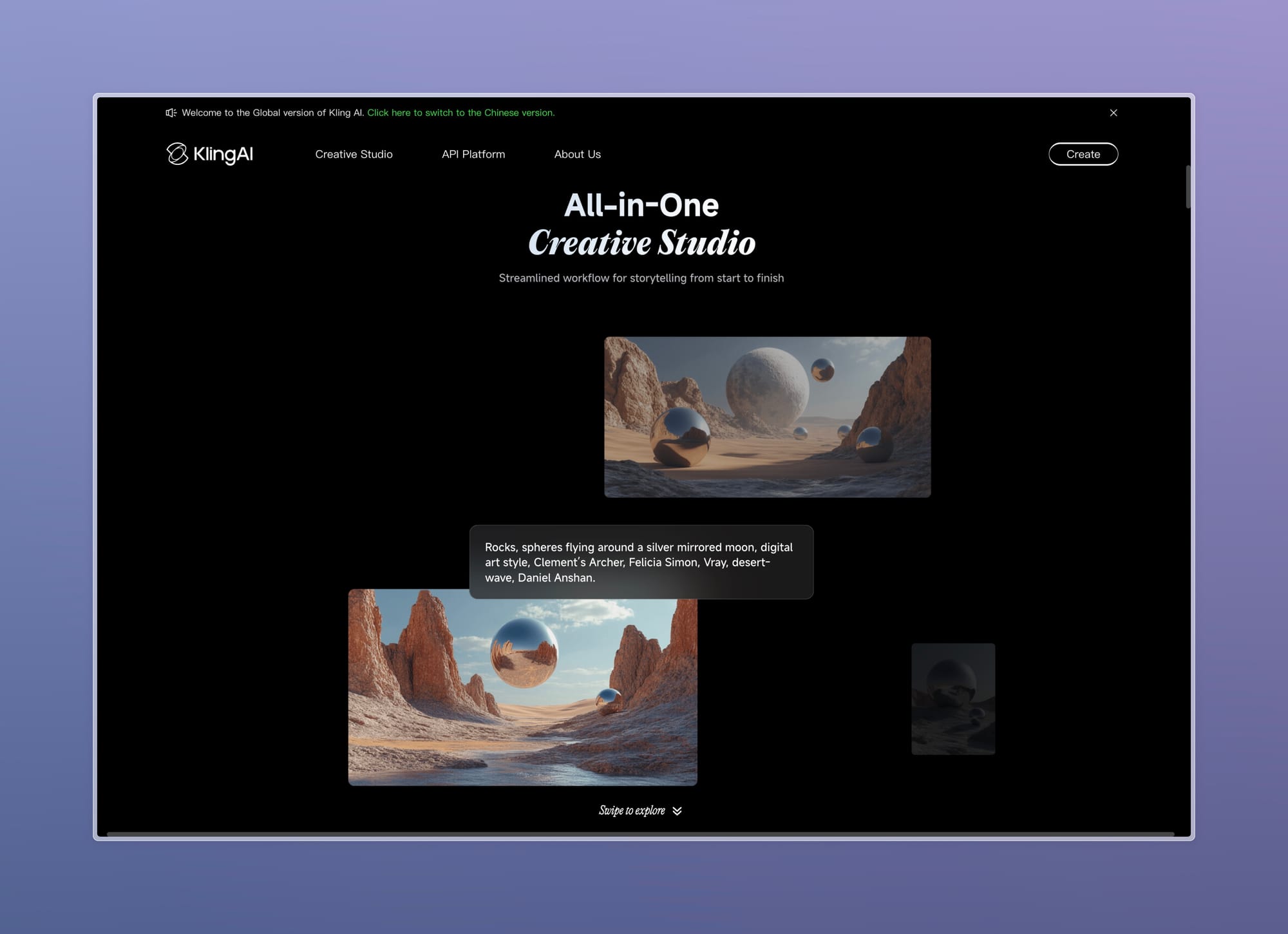
Think of the difference between a flip-book and a single drawing. A normal image model like a diffusion model draws one frozen picture. A video model like Kling has to draw dozens of pictures in a row that connect smoothly — so the fox's legs move in a believable running cycle, the grass bends as it passes, and shadows shift as the sun sets. Getting all those frames to agree with each other is the hard part, and it is exactly what Kling is built to do well.
Kling's reputation is for convincing motion and physics. Many early video models produced footage where objects melted, limbs swapped places, or things floated in ways that broke the illusion. Kling became popular because its movement tends to look physically plausible — a person walks like a person, water splashes roughly like water, an object that falls keeps falling. That believability is why it grew into one of the most widely used video generators in the world.
Why it matters
Video is the hardest, most expensive kind of media to make. A few seconds of footage traditionally needs a camera, actors or animators, lighting, and hours of editing. A text-to-video model collapses that into a prompt and a wait. Kling matters because it is one of the tools that made good-enough generative video genuinely usable, not just a research demo.
The real problems it solves
- Motion that holds together. The signature problem of AI video is temporal consistency — keeping an object the same shape and identity across every frame so it does not morph or flicker. Kling's strength is producing movement that stays coherent, which is the single feature that separates a usable clip from a disturbing one.
- Two ways in: text or image. You can start from a pure text prompt (text-to-video) or animate a still picture you already have (image-to-video). The image path is powerful: you generate or shoot the exact first frame you want, then let Kling bring it to life — see text-to-video vs image-to-video.
- Cost and speed for creators. Marketers, indie filmmakers, and social creators can produce B-roll, concept shots, and animated stills without a film crew. The barrier drops from "hire a production" to "write a sentence."
- A global, accessible product. Because it runs as a hosted service with a simple web and app interface, anyone can try it without a powerful GPU. That low barrier is a big reason it reached such wide global usage.
Who should care? Anyone making visual content — ad teams, animators, game studios prototyping scenes, educators, and hobbyists. Kling sits in the same space as Google Veo and Runway among the hosted leaders, while open models like Wan cover the self-hosted side. Kling's particular pull is its motion quality and broad availability.
How it works
At a high level, Kling is a generative video model: a neural network trained on huge amounts of video that learns how the world tends to move, then generates new clips guided by your prompt. You never see this machinery — you just type and wait — but knowing the shape of it explains why video models behave the way they do.
Like image diffusion, the core idea is denoising. The model starts from random visual noise and refines it step by step toward something that matches your prompt. The crucial twist for video is that it does this for many frames at once, with the frames constrained to stay consistent with each other over time — so the result is a smooth sequence, not a stack of unrelated pictures. Your text prompt (and optional starting image) acts as the steering signal at every step.
Why motion and physics are the hard part
A single image only has to look right once. A video has to look right and change correctly. If frame 12 shows a person mid-stride, frame 13 must show the next plausible instant of that stride — same person, same clothes, gravity still pointing down. The model was never given the laws of physics; it learned an approximation of how things move by watching millions of real clips. When people say Kling has "good physics," they mean its learned approximation happens to match reality more often than rivals' — not that it runs a physics engine. For the bigger idea of models that internalize how the world behaves, see what is a world model.
This is also why video models are far more expensive to run than image models. Generating dozens of consistent frames is many times the work of generating one picture, which is part of why Kling is delivered as a cloud service — the heavy computation happens on Kuaishou's servers, not your device.
Text-to-video vs image-to-video in practice
Kling supports two starting points, and choosing the right one is the most practical decision you make. Text-to-video gives the model total freedom; image-to-video locks the look of the first frame and asks the model only to move it.
| Aspect | Text-to-video | Image-to-video |
|---|---|---|
| You provide | A written prompt only | A starting image (plus optional prompt) |
| Control over the look | Lower — the model invents the whole scene | Higher — the first frame is fixed |
| Best for | Exploring ideas, quick concepts | Animating a specific design or photo |
| Main risk | Composition may not match your mental image | Motion may not match what you imagined for that frame |
A common professional workflow is to combine the two: generate a perfect still with an image model where you fully control composition, then feed that still into Kling's image-to-video mode to animate it. You get the precise framing of an image model and the motion of a video model. The deeper tradeoffs live in text-to-video vs image-to-video.
Common pitfalls and how to avoid them
Generative video is impressive but still imperfect. Knowing where it breaks saves you a lot of wasted generations.
- Asking for too much motion. Complex actions — hands manipulating objects, multiple people interacting, fast camera moves — are where artifacts appear. Simpler, single-subject motion is far more reliable. Start small.
- Expecting long, perfect shots. Clips are short by nature, and quality tends to drift the longer a generation runs. Plan for several short shots rather than one continuous take.
- Vague prompts. "A nice city scene" gives the model no anchor. Describe the subject, the action, the camera ("slow push-in"), and the mood. Specific motion described in words usually produces better motion.
- Trusting fine detail. Text on signs, faces in a crowd, and fingers are classic weak spots. Frame your shot so flaws fall outside the focus, or fix them in editing.
- Forgetting it is a hosted, paid service. Generations cost credits and run on Kuaishou's cloud, so iterate deliberately rather than spraying dozens of random prompts.
Going deeper
Once the basics click, a few larger themes are worth understanding — both about Kling specifically and about generative video as a field.
Closed vs open is a real fork in the road. Kling is proprietary and hosted: easy to use, no hardware needed, but you cannot inspect, fine-tune, or run it offline, and you depend on the provider's pricing and availability. The open alternative — models like Wan — lets you self-host and customize at the cost of needing your own GPUs and more setup. Which side you pick depends on whether you value convenience or control.
Control is the next frontier, not raw quality. Early competition was about who could make the least-broken clip. The harder, more useful problem now is directability — keeping a character looking identical across many shots, controlling the camera precisely, and editing a generated clip without re-rolling the whole thing. This is the same consistency challenge Runway emphasizes, and where serious creative tools are competing.
Audio and the multimodal trend. Pure video is increasingly being paired with generated sound. Some models now produce synchronized audio alongside the picture; the broader direction is toward systems that move freely between text, image, video, and sound — see any-to-any models and AI music generation. Expect the line between "video model" and "general media model" to keep blurring.
Provenance and ethics. Realistic generated video raises obvious risks — deepfakes, misinformation, and impersonation. This is why detection and watermarking matter; see how to detect AI-generated content and AI avatars explained. As a creator, label synthetic media honestly and avoid generating real people without consent.
The durable takeaway: Kling is a strong, convenient, hosted text- and image-to-video model whose edge is believable motion. To understand the machinery underneath any such model, the best next step is how AI video generation works — the mechanics there apply to Kling, Veo, Runway, and Wan alike.
FAQ
What is Kling AI used for?
Kling is used to generate short video clips from a text prompt or a single image. People use it for social media content, ad concepts, B-roll, animated stills, and quick visual prototypes — anything where you want moving footage without filming or animating it by hand.
Who made Kling and is it free?
Kling is made by Kuaishou, a major Chinese short-video company. It is a proprietary, hosted service accessed through its website and app. It typically offers some free trial credits with paid plans for more usage, so it is not fully free — and pricing changes over time, so check the official site.
Can I download Kling and run it on my own computer?
No. Kling is closed-source — the model weights are not released, so you cannot self-host it. It runs only on Kuaishou's servers and is used through its hosted product. If you need a video model you can run locally, look at an open-weight option like Wan instead.
Why is Kling known for good physics?
Kling tends to produce motion that looks physically plausible — people walk naturally, objects fall and move believably — which many earlier video models struggled with. It does not run an actual physics engine; it learned a strong approximation of how things move from training on large amounts of video.
What is the difference between Kling and Sora?
Both are hosted text-to-video models from different companies — Kling from Kuaishou, Sora from OpenAI. They aim at the same goal of high-quality generative video; their differences come down to motion quality, available controls, pricing, and access. The right choice depends on your specific footage needs, since capabilities change frequently.
Does Kling support image-to-video?
Yes. Besides generating video from a text prompt, Kling can animate a starting image you provide (image-to-video). This gives you tighter control over the look of the first frame — a common trick is to create a precise still with an image model, then let Kling add the motion.